
#751 by installs
If Menu – Visibility control for Menus
Display tailored menu items to each visitor with visibility rules
- Installs
- 50,000+
- Rating
- 4.1 (130)
- Updated
- 23 months ago

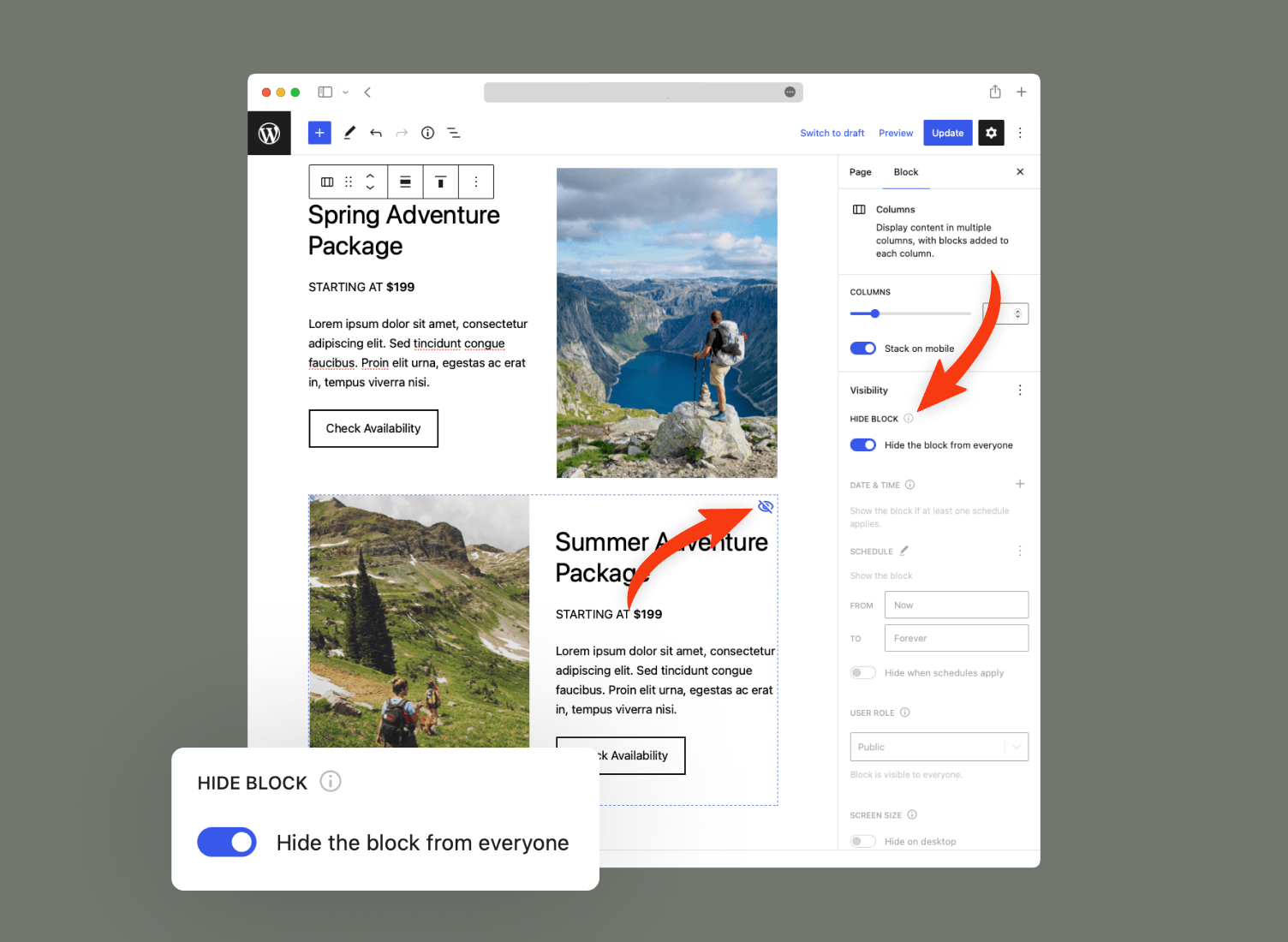
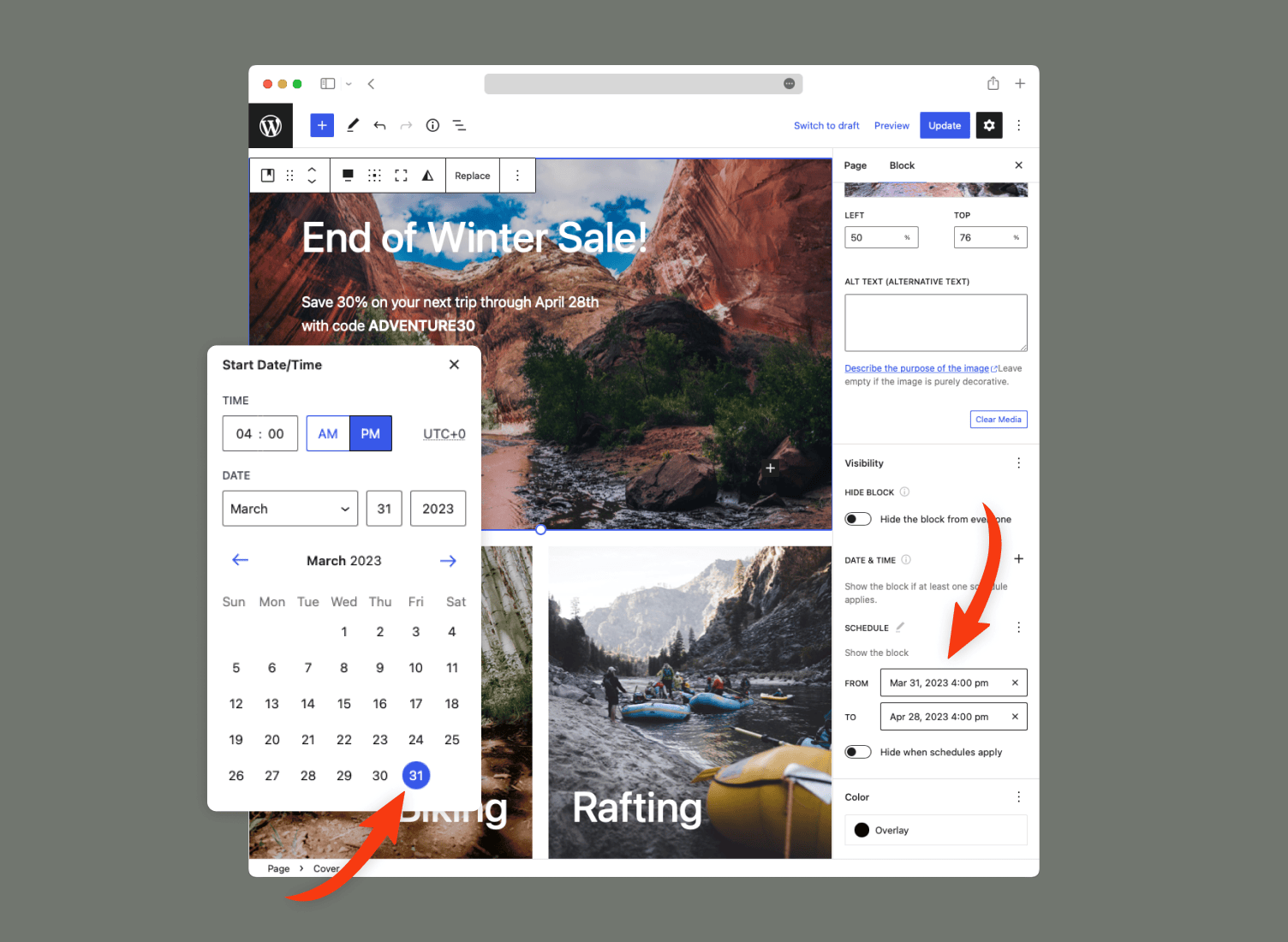
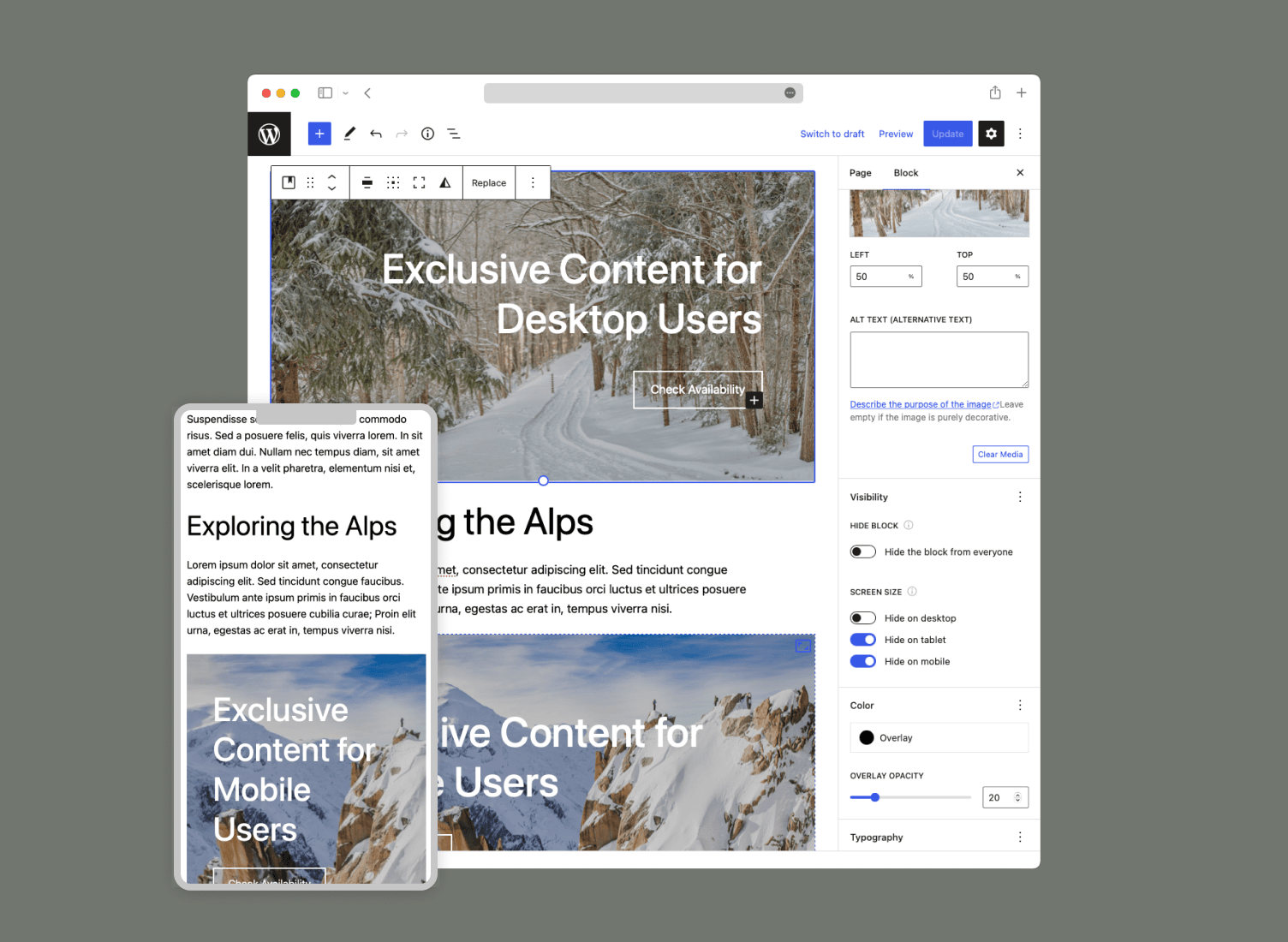
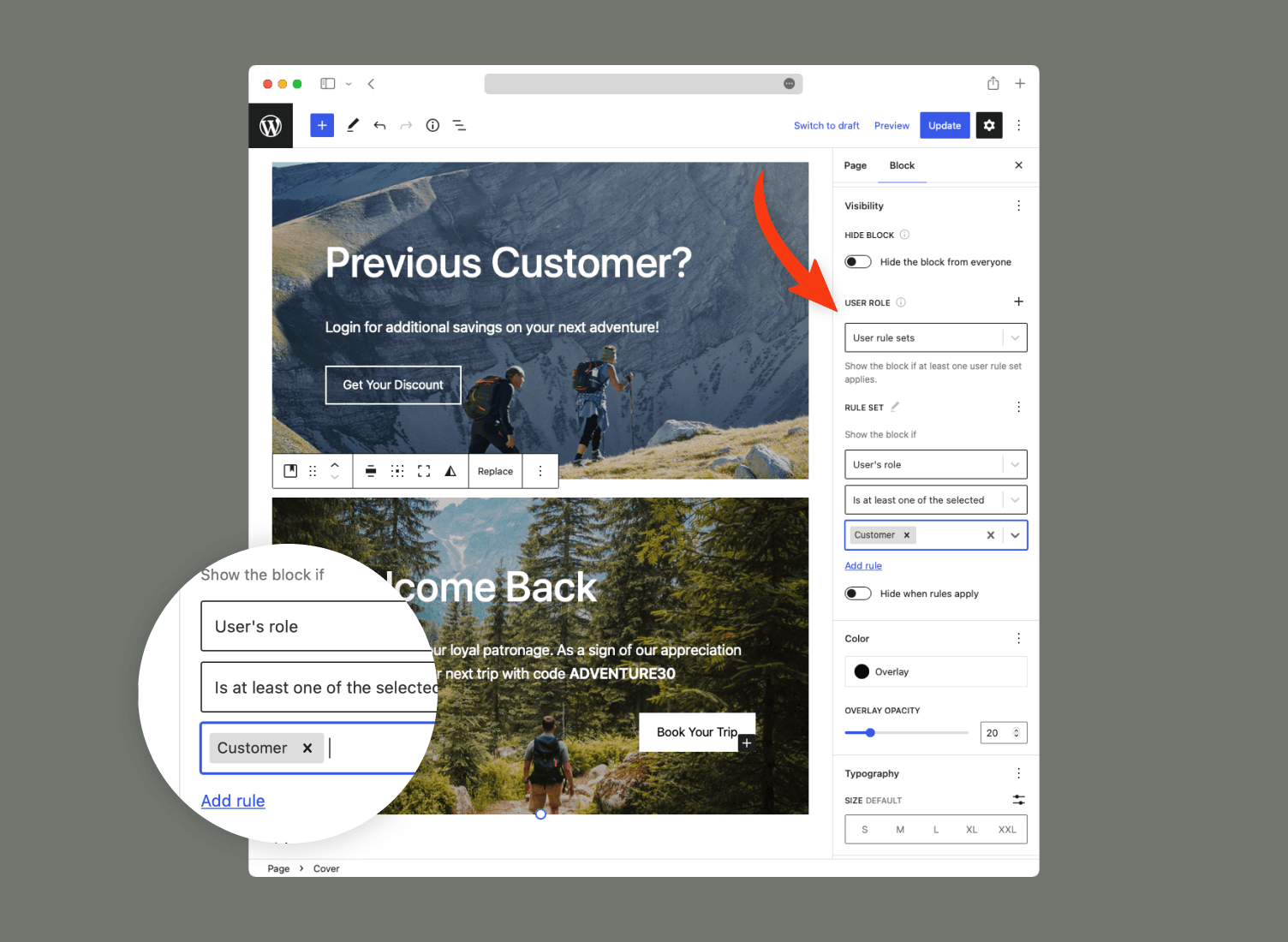
Easily show or hide any WordPress block. Schedule block visibility. Restrict blocks to specific screen sizes, user roles, post types, and more.
| Last updated | September 18, 2026Updated in the last 3 months |
|---|---|
| Tested up to | WordPress 7.1.4Covers WordPress 7.1.4, the current release |
| Needs WordPress | 6.6 or newer |
| Needs PHP | 7.4 or newer |
| First published | August 11, 2020 |
| Support, last two months | 1 of 2 threads resolved (50%) |
4.9 / 5 from 108 reviews
| 5 stars | 104 |
|---|---|
| 4 stars | 1 |
| 3 stars | 0 |
| 2 stars | 0 |
| 1 star | 3 |
Easily create dynamic content in WordPress that will increase conversions, enhance the user experience, and improve your workflow.
With this no-code solution, control which blocks are visible on your website and who can see them. Schedule content to show or hide at a specific time. Display exclusive promotions to your customers or members. Restrict blocks to specific user roles, screen sizes, query strings, WooCommerce products, EDD downloads, ACF fields, WP Fusion tags, and more.
Block Visibility is built exclusively for the WordPress Editor (Gutenberg) and is designed to work with any WordPress block. This includes blocks natively provided by WordPress, third-party blocks, and even block-based widgets.
Create Conditional Blocks in Seconds!
Work directly in the WordPress Editor with blocks you’re already familiar with. There is no external editor or new interface to learn. In seconds, you can transform static blocks into conditional and personalized content.
It takes just 3 simple steps:
Packed With Features
Visibility Controls determine whether a block should be visible to users on the front end of your website. Features include:
The opening of the plugin's own description. The full text, installation notes and changelog are on its WordPress.org page.
Block Visibility is a powerful yet simple plugin that gives marketing agencies, bloggers, eCommerce websites, and small business owners the power to conditionally show or hide blocks on their websites. The need to hide Gutenberg blocks varies. Whether you need to restrict content to specific users like members or launch a promotional campaign at a particular time with block scheduling, the applications are endless.
Yes! However, not all block types are enabled by default. Controls are only provided to blocks that can be added directly to a page/post by the block inserter. Therefore, some specialized blocks, such as child blocks, are not included by default. An example is the individual Column block that is part of the larger Columns block.
Yup, this plugin is not theme-specific. You just need to run the latest WordPress version and use a theme that supports the block Editor. This plugin provides zero functionality to the Classic Editor.
Yes, and if you have a specific idea of what you would like to see, please submit a feature request in the plugin support forum on WordPress.org.
As of version 1.4.0, Block Visibility is supported in the Site Editor, which is available when using a block theme. We are committed to ensuring 100% compatibility with all Full Site Editing features. Please let us know in the plugin support forum if you find bugs or compatibility issues.
No. Block Visibility is designed specifically for the WordPress block Editor and, therefore, does not work on pages that the Elementor editor or another page builder controls. So long as you edit native WordPress “block” content, Block Visibility will work.
Fixed
#751 by installs
Display tailored menu items to each visitor with visibility rules

#932 by installs
Show and hide widgets on specific posts, pages and sections of your site.
Read from the WordPress.org plugin API on , when WordPress 7.1.4 was the current release. WordPress.org rounds active installs into buckets. These are the directory's figures, not my verdict, and I haven't tested this plugin.