Type to search.

#291 by installs

FiboSearch – Ajax Search for WooCommerce

by Damian GóraVersion 1.34.3

The most popular WooCommerce product search plugin. Gives your users a well-designed advanced AJAX search bar with live search suggestions.

Active installs
100,000+
#291 of 1,000
Downloads, all time
4.3M
4,294,652
Downloads, 30 days
102.5K
14.4K in the last 7
Rating
4.9 / 5
1,815 reviews
Last updated
23 days ago
Oct 8, 2026
Version
1.34.3
68 releases

Upkeep and compatibility

Last updatedOctober 8, 2026Updated in the last 3 months
Tested up toWordPress 7.1.4Covers WordPress 7.1.4, the current release
Needs WordPress6.5 or newer
Needs PHP7.4 or newer
Needs pluginswoocommerce
First publishedMay 17, 2016
Support, last two months1 of 2 threads resolved (50%)

Reviews

4.9 / 5 from 1,815 reviews

Reviews by star rating
5 stars1,760
4 stars33
3 stars8
2 stars5
1 star9

Downloads, last 30 days

Low 934 a dayHigh 25.9K a day

What the author says it does

The most popular WooCommerce product search plugin. It gives your users a well-designed advanced AJAX search bar with live search suggestions.

By default, WooCommerce provides a very simple search solution, without live product search or even SKU search. FiboSearch (formerly Ajax Search for WooCommerce) provides advanced search with live suggestions.

Who doesn’t love instant, as-you-type suggestions? In 2025, customers expect smart product search. Baymard Institute’s latest UX research reveals that search autocomplete, auto-suggest, or an instant search feature is now offered on 96% of major e-commerce sites. It’s a must-have feature for every online business that can’t afford to lose customers. Why? FiboSearch helps users save time and makes shopping easier. As a result, Fibo really boosts sales.

Features

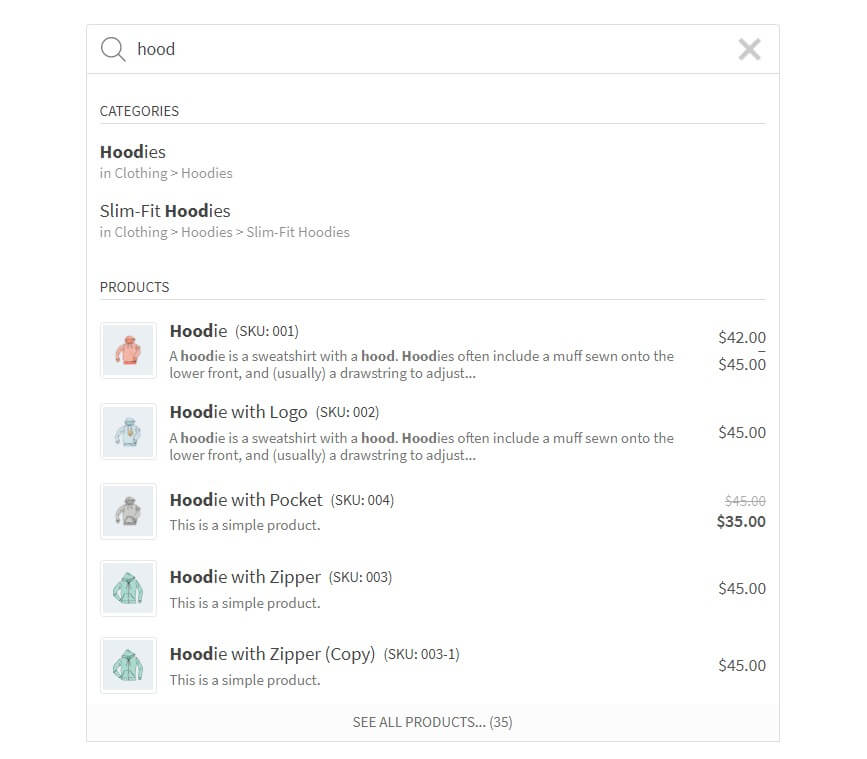
✅ Search by product title, long and short description

✅ Search by SKU

✅ Show product image in live search results

✅ Show product price in live search results

✅ Show product description in live search results

✅ Show SKU in live search results

✅ Mobile first – special mobile search mode for better UX

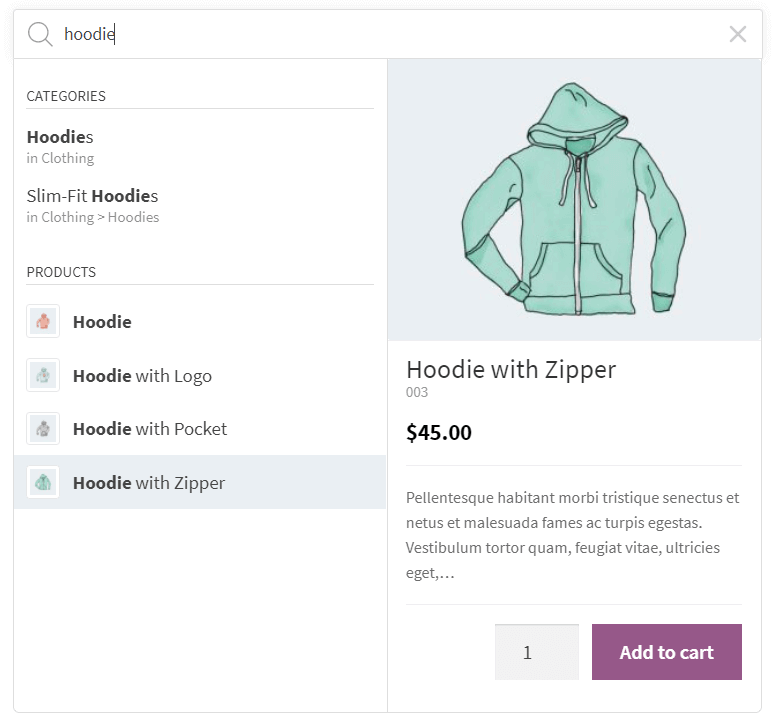
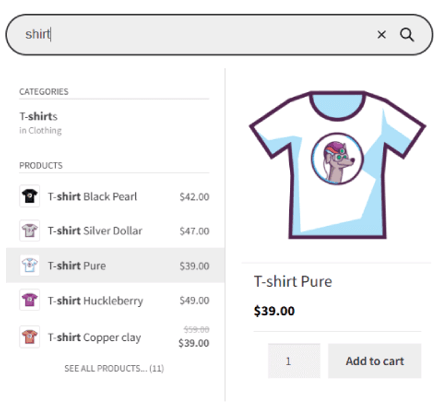
✅ Details panels with extended information – “add to cart” button with a quantity field and extended product data displayed on hovering over the live suggestion

✅ Easy implementation in your theme – embed the plugin using a shortcode, as a menu item or as a widget

The opening of the plugin's own description. The full text, installation notes and changelog are on its WordPress.org page.


Questions the author answers

How do I embed the search bar in my theme?

There are many easy ways to display the FiboSearch bar in your theme:

– Replacing the existing search bar with one click – it is possible for dozens of popular themes

– As a menu item – in your WordPress admin panel, go to Appearance → Menu and add FiboSearch bar as a menu item

– Using a shortcode

[fibosearch]

– As a widget – in your WordPress admin panel, go to Appearance → Widgets and choose FiboSearch

How do I replace the existing search bar in my theme with FiboSearch?

We have prepared a one-click replacement of the search bar for the following themes:

  • Storefront
  • Divi
  • Flatsome
  • OceanWP
  • Astra
  • Avada
  • Sailent
  • and 46 more… See a complete list of integrated themes on our documentation.

If you want to replace your search bar in another theme, please contact our support team.

Can I add the search bar as a WordPress menu item?

Yes, you can! Go to Appearance → Menu. You will see a new menu item called “FiboSearch”. Select it and click “Add to menu”. Done!

How can I ask a question?

You can submit a ticket on the plugin website and the support team will get in touch with you shortly. We also answer questions on the WordPress Support Forum.

Do you offer customization support?

Depending on the theme you use, sometimes the search bar requires minor improvements in appearance. We guarantee fast CSS corrections for all Pro plugin users, but we also help Free plugin users.

Where can I find plugin settings?

In your WordPress dashboard, go to WooCommerce → FiboSearch. The FiboSearch settings page is a submenu of the WooCommerce menu.

Latest changelog entry

1.34.3, October 8, 2026

  • FIXED: EAN for WooCommerce plugin: no results when searching by EAN after updating that plugin
  • FIXED: Database error on the settings page with WooCommerce older than 9.2
  • SECURITY: Stored XSS in the WordPress admin panel. The script can run only in the browser of a logged-in administrator or shop manager. Thanks to daroo and the Wordfence team for the responsible disclosure.
  • UPDATED: The .pot file
  • UPDATED: Freemius SDK

Screenshots

First 4 of 9, from WordPress.org.

Tagged

Plugins that share its tags

#352 by installs

Relevanssi – A Better Search

by Christoph Vielgrader

Relevanssi replaces the default search with a partial-match search that sorts results by relevance. It also indexes comments and shortcode content.

Installs
100,000+
Rating
4.8 (406)
Updated
1 day ago

#472 by installs

Ivory Search – WordPress Search Plugin

by Vinod Dalvi

Advanced WordPress custom search plugin. Provides Search Form Customizer, WooCommerce Search, AJAX Search & Live Search support!

Installs
90,000+
Rating
4.9 (1.6K)
Updated
10 days ago

The Best Ajax Live Search and Filter for WordPress. Live suggestions, Custom Post types, Custom fields, Categories, WooCommerce & Elementor support

Installs
70,000+
Rating
4.8 (266)
Updated
12 days ago

#74 by installs

Google for WooCommerce

by WooCommerce

Native integration with Google that allows merchants to easily display their products across Google’s network.

Installs
800,000+
Rating
2.7 (268)
Updated
11 days ago

#82 by installs

WooCommerce PayPal Payments

by WooCommerce

PayPal's latest payment processing solution. Accept PayPal, Pay Later, credit/debit cards, alternative digital wallets and bank accounts.

Installs
800,000+
Rating
2.9 (583)
Updated
10 days ago

Where this page's numbers come from

Read from the WordPress.org plugin API on , when WordPress 7.1.4 was the current release. WordPress.org rounds active installs into buckets. These are the directory's figures, not my verdict, and I haven't tested this plugin.