Type to search.

#616 by installs

Advanced Woo Search – Product Search for WooCommerce

by ILLIDVersion 3.73

Advanced WooCommerce product search plugin. Search inside any product field. Support for both AJAX search and search results page.

Active installs
60,000+
#616 of 1,000
Downloads, all time
5.7M
5,749,714
Downloads, 30 days
69.5K
8.5K in the last 7
Rating
4.8 / 5
248 reviews
Last updated
11 days ago
Oct 20, 2026
Version
3.73
171 releases

Upkeep and compatibility

Last updatedOctober 20, 2026Updated in the last 3 months
Tested up toWordPress 7.1.4Covers WordPress 7.1.4, the current release
Needs WordPress4.0 or newer
Needs PHP7.0 or newer
Needs pluginswoocommerce
First publishedJanuary 30, 2016
Support, last two months0 of 1 threads resolved (0%)

Reviews

4.8 / 5 from 248 reviews

Reviews by star rating
5 stars232
4 stars3
3 stars3
2 stars2
1 star8

Downloads, last 30 days

Low 303 a dayHigh 12.8K a day

What the author says it does

Advanced Woo Search – powerful search plugin for WooCommerce. Supports AJAX search and search results page display.

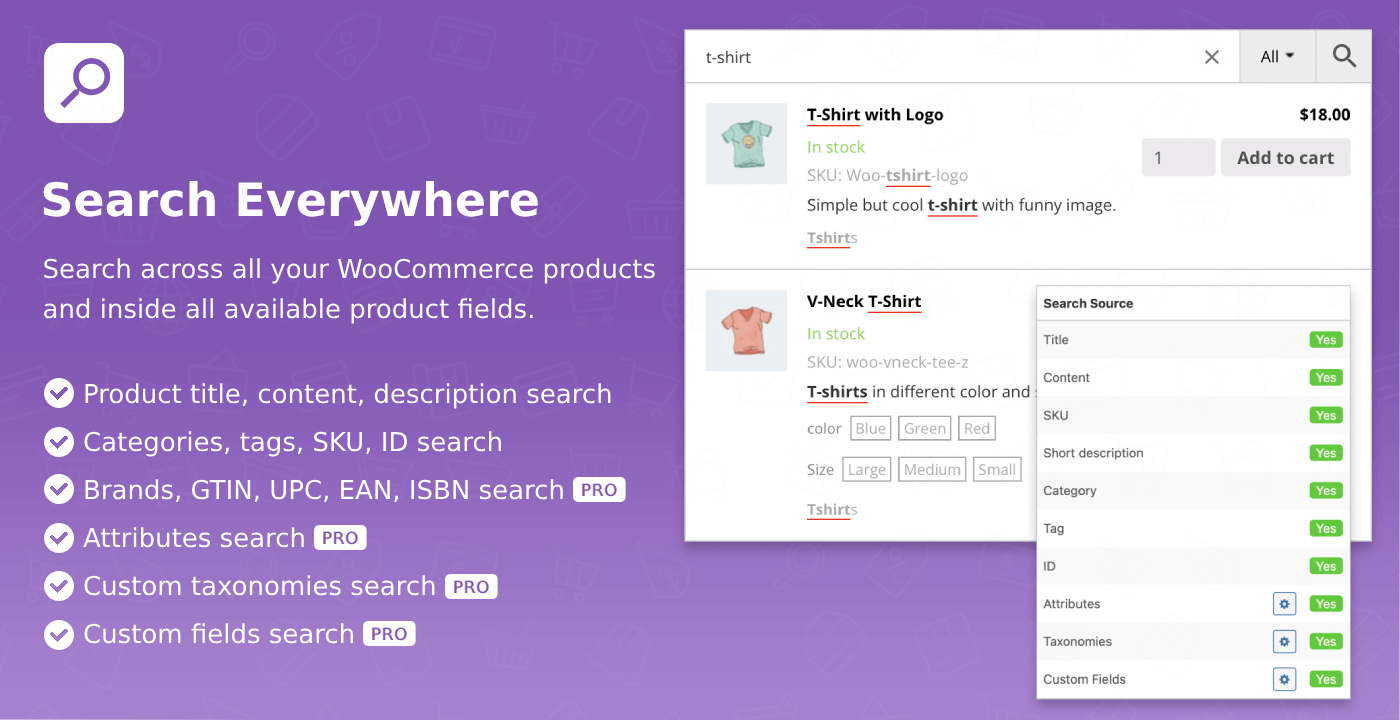
With this plugin you can search for WooCommerce products via any product field: title, content, description, SKU, ID, categories or tags.

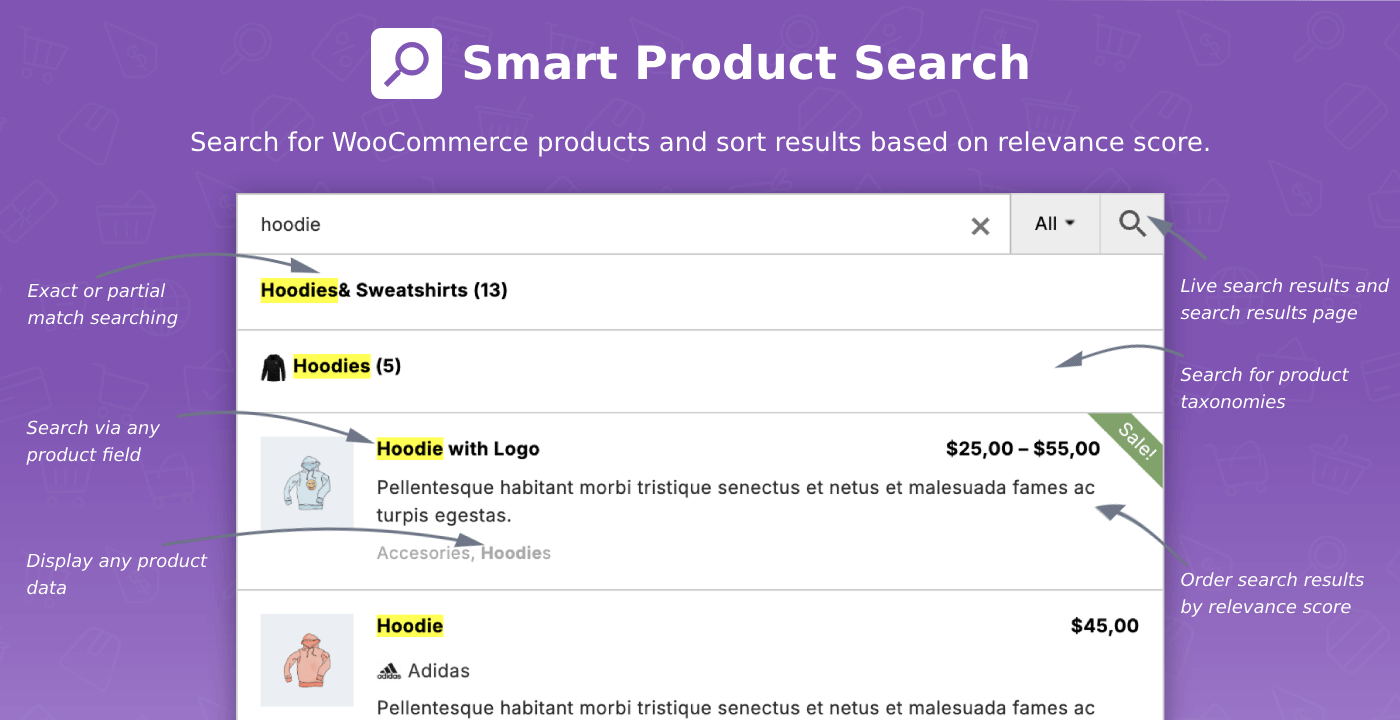
Search not only for WooCommerce products. Use plugin to search for product categories and tags. Display them right inside the search results list.

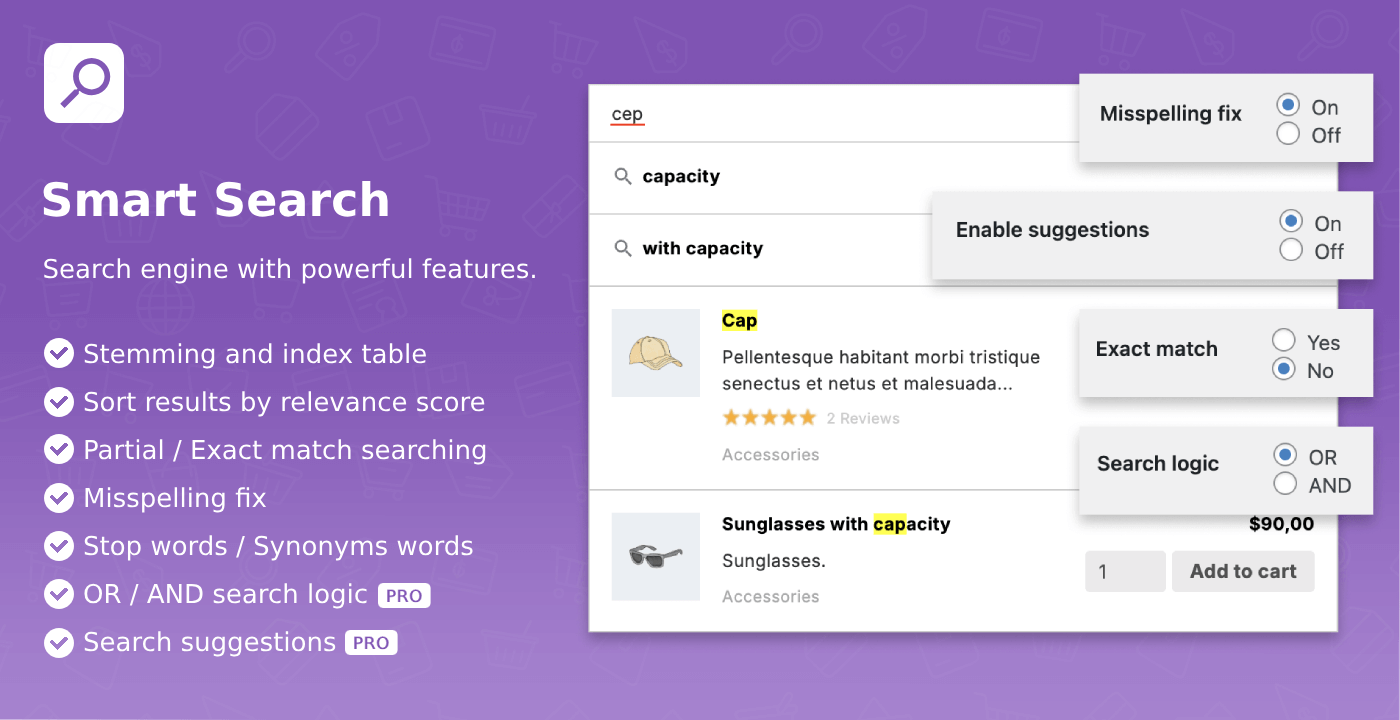
Use a powerful plugin search engine with features like relevance score for search results, search words stemming, misspelling fix, stop words, synonyms words and many more.

Customize search results via adding or removing any products data. Change results view with custom styles.

Plugin Home Page | Documentation | View demo | Get PRO

⚡ Main Features

Plugin comes packed with a large number of build-in features. Here are only the most major ones.

✅ Products Search: Search across all your WooCommerce products.

✅ Taxonomies Terms Search: Search for product categories and tags.

✅ Search Sources: Search in product title, content, excerpt, categories, tags, ID and sku. Or just in some of them.

✅ Smart Ordering: Search results ordered by the relevance priority of the source where they were found.

✅ Variable Products Support: Search and display variable products.

✅ Plurals Support: Search and find products no matter in plural or singular form words are written.

The opening of the plugin's own description. The full text, installation notes and changelog are on its WordPress.org page.

Questions the author answers

What is Advanced Woo Search?

Advanced Woo Search is a WooCommerce search plugin. It allows searching for WooCommerce products and product taxonomies. Plugin is packed with many powerful search features like searching in any product field, smart search based on relevance score, fuzzy search, search results customizations and much more.

What are the requirements to use Advanced Woo Search?

Advanced Woo Search is a plugin for self-hosted WordPress sites, or wordpress.com hosted sites that allow installation of third party plugins.

Plugin requires the following at minimum to work properly:

  • WordPress 4.0 or greater
  • WooCommerce 3.0.0 or greater
  • PHP 5.5 or greater
  • MySQL 5.6 or MariaDB 10.0 or greater
  • Apache or Nginx server (recommended, but other options may work as well)
How to insert search form?

There are several ways you can add plugins search form on your site. The simplest way – is by turning on the Seamless integration option from the plugins settings page.

You can also use build-in widget to place plugins search form to your sidebar or any other available widget area.

Or just use shortcode for displaying form inside your post/page:

[aws_search_form]

Can I replace existing search forms with plugin ones?

Yes. The simplest way of doing this is by using Seamless Integration option. Just go to the plugin settings page -> General page and turn on Seamless Integration option. Now all your current default search bars must be replaced with plugin ones. This is working for almost all WordPress themes.

What is the steps to make this plugin works on my site?

In order to start using the plugin search form you need to take following steps:

  • Installation. Install and activate the plugin. You can follow these steps if you face any problems.
  • Index plugin table. Click on the Reindex table button inside the plugin settings page and wait till the index process is finished.
  • Set plugin settings. Leave it to default values or customize some of them.
What is the plugin index table and why is it needed?

In order to work, the plugin first requires to index all your WooCommerce products data. All content words are normalized and stored inside a plugin index table. For now all plugin search queries will be performed through this index table.

This is a one-time action. After first indexation all other product changes will be synchronized automatically.

Latest changelog entry

3.73 ( 2026-10-19 )

  • Update – Tested with WC 11.2
  • Fix – Bug with events sending to Google Analytics
  • Fix – Bug with html inputs for Nothing Found option field

Screenshots

First 4 of 10, from WordPress.org.

Tagged

Plugins that share its tags

The Best Ajax Live Search and Filter for WordPress. Live suggestions, Custom Post types, Custom fields, Categories, WooCommerce & Elementor support

Installs
70,000+
Rating
4.8 (266)
Updated
12 days ago

#291 by installs

FiboSearch – Ajax Search for WooCommerce

by Damian Góra

The most popular WooCommerce product search plugin. Gives your users a well-designed advanced AJAX search bar with live search suggestions.

Installs
100,000+
Rating
4.9 (1.8K)
Updated
23 days ago

#352 by installs

Relevanssi – A Better Search

by Christoph Vielgrader

Relevanssi replaces the default search with a partial-match search that sorts results by relevance. It also indexes comments and shortcode content.

Installs
100,000+
Rating
4.8 (406)
Updated
1 day ago

#472 by installs

Ivory Search – WordPress Search Plugin

by Vinod Dalvi

Advanced WordPress custom search plugin. Provides Search Form Customizer, WooCommerce Search, AJAX Search & Live Search support!

Installs
90,000+
Rating
4.9 (1.6K)
Updated
10 days ago

#74 by installs

Google for WooCommerce

by WooCommerce

Native integration with Google that allows merchants to easily display their products across Google’s network.

Installs
800,000+
Rating
2.7 (268)
Updated
11 days ago

#82 by installs

WooCommerce PayPal Payments

by WooCommerce

PayPal's latest payment processing solution. Accept PayPal, Pay Later, credit/debit cards, alternative digital wallets and bank accounts.

Installs
800,000+
Rating
2.9 (583)
Updated
10 days ago

Where this page's numbers come from

Read from the WordPress.org plugin API on , when WordPress 7.1.4 was the current release. WordPress.org rounds active installs into buckets. These are the directory's figures, not my verdict, and I haven't tested this plugin. The author takes donations at their donate page.