Type to search.

#546 by installs

Custom Product Tabs for WooCommerce

by Evan HermanVersion 1.8.6

Add custom tabs with content to products in WooCommerce.

Active installs
80,000+
#546 of 1,000
Downloads, all time
2M
1,988,632
Downloads, 30 days
3.1K
796 in the last 7
Rating
4.4 / 5
163 reviews
Last updated
19 months ago
Apr 12, 2025
Version
1.8.6
58 releases

Upkeep and compatibility

Last updatedApril 12, 2025Not updated for over a year
Tested up toWordPress 6.7.11Older than WordPress 7.1.4, the current release
Needs WordPress3.8 or newer
Needs PHP7.4 or newer
First publishedDecember 16, 2014
Support, last two months0 of 2 threads resolved (0%)

Reviews

4.4 / 5 from 163 reviews

Reviews by star rating
5 stars134
4 stars2
3 stars3
2 stars4
1 star20

Downloads, last 30 days

Low 54 a dayHigh 233 a day

What the author says it does

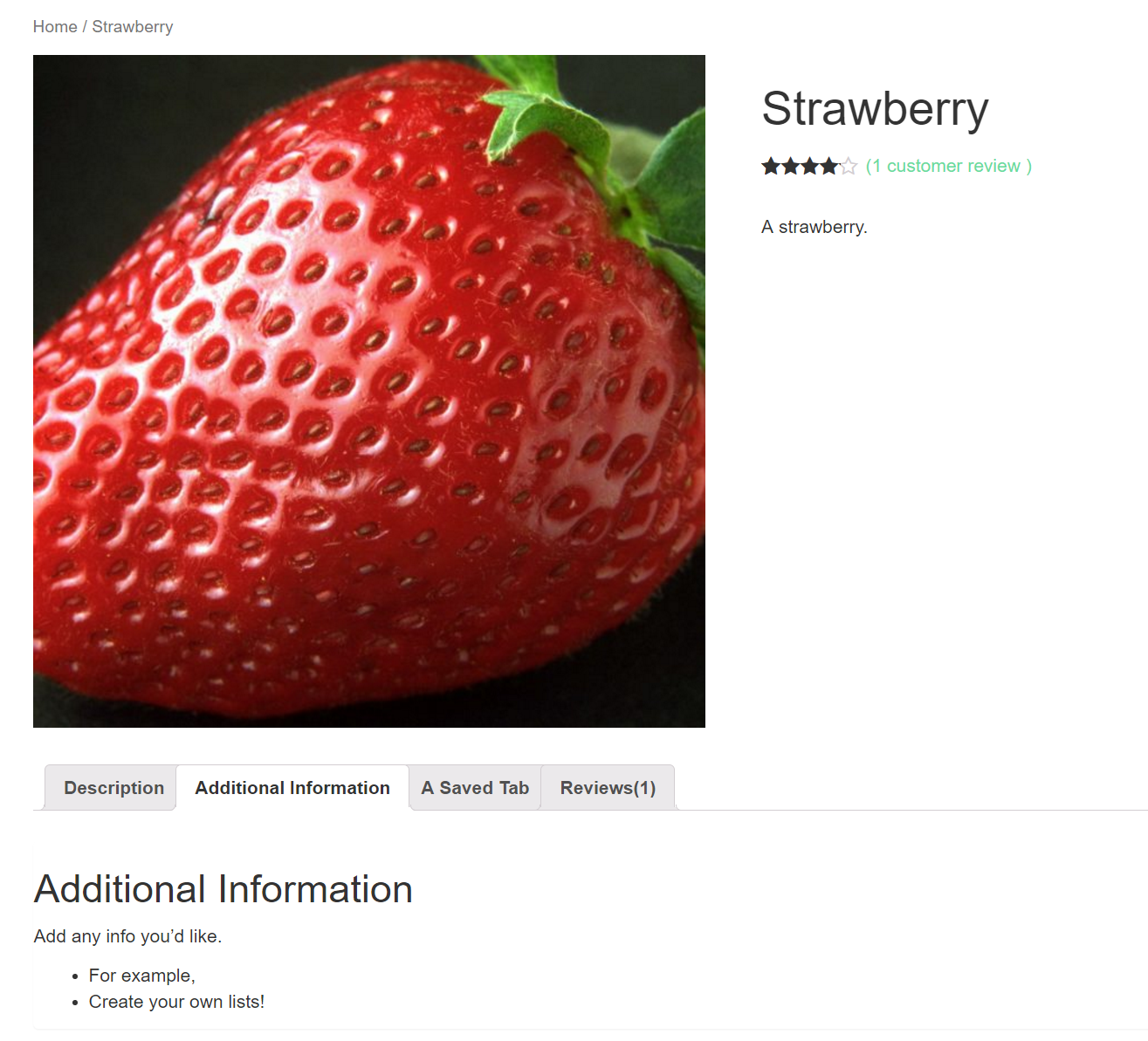
This plugin extends WooCommerce to allow shop owners to add custom tabs to products. The tabs are displayed on the individual product pages to the right of the default “Description” tab.

Individual product tabs are managed on the WooCommerce Edit Product screen and can be added on a per product basis. You can also create saved tabs and add them to multiple products as needed. Tabs can be easily added, deleted and rearranged.

Tab content areas use the standard WordPress text editor and may contain text, images, HTML or shortcodes.

If you experience any problems, please submit a ticket on our Free WordPress Support Forums and we’ll look in to it as soon as possible.

This plugin is compatible with WPML.

Upgrade to Custom Product Tabs Pro for great enhanced features!

The opening of the plugin's own description. The full text, installation notes and changelog are on its WordPress.org page.

Questions the author answers

Where do I go to add tabs to a product?

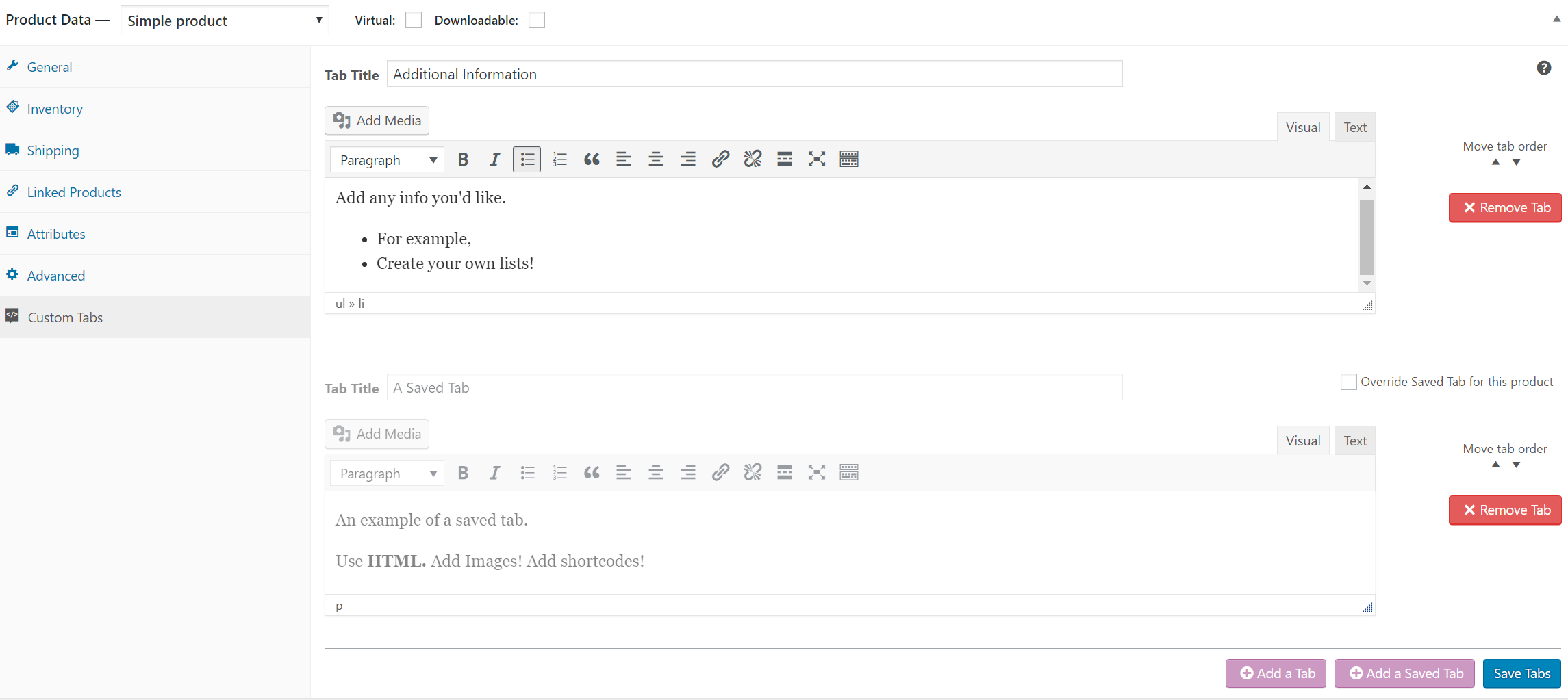
When editing a product in WooCommerce, you will find “Custom Tabs” in the bottom left corner of the Product Data box. Click on “Custom Tabs” to reveal the custom tab manager.

Where will these tabs appear?

When the product is viewed on your website you will see the tabs you created to the right of the default “Description” tab.

How do I change the order of the tabs?

To change the order of custom tabs use the up and down “Move tab order” arrows.

How do saved tabs work?

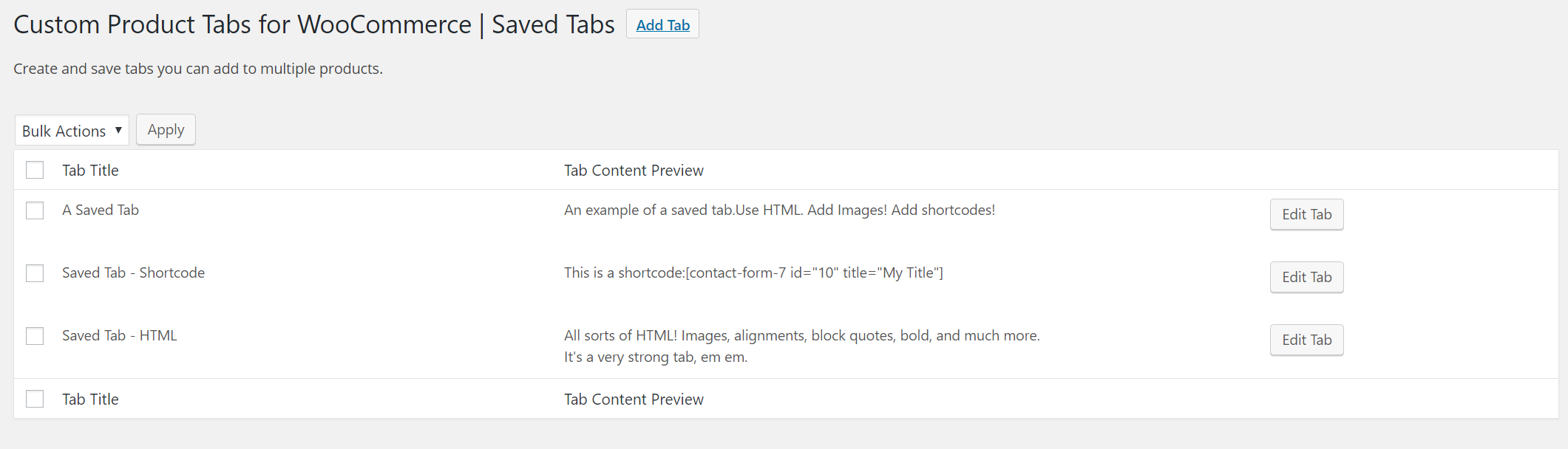
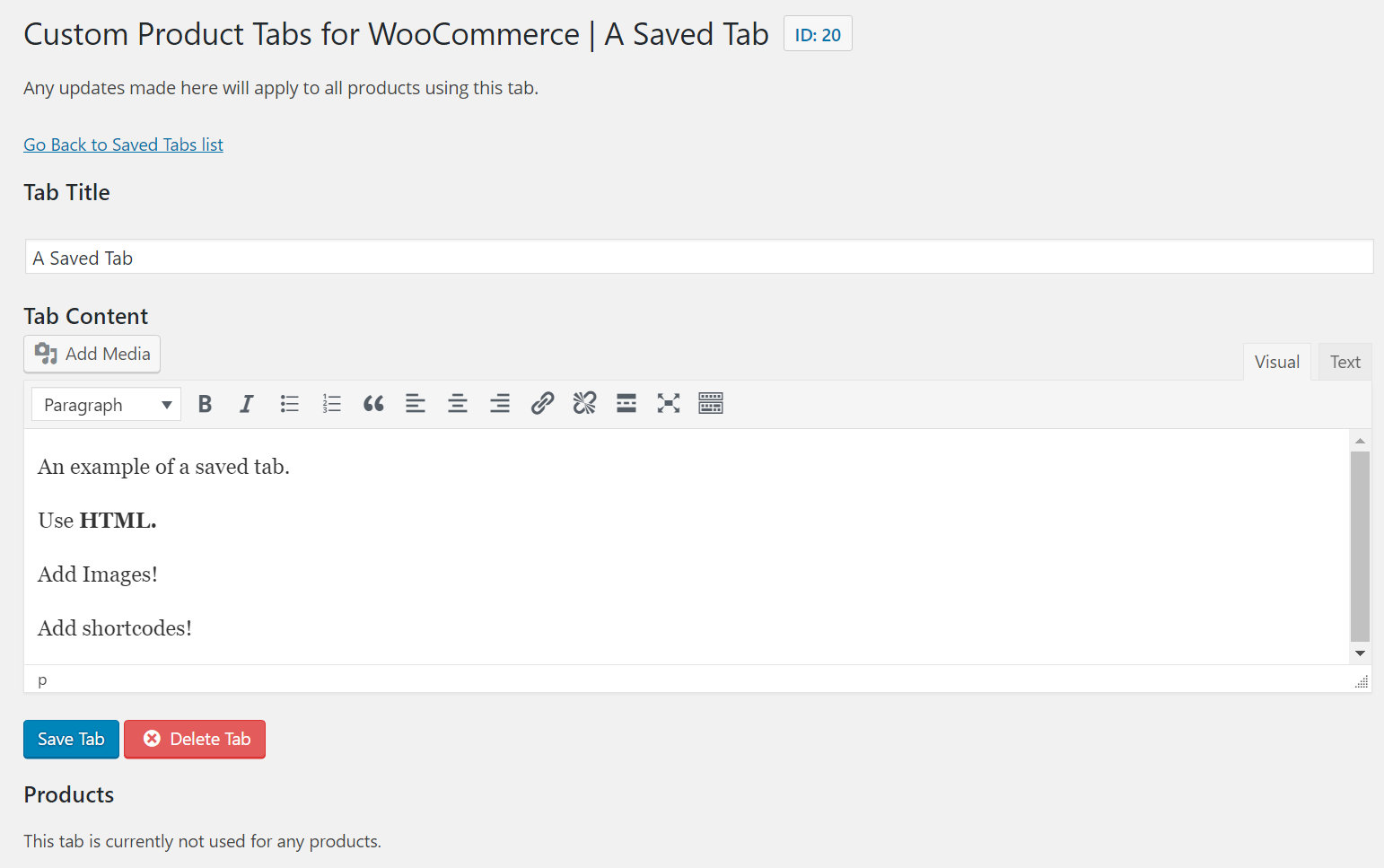
Saved tabs are tabs you can create and then add to as many products you would like. If you update a saved tab, the changes will be updated for all products using that tab.

How do I create saved tabs?

To create a saved tab, click on the ‘Custom Product Tabs’ item on the WordPress dashboard menu and click the “Add Tab” button.

How do I add a saved tab to a product?

To add a saved tab to a product, go to the custom tabs section on the edit product screen, click the ‘Add a Saved Tab’ button above the tab, and choose which tab you would like to add.

Latest changelog entry

1.8.6 / 2025-04-12

Updates

  • Resolve security vulnerability. Props BackuPs #177

Screenshots

From WordPress.org.

Tagged

Plugins that share its tags

#69 by installs

WPvivid — Backup, Migration & Staging

by wpvividplugins

All-in-one WordPress backup, migration and staging plugin — schedule automatic backups, restore in one click, and migrate or clone sites safely.

Installs
900,000+
Rating
4.9 (1.6K)
Updated
1 day ago

#74 by installs

Google for WooCommerce

by WooCommerce

Native integration with Google that allows merchants to easily display their products across Google’s network.

Installs
800,000+
Rating
2.7 (268)
Updated
11 days ago

#82 by installs

WooCommerce PayPal Payments

by WooCommerce

PayPal's latest payment processing solution. Accept PayPal, Pay Later, credit/debit cards, alternative digital wallets and bank accounts.

Installs
800,000+
Rating
2.9 (583)
Updated
10 days ago

#85 by installs

WooCommerce Stripe Payment Gateway

by WooCommerce

Accept debit and credit cards in 135+ currencies, many local methods like Alipay, ACH, and SEPA, and express checkout with Apple Pay and Google Pay.

Installs
700,000+
Rating
3.1 (237)
Updated
15 days ago

#154 by installs

WooCommerce Legacy REST API

by Automattic

The WooCommerce Legacy REST API, which is now part of WooCommerce itself but will be removed in WooCommerce 9.0.

Installs
400,000+
Rating
1.5 (29)
Updated
17 days ago

Where this page's numbers come from

Read from the WordPress.org plugin API on , when WordPress 7.1.4 was the current release. WordPress.org rounds active installs into buckets. These are the directory's figures, not my verdict, and I haven't tested this plugin. The author takes donations at their donate page.