#400 by installs
WP Downgrade | Specific Core Version
Automatically downgrad or update to any WordPress version you want directly from the backend.
- Installs
- 100,000+
- Rating
- 4.8 (169)
- Updated
- 24 days ago

Roll back (or forward) any WordPress.org plugin, theme, or block like a boss.
| Last updated | October 8, 2026Updated in the last 3 months |
|---|---|
| Tested up to | WordPress 7.1.4Covers WordPress 7.1.4, the current release |
| Needs WordPress | 6.5 or newer |
| Needs PHP | 7.4 or newer |
| First published | May 12, 2015 |
| Support, last two months | 2 of 2 threads resolved (100%) |
4.9 / 5 from 215 reviews
| 5 stars | 209 |
|---|---|
| 4 stars | 2 |
| 3 stars | 0 |
| 2 stars | 0 |
| 1 star | 4 |
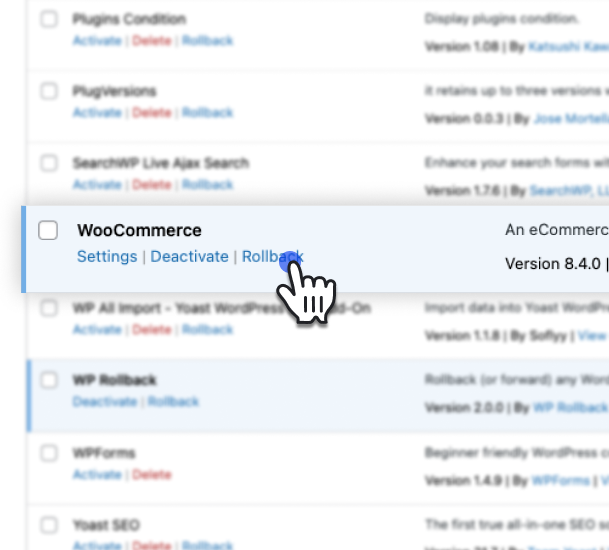
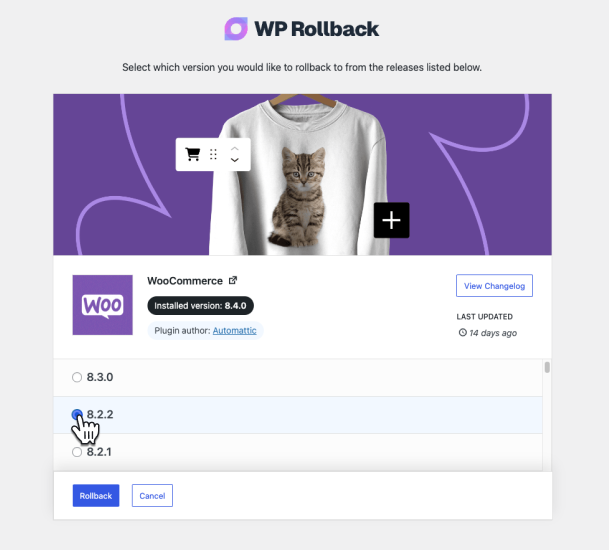
Quickly and easily roll back any theme or plugin from WordPress.org to any previous (or newer) version without any of the manual fuss. Works just like the plugin updater, except you’re rolling back (or forward) to a specific version. No need for manually downloading and FTPing the files or learning Subversion. This plugin takes care of the trouble for you.
🔙 Roll Back WordPress.org Plugins and Themes
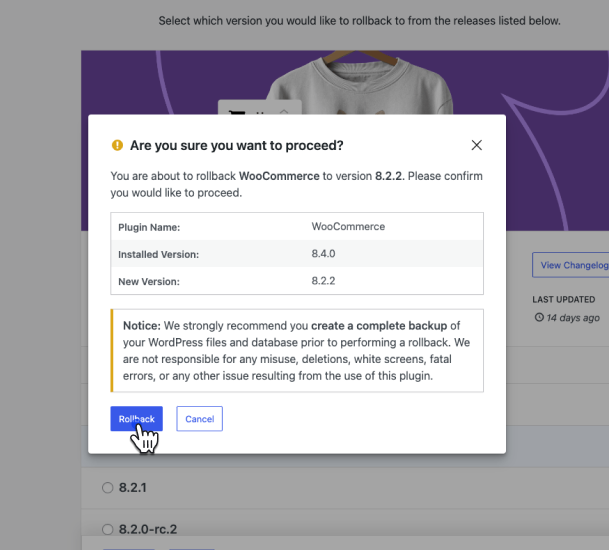
While it’s considered best practice to always keep your WordPress plugins and themes updated, we understand there are times you may need to quickly revert to a previous version. This plugin makes that process as easy as a few mouse clicks. Simply select the version of the plugin or theme that you’d like to roll back to, confirm, and in a few moments you’ll be using the version requested. No more fumbling to find the version, downloading, unzipping, FTPing, learning Subversion or hair pulling.
For advanced features including rollback support for premium plugins and themes you already have licensed and installed (Elementor Pro, Gravity Forms, WooCommerce extensions, Kadence Pro, Astra Pro, GeneratePress Premium, Divi, Envato/ThemeForest products, and more), comprehensive activity logging, multisite network management, and priority support, consider upgrading to WP Rollback Pro.
Muy Importante (Very Important): Always Test and Backup
The opening of the plugin's own description. The full text, installation notes and changelog are on its WordPress.org page.
Short answer = Yes. Longer answer = It depends on how you use it.
WP Rollback is completely safe because all it does is take publicly available versions of the plugins you already have on your site and install the version that you designate. There is no other kinds of trickery or fancy offsite calls or anything. BUT!!!
WP Rollback (free) only works with plugins or themes hosted on the WordPress.org repository. If you don’t see the rollback link, that plugin or theme is not available on WordPress.org and cannot be rolled back with the free version.
If you need to roll back a premium plugin or theme that you are licensed to use, WP Rollback Pro supports that use case.
Nope. We warned you in bold print several times in many places. And our plugin delivered exactly what it said it would do. May the Gods of the internet pity your broken site’s soul.
The documentation for this plugin is located on our the WP Rollback site. This is where we make regular updates.
WP Rollback Free provides rollback functionality for any plugin or theme hosted on the WordPress.org repository.
WP Rollback Pro adds support for rolling back premium plugins and themes that you already have a valid license for and have installed on your site. This is handled through Plugin Vault — a shared library of verified version archives contributed by Pro users.
Yes! All strings are internationalized and ready to be translated. You can either use your favorite translation plugin, or help translate the plugin on WordPress.org.
#400 by installs
Automatically downgrad or update to any WordPress version you want directly from the backend.

#268 by installs
Make sure your plugins and themes are compatible with newer PHP versions.

#656 by installs
Download any plugin from your WordPress admin panel's Plugins page by just one click! Now, download themes, users, blog posts, pages, custom post …

#788 by installs
Change the WordPress admin email without requiring email confirmation - perfect for development and testing environments.

#994 by installs
Displays the currently installed PHP/MySQL version in the "At a Glance" admin dashboard widget.
Read from the WordPress.org plugin API on , when WordPress 7.1.4 was the current release. WordPress.org rounds active installs into buckets. These are the directory's figures, not my verdict, and I haven't tested this plugin. The author takes donations at their donate page.