What the author says it does
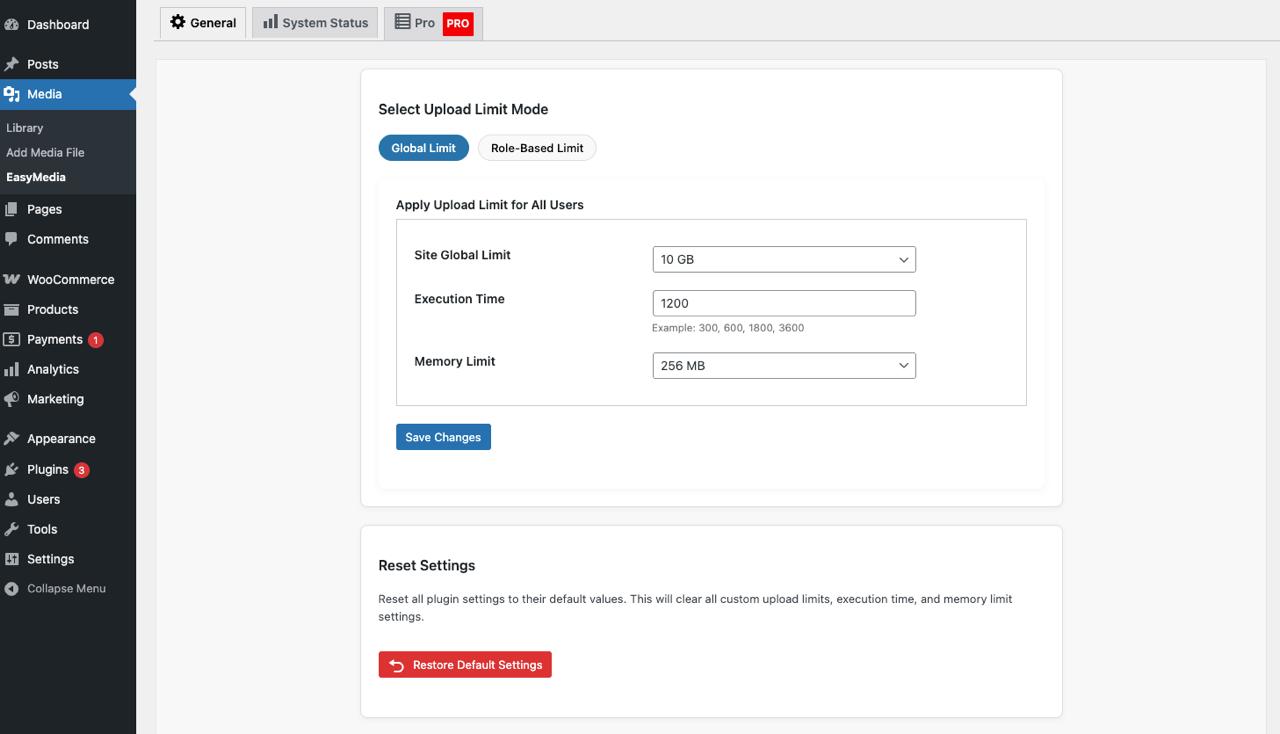
Increases the upload file size limit to any value with one click
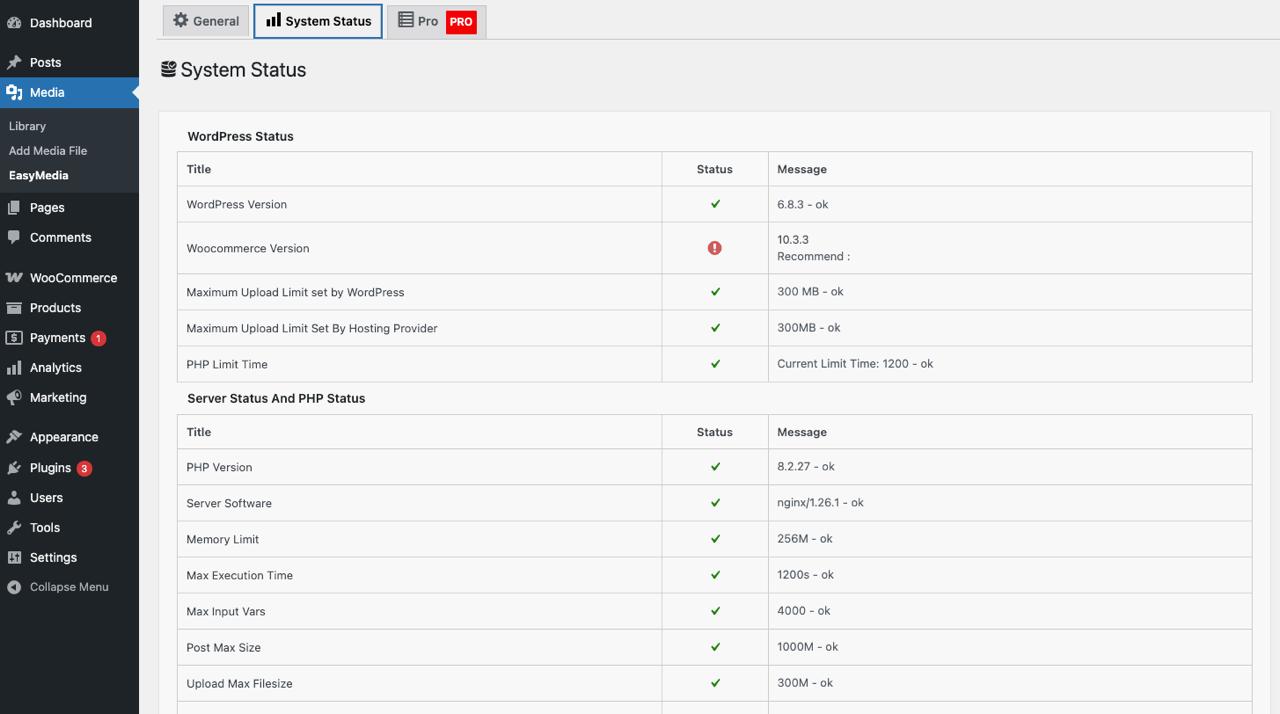
The EasyMedia plugin automatically detects your WordPress and server upload limits, displaying them in a simple dashboard. Instantly increase your upload size and easily upload large files like backups, videos, or ZIP archives directly to your WordPress media library — even if your hosting restricts upload limits.
If you ever searched for:
- “Increase WordPress upload limit plugin”
- “Best plugin to upload large files”
- “Set upload quota for users or roles”
- “Restrict file types for authors”
- “Show upload logs in WordPress”
- “Media manager plugin with file stats”
✅ Then EasyMedia is the solution you need.
🧩 Core Features (Free Version)
🔼 Increase Upload File Size Limit
Raise your WordPress upload limit to any value without editing code or php.ini files. Upload big videos, ZIPs, and backups seamlessly.
⏱️ Increase Maximum Execution Time
Avoid “Maximum Execution Time Exceeded” errors. Increase execution time to handle large file uploads smoothly.
👥 Role-Based Upload Limits
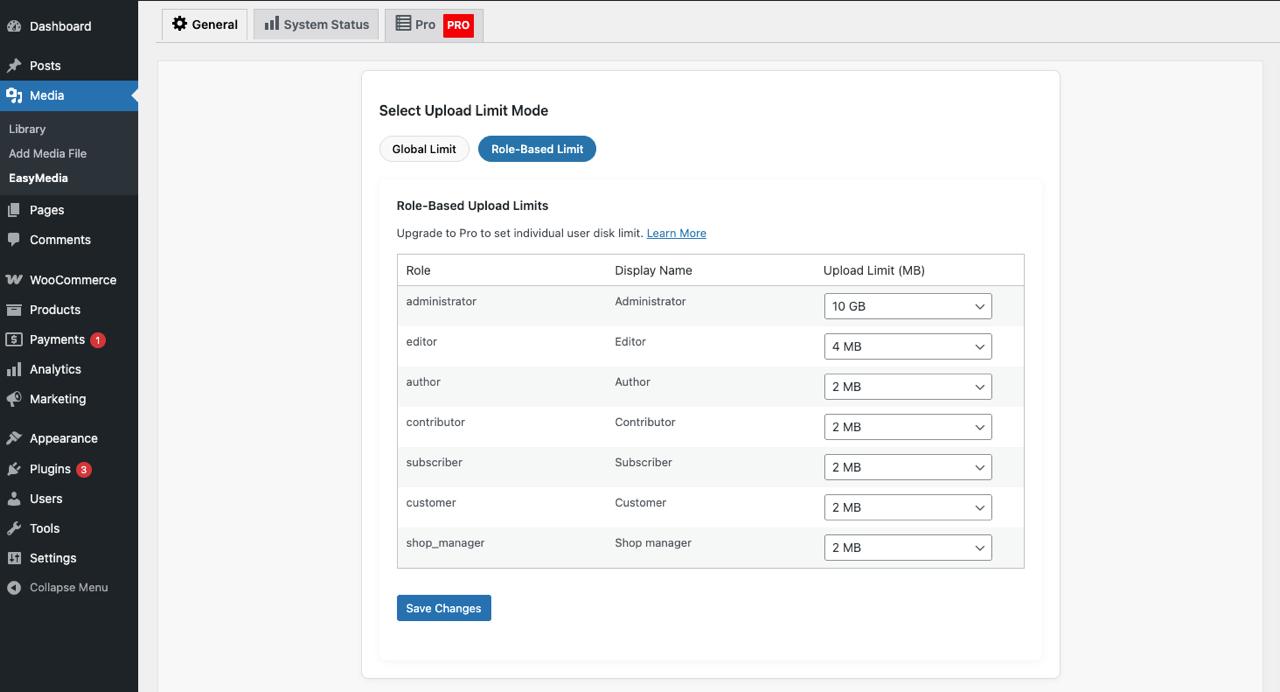
Set custom upload size limits for different WordPress roles (Administrator, Editor, Author, etc.) to prevent storage overuse.
💾 Memory Limit Set
Large file uploads often fail due to low PHP memory limits. You can easily increase the memory limit from the plugin setting page.
💽 System Status Dashboard
The opening of the plugin's own description. The full text, installation notes and changelog are on its WordPress.org page.