
#914 by installs
Increase Maximum Upload File Size
Increase maximum upload file size limit to any value. Increase upload limit - upload large files.
- Installs
- 30,000+
- Rating
- 3.9 (101)
- Updated
- 3 years ago

Enable large file uploads in the built-in WordPress media uploader via file chunking, and set maximum upload file size to any value based on user role …
| Last updated | October 7, 2026Updated in the last 3 months |
|---|---|
| Tested up to | WordPress 7.1.4Covers WordPress 7.1.4, the current release |
| Needs WordPress | 5.6 or newer |
| Needs PHP | 5.6 or newer |
| First published | January 8, 2016 |
| Support, last two months | No threads opened |
4.9 / 5 from 402 reviews
| 5 stars | 391 |
|---|---|
| 4 stars | 5 |
| 3 stars | 0 |
| 2 stars | 1 |
| 1 star | 5 |
Big File Uploads lets you upload large media files directly to the media library with the WordPress media uploader. Increase your maximum upload size to any value – as large as your available disk space allows – and add file chunking to avoid server timeout errors.
Bypass the upload limits on your server, set by your hosting provider, that prevent you from uploading large files to your media library.
Big File Uploads automatically detects upload limits set by your server or hosting provider, allows you to increase the maximum upload size, and prevents timeout errors by uploading files in chunks.
No messing with Apache/PHP initialization files or settings. Just activate the plugin, set the upload size as large as you like, and use the media uploader as you normally would.
Big File Uploads Plugin Features
The opening of the plugin's own description. The full text, installation notes and changelog are on its WordPress.org page.
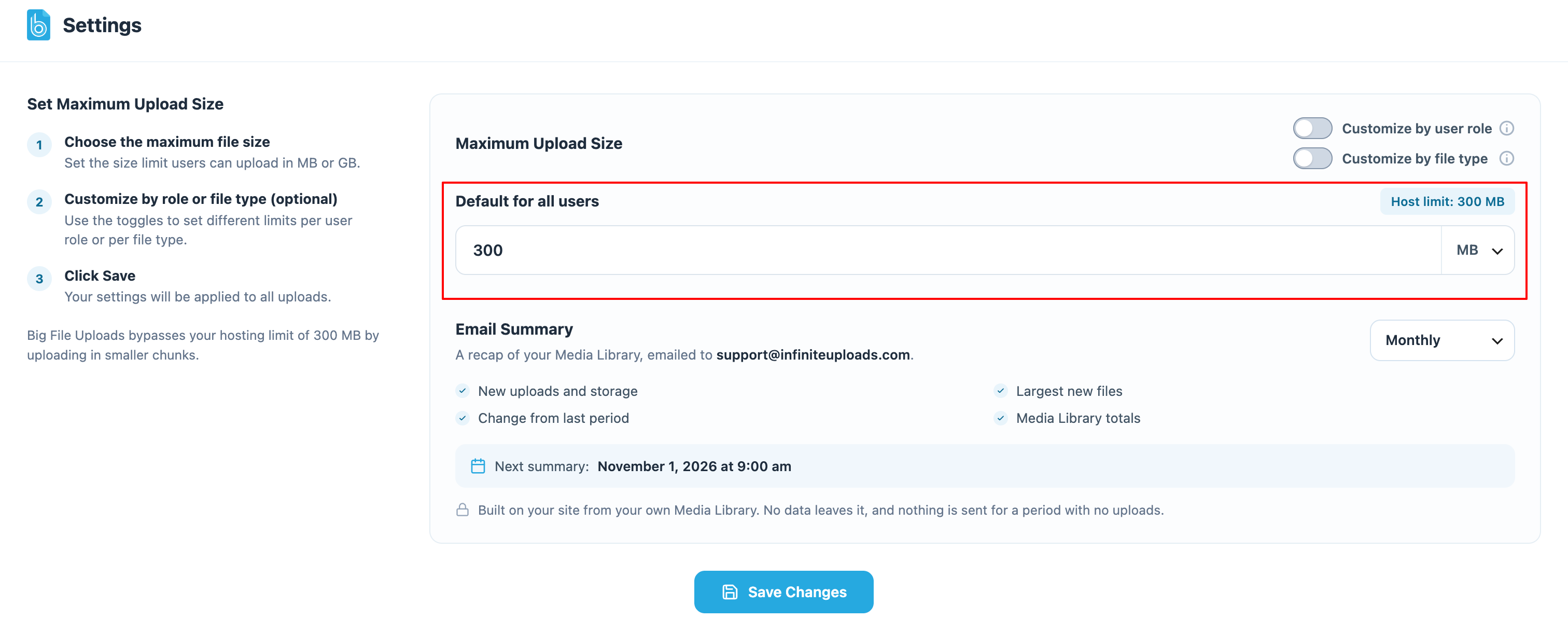
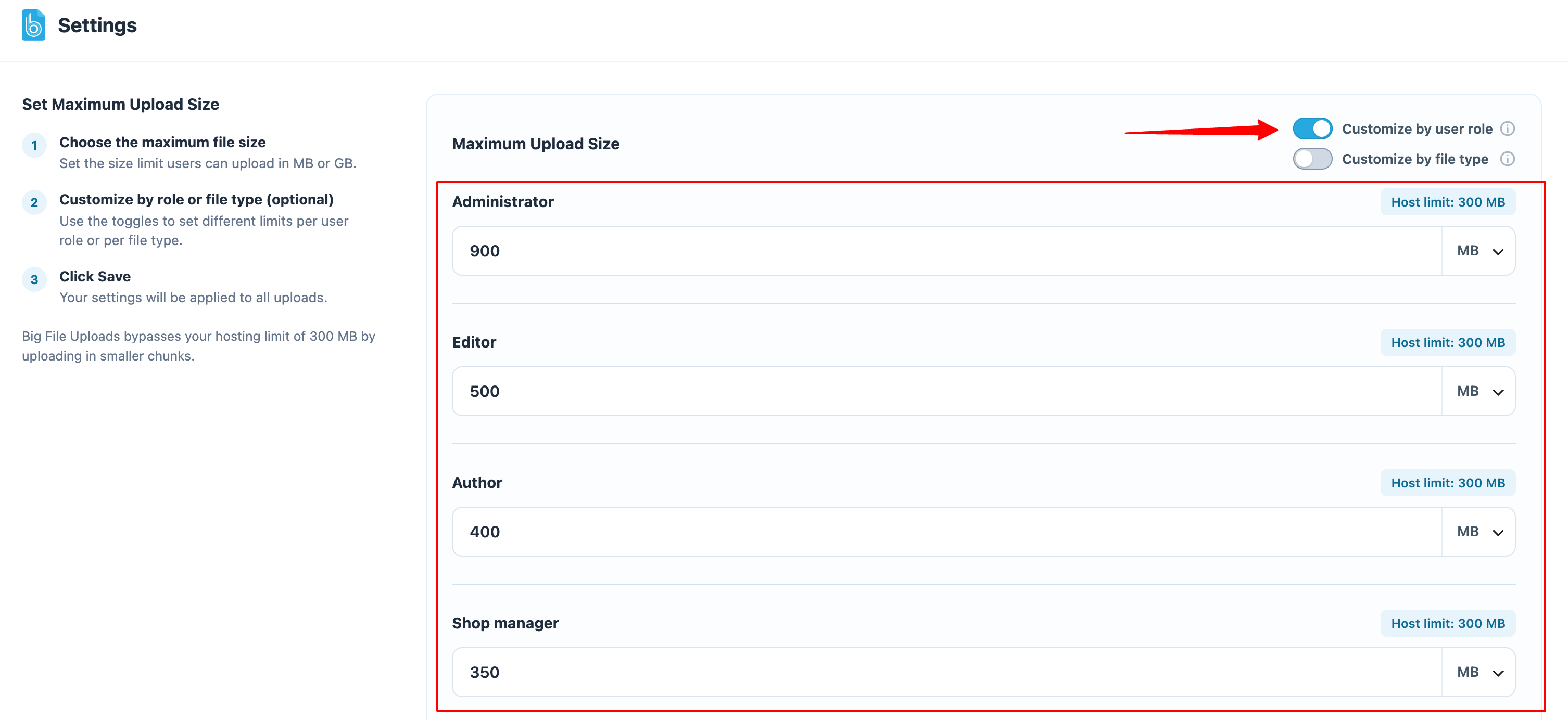
Uploads can be as large as available disk space for temporary files allows, or up to the maximum upload size limit you set in Settings -> Big File Uploads -> Uploading Files.
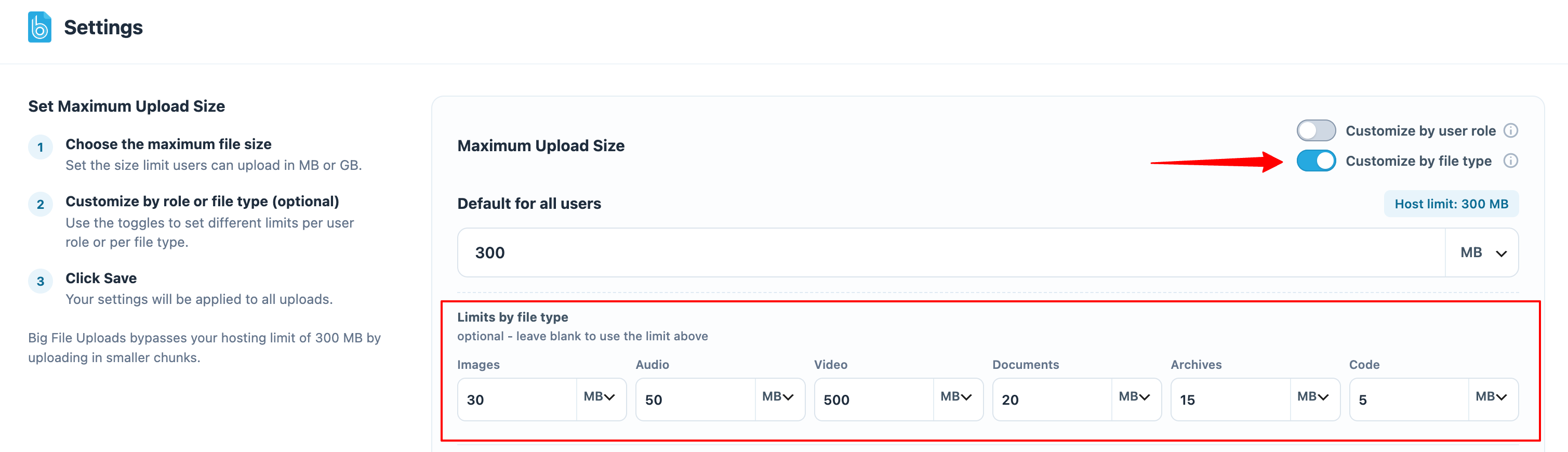
Yes. Turn on “Customize by file type” in Settings -> Big File Uploads and give images, audio, video, documents, and archives their own maximum size. Any type you leave blank uses the main limit, and the per-type limits can be set once for all users or separately for each user role.
Go to Settings -> Big File Uploads and choose Monthly, Weekly, Daily, or Off under Email Summary, then save. Every summary email also includes a link to that setting. The summary is not available on multisite networks.
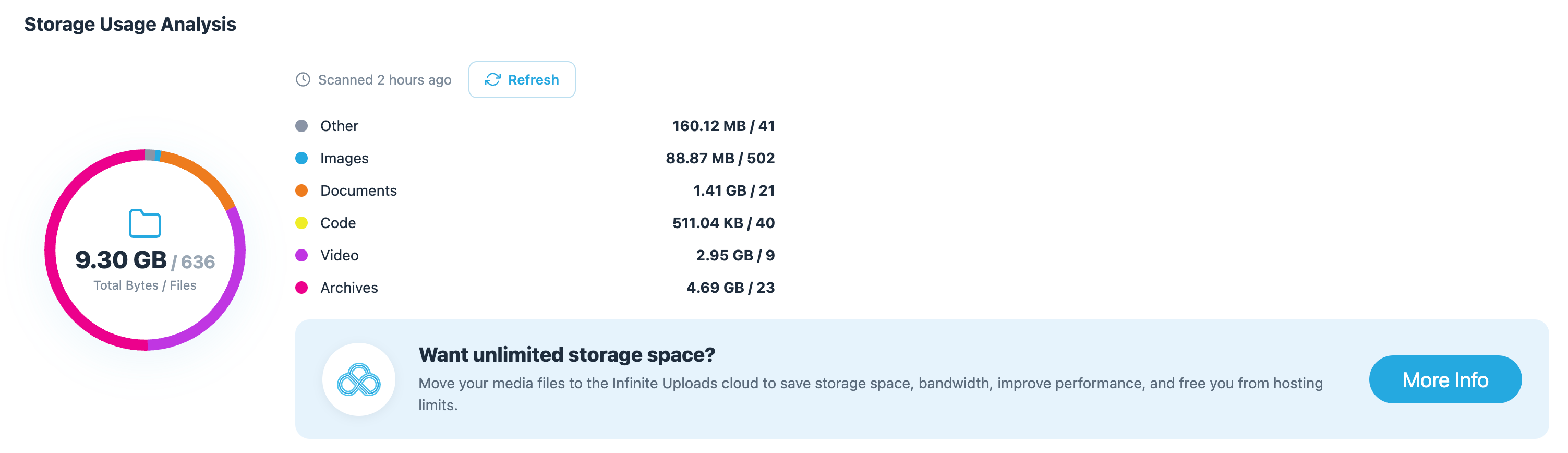
From your own site: the media library and the results of your last storage scan. The summary is created and sent by your site to its admin email address, and it never runs a scan of its own to build the email.
Yes all features of the Big File Uploads plugin are completely free and do not have a premium upgrade.
No. Frontend uploading built-in to plugins like Forminator, Gravity Forms, and WPForms do not use the same process as the WordPress media uploader on the backend of WordPress. Big File Uploads only works with the backend uploader or plugins that use the built-in media uploader code base to process the files.
2.2.2 [2026-10-07]
#914 by installs
Increase maximum upload file size limit to any value. Increase upload limit - upload large files.

EasyMedia - Increase the maximum upload file size limit to any value. Increase upload limit - upload large files effortlessly.
Read from the WordPress.org plugin API on , when WordPress 7.1.4 was the current release. WordPress.org rounds active installs into buckets. These are the directory's figures, not my verdict, and I haven't tested this plugin.