
#74 by installs
Google for WooCommerce
Native integration with Google that allows merchants to easily display their products across Google’s network.
- Installs
- 800,000+
- Rating
- 2.7 (268)
- Updated
- 11 days ago

Take control of the cron events on your WordPress website or WooCommerce store with WP Crontrol.
| Last updated | October 15, 2026Updated in the last 3 months |
|---|---|
| Tested up to | WordPress 7.1.4Covers WordPress 7.1.4, the current release |
| Needs WordPress | 6.6 or newer |
| Needs PHP | 7.4 or newer |
| First published | January 6, 2008 |
| Support, last two months | 2 of 7 threads resolved (29%) |
4.4 / 5 from 167 reviews
| 5 stars | 141 |
|---|---|
| 4 stars | 2 |
| 3 stars | 1 |
| 2 stars | 0 |
| 1 star | 23 |
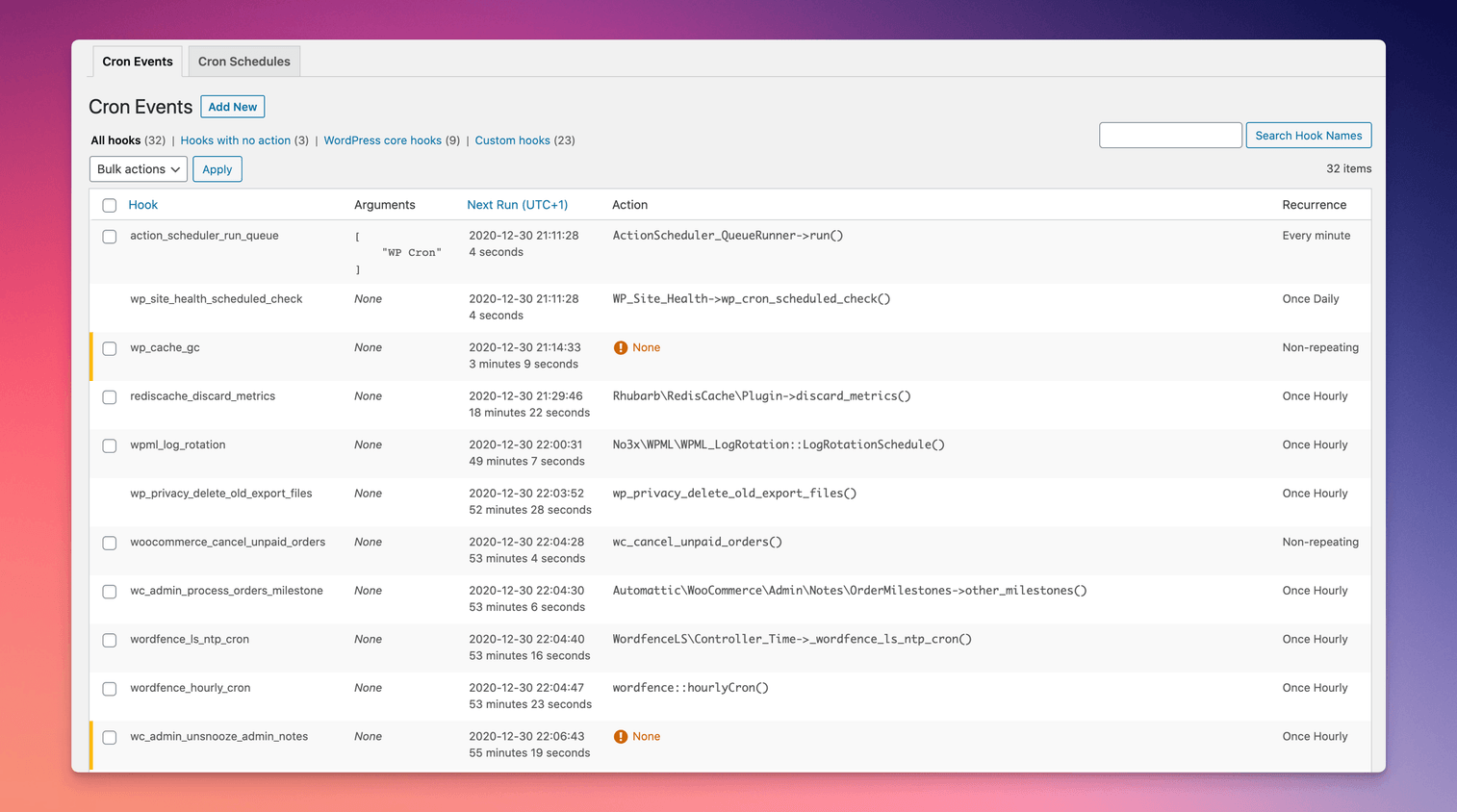
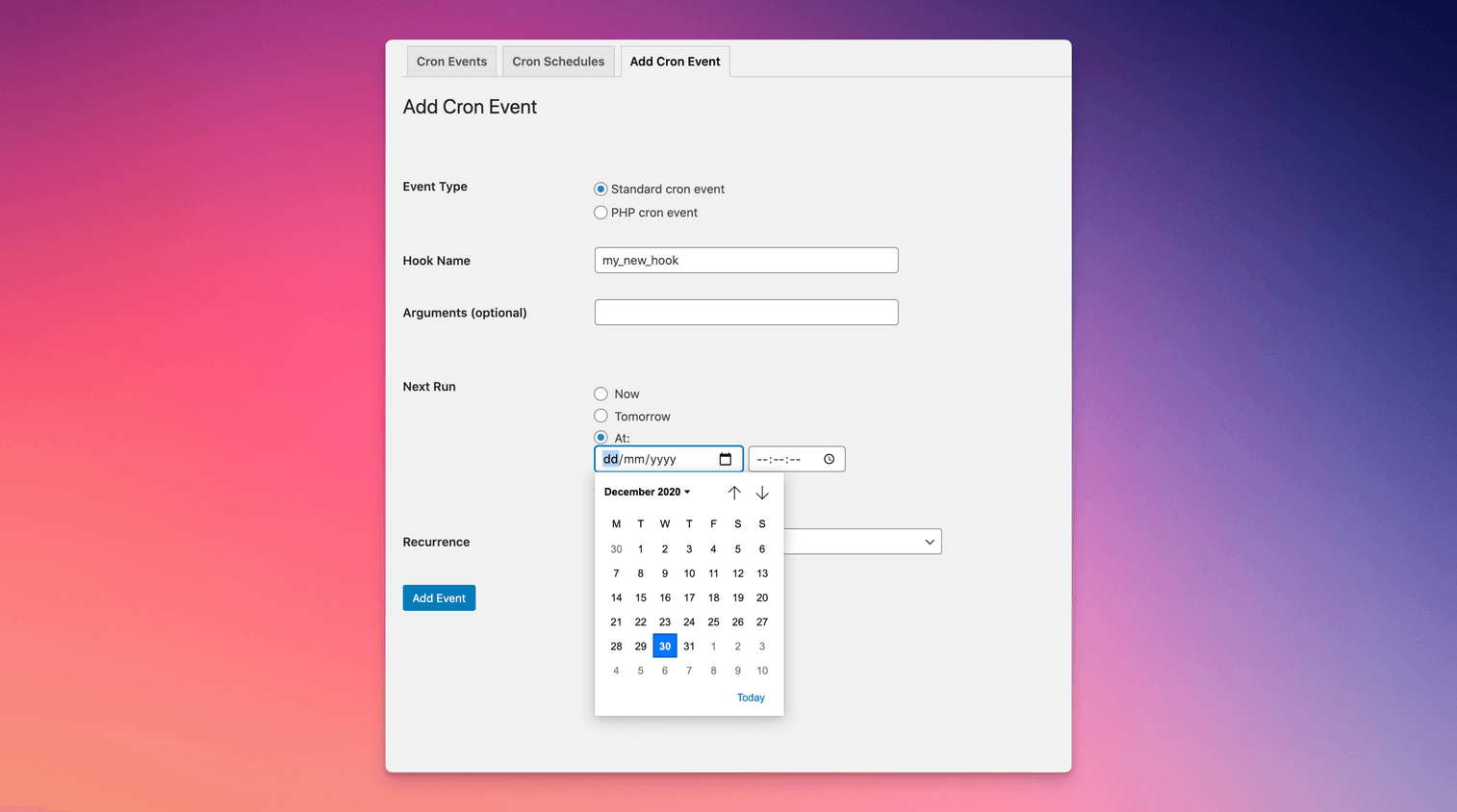
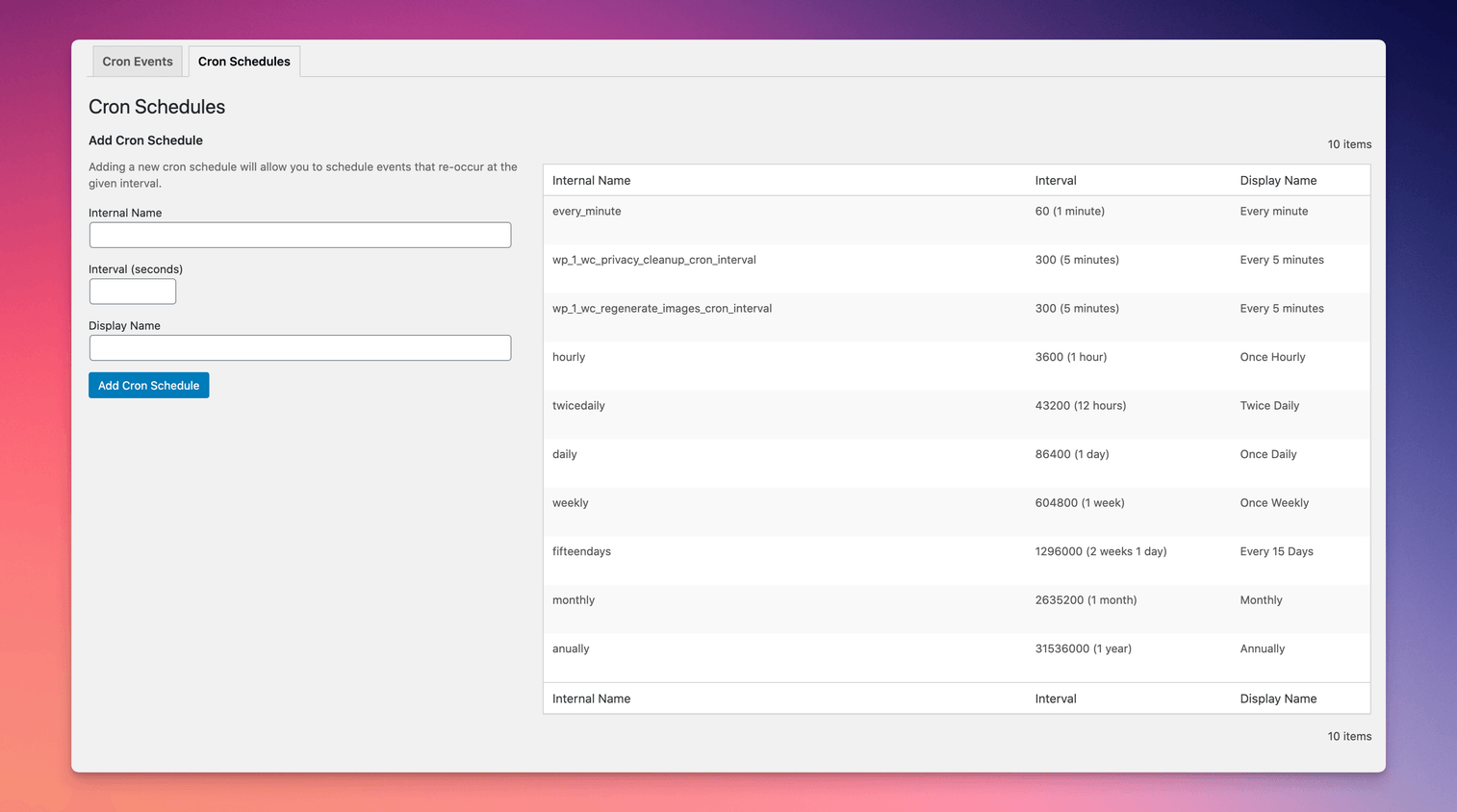
Take control of the cron events on your WordPress website or WooCommerce store with WP Crontrol. From the admin screens you can:
WP Crontrol is aware of timezones, will alert you to events that have no actions or that have missed their schedule, and will show you a helpful warning message if it detects any problems with your cron system.
Usage
The opening of the plugin's own description. The full text, installation notes and changelog are on its WordPress.org page.
Yes, it’s actively tested and working up to PHP 8.4.
You can read all about problems spawning WP-Cron on the WP Crontrol website.
You can read all about cron events that miss their schedule on the WP Crontrol website.
If the event is added by a plugin then the plugin most likely rescheduled the event as soon as it saw that the event was missing. To get around this you can instead use the “Pause this hook” action which means it’ll remain in place but won’t perform any action when it runs.
This depends entirely on the event. You can use your favourite search engine to search for the event name in order to find out which plugin it belongs to, and then decide whether or not to delete it.
If the event shows “None” as its action then it’s usually safe to delete. Please see the other FAQs for more information about events with no action.
The WordPress core software uses cron events for some of its functionality and removing these events is not possible because WordPress would immediately reschedule them if you did delete them. For this reason, WP Crontrol doesn’t let you delete these persistent events from WordPress core in the first place.
If you don’t want these events to run, you can use the “Pause this hook” action instead.
#74 by installs
Native integration with Google that allows merchants to easily display their products across Google’s network.

#82 by installs
PayPal's latest payment processing solution. Accept PayPal, Pay Later, credit/debit cards, alternative digital wallets and bank accounts.

#85 by installs
Accept debit and credit cards in 135+ currencies, many local methods like Alipay, ACH, and SEPA, and express checkout with Apple Pay and Google Pay.

#115 by installs
We’re here to help with tax rates: collect accurate sales tax, automatically.

#154 by installs
The WooCommerce Legacy REST API, which is now part of WooCommerce itself but will be removed in WooCommerce 9.0.

#165 by installs
Create, print & automatically email PDF or XML Invoices & PDF Packing Slips for WooCommerce orders.
Read from the WordPress.org plugin API on , when WordPress 7.1.4 was the current release. WordPress.org rounds active installs into buckets. These are the directory's figures, not my verdict, and I haven't tested this plugin.