
#421 by installs
WPC Smart Wishlist for WooCommerce
WPC Smart Wishlist is a simple but powerful tool that can help your customer save products for buying later.
- Installs
- 100,000+
- Rating
- 4.8 (34)
- Updated
- 33 days ago

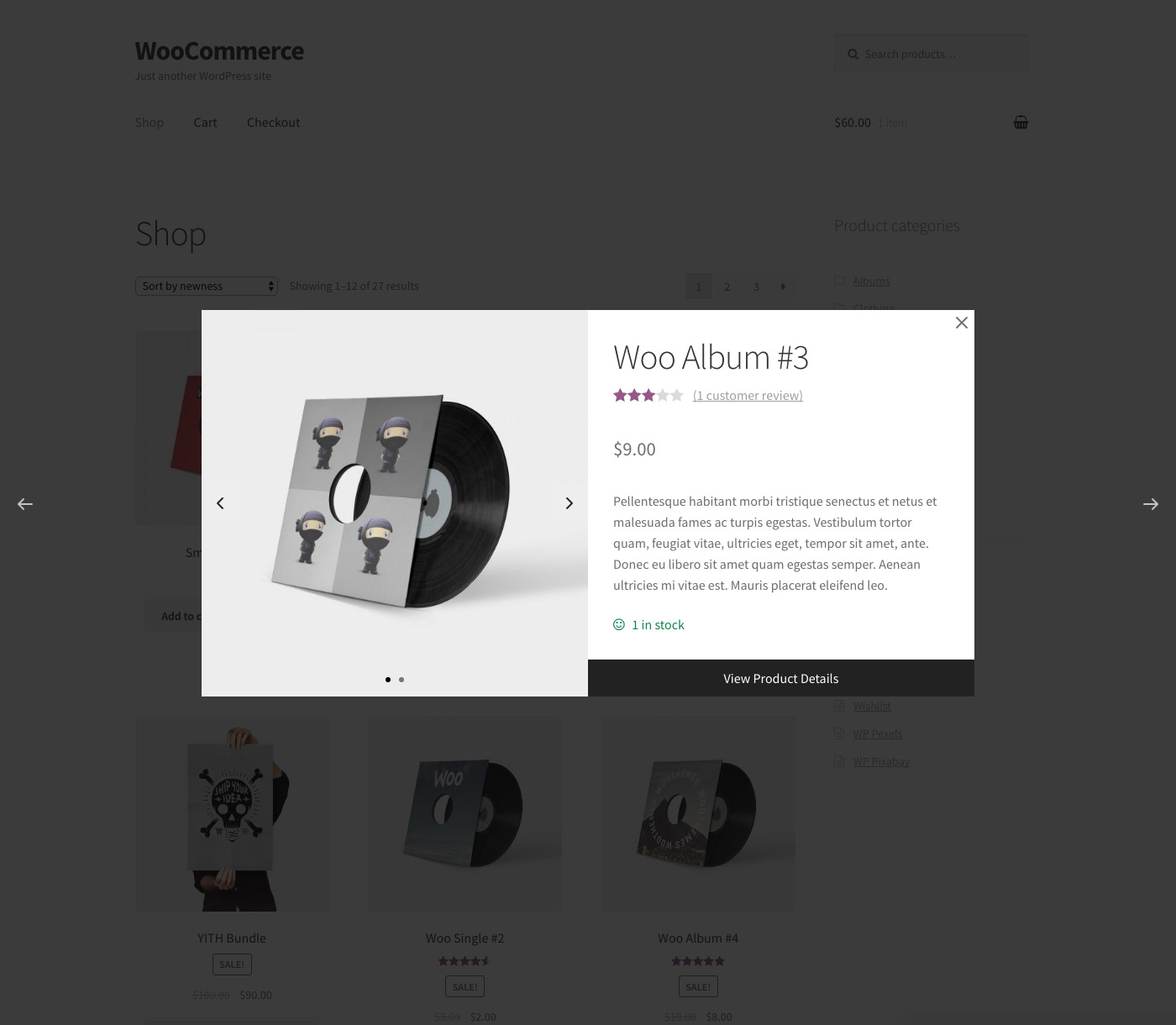
WPC Smart Quick View allows users to get a quick look at products without opening the product page.
| Last updated | October 5, 2026Updated in the last 3 months |
|---|---|
| Tested up to | WordPress 7.1.4Covers WordPress 7.1.4, the current release |
| Needs WordPress | 5.9 or newer |
| Needs PHP | Not stated |
| Needs plugins | woocommerce |
| First published | December 11, 2017 |
| Support, last two months | 1 of 2 threads resolved (50%) |
4.9 / 5 from 31 reviews
| 5 stars | 30 |
|---|---|
| 4 stars | 0 |
| 3 stars | 1 |
| 2 stars | 0 |
| 1 star | 0 |
WPC Smart Quick View for WooCommerce allows shop owners to set up a Quick view popup, which enables customers to get a quick summary of the product details without leaving the current page. WPC Smart Quick View brings about an advanced site navigation experience for your visitors and helps people in decision-making; thus, turning more visitors into potential customers. It also helps to minimize the bounce rate and improve the site ranking. Besides, WPC Smart Quick View is fully optimized for SEO, compatible with any WordPress themes & WPML plugin for site translation. Especially, even on small screen hand-held devices, your site appearance would still be great thanks to the plugin’s high adaptability.
Live demo
Visit our live demo 01 or live demo 02 to see how this plugin works.
Features
The opening of the plugin's own description. The full text, installation notes and changelog are on its WordPress.org page.
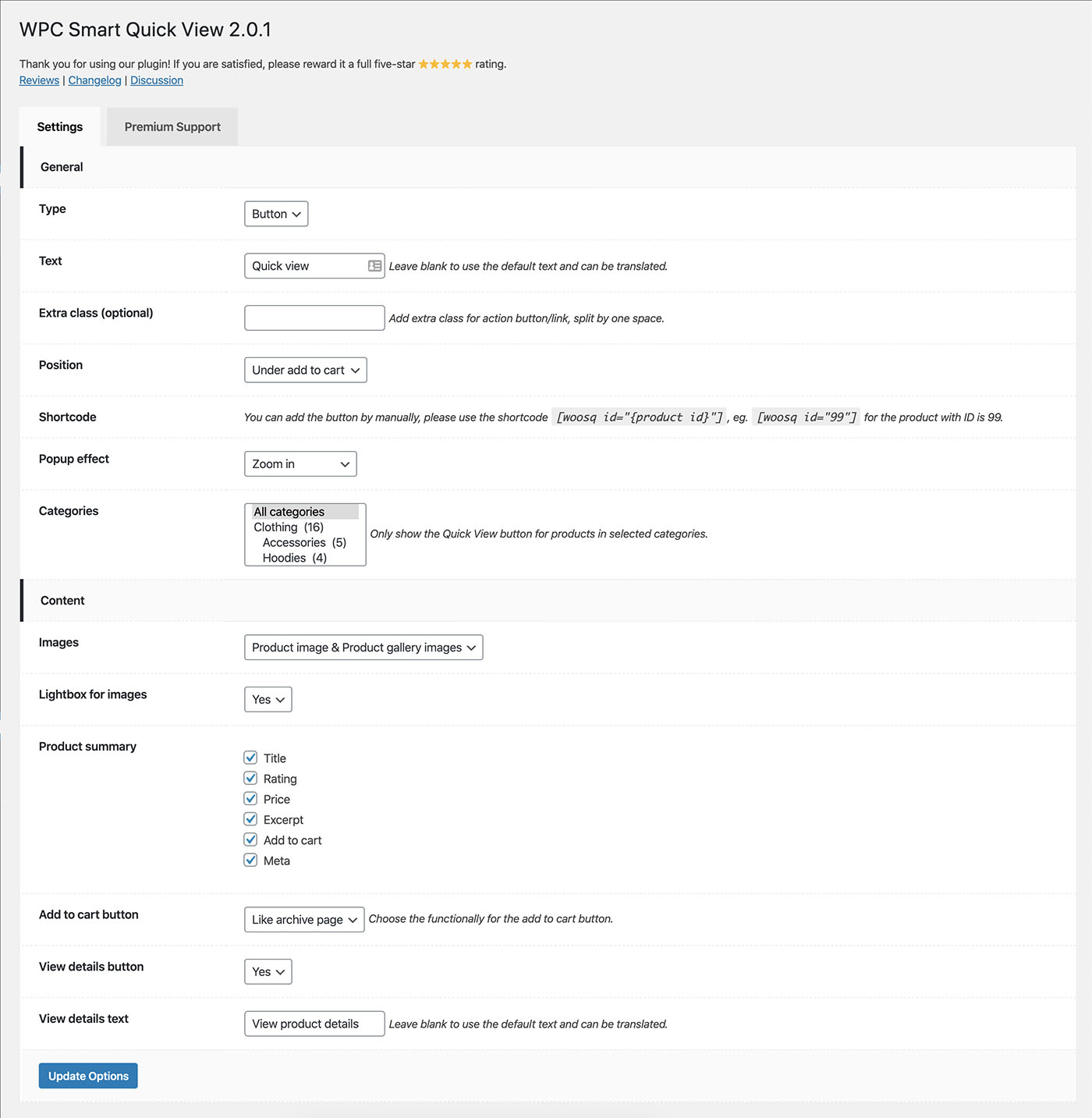
To integrate with a theme, please use bellow filter to hide the default buttons.
add_filter( 'woosq_button_position', '__return_false' );
After that, use the shortcode to display the button where you want.
echo do_shortcode('[woosq id="{product_id}"]');
Example:
echo do_shortcode('[woosq id="99"]');
If you want to run any JS functions after the popup content was loaded, please use the JS trigger ‘woosq_loaded’.
Example:
$(document).on('woosq_loaded', function() { // do something });
#421 by installs
WPC Smart Wishlist is a simple but powerful tool that can help your customer save products for buying later.

#508 by installs
This plugin adds the possibility to have a quick preview of the products right from product list

#604 by installs
It helps customers compare products with mighty AJAX, doesn't require opening a new page or iframe, and allows drag-and-drop functionality.

#74 by installs
Native integration with Google that allows merchants to easily display their products across Google’s network.

#82 by installs
PayPal's latest payment processing solution. Accept PayPal, Pay Later, credit/debit cards, alternative digital wallets and bank accounts.

#85 by installs
Accept debit and credit cards in 135+ currencies, many local methods like Alipay, ACH, and SEPA, and express checkout with Apple Pay and Google Pay.
Read from the WordPress.org plugin API on , when WordPress 7.1.4 was the current release. WordPress.org rounds active installs into buckets. These are the directory's figures, not my verdict, and I haven't tested this plugin. The author takes donations at their donate page.