
#25 by installs
Classic Widgets
Enables the previous "classic" widgets settings screens in Appearance - Widgets and the Customizer. Disables the block editor from managing widgets.
- Installs
- 2+ million
- Rating
- 4.9 (272)
- Updated
- 11 months ago

Widget Options gives you super powers to control your site’s sidebar widgets and all Gutenberg blocks on pages, posts & other custom post types.
| Last updated | October 26, 2026Updated in the last 3 months |
|---|---|
| Tested up to | WordPress 7.0.8Older than WordPress 7.1.4, the current release |
| Needs WordPress | 5.6 or newer |
| Needs PHP | 7.4 or newer |
| First published | February 8, 2016 |
| Support, last two months | 0 of 1 threads resolved (0%) |
4.9 / 5 from 1,516 reviews
| 5 stars | 1,445 |
|---|---|
| 4 stars | 29 |
| 3 stars | 7 |
| 2 stars | 7 |
| 1 star | 28 |
Widget Options gives you super powers to control your site’s sidebar widgets and all Gutenberg blocks on pages & posts.
👉 Over 2,700,000+ downloads
👉 Average rating of ⭐⭐⭐⭐⭐ 4.9 stars
👉 Reduce plugin bloat. Widgets AND Gutenberg block control in one plugin
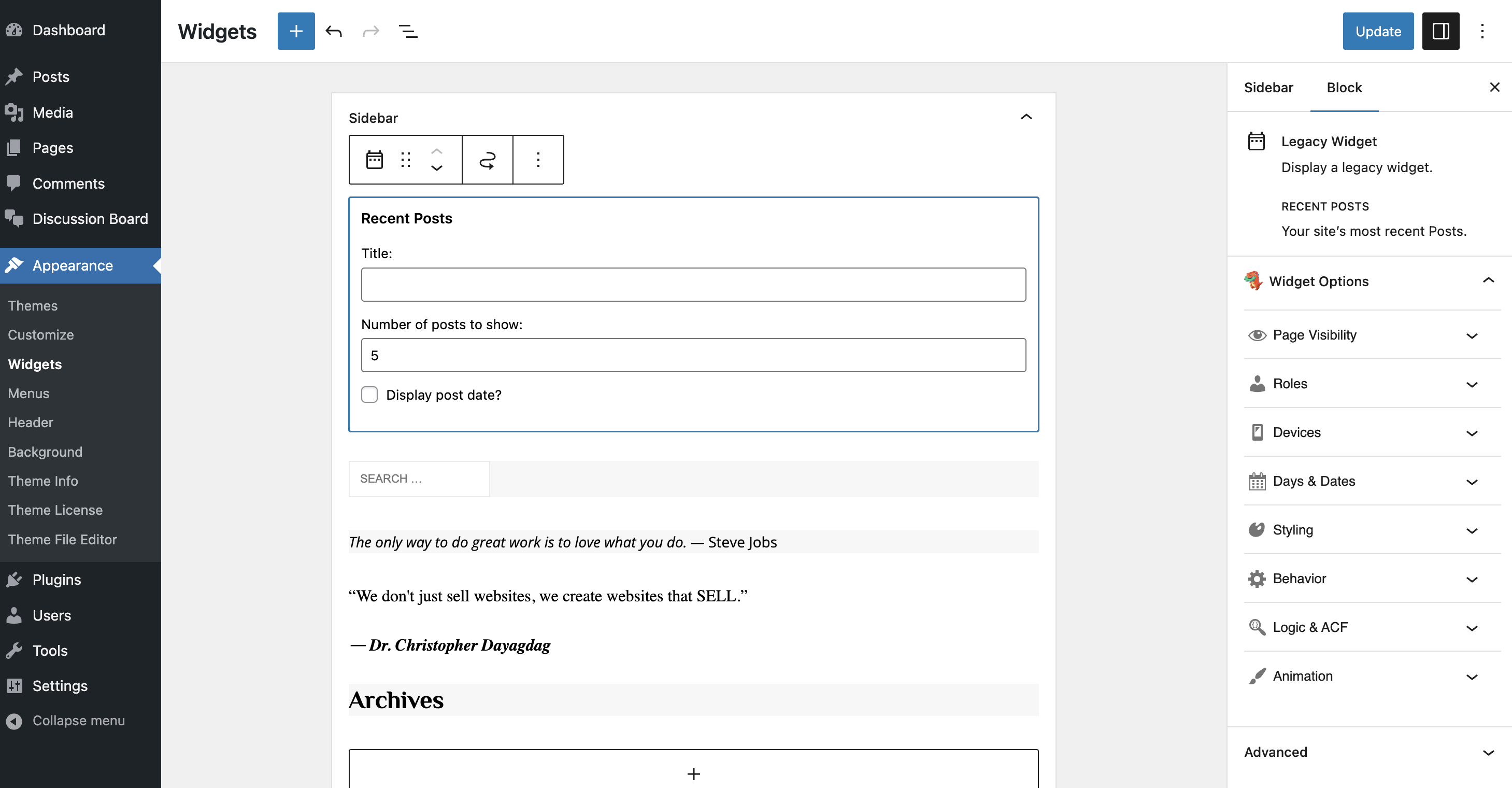
Widget Options expands Widget & Gutenberg block settings with feature-packed options so you can completely manage and control their visibility, appearance, and behavior. Show or hide content depending on user roles, devices, dates, URL…and more!
✨ INSIDER TIP: ✨ Power users love the Pro version—unlock conditional logic, animation effects, sticky widgets, custom styling, and dozens of advanced controls to make your blocks and widgets do exactly what you want.
Take Full Control over your WordPress Widgets & Gutenberg Blocks
Widget Options’ suite of controls makes it simple to achieve all of the following:
✅ EASILY MANAGE WIDGET & GUTENBERG BLOCK VISIBILITY ON YOUR WORDPRESS SITE
Effortlessly manage visibility and access across different pages, posts, and categories with the Widget Options plugin.With intuitive search or checkbox selections, customize your site’s layout for categories, tags, custom post types, and more, ensuring your widgets and blocks appear exactly where you want them!
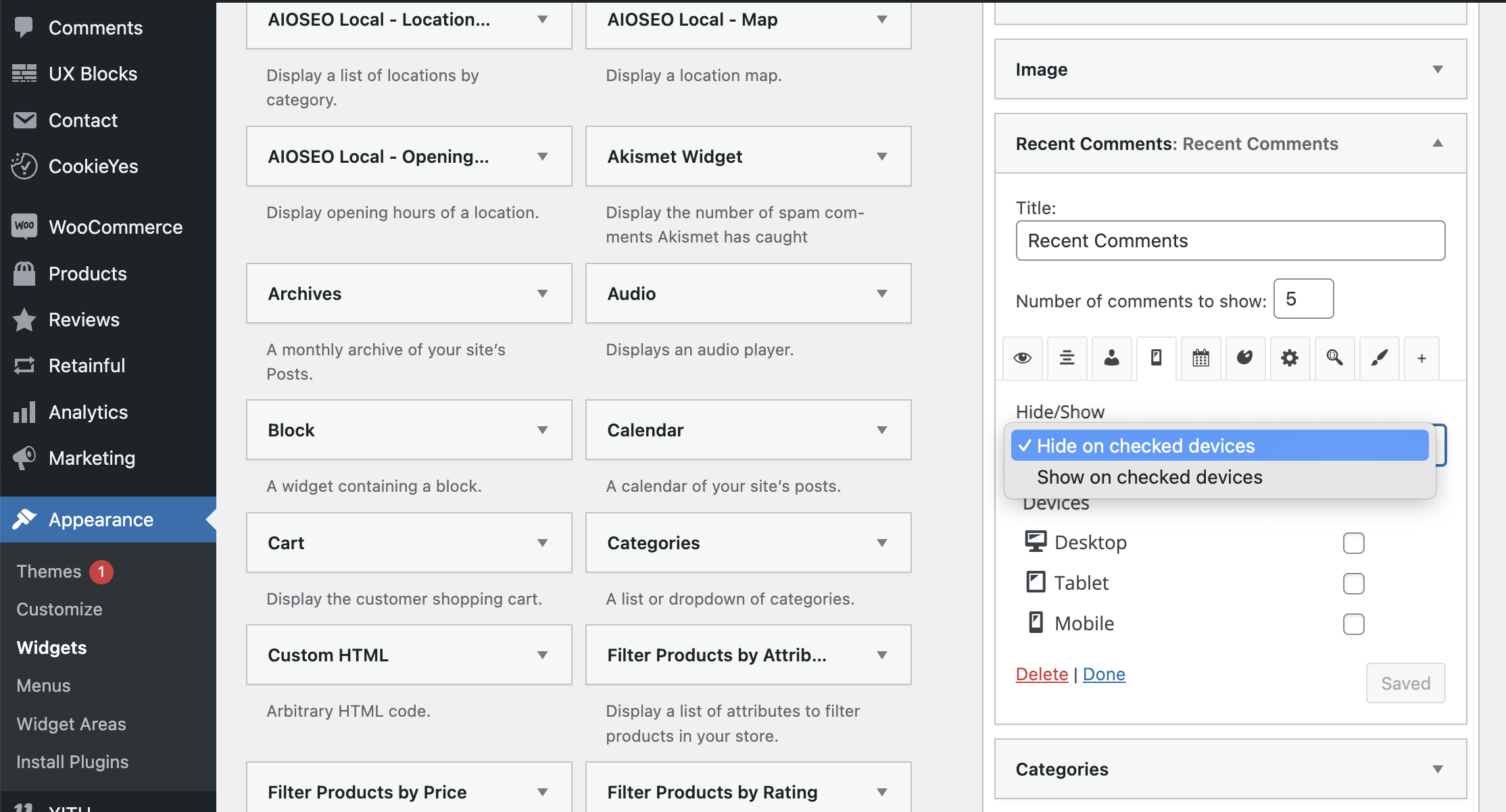
✅ SHOW OR HIDE WIDGETS OR BLOCKS ON MOBILE DEVICES, DESKTOP AND/OR TABLET
The opening of the plugin's own description. The full text, installation notes and changelog are on its WordPress.org page.
After Widget Options plugin activation you’ll get welcome message with detailed video instructions to get started. Then go to Settings > Widget Options to enable/disable the features you want. Then go to Appearance > Widgets and start optimising your widgets!
Easy! Simply go to Settings > Widget Options and on Classes & ID module click Configure Settings then you can add your predefined CSS classes for your widgets.
All of them! Yes, we haven’t come across any single non-working widgets yet.
Widget Options is a featured pack fully lightweight plugin. Using Query Monitor plugin you’ll find that the plugin doesn’t load too much queries and doesn’t affect your website’s loading time. You can check more information how optimized Widget Options is here.
Please report security bugs found in the source code of the Widget Options plugin through the Patchstack Vulnerability Disclosure Program. The Patchstack team will assist you with verification, CVE assignment, and notify the developers of this plugin.


#25 by installs
Enables the previous "classic" widgets settings screens in Appearance - Widgets and the Customizer. Disables the block editor from managing widgets.

#63 by installs
Gutenberg blocks for existing Spectra websites. Maintained, stable, and fully supported — no action needed on your part.

#102 by installs
20+ Gutenberg Blocks with endless options, enabling top-notch efficiency for high-performance dynamic website creation.

#122 by installs
The best WordPress templates, pattern, and layout library with 1,000+ designs built for the Gutenberg block editor.

#146 by installs
Essential elements for modern websites. Add buttons, sliders, heroes, maps, images, carousels, features, icons, more. Create dynamic pages easily.
Quickly create WordPress pages with 20+ blocks, 100+ ready-to-import designs, and advanced editor extensions. It’s website building, Lego-style!
Read from the WordPress.org plugin API on , when WordPress 7.1.4 was the current release. WordPress.org rounds active installs into buckets. These are the directory's figures, not my verdict, and I haven't tested this plugin.
