
#413 by installs
TI WooCommerce Wishlist
Boost your sales with a free WooCommerce Wishlist feature. Let your customers save and share their favorite products!
- Installs
- 100,000+
- Rating
- 4.7 (503)
- Updated
- 9 days ago

WCBoost - Wishlist lets shoppers create wishlists for later purchases, reminding them of desired items, driving repeat visits and boost sales.
| Last updated | September 14, 2026Updated in the last 3 months |
|---|---|
| Tested up to | WordPress 7.0.8Older than WordPress 7.1.4, the current release |
| Needs WordPress | 4.5 or newer |
| Needs PHP | 7.0 or newer |
| First published | October 5, 2022 |
| Support, last two months | 1 of 1 threads resolved (100%) |
No reviews yet
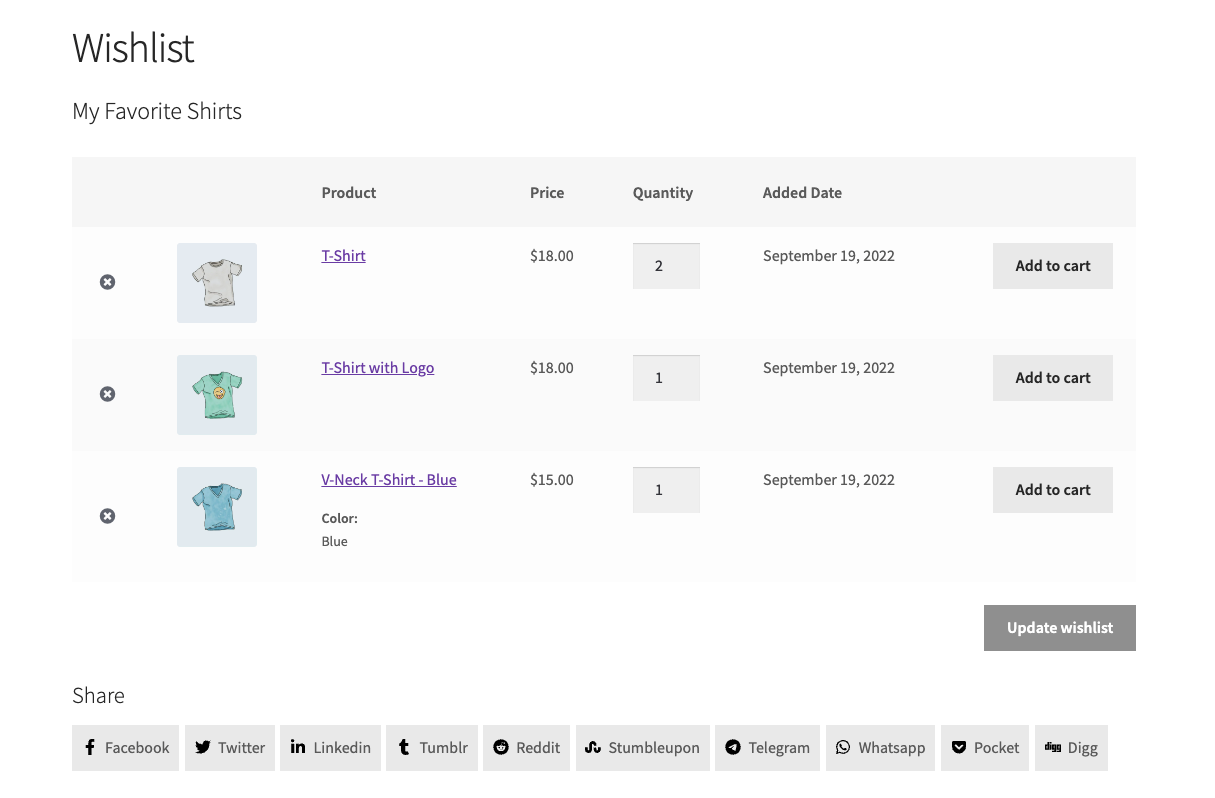
Wishlist is a key feature in e-commerce websites. These websites benefit from increased conversion rates, optimized revenues, and simplified consumer buying processes.
According to studies, the majority of website visitors don’t typically buy anything on their first visit. They frequently become perplexed by several products. A nice (and pertinent) solution for them is a wishlist. Users are able to add their favorite products to a list. For a store with a lot of options, this will make it simpler for users to make the decision. They can also quickly locate their preferred products when making subsequent purchases.
Users can also utilize wishlists to recommend their favorite goods to family members and friends. This is beneficial for your website. This will encourage more orders from customers who share the same interests on your website. Or assume that you will receive more orders that are gifts from your customers to one another on special occasions (such as birthdays, Christmas, etc.).
For sellers, understanding client preferences and issues also makes it simpler for store owners to cater to customers, which helps to boost online revenue for sellers.
The opening of the plugin's own description. The full text, installation notes and changelog are on its WordPress.org page.
Yes, it will work with any theme. Unlike other wishlist plugins, this one uses the default styles of WooCommerce. Therefore it won’t break your theme even if your theme doesn’t support it officially.
Yes, it does work with WordPress multisite.
Following the standards of WordPress and WooCommerce, you can find all the settings that relate to the appearance of your website (like icon, colors, text, etc) in Appearance > Customize > WooCommerce. Other options can be found in WooCommerce > Settings > WooCommerce > Wishlist.


#413 by installs
Boost your sales with a free WooCommerce Wishlist feature. Let your customers save and share their favorite products!

#421 by installs
WPC Smart Wishlist is a simple but powerful tool that can help your customer save products for buying later.

#646 by installs
YITH WooCommerce Catalog Mode, a plugin for disabling sales in your e-commerce and turn it into an e-commerce into an online catalogue.

#889 by installs
افزونه رسمی ترب برای افزودن قابلیتهای ترب به فروشگاههای ووکامرسی.

#74 by installs
Native integration with Google that allows merchants to easily display their products across Google’s network.

#82 by installs
PayPal's latest payment processing solution. Accept PayPal, Pay Later, credit/debit cards, alternative digital wallets and bank accounts.
Read from the WordPress.org plugin API on , when WordPress 7.1.4 was the current release. WordPress.org rounds active installs into buckets. These are the directory's figures, not my verdict, and I haven't tested this plugin.