Type to search.

#244 by installs

Use Any Font | Custom Font Uploader

by DnesscarkeyVersion 6.4.1

Upload custom fonts with custom font uploader. Auto converts to woff2 for better performance. Self-hosted, GDPR compliant, and easy custom font plugin

Active installs
200,000+
#244 of 1,000
Downloads, all time
7.6M
7,579,468
Downloads, 30 days
24.1K
5.4K in the last 7
Rating
4.7 / 5
1,148 reviews
Last updated
58 days ago
Sep 3, 2026
Version
6.4.1
102 releases

Upkeep and compatibility

Last updatedSeptember 3, 2026Updated in the last 3 months
Tested up toWordPress 7.1.4Covers WordPress 7.1.4, the current release
Needs WordPress4.0 or newer
Needs PHP7.0 or newer
First publishedDecember 2, 2012
Support, last two months2 of 3 threads resolved (67%)

Reviews

4.7 / 5 from 1,148 reviews

Reviews by star rating
5 stars1,024
4 stars34
3 stars12
2 stars11
1 star67

Downloads, last 30 days

Low 459 a dayHigh 1.8K a day

What the author says it does

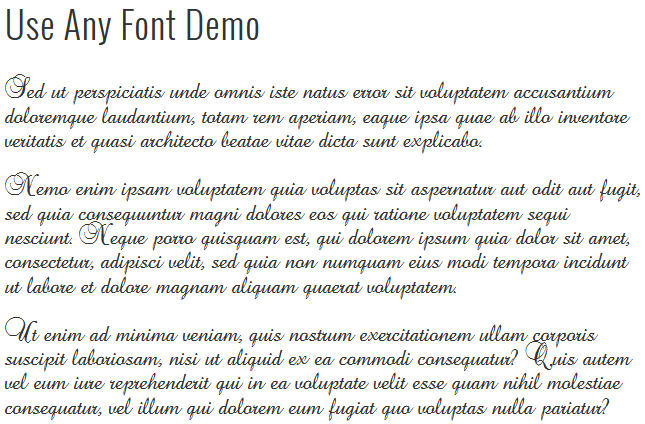
Upload any custom fonts to give your site an elegant look. Easily change fonts without CSS knowledge or select from 23,871+ predefined fonts to add to your site, including Google fonts stored on your server.

Click HERE for a Use Any Font working demo.

Use Any Font lets you install custom fonts in your WordPress website. Unlike other font embed services, it doesn’t limit your font choices or store your custom fonts on a remote server. Upload any font format (ttf, otf, woff) and our font uploader auto converts it to woff2 for faster load times and compatibility across all browsers. With our easy-to-use font uploader, you can seamlessly add custom fonts and manage your site’s typography. The plugin supports self-hosted and GDPR-compliant solutions, ensuring your fonts are SEO-friendly and quickly embedded with @font-face.

Key Features

  • Easy Font Upload, Supports all browsers :

Upload font in one format, all required format for browser compatibily is auto converted by our font convertor. Supports ttf, otf, woff, and woff2 font formats.

  • Fastest Font Load ( 30% Faster ) :

Automatically convert uploaded custom fonts to compressed woff2 format with Brotli, achieving 30% faster loading.

  • Easy Font Assign :

Quickly assign uploaded font with inbuilt font assign interface. You can select pre defined html tags or assign it to custom css.

  • SEO Friendly & GDPR compliant :

The opening of the plugin's own description. The full text, installation notes and changelog are on its WordPress.org page.

Questions the author answers

Which font format does plugin accepts and the font size ?

Currently, we accept ttf, otf, woff, and woff2 font formats, but you only need to upload the font in one format; other necessary formats for browser compatibility are automatically generated by our font converter. Font files up to 25MB are acceptable. However, we recommend using smaller ones whenever possible, as the font file size directly affects your site’s load time.

From where can i get the font files ?

Mostly you can download the font files from internet. There are many sites that offer fonts. One of font directory we really like is Ultimate Fonts. They only have free fonts which are even free for commercial use. So you can install font and use in any website.

Does it works with multiple fonts ?

Ya, it works with multiple fonts. For multiple font conversion request, you need to get the Premium Key.

How to add font variations ?
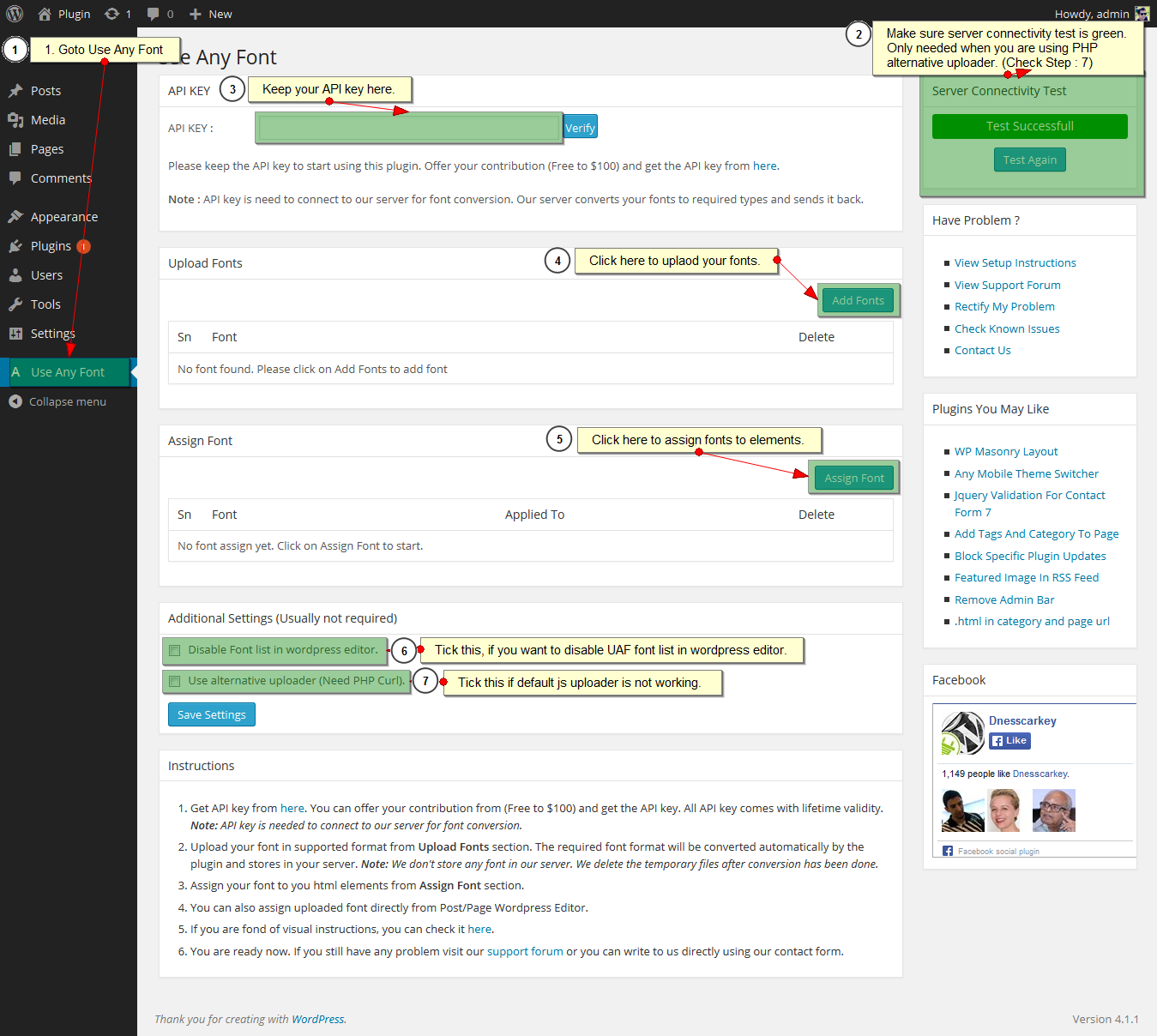
  • Goto Font Upload Tab
  • Click on Font Upload button in the right side.
  • Tick enable multiple font variation option. After that you will get select box to select the font weight and style.
  • Please make sure you use the same custom font name for all the variations.
Do i need to manually convert fonts ?

No, you don’t need to do it yourself. Just upload your font (supports most of the font format), and the plugin’s font convertor does the rest.

Does it work with Visual Builder like Divi Builder ?

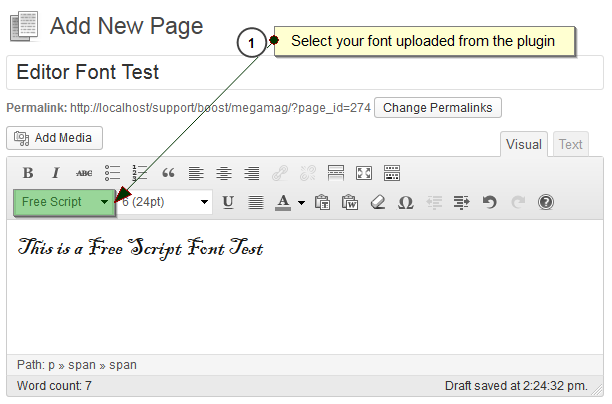
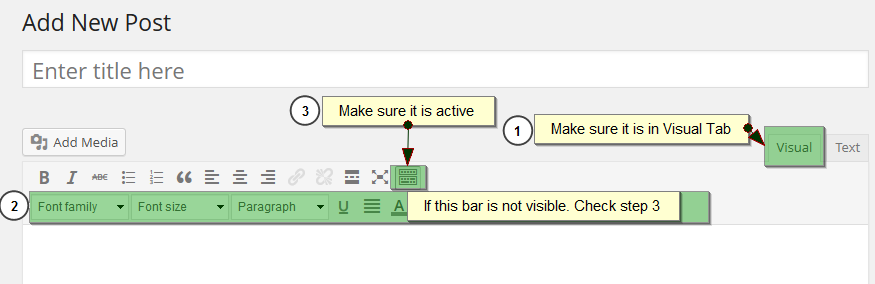
Ya, it works with any visual builder. For that you can assign class to those elements. Class name are same as font name. Also, we have full support for Divi Builder and SiteOrigin Page Builder. You can assign fonts using their font family dropdown.

You can check video for more details.

Divi Builder : https://www.youtube.com/watch?v=Y24TtwNHFMY

Site Origin Page Buider : https://www.youtube.com/watch?v=dA-iXWZSCYs

Latest changelog entry

6.4.1

  • Added font stretch (width variations) and oblique style support to font variations.

Screenshots

First 4 of 6, from WordPress.org.

Tagged

Plugins that share its tags

#148 by installs

Custom Fonts – Host Your Fonts Locally

by Brainstorm Force

Custom Fonts is a powerful WordPress plugin that allows you to upload your own custom fonts or choose from a vast collection of Google Fonts, all host …

Installs
400,000+
Rating
4.3 (62)
Updated
2 months ago

#782 by installs

Orphans

by iworks (Marcin Pietrzak)

Supports the grammar rule for orphan words at the end of a line.

Installs
50,000+
Rating
5.0 (164)
Updated
4 months ago

#907 by installs

Disable Google Fonts

by Milan Dinić

Disable enqueuing of fonts from Google used by WordPress core, default themes, Gutenberg, and many more.

Installs
40,000+
Rating
4.4 (42)
Updated
8 years ago

Where this page's numbers come from

Read from the WordPress.org plugin API on , when WordPress 7.1.4 was the current release. WordPress.org rounds active installs into buckets. These are the directory's figures, not my verdict, and I haven't tested this plugin.