Type to search.

#254 by installs

Fonts Plugin | Google Fonts, Adobe Fonts & Upload Fonts

by fontspluginVersion 4.2.3

The #1 fonts plugin for WordPress. 1,900+ Google Fonts, Adobe Fonts and your own font files. Live preview, no code required.

Active installs
200,000+
#254 of 1,000
Downloads, all time
11.1M
11,050,083
Downloads, 30 days
112.8K
91.8K in the last 7
Rating
5.0 / 5
1,221 reviews
Last updated
3 days ago
Oct 28, 2026
Version
4.2.3
102 releases

Upkeep and compatibility

Last updatedOctober 28, 2026Updated in the last 3 months
Tested up toWordPress 7.1.4Covers WordPress 7.1.4, the current release
Needs WordPress4.0 or newer
Needs PHPNot stated
First publishedOctober 16, 2017
Support, last two months1 of 1 threads resolved (100%)

Reviews

5.0 / 5 from 1,221 reviews

Reviews by star rating
5 stars1,188
4 stars21
3 stars6
2 stars1
1 star5

Downloads, last 30 days

Low 502 a dayHigh 65K a day

What the author says it does

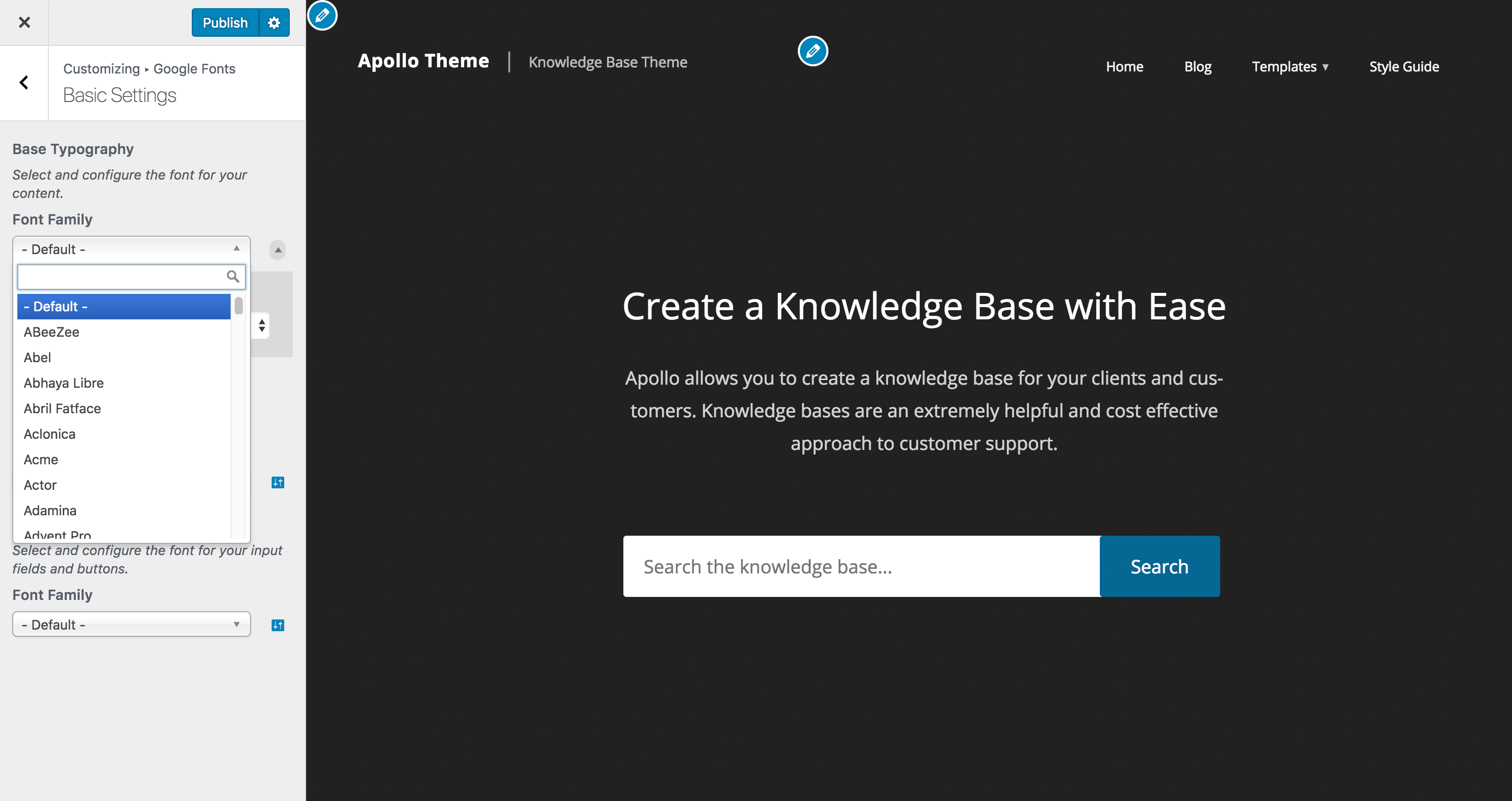
Pick a font from a dropdown and watch your site change live. When you’re happy, click Publish.

The preview updates on your own content as you browse, so you can try as many fonts as you like before anything goes live. You never need to edit theme files or write CSS.

Fonts Plugin is the #1 fonts plugin for WordPress: 200,000+ websites, 10.6 million downloads, and a 5.0 rating from 1,217 reviews on WordPress.org.

What Can You Do With Fonts Plugin?

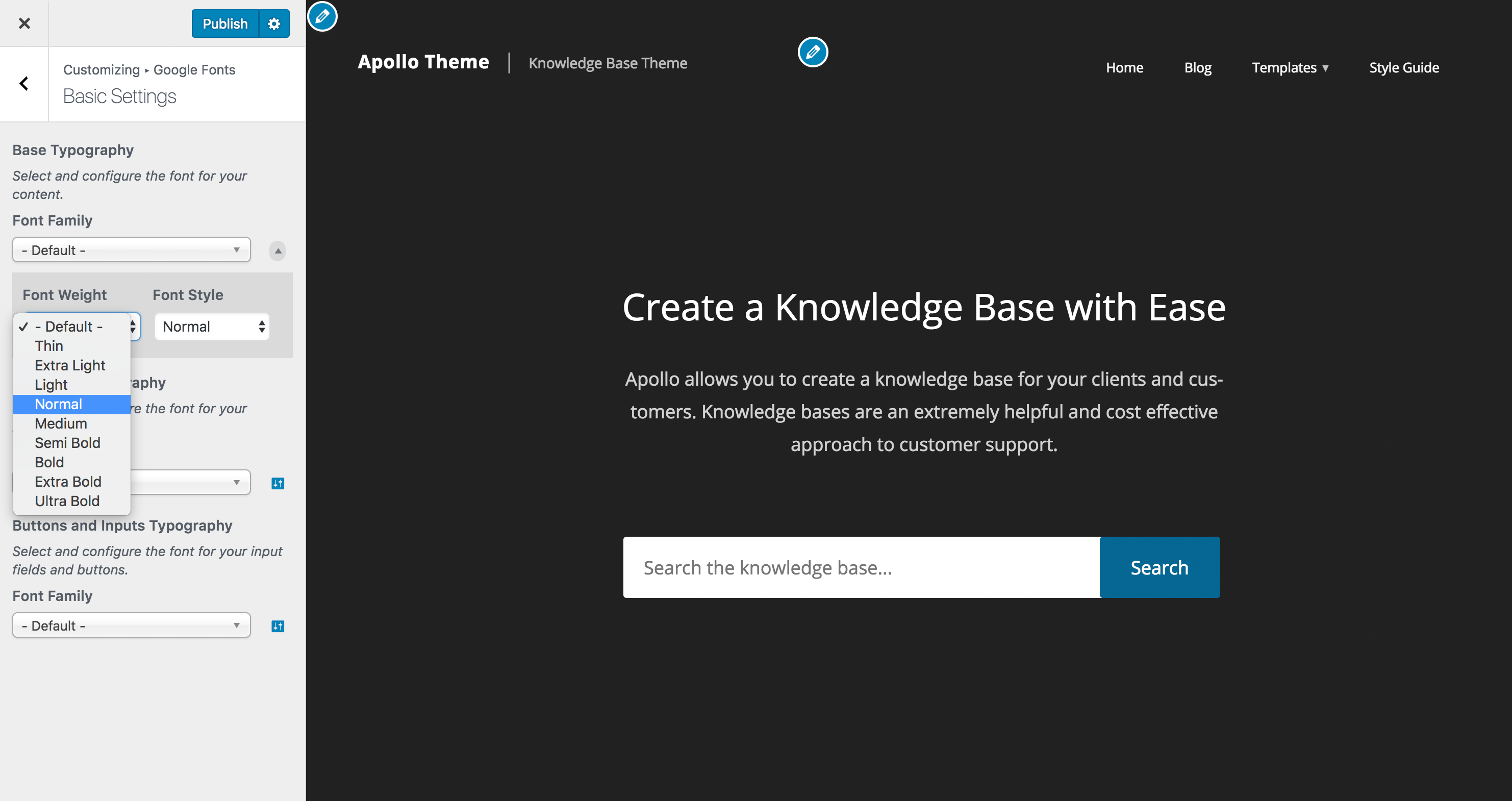
Fonts Plugin lets you apply different fonts to different parts of your website. Choose one typeface for headings and another for body text, then adjust size, weight, colour, line height and letter spacing from the same screen. The live preview updates instantly, so you can see how a font looks on your own content before saving. The plugin works with every WordPress theme (Twenty Twenty-Five, GeneratePress, Elementor, and others) and requires no changes to your theme files.

What Fonts Are Available?

Fonts Plugin gives you three ways to get fonts onto your site.

• Google Fonts: over 1,900 typefaces, all free for personal and commercial use.

• Adobe Fonts (Typekit): connect your Adobe Creative Cloud subscription and use any typeface from your kit.

• Your own font files: upload in any standard format for brand fonts that aren’t in either library.

The opening of the plugin's own description. The full text, installation notes and changelog are on its WordPress.org page.

Questions the author answers

What is Fonts Plugin?

Fonts Plugin is a free WordPress plugin for adding Google Fonts, Adobe Fonts (Typekit), and custom uploaded fonts to your website. You preview fonts live on your own site through the WordPress Customizer, apply different fonts to headings and body text, and save in a single click. No coding is needed.

Will Fonts Plugin work with my theme?

Yes. Fonts Plugin is compatible with virtually all WordPress themes. It has been tested with every default WordPress theme, all Genesis/StudioPress themes, Elementor, Divi, Beaver Builder, WPBakery and hundreds of others. Pro includes a Force Styles option for themes that override font rules. If you hit an issue, open a support ticket and we will investigate.

Do I need to know CSS or any code?

No. Everything is point-and-click inside the WordPress Customizer. Pick a font, choose where it appears, and preview the change in real time before you publish.

What is the difference between the free version and Fonts Plugin Pro?

The free version covers everything you need to add and display Google Fonts, Adobe Fonts or your own uploaded fonts. Fonts Plugin Pro adds local font hosting, selective font loading, font preloading, removal and rewriting of fonts loaded by your theme and other plugins, per-element typography controls (size, colour, line height, letter spacing, text transform), custom element targeting, and priority email support.

Is Fonts Plugin Pro a subscription?

No. Fonts Plugin Pro is a one-time payment with lifetime updates and priority support included. There are no renewals or annual fees. Customers who bought a licence years ago still receive updates today.

Will Fonts Plugin slow down my website?

The free version has a small performance cost, the same as any tool that loads extra font files. You may see a minor impact compared with using only system fonts.

Pro usually makes up for it. Selective Font Loading stops your site from downloading the weights and alphabets it does not use: the italics, the thin and black variants, the Cyrillic and Greek subsets your visitors never read.

Latest changelog entry

See the complete changelog →

Screenshots

From WordPress.org.

Tagged

Plugins that share its tags

#148 by installs

Custom Fonts – Host Your Fonts Locally

by Brainstorm Force

Custom Fonts is a powerful WordPress plugin that allows you to upload your own custom fonts or choose from a vast collection of Google Fonts, all host …

Installs
400,000+
Rating
4.3 (62)
Updated
2 months ago

#244 by installs

Use Any Font | Custom Font Uploader

by Dnesscarkey

Upload custom fonts with custom font uploader. Auto converts to woff2 for better performance. Self-hosted, GDPR compliant, and easy custom font plugin

Installs
200,000+
Rating
4.7 (1.1K)
Updated
58 days ago

#385 by installs

Local Google Fonts

by EverPress

Host your used Google fonts on your server and make your site more GDPR compliant 💯.

Installs
100,000+
Rating
4.6 (83)
Updated
10 days ago

エックスサーバー株式会社が提供する各レンタルサーバーサービスでWebフォントを利用できるプラグインです。

Installs
100,000+
Rating
No reviews
Updated
11 months ago

Where this page's numbers come from

Read from the WordPress.org plugin API on , when WordPress 7.1.4 was the current release. WordPress.org rounds active installs into buckets. These are the directory's figures, not my verdict, and I haven't tested this plugin. The author takes donations at their donate page.