
Easy to show posts, pages, custom posts in customizable grid, list, slider, accordion... Available as Widgets (for Elementor), Shortcode, and Blocks.
- Installs
- 100,000+
- Rating
- 4.8 (333)
- Updated
- 2 months ago

Display WordPress posts in beautiful grid, list, slider, and filter layouts. Works with Gutenberg, Elementor, Divi, and Shortcodes.
| Last updated | October 29, 2026Updated in the last 3 months |
|---|---|
| Tested up to | WordPress 7.1.4Covers WordPress 7.1.4, the current release |
| Needs WordPress | 4.5 or newer |
| Needs PHP | 7.4 or newer |
| First published | March 2, 2016 |
| Support, last two months | 1 of 1 threads resolved (100%) |
4.8 / 5 from 265 reviews
| 5 stars | 243 |
|---|---|
| 4 stars | 5 |
| 3 stars | 1 |
| 2 stars | 6 |
| 1 star | 10 |
The Post Grid is a powerful WordPress plugin that transforms how you display blog posts, news articles, and custom content. Whether you’re building a news portal, magazine website, or personal blog, this plugin provides everything you need to create stunning post layouts that engage visitors and improve content discovery.
With native support for Gutenberg blocks, Elementor widgets, Divi modules, and a universal shortcode generator, The Post Grid works seamlessly with your preferred page builder. Choose from grid layouts, list views, hover effects, sliders, and filterable galleries—all fully responsive and optimized for every device.
👉 Plugin Demo | Elementor Demo | Gutenberg Demo | Documentation | Get Pro 👈
🎯 Try Admin Demo: Click Here
🌟 Why Choose The Post Grid?
Trusted by 100,000+ WordPress websites, The Post Grid combines flexibility with simplicity. Display your content exactly how you envision it—without touching a single line of code. The intuitive visual interface lets you configure layouts, select posts, and customize styles in minutes.
⭐⭐⭐⭐⭐
They solved my problem immediately
When I had a problem with the plugin and asked for their help, they responded immediately and fixed the problem. The speed with which they responded and fixed the problem gave me confidence in their company.
— athan43
⭐⭐⭐⭐⭐
Great plugin and great support
The opening of the plugin's own description. The full text, installation notes and changelog are on its WordPress.org page.

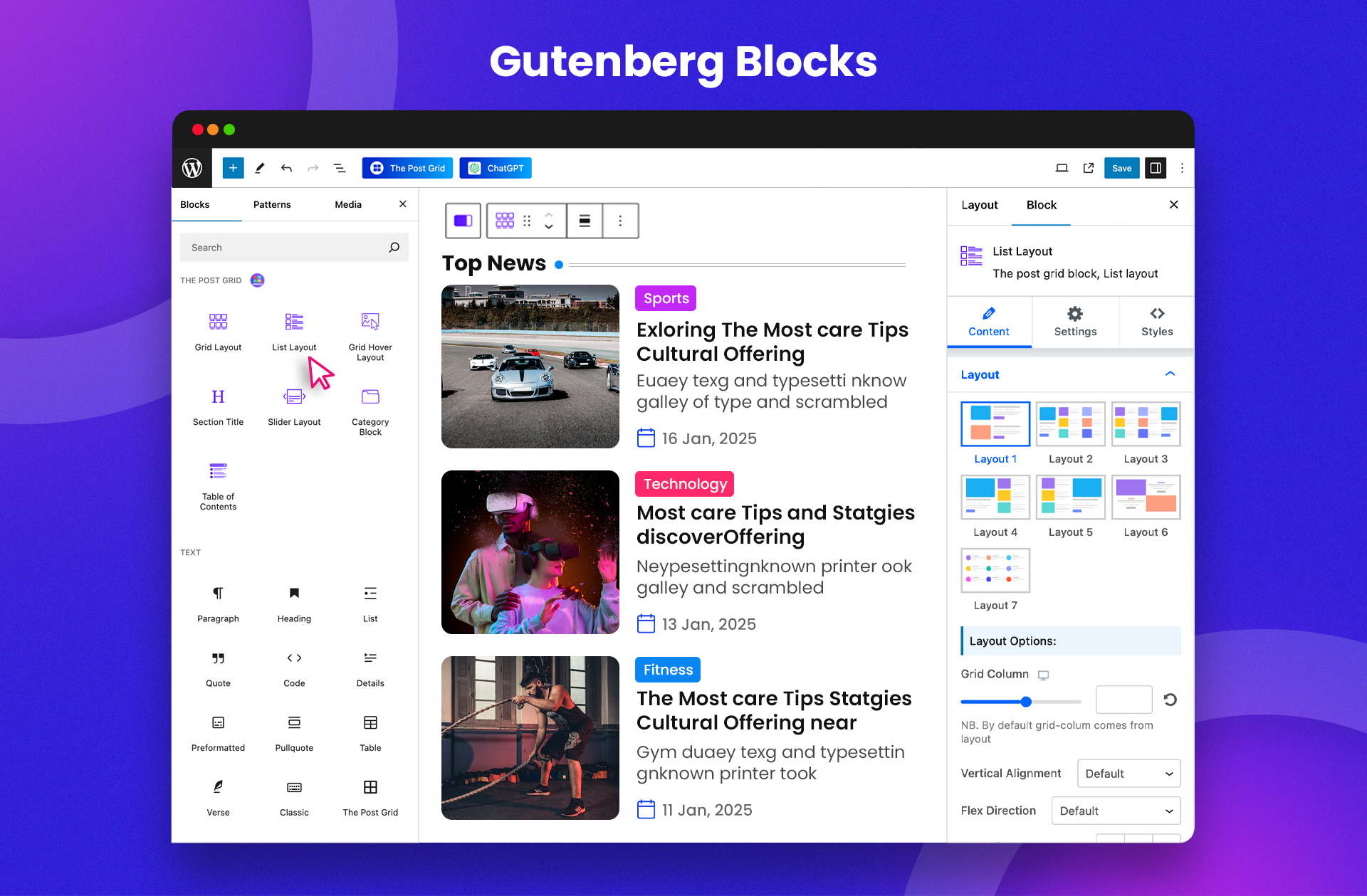
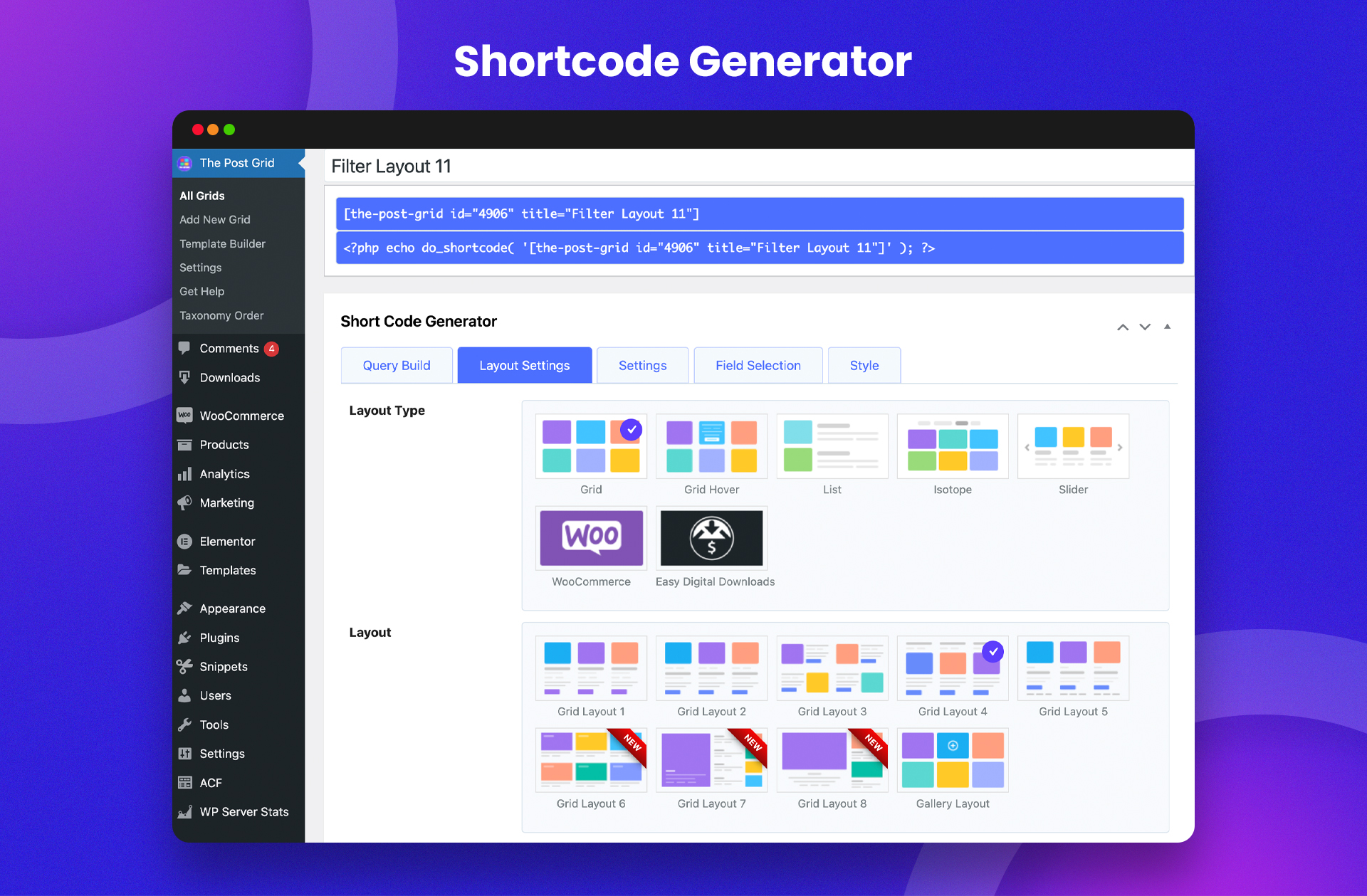

Easy to show posts, pages, custom posts in customizable grid, list, slider, accordion... Available as Widgets (for Elementor), Shortcode, and Blocks.

#552 by installs
Build Stunning Slider and Popup. Exit intent Popup, Image slider carousel, video slider carousel, post slider carousel, product slider, promote popup

#966 by installs
Ditty offers a range of content display options, including its signature news ticker and customizable layouts.
Read from the WordPress.org plugin API on , when WordPress 7.1.4 was the current release. WordPress.org rounds active installs into buckets. These are the directory's figures, not my verdict, and I haven't tested this plugin.