
Elementor addons with 18+ free widgets, Header & Footer Builder, WooCommerce widgets & templates. Trusted by 2+ million websites.
- Installs
- 2+ million
- Rating
- 4.9 (2.5K)
- Updated
- 2 days ago

Easy to show posts, pages, custom posts in customizable grid, list, slider, accordion... Available as Widgets (for Elementor), Shortcode, and Blocks.
| Last updated | August 31, 2026Updated in the last 3 months |
|---|---|
| Tested up to | WordPress 7.1.4Covers WordPress 7.1.4, the current release |
| Needs WordPress | 5.0 or newer |
| Needs PHP | 5.6 or newer |
| First published | May 28, 2014 |
| Support, last two months | 0 of 1 threads resolved (0%) |
4.8 / 5 from 333 reviews
| 5 stars | 305 |
|---|---|
| 4 stars | 12 |
| 3 stars | 7 |
| 2 stars | 2 |
| 1 star | 7 |
Content Views is the most popular grid plugin to create stunning Blogs, News, Personal, Portfolio, Business, and Shop sites.
Easy to display posts, pages, custom post types, images, and taxonomy terms in attractive grid, list, slider, accordion, pinterest, timeline, overlay, and more.
Show recent posts, category posts, tag posts, author posts, posts by keyword, posts by custom field, posts by date, etc. effortlessly.
Classic editor friendly & Gutenberg block editor ready & Elementor supported!
See Live Demo | Content Views Pro | Documentation | Support
🏆 SHORTCODE FOR CLASSIC EDITOR AND PAGE BUILDERS
Content Views provides a powerful shortcode feature to work with the Classic editor and page builders in 2 simple steps:
• Step 1: Create a View
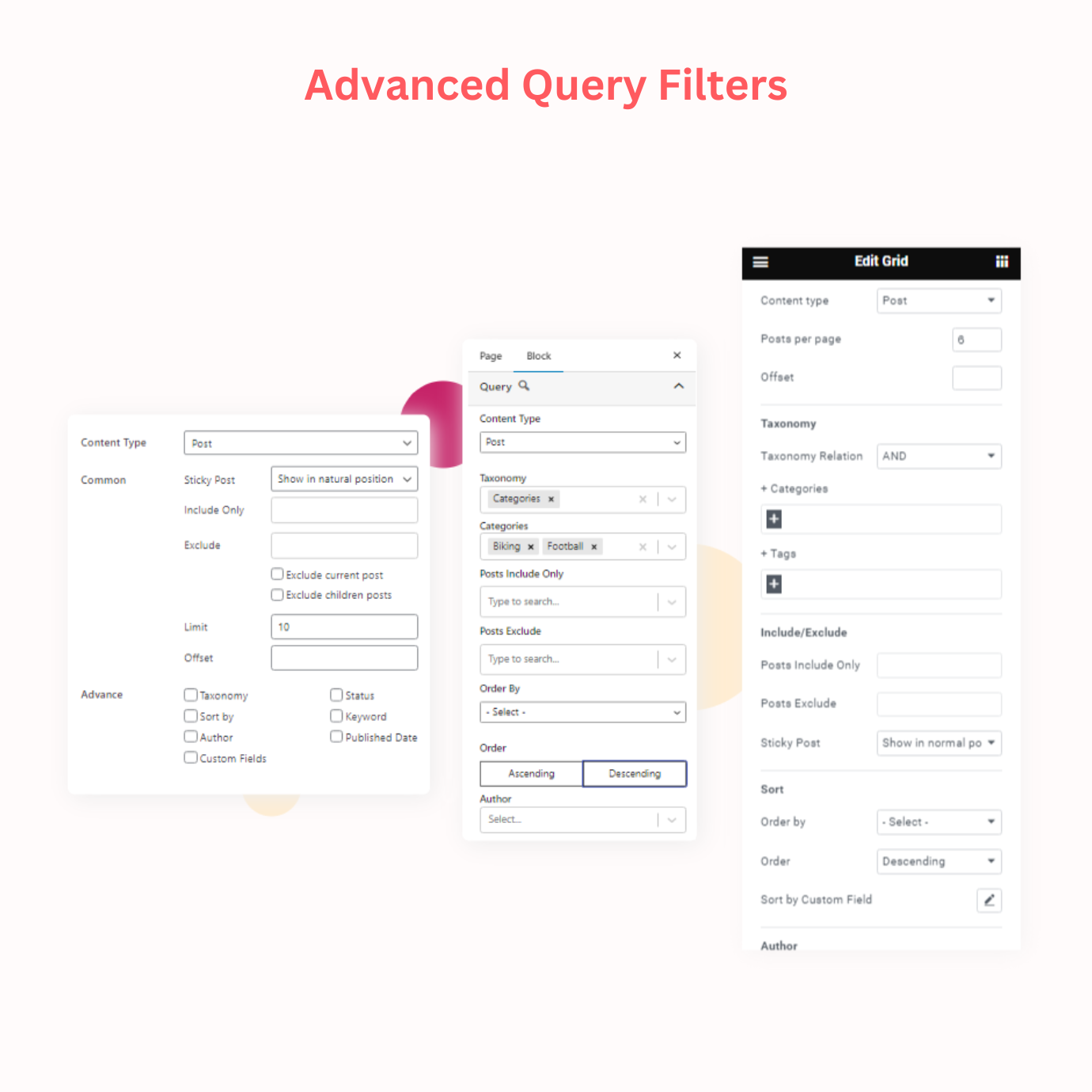
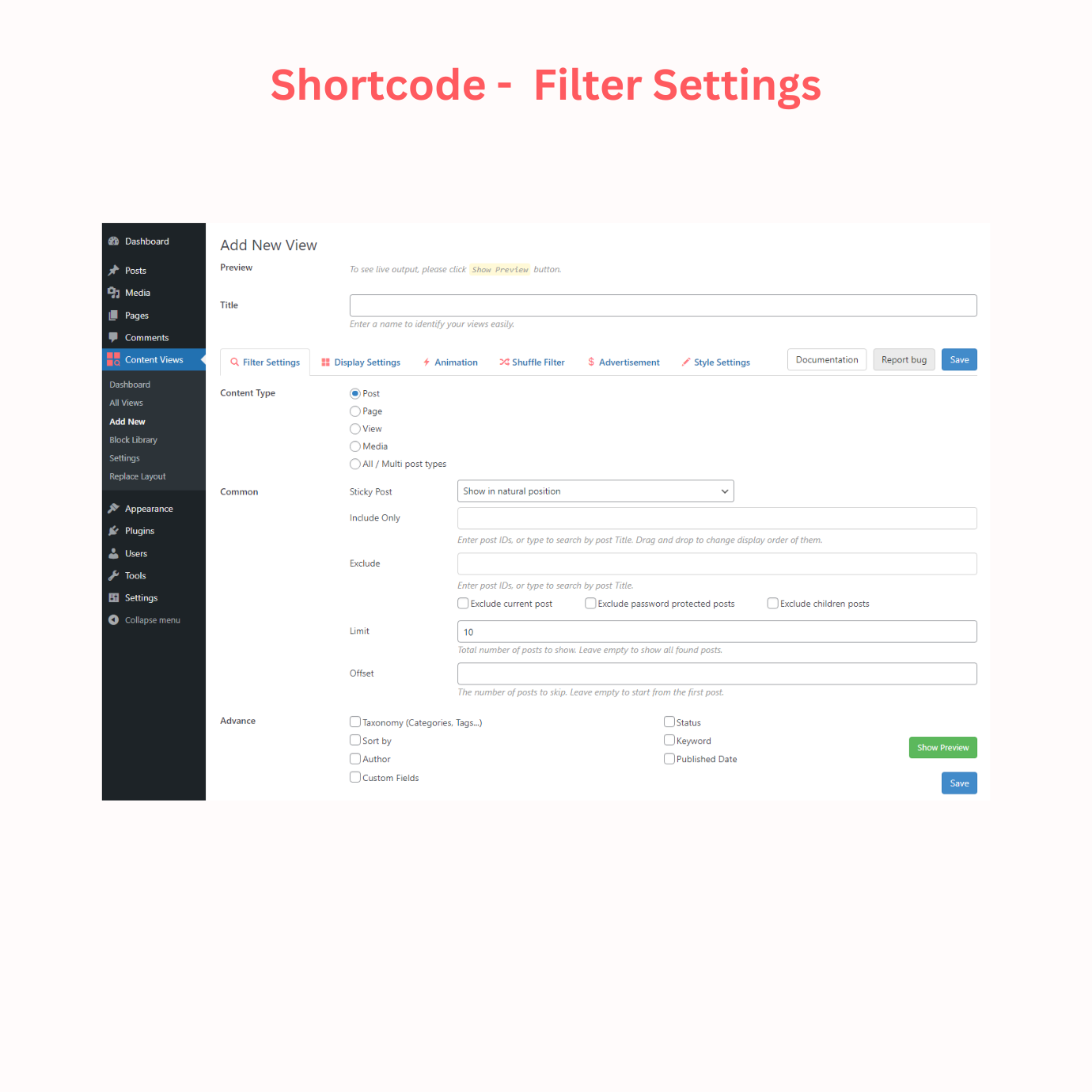
Start by creating a View where you can query and sort any posts, pages, custom post types by category, tag, taxonomy, custom field, post ID, post title, date, author, etc.
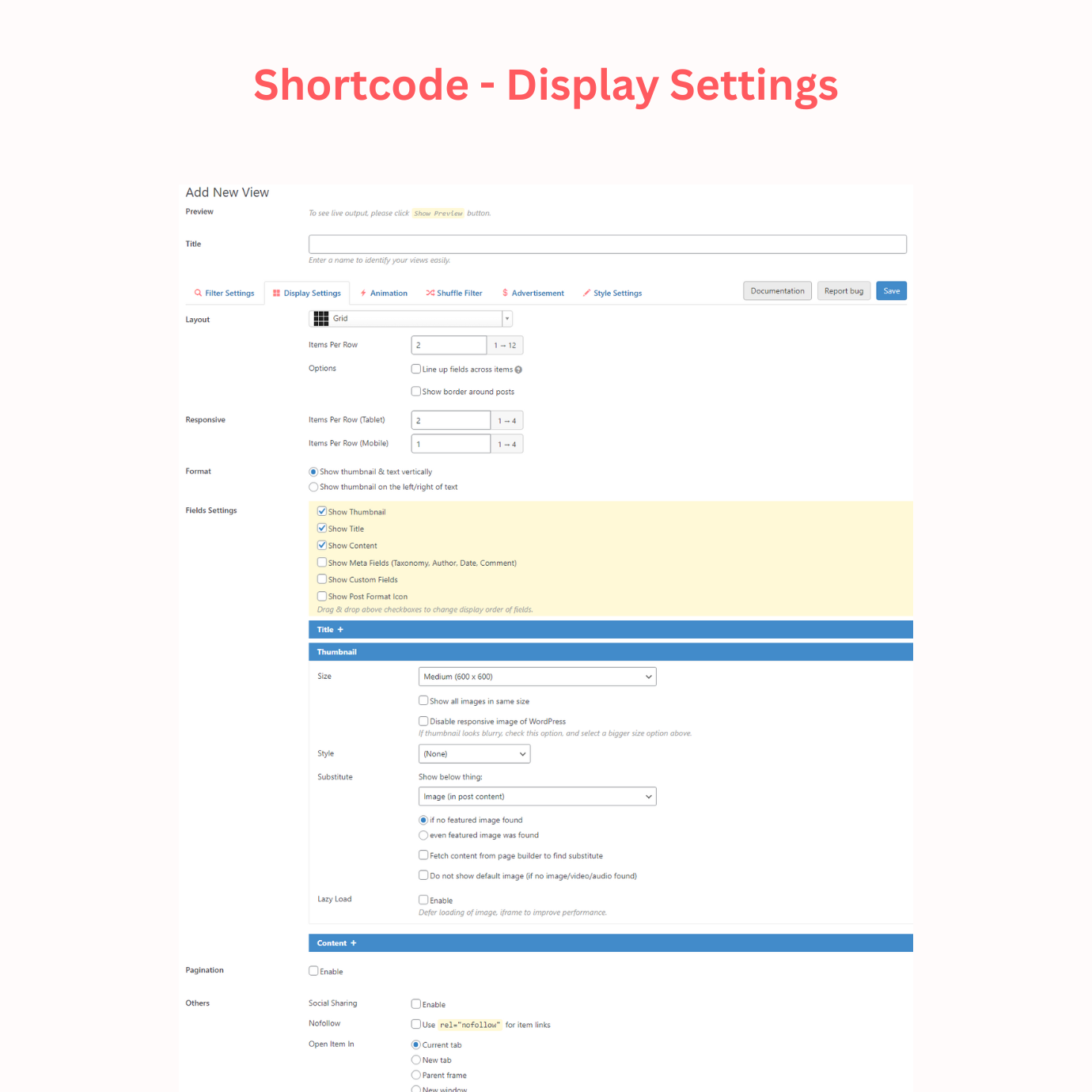
You can select from 20 layouts that fit your needs, customize and style them with many options.
You can also choose and import from our library of 76 stunning pre-made designs (read more).
• Step 2: Add Shortcode
Add the created view shortcode to the Classic editor, page builder, widget, or anywhere you want to display your post grid.
🏆 BLOCKS & PATTERNS FOR BLOCK EDITOR
The opening of the plugin's own description. The full text, installation notes and changelog are on its WordPress.org page.
In the WordPress Admin menu, click Content Views > Add New, adjust options as you want, and save. Then copy the generated shortcode and add it to the Classic editor of your post, page.
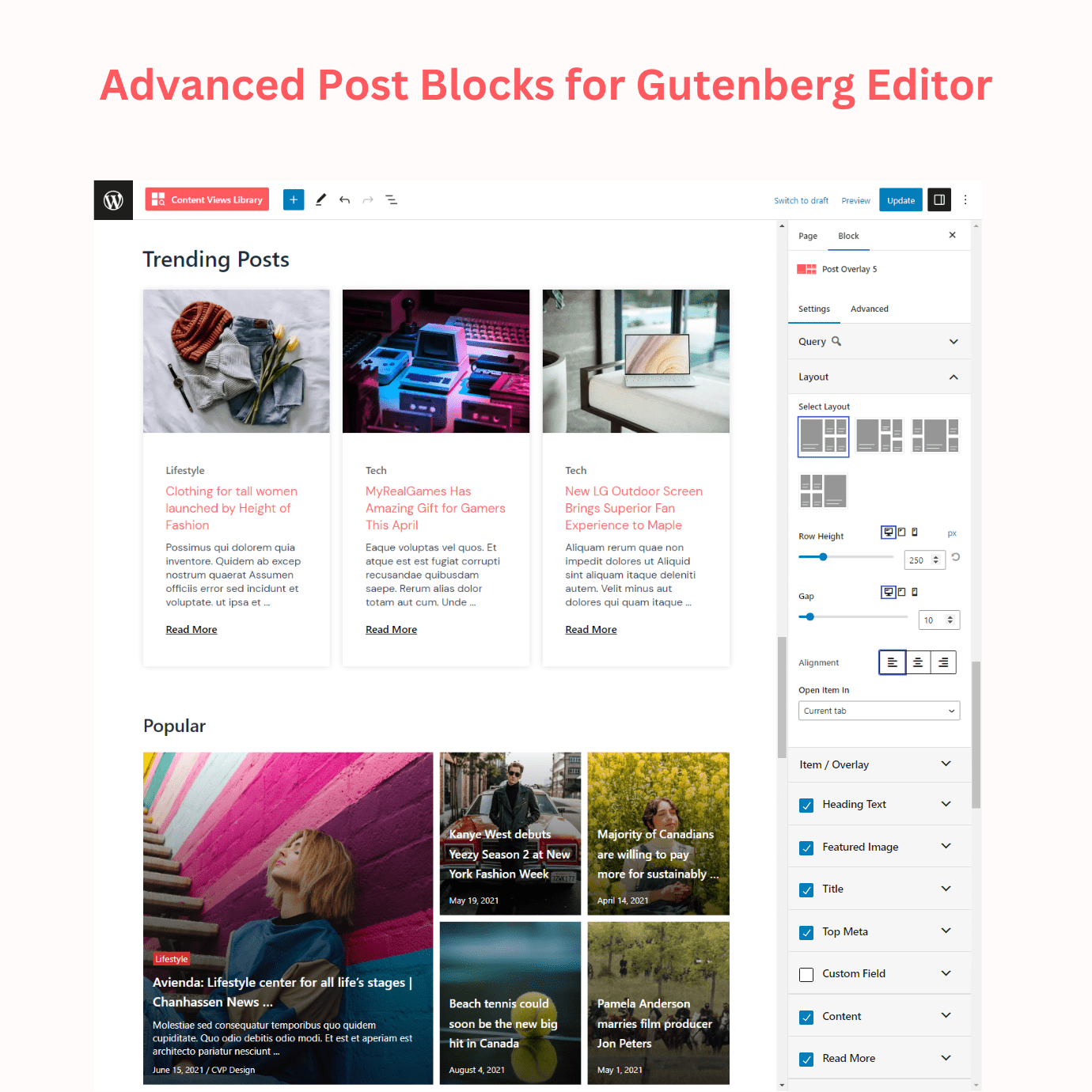
Create a new page and click the ‘+’ sign, search for Content Views, or scroll to the CONTENT VIEWS section, you will find all our 16 Gutenberg blocks there. Click on the block you want to insert in your page and start displaying your posts stunningly with our blocks.
Create a new page with Elementor, find our widgets for Elementor under the CONTENT VIEWS section, click on the widget you want to use, and customize it as you want.
Sure, you can create and use our shortcode in Classic editor, without enabling Gutenberg block editor.
Sure, you can use our shortcode (for any themes and page builders) or blocks (for block themes and the Gutenberg block editor).
Sure, Content Views is compatible with any WordPress theme.
Elementor addons with 18+ free widgets, Header & Footer Builder, WooCommerce widgets & templates. Trusted by 2+ million websites.
Elementor addon: 120+ widgets & templates — Elementor Gallery, Mega Menu, Slider, Form, Post Grid, Accordion, Header Footer Builder & WooCommerce.

#63 by installs
Gutenberg blocks for existing Spectra websites. Maintained, stable, and fully supported — no action needed on your part.

#80 by installs
Adds breadcrumb navigation showing the visitor's path to their current location.
Elementor templates, Header footer builder, Elementor Post Grid, Woocommerce Grid builder, Slider, Forms, Gallery, Nav menu addons, Elementor widgets.

#150 by installs
Use this plugin to import Template Kits to WordPress
Read from the WordPress.org plugin API on , when WordPress 7.1.4 was the current release. WordPress.org rounds active installs into buckets. These are the directory's figures, not my verdict, and I haven't tested this plugin.

