
#54 by installs
Safe SVG
Enable SVG uploads and sanitize them to stop XML/SVG vulnerabilities in your WordPress website.
- Installs
- 1+ million
- Rating
- 4.9 (79)
- Updated
- 5 days ago

Securely upload SVG files to your media library, with built-in sanitization and advanced features for styling and animation.
| Last updated | October 31, 2026Updated in the last 3 months |
|---|---|
| Tested up to | WordPress 7.1.4Covers WordPress 7.1.4, the current release |
| Needs WordPress | 5.8 or newer |
| Needs PHP | 7.4 or newer |
| First published | July 22, 2014 |
| Support, last two months | 2 of 2 threads resolved (100%) |
4.8 / 5 from 356 reviews
| 5 stars | 331 |
|---|---|
| 4 stars | 2 |
| 3 stars | 7 |
| 2 stars | 5 |
| 1 star | 11 |
The complete SVG solution for WordPress – secure, flexible, and easy to use.
SVG Support enables secure SVG uploads with powerful features for both basic users and developers:
✨ Key Features:
– Secure SVG uploads with automatic sanitization
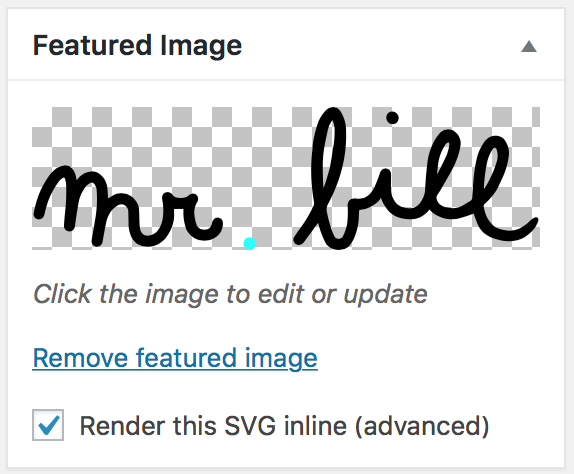
– Inline rendering for direct CSS/JS manipulation
– File size optimization through minification
– Role-based access control
– Advanced developer options
– Multisite compatible
– Full Block Editor (Gutenberg) compatibility
🔒 Security First:
– Built-in sanitization removes potentially harmful code
– Role-based upload restrictions
– Comprehensive MIME type validation
🎨 Designer Friendly:
– Direct styling of SVG elements
– Animation support
– Custom class targeting
– Automatic dimension handling
💻 Developer Ready:
– Advanced mode for additional features
– REST API support
– Gutenberg compatible
– Extensive hooks and filters
Usage
Basic Usage:
– First, install and activate SVG Support via your WordPress dashboard
– Upload SVG files to your media library like any other image
– Works seamlessly with Image blocks, Cover blocks and featured images
Advanced Usage:
– Enable “Advanced Mode” for minification and inline rendering
– Customize with hooks and filters for tailored functionality
Block Editor Usage:
– Use Advanced Mode to enable inline rendering:
– Add the "style-svg" class to Image blocks
The opening of the plugin's own description. The full text, installation notes and changelog are on its WordPress.org page.
Ensure “Advanced Mode” is enabled in Settings > SVG Support.
Disable “Advanced Mode” in the settings.
To allow SVG to work in the customizer, you will need to modify/add some code in your child theme’s function file. Here is a great tutorial on how to do that. The important part is:
'flex-width' => true 'flex-height' => true
You will need to edit your SVG file in a code editor so you can add CSS classes to each element you need to target within the SVG. Make sure that your IMG tag is being swapped out for your inline SVG and then you can use CSS or JS to apply animations to elements within your SVG file.
If you installed multisite prior to WordPress 3.5, then you will need to remove your ms-files. Here is a couple of resources to help you: Dumping ms-files Removing ms-files after 3.5.
If you are using SVG Support with Visual Composer or any other page builders, you will need to make sure that you can add your own class to the image. The easiest way to do this is by using a simple text or code block in the builder to put your image code in to. Additionally, there is now a setting to force all SVG files to be rendered inline.
• Security Enhancements:


#54 by installs
Enable SVG uploads and sanitize them to stop XML/SVG vulnerabilities in your WordPress website.
#844 by installs
This Plugin allows you to upload SVG Files into your Media library.

#891 by installs
Easily add SVG icons and graphics to the WordPress block editor.
Read from the WordPress.org plugin API on , when WordPress 7.1.4 was the current release. WordPress.org rounds active installs into buckets. These are the directory's figures, not my verdict, and I haven't tested this plugin. The author takes donations at their donate page.