#791 by installs
Search & Filter
Search and Filtering for Custom Posts, Categories, Tags, Taxonomies, Post Dates and Post Types
- Installs
- 40,000+
- Rating
- 4.5 (175)
- Updated
- 2 months ago

Tags, Categories and WordPress terms are easy with PublishPress Taxonomies. Add a Tag or Category to Pages, manage your WooCommerce Categories and Tag …
| Last updated | October 5, 2026Updated in the last 3 months |
|---|---|
| Tested up to | WordPress 7.1.4Covers WordPress 7.1.4, the current release |
| Needs WordPress | 6.7 or newer |
| Needs PHP | 7.4 or newer |
| First published | October 10, 2007 |
| Support, last two months | 1 of 1 threads resolved (100%) |
4.6 / 5 from 195 reviews
| 5 stars | 165 |
|---|---|
| 4 stars | 9 |
| 3 stars | 4 |
| 2 stars | 4 |
| 1 star | 13 |
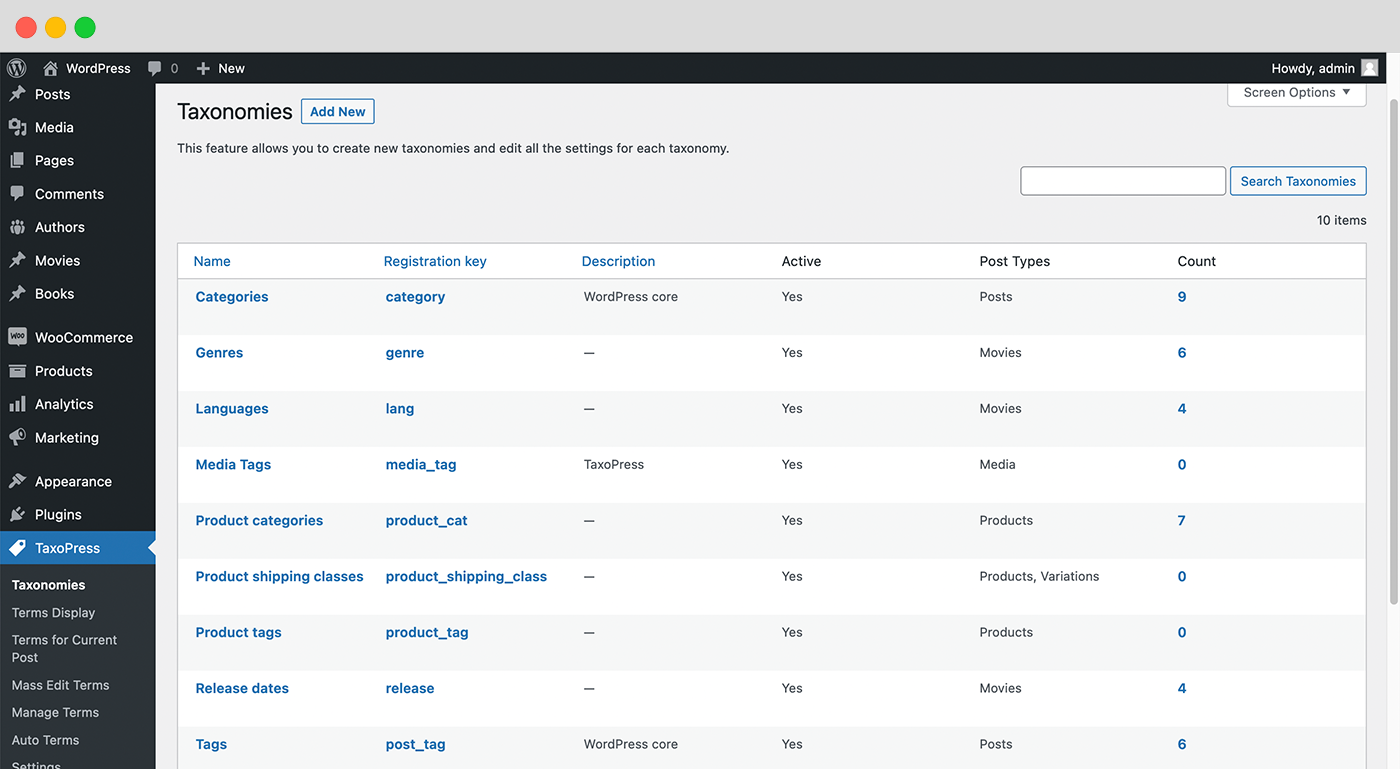
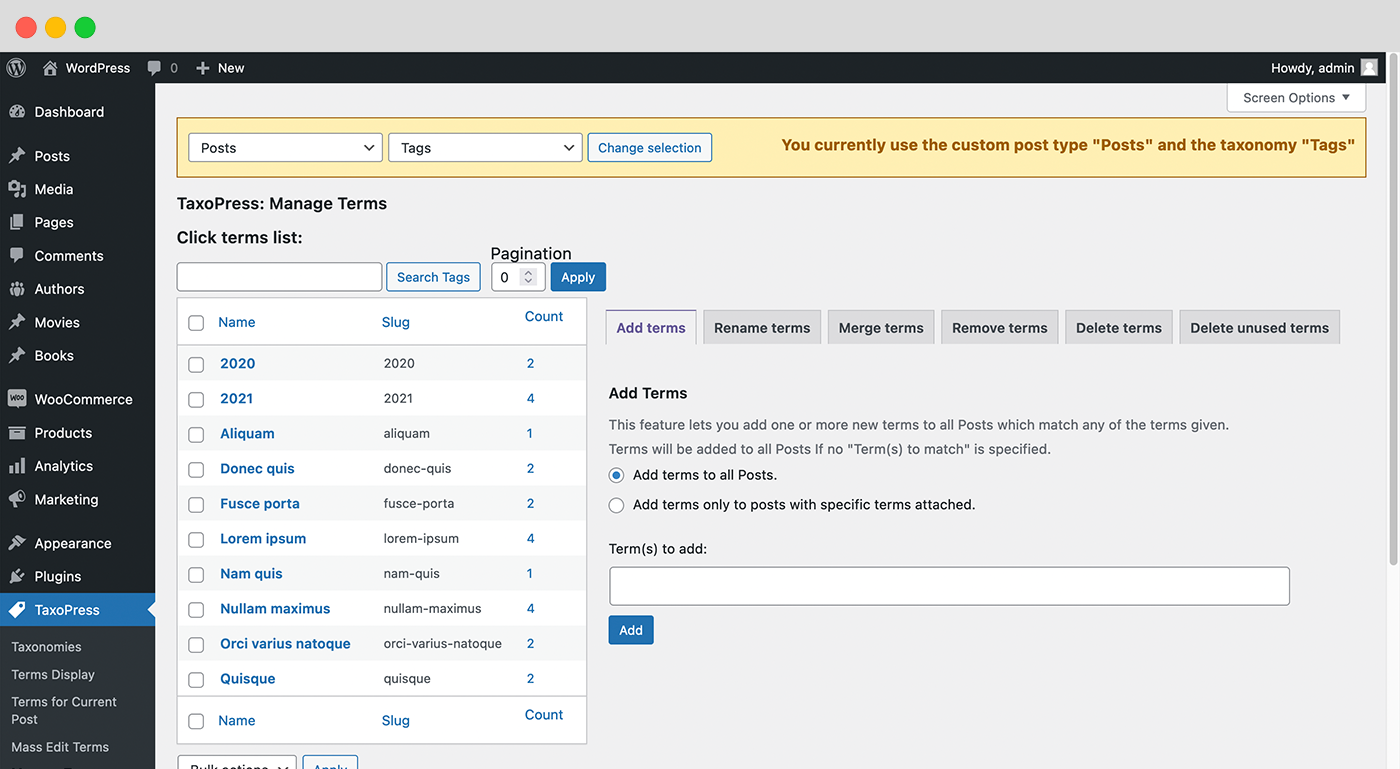
PublishPress Taxonomies allows you to create and manage Tags, Categories, and all your WordPress taxonomy terms. PublishPress Taxonomies can help with all your WordPress content, from adding Tags and Categories to Pages, to managing WooCommerce Product Categories and bbPress Topic Tags.
PublishPress Taxonomies has integrations with AI tools including OpenAI. You can use these AI services to find the best taxonomy terms for your content.
With PublishPress Taxonomies, you can organize, optimize, and showcase all your WordPress content:
PublishPress Taxonomies Pro
Upgrade to PublishPress Taxonomies Pro
This plugin is the free version of PublishPress Taxonomies. The Pro version of PublishPress Taxonomies has extra features and expert support. Get the PublishPress Taxonomies Pro plugin now!
The opening of the plugin's own description. The full text, installation notes and changelog are on its WordPress.org page.
Yes, you can. Both Categories and Tags are “taxonomies” and they can help you sort your content. However, on a normal WordPress site, both Categories and Tags are only available for Posts. This means that you do not have any options to organize your Pages … unless you use a plugin such as PublishPress Taxonomies. I’ll show you how to add Categories to your WordPress Pages.
There is no technical limit to how deep your nested categories can go. In an image you can see by clicking the link below, I’ve created 10 levels of categories. You can keep adding sub-category levels as deep as you wish.
We often have PublishPress Taxonomies users who want to organize their content privately. They want a taxonomy that is only used and seen in the WordPress admin area. With the PublishPress Taxonomies plugin, you can create taxonomies for internal use only. Your content will still be visible, but it can be organized with hidden taxonomies.
It is possible to use PublishPress Taxonomies to show terms in a WordPress widget. Go to Appearance > Widget and look for the “Term Display (Taxonomies Shortcode)” widget. This can be placed into any area that your theme has available.
Click here to see more about showing terms in a widget.
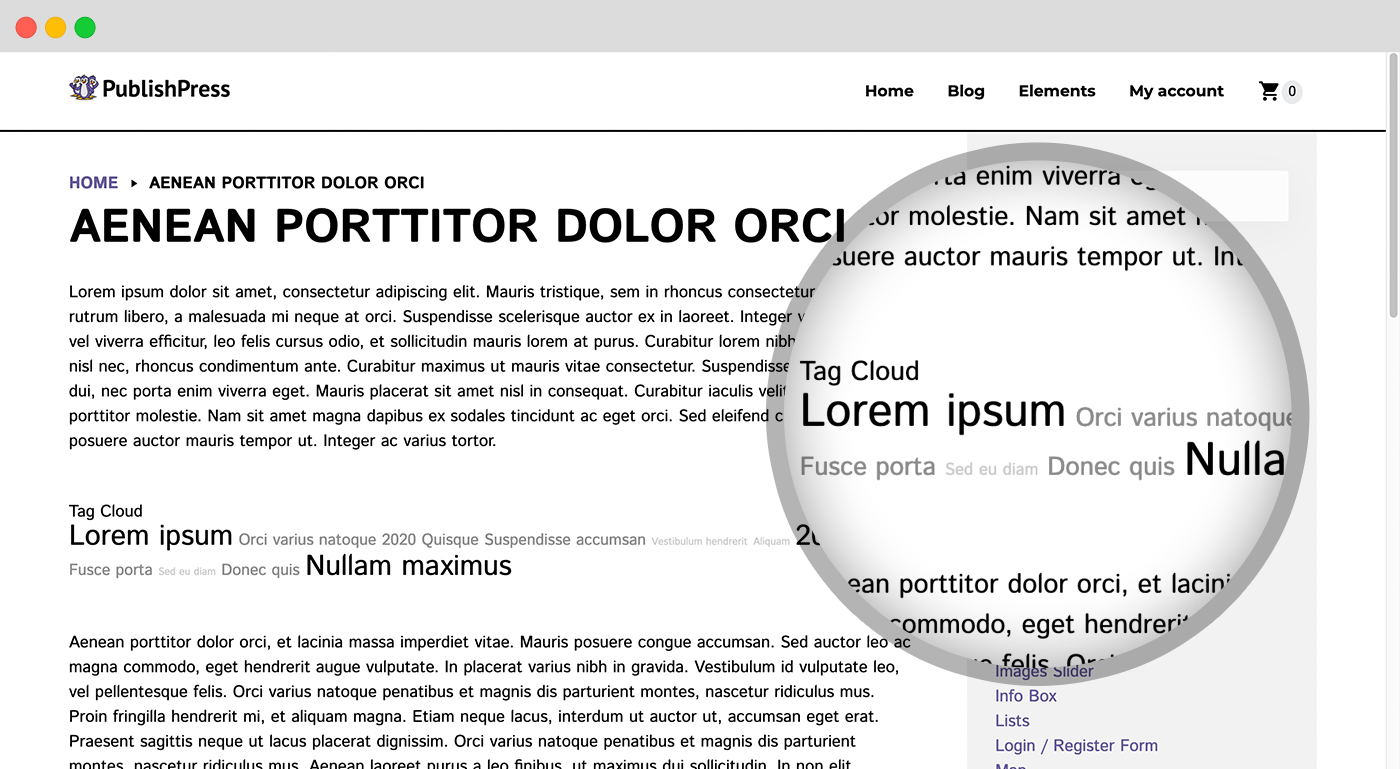
PublishPress Taxonomies allows you to show a cloud or list of the terms in a taxonomy. You can show your terms using the shortcode shown on the “Terms Display” screen. If you are using the block editor in WordPress, you can add shortcodes using the “Shortcode” block.
Click here to see more about showing terms with a shortcode.
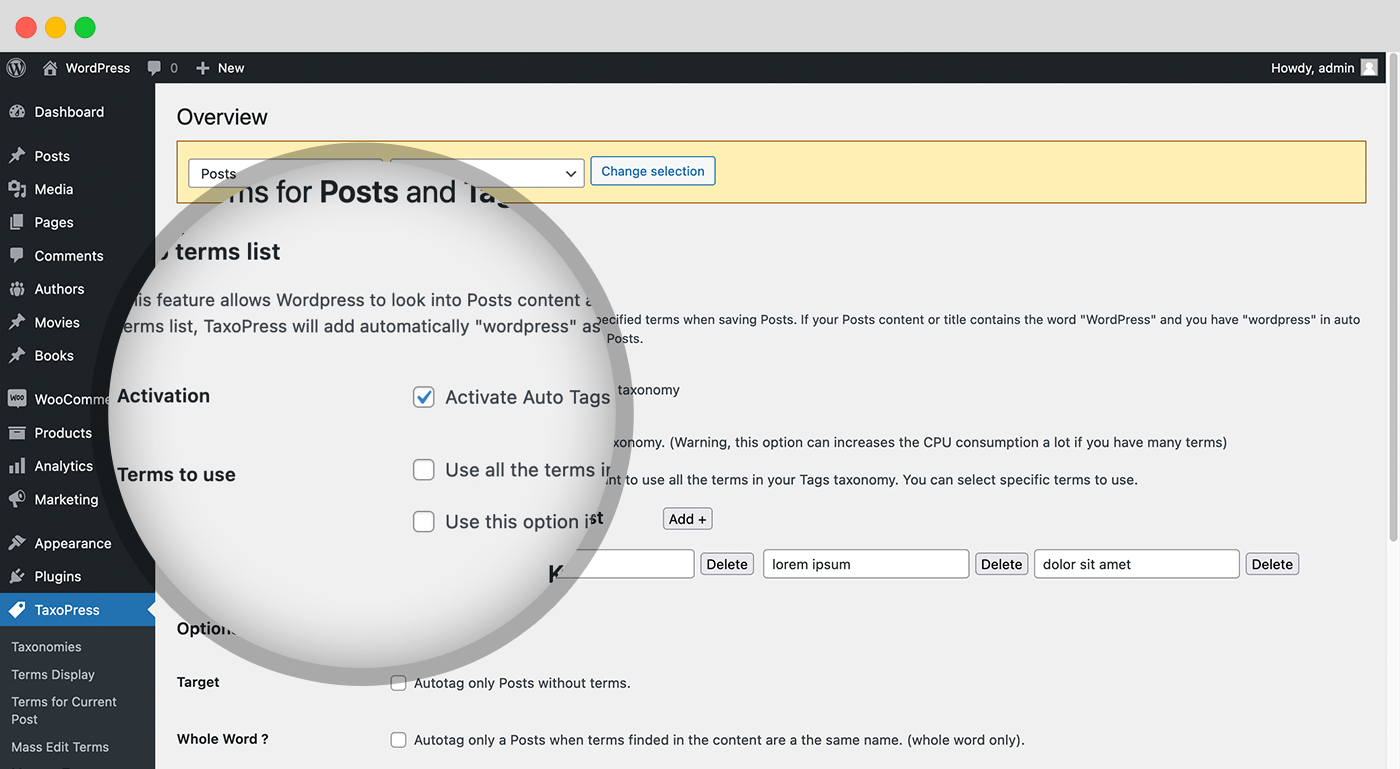
If you have a busy WordPress site, it can be difficult to organize all your content. Fortunately, with PublishPress Taxonomies, there is a way to automatically add Tags to posts. You can create the Tags and then allow PublishPress Taxonomies to add them to relevant posts. The “Auto Terms” feature in PublishPress Taxonomies can scan your WordPress posts and automatically assign Tags.
#791 by installs
Search and Filtering for Custom Posts, Categories, Tags, Taxonomies, Post Dates and Post Types

#713 by installs
Add Categories and Tags to Pages.

#50 by installs
Admin UI for creating custom content types like post types and taxonomies

#549 by installs
Very customizable plugin to list posts by category (or tag, author and more) in a post, page or widget. Uses the [catlist] shortcode to select posts.

#609 by installs
Enhances the Media Library; powerful gallery and list shortcodes, full taxonomy support, IPTC/EXIF/XMP/PDF processing, bulk/quick edit.
Remove Category URL strips the /category/ base from your category URLs, turning something like /category/my-category/ into simply /my-category/.
Read from the WordPress.org plugin API on , when WordPress 7.1.4 was the current release. WordPress.org rounds active installs into buckets. These are the directory's figures, not my verdict, and I haven't tested this plugin.