
#384 by installs
VK Blocks
This is a plugin that extends Gutenberg's blocks.
- Installs
- 100,000+
- Rating
- 4.8 (6)
- Updated
- 11 days ago

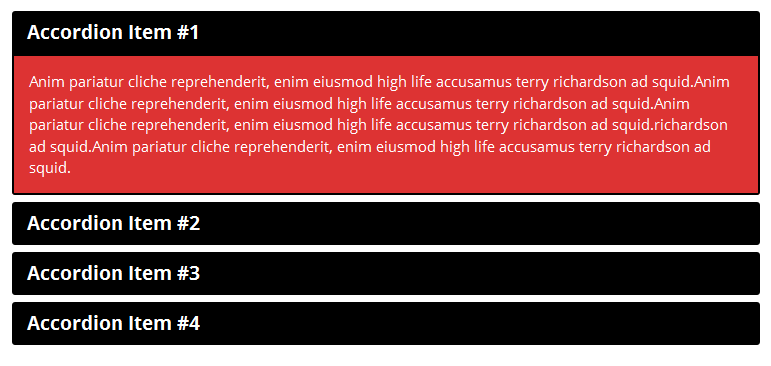
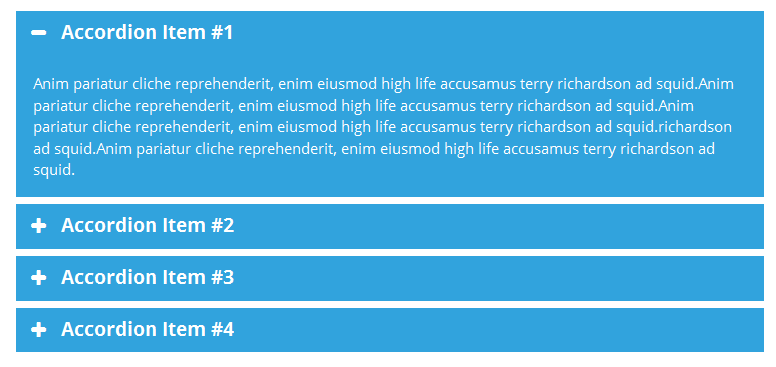
Accordion And Collapse is the most easiest drag & drop accordion builder for WordPress. You can add multiple accordion and collapse with this.
| Last updated | October 15, 2025Not updated for over a year |
|---|---|
| Tested up to | WordPress 6.8.12Older than WordPress 7.1.4, the current release |
| Needs WordPress | 5.0 or newer |
| Needs PHP | Not stated |
| First published | January 27, 2016 |
| Support, last two months | 0 of 1 threads resolved (0%) |
4.6 / 5 from 676 reviews
| 5 stars | 549 |
|---|---|
| 4 stars | 64 |
| 3 stars | 18 |
| 2 stars | 15 |
| 1 star | 30 |
Thanks for visit our plugin. Need an awesome accordion FAQ plugin then this is it. Responsive Accordion is has buildup with excellent accordion FAq builder for wordpress. You can add unlimited accordion and collapse with unlimited color.You can easy sort your accordion position using backend. Responsive Accordion is built-in bootstrap.
Responsive Accordion Shortcode
[WPSM_AC id=xx]
Here xx is your accordion shortcode id.
Check Demo
Features Of Plugin
CHECK SIMILAR PLUGINS BY WPSHOPMART
The opening of the plugin's own description. The full text, installation notes and changelog are on its WordPress.org page.
Just copy your FAQ accordion shortcode [WPSM_AC id=xx] and then paste it on your page.
May be possible it’s conflict with other plugin so try to deactivate other plugin one by one and then check which one is conflict after then contact us here our support forum.
No, You don’t need to learn any coding skill or knowledeg of any coding skills. You can add accordion/faq with just few clicks.
yes, it’s based on bootstrap. Accordion FAQ content are compatible with all media devices.
Just open your widget menu then add “Text widget” , now paste your accordion shortcode [WPSM_AC id=xx] (here xx your shortcode id) in text widget.
Yes you can add your own custom css, there custom css field is available so you can add css code there.


#384 by installs
This is a plugin that extends Gutenberg's blocks.

#586 by installs
AI-Powered FAQ Generator. Gutenberg FAQ & Accordion Blocks, Image Accordion, Accordion Slider, WooCommerce Product FAQ – Elementor & Shortcode Ready.

Documentation, FAQ & Knowledge Base plugin to create docs, FAQs, product FAQ, wikis & help center with MCP, AI writing, instant answers & AI Chatbot.
Read from the WordPress.org plugin API on , when WordPress 7.1.4 was the current release. WordPress.org rounds active installs into buckets. These are the directory's figures, not my verdict, and I haven't tested this plugin. The author takes donations at their donate page.