
#229 by installs
Mailchimp for WooCommerce
Connect your store to your Mailchimp audience to track sales, create targeted emails, send abandoned cart emails, and more.
- Installs
- 200,000+
- Rating
- 4.0 (726)
- Updated
- 38 days ago

PublishPress Future can make scheduled changes to your content. You can unpublish posts, move posts to a new status, update the categories, and more.
| Last updated | October 22, 2026Updated in the last 3 months |
|---|---|
| Tested up to | WordPress 7.1.4Covers WordPress 7.1.4, the current release |
| Needs WordPress | 6.8 or newer |
| Needs PHP | 7.4 or newer |
| First published | July 31, 2008 |
| Support, last two months | 5 of 6 threads resolved (83%) |
4.5 / 5 from 172 reviews
| 5 stars | 140 |
|---|---|
| 4 stars | 13 |
| 3 stars | 4 |
| 2 stars | 0 |
| 1 star | 15 |
The PublishPress Future plugin allows you to schedule changes to posts, pages and other content types. With this plugin you can create automatic actions to unpublish, delete, trash, move a post to a new status and more. With the Pro version you can update your content using custom workflows with multiple steps and schedules.
Here’s an overview of what you can do with PublishPress Future:
PublishPress Future Pro
Upgrade to PublishPress Future Pro
This plugin is the free version of the PublishPress Future plugin. The Pro version comes with all the features you need to schedule changes to your WordPress content. Click here to purchase the best plugin for scheduling WordPress content updates!
Options for Future Actions on Posts
With PublishPress Future, you can configure actions that will happen automatically to your content. Here are the changes you can choose for your posts:
The opening of the plugin's own description. The full text, installation notes and changelog are on its WordPress.org page.
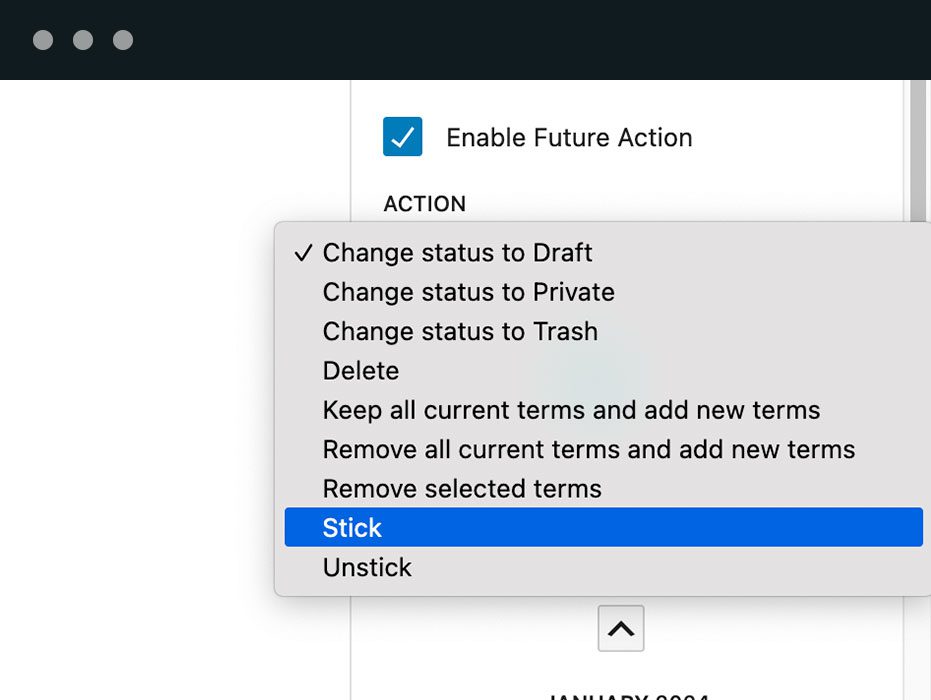
Change the status to Draft or Private, send the post to the Trash, delete it, turn the “Stick to the top of the blog” option on or off, or change its categories — replacing them, adding to them, or removing only the ones you name. The Pro version can also move a post to a custom status.
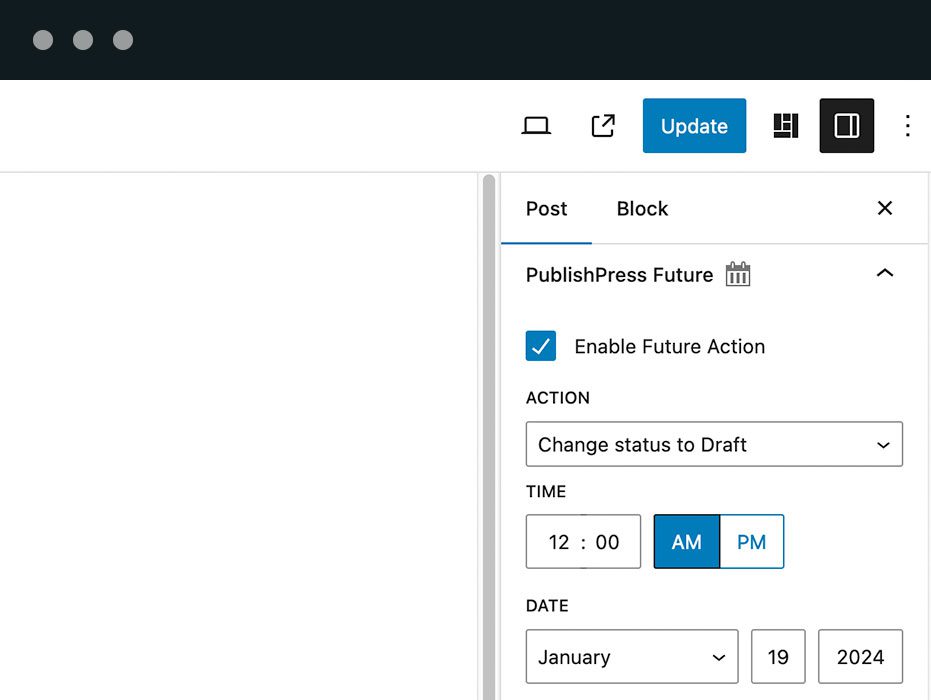
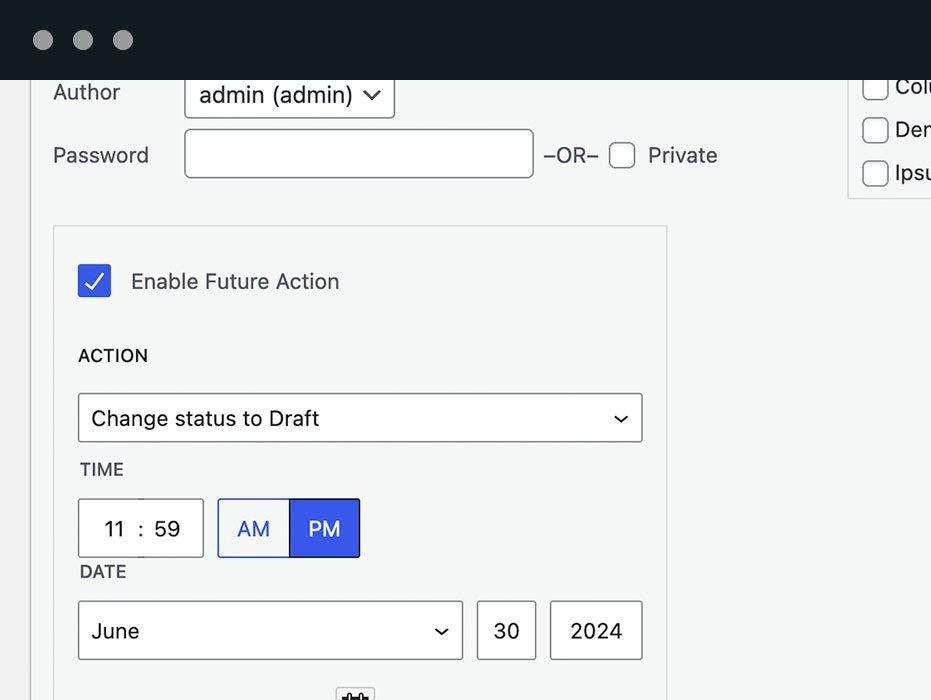
While editing it. The Future panel in the right sidebar sets the action and the date, and it works with the block editor, the Classic Editor and most page builders.
Yes. Action dates can be set through Quick Edit and Bulk Edit on the posts list, so you can apply the same action to as many posts as you need without opening each one.
Yes. Go to Future > Post Types, choose the action and timing for that post type, and turn on “Automatically create actions”. The default action alone does not schedule anything; that option is what creates the action on new content.
Any of them. Posts and pages, WooCommerce products, LearnDash courses, and any custom post type — you enable each one under Future > Post Types.
Yes. Go to Future > Post Types and check the “Active” box in the “Product” area.
Click here for more details on WooCommerce changes
The full changelog can be found on GitHub.
#229 by installs
Connect your store to your Mailchimp audience to track sales, create targeted emails, send abandoned cart emails, and more.
Read from the WordPress.org plugin API on , when WordPress 7.1.4 was the current release. WordPress.org rounds active installs into buckets. These are the directory's figures, not my verdict, and I haven't tested this plugin.