
#267 by installs
Crowdsignal Forms
The Crowdsignal Forms plugin allows you to create and manage polls right from within the block editor.
- Installs
- 200,000+
- Rating
- 5.0 (3)
- Updated
- 23 days ago
Manage your Crowdsignal polls, surveys, quizzes, and ratings directly from the WordPress dashboard.
| Last updated | July 15, 2026Updated in the last year |
|---|---|
| Tested up to | WordPress 7.0.8Older than WordPress 7.1.4, the current release |
| Needs WordPress | 5.5 or newer |
| Needs PHP | 5.6 or newer |
| First published | October 15, 2008 |
| Support, last two months | No threads opened |
2.7 / 5 from 34 reviews
| 5 stars | 9 |
|---|---|
| 4 stars | 2 |
| 3 stars | 6 |
| 2 stars | 5 |
| 1 star | 12 |
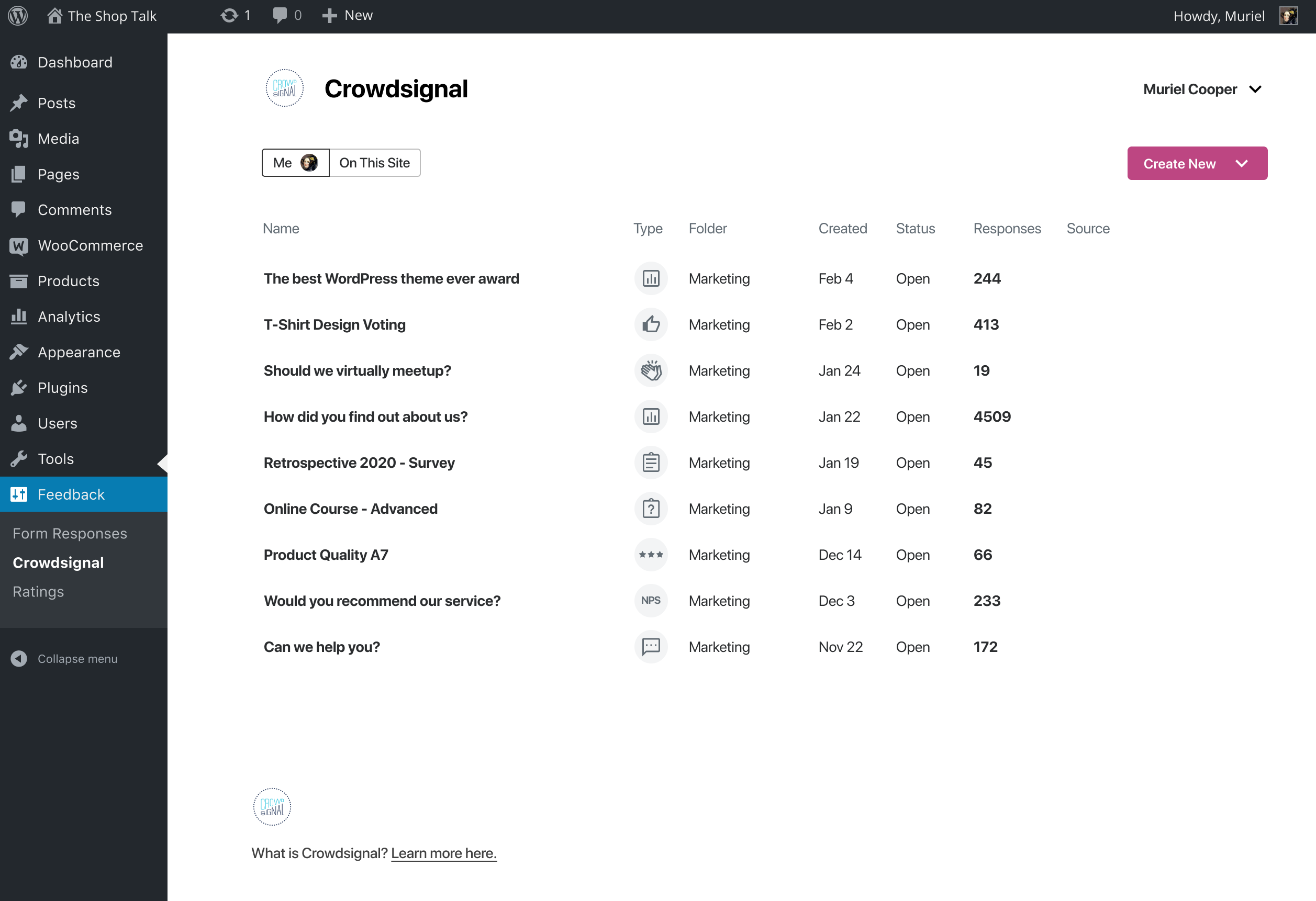
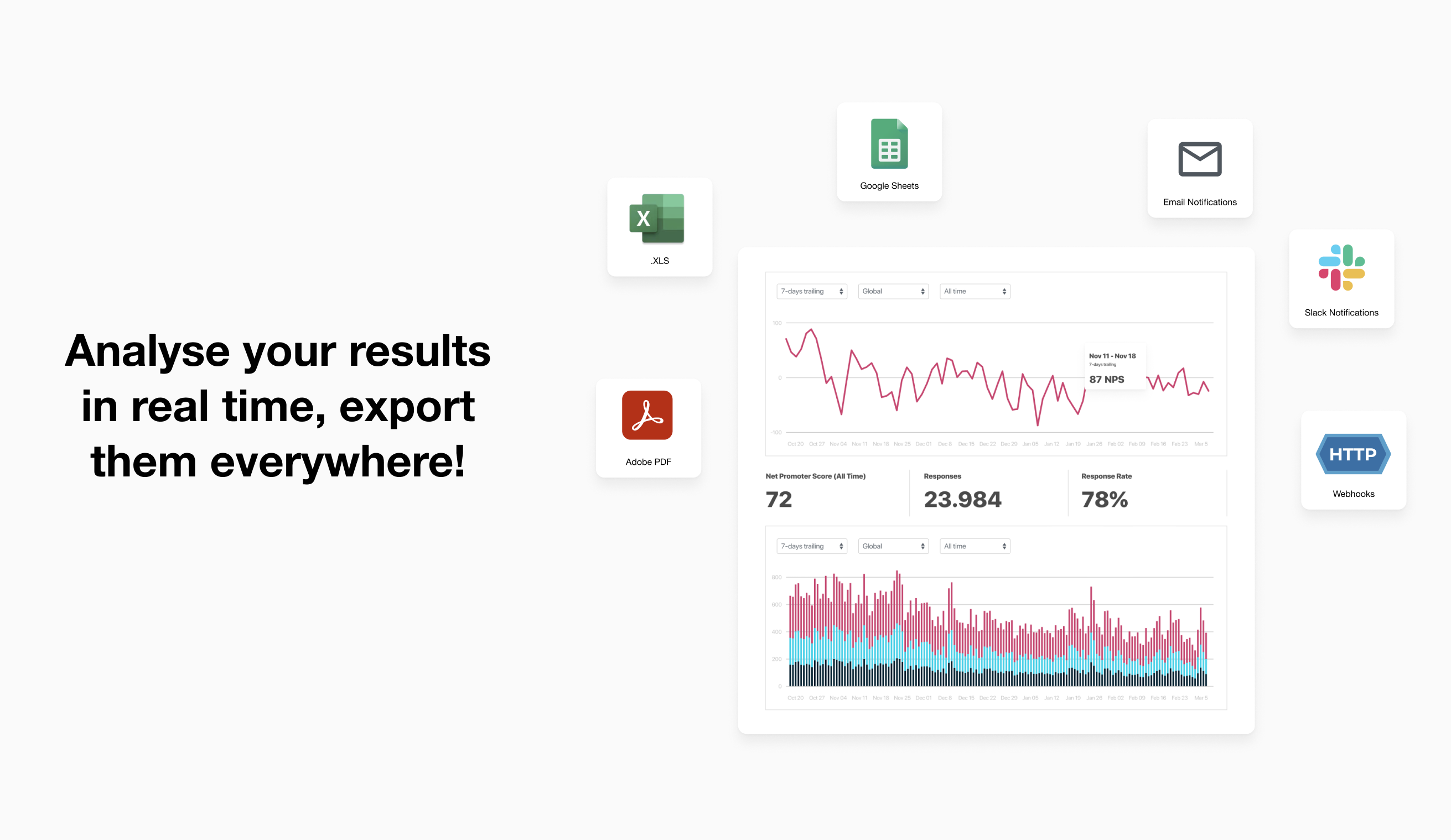
The Crowdsignal Dashboard plugin allows you to create and manage polls, surveys, quizzes, and ratings from within your WordPress admin. See all your projects in one place, be they surveys, quizzes and polls made on Crowdsignal.com or any of our poll and survey blocks using our Crowdsignal Forms plugin. With just one click view all results for your responses as they come in to analyze responses in real time and export your results everywhere!
The Block Editor
Are you using the new block editor for WordPress? Our other plugin, Crowdsignal Forms provides a number of blocks for your post editor that allow you to gather actionable feedback from your audience:
* Poll: Create polls and get your audience’s opinion.
* Survey Embed: Create surveys in minutes with 14 question types and embed them into your page.
* Feedback Button: A floating and always visible button that allows your audience to share feedback anytime.
* Measure NPS: Calculate your Net Promoter Score! Collect feedback and track customer satisfaction over time.
* Voting: Allow your audience to rate your work or express their opinion.
* Applause: Let your audience cheer with a big round of applause.
Learn more about the Crowdsignal Forms plugin here, and on crowdsignal.com.
Want to help translate the plugin or keep an existing translation up-to-date? Head on over to the translation site.
The opening of the plugin's own description. The full text, installation notes and changelog are on its WordPress.org page.
You can find your dashboard under the Feedback top level menu. You will find Crowdsignal and Ratings menu items there. The Crowdsignal menu item leads to the dashboard. If you have ratings enabled you will see a Ratings menu item that links to a summary of your ratings.
You will find the settings area for this plugin under the Settings top level menu, and look for the Crowdsignal menu item.
Each author that wants to create polls will need his or her own Crowdsignal.com account.
Yes. You’ll be able to edit the polls they create from your blog. (You won’t be able to edit any of their non-blog, personal polls they create through Crowdsignal.com.)
Nope. The permissions are the same as for posts. So Editors and Administrators can edit anyone’s polls for that blog. Authors can only edit their own.
Check that footer.php in your theme calls the wp_footer action. The rating javascript is loaded on this action.
More info here
#267 by installs
The Crowdsignal Forms plugin allows you to create and manage polls right from within the block editor.

#898 by installs
Adds an AJAX poll system to your WordPress blog. You can also easily add a poll into your WordPress's blog post/page.
Ultimate user feedback plugin to ask questions, surveys, polls, from your website in seconds
Read from the WordPress.org plugin API on , when WordPress 7.1.4 was the current release. WordPress.org rounds active installs into buckets. These are the directory's figures, not my verdict, and I haven't tested this plugin.
