

Type to search.

#860 by installs

OoohBoi Steroids for Elementor

by Sagar PatelVersion 2.1.28

Boost your Elementor with some fresh and yet innovative options.

Active installs
40,000+
#860 of 1,000
Downloads, all time
1.5M
1,514,110
Downloads, 30 days
7.1K
1.5K in the last 7
Rating
4.8 / 5
118 reviews
Last updated
5 months ago
Jun 10, 2026
Version
2.1.28
44 releases

Upkeep and compatibility

Last updatedJune 10, 2026Updated in the last year
Tested up toWordPress 7.0.8Older than WordPress 7.1.4, the current release
Needs WordPress6.0 or newer
Needs PHP7.4 or newer
First publishedMarch 10, 2020
Support, last two months0 of 1 threads resolved (0%)

Reviews

4.8 / 5 from 118 reviews

Reviews by star rating
5 stars111
4 stars2
3 stars1
2 stars0
1 star4

Downloads, last 30 days

Low 81 a dayHigh 432 a day

What the author says it does

An awesome set of tools, options and settings that expand Elementor defaults. Instead of creating new Elementor Widgets, these act like an upgrade of existing options or the self-standing panels thing.

What is new?

Fix for the disappearing ‘Glider’ slider

  • Add/remove/update preview image
  • Export and Import with preview
  • Works with any 3rd party plugin
  • Cross-domain friendly
  • WP Admin integration
  • Bulk-export and bulk-import support
  • Keep template name on export

Complete Full Tutorial of OoohBoi Extensions Watch Now

The opening of the plugin's own description. The full text, installation notes and changelog are on its WordPress.org page.

Questions the author answers

How do I use OoohBoi Steroids?

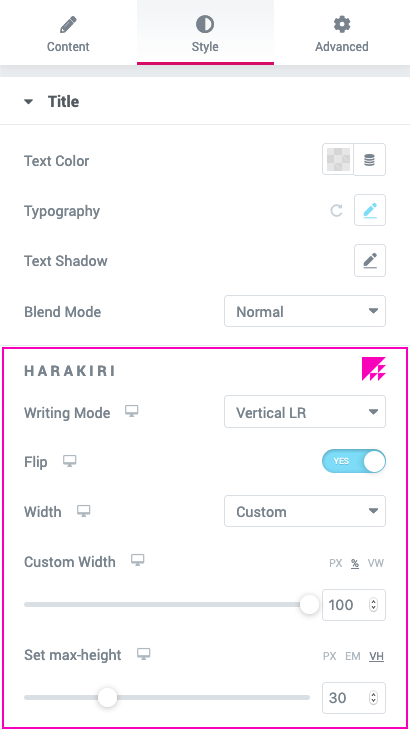
It depends on the widgets that you are editing. For example, if you are about to style Heading widget or Text Editor widget, HARAKIRI options will show up.

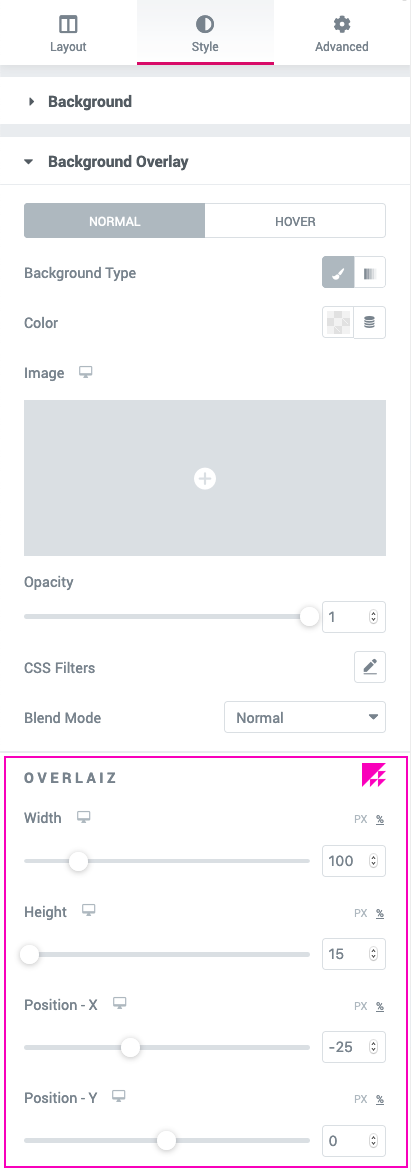
All the POOPART options can be found under “Advanced” tab, POOPART panel.

Rest assured, you won’t miss them because there will always be an eye-catching icon next to the set of options (or the panel title).

Do I need Elementor PRO with this add-on?

No, you don’t. It’ll work with both free version of Elementor and Elementor PRO.

How can I report security bugs?

You can report security bugs through the Patchstack Vulnerability Disclosure Program. The Patchstack team helps validate, triage and handle any security vulnerabilities. Report a security vulnerability.

Latest changelog entry

2.1.28

  • Fix : Restored Breaking Bad modules that were missing in the editor on classic Section/Column sites under Elementor 4.x.
  • Fix : Minor Bug Fixes & Performance Improvements

Screenshots

First 4 of 25, from WordPress.org.

Tagged

Plugins that share its tags

Where this page's numbers come from

Read from the WordPress.org plugin API on , when WordPress 7.1.4 was the current release. WordPress.org rounds active installs into buckets. These are the directory's figures, not my verdict, and I haven't tested this plugin. The author takes donations at their donate page.