
#5 by installs
LiteSpeed Cache
All-in-one unbeatable acceleration & PageSpeed improvement: caching, image/CSS/JS optimization...
- Installs
- 7+ million
- Rating
- 4.8 (2.8K)
- Updated
- 11 days ago

Manage provides a centralized dashboard to monitor, optimize, and maintain your WordPress sites without switching between individual sites.
| Last updated | October 8, 2026Updated in the last 3 months |
|---|---|
| Tested up to | WordPress 6.9.11Older than WordPress 7.1.4, the current release |
| Needs WordPress | 6.6 or newer |
| Needs PHP | 7.4 or newer |
| First published | March 8, 2026 |
| Support, last two months | No threads opened |
2.0 / 5 from 1 review
| 5 stars | 0 |
|---|---|
| 4 stars | 0 |
| 3 stars | 0 |
| 2 stars | 1 |
| 1 star | 0 |
Manage is a centralized dashboard for monitoring, optimizing, and maintaining multiple WordPress sites without switching between individual site admins.
CENTRALIZED SITE STATUS VISIBILITY
Get full visibility into all your sites’ performance and identify security risks at a glance. Manage gives you one place to monitor site health, maintenance needs, and operational status across your portfolio.
OPTIMIZE PERFORMANCE WITHOUT THE EFFORT
Keep your sites lean, clutter-free, and performant in a click. Run database optimizations and performance scans across your portfolio without having to log in to each site separately.
SAVE HOURS ON MAINTENANCE TASKS
Eliminate site-by-site maintenance overhead by handling updates and optimizations for multiple sites from one dashboard, helping agencies, freelancers, and site owners work more efficiently at scale.
FEATURES
The opening of the plugin's own description. The full text, installation notes and changelog are on its WordPress.org page.
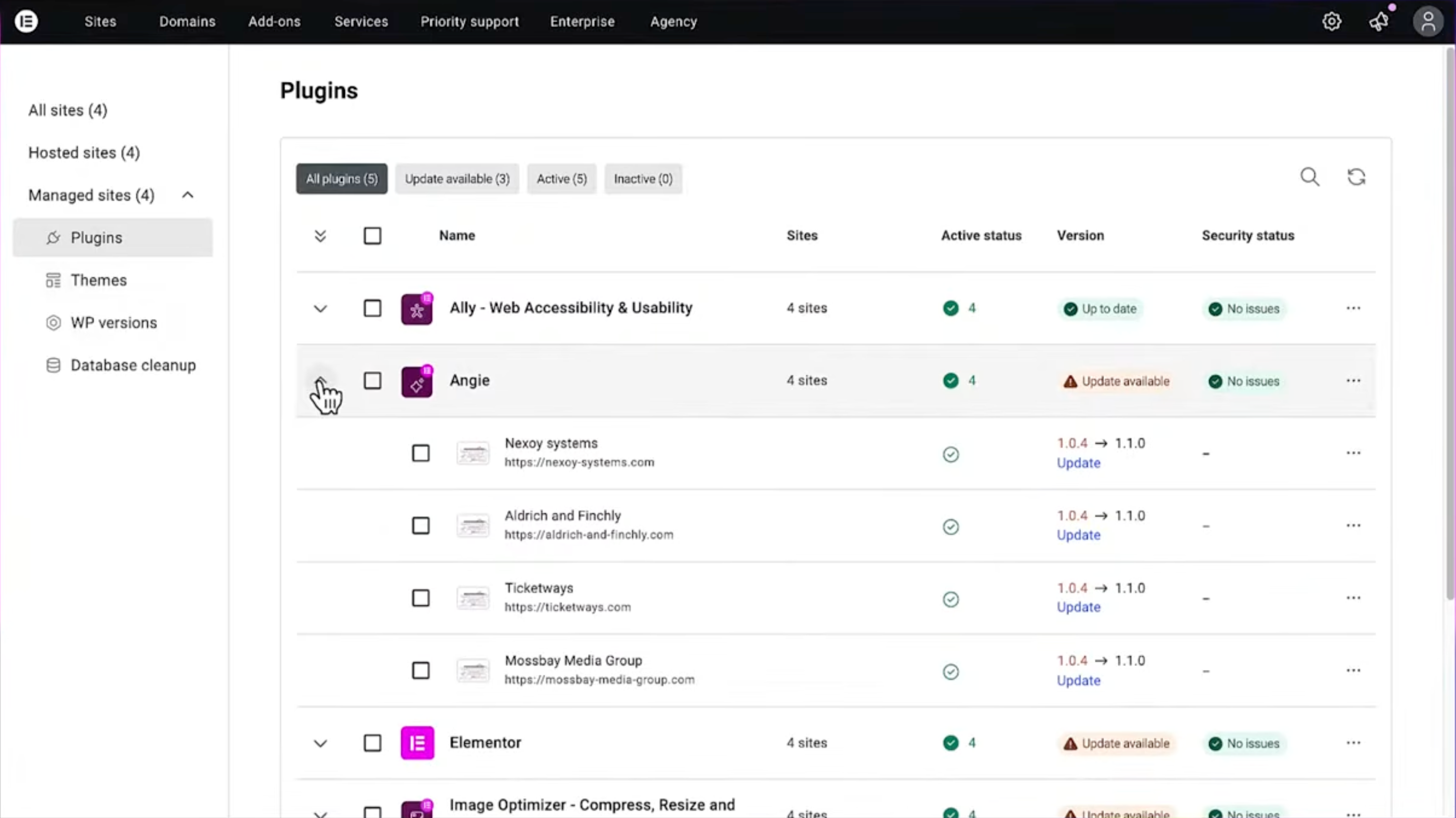
Manage is a WordPress plugin with a centralized dashboard that lets you manage multiple WordPress sites from one secure, user-friendly interface. Instead of manually logging into multiple WordPress installations, you can perform bulk updates to WordPress core, themes, and plugins across all your connected sites.
Manage is built for agencies and freelancers who want structured control over site maintenance and performance. It helps you stay in control of your growing list of clients and multiple websites.
For single-site owners, it provides continuous visibility into performance, accessibility, and security, all from one unified dashboard.
Manually switching between WordPress dashboards, updating plugins one by one, and tracking site health separately increases the risk of issues falling between the cracks and wastes valuable time.
Manage lets you monitor multiple websites from one dashboard, keeping everything organized with one comprehensive overview.
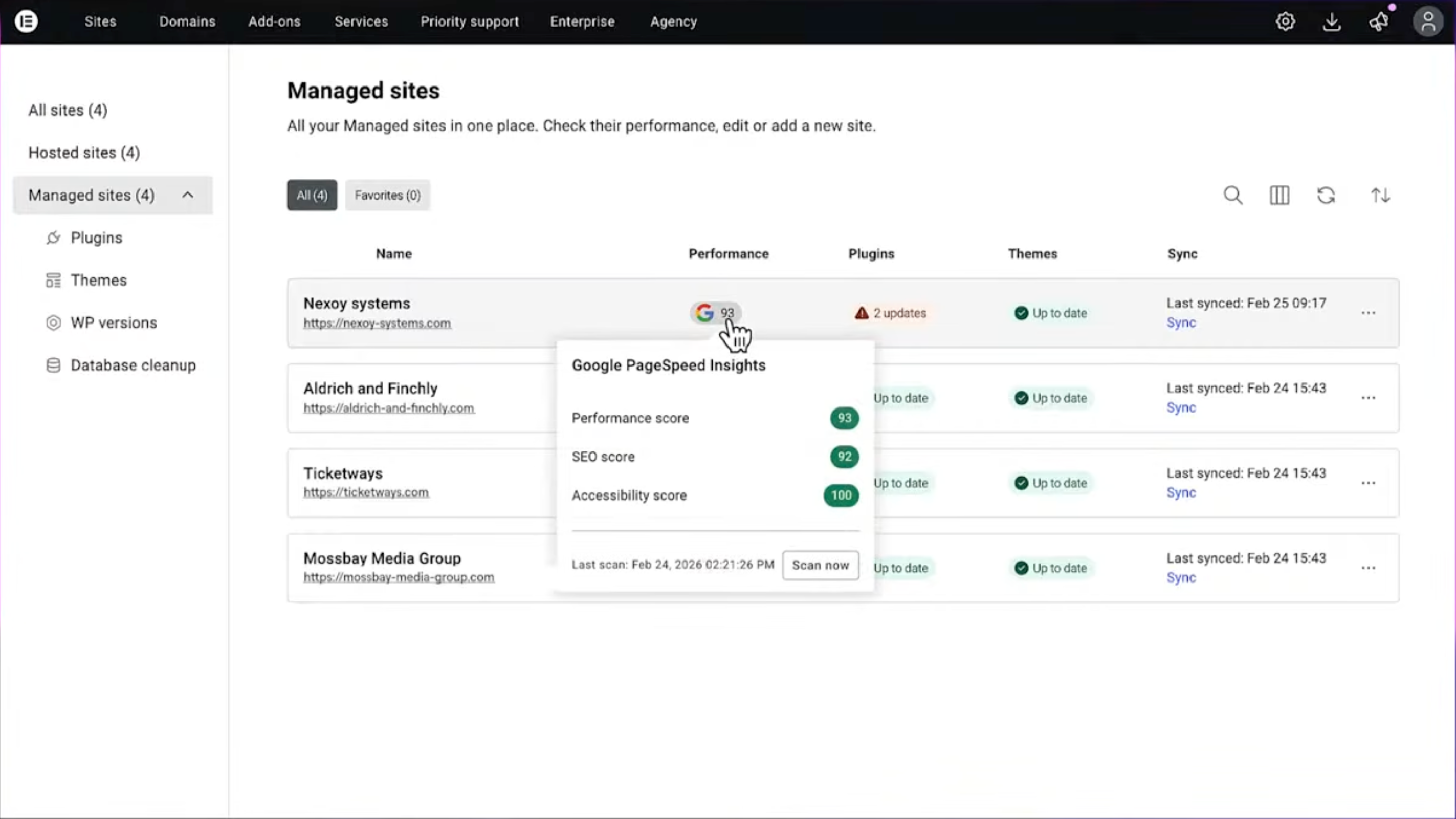
Manage tracks page speed, SEO, and Accessibility using Google Lighthouse, providing specific scores, optimization tips, and a 30-day history of your site’s performance trends.
While the free version includes automated scans every 14 days, the premium version, available through Elementor One, provides automated daily scans and the ability to trigger manual, on-demand scans as often as every 4 hours so you can see…
Yes. The free plan includes unlimited connected sites with view-only performance scans, security risk detection, and one-click login to each site. You can connect as many WordPress websites as you like. There are no site limits.
Premium features such as bulk updates, automatic scans, and database optimization are available with the Elementor One subscription for professional site management.
#5 by installs
All-in-one unbeatable acceleration & PageSpeed improvement: caching, image/CSS/JS optimization...

Elementor addons with 18+ free widgets, Header & Footer Builder, WooCommerce widgets & templates. Trusted by 2+ million websites.
Elementor addon: 120+ widgets & templates — Elementor Gallery, Mega Menu, Slider, Form, Post Grid, Accordion, Header Footer Builder & WooCommerce.

#36 by installs
A very fast caching engine for WordPress that produces static html files.

#44 by installs
Boost your website performance and page speed, and increase conversions with powerful caching, frontend, media, and environment optimizations.

#47 by installs
The simplest and fastest WP Cache system
Read from the WordPress.org plugin API on , when WordPress 7.1.4 was the current release. WordPress.org rounds active installs into buckets. These are the directory's figures, not my verdict, and I haven't tested this plugin.
