Type to search.

#387 by installs

Make Column Clickable for Elementor

by Fernando AcostaVersion 1.7.3

Make entire columns, sections and containers clickable in Elementor, with real SEO-friendly links, keyboard access and click tracking.

Active installs
100,000+
#387 of 1,000
Downloads, all time
931.5K
931,473
Downloads, 30 days
125.1K
41K in the last 7
Rating
4.9 / 5
53 reviews
Last updated
5 days ago
Oct 26, 2026
Version
1.7.3
10 releases

Upkeep and compatibility

Last updatedOctober 26, 2026Updated in the last 3 months
Tested up toWordPress 7.1.4Covers WordPress 7.1.4, the current release
Needs WordPress5.0 or newer
Needs PHP7.4 or newer
First publishedNovember 22, 2018
Support, last two months2 of 2 threads resolved (100%)

Reviews

4.9 / 5 from 53 reviews

Reviews by star rating
5 stars50
4 stars1
3 stars1
2 stars0
1 star1

Downloads, last 30 days

Low 90 a dayHigh 25K a day

What the author says it does

Disclaimer: This plugin is not affiliated with, or supported by, Elementor Ltd. Quite the opposite.

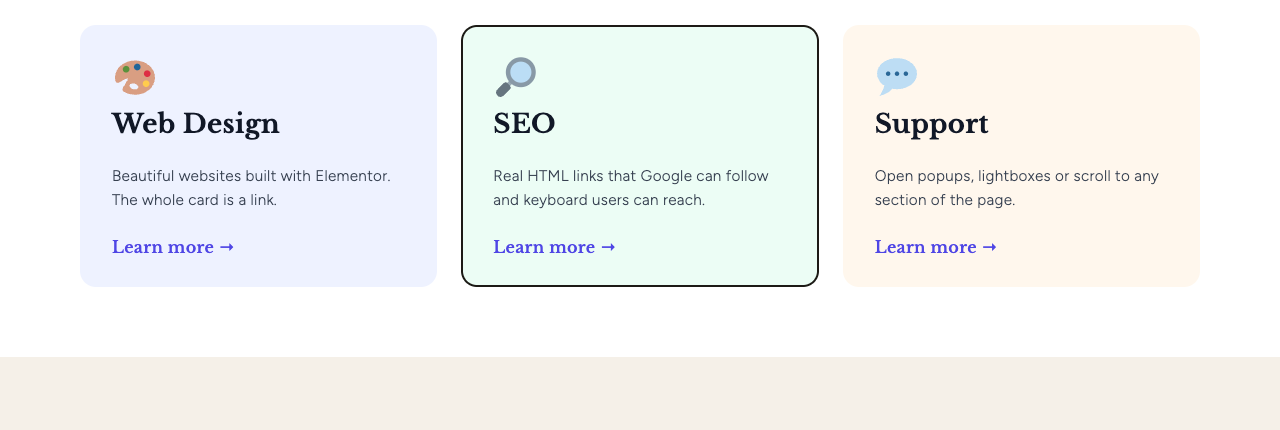
Add a link to any column, section or container in Elementor, and your visitors can click anywhere inside it, not just on a button or a heading. It’s perfect for service cards, banners, call-to-action areas, team members, pricing tables and any other block that should behave like one big link.

Real links: better for SEO and accessibility

Most “clickable column” solutions rely only on JavaScript, so there is no actual link in the page. Search engines can’t follow it, keyboard users can’t reach it, and visitors can’t open it in a new tab.

Since version 1.7, this plugin adds a real HTML link that covers the whole element:

  • Google can crawl it. The link is in the page HTML, so search engines can follow it and pass authority to the destination page, just like any other internal link.
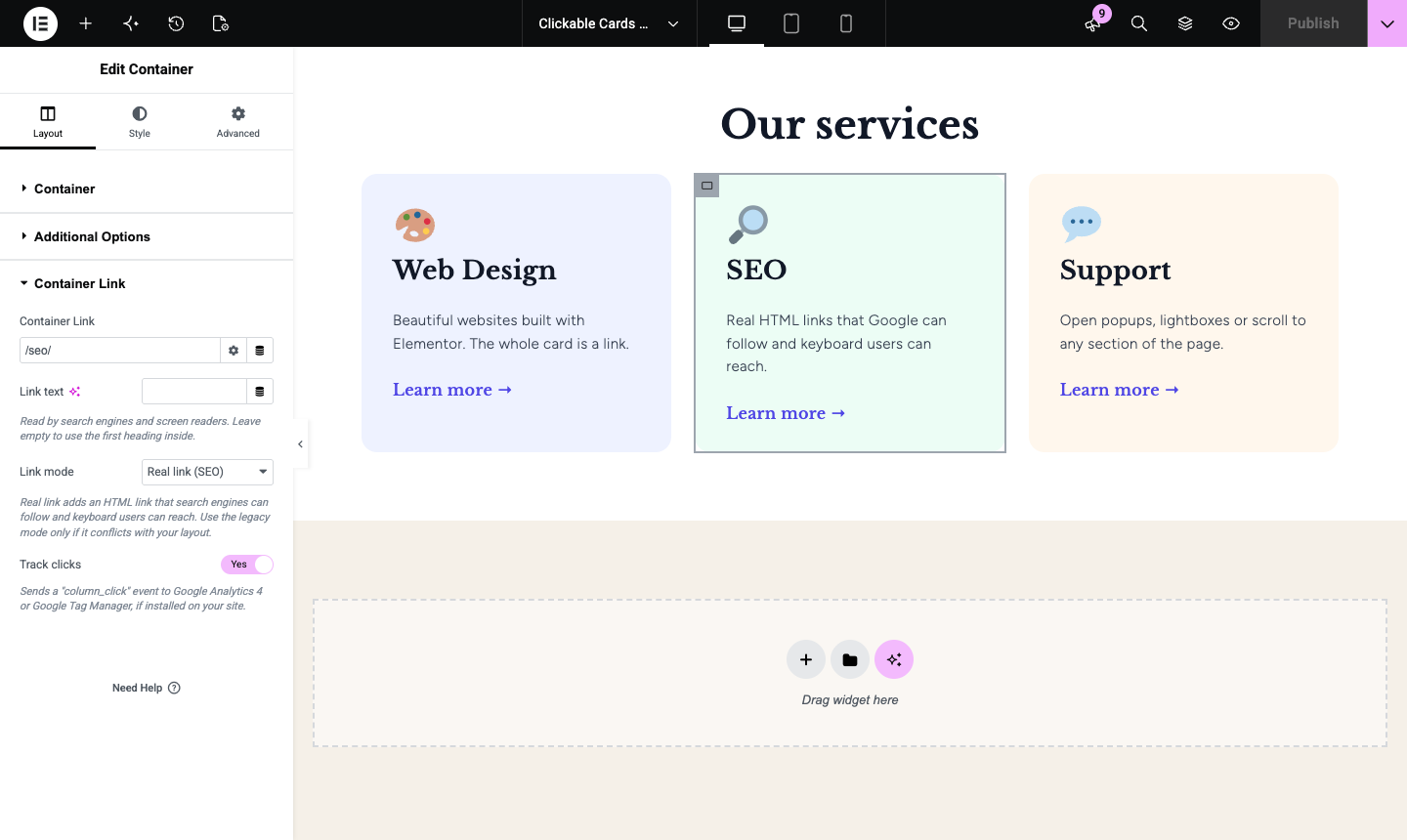
  • Meaningful anchor text. The link uses the first heading inside the element as its text (or the text you choose), which helps search engines understand the destination page.
  • Keyboard and screen reader friendly. Visitors can reach the link with the Tab key, open it with Enter, and screen readers announce it properly.
  • Works like a normal link. Ctrl/Cmd + click, middle click and right click → “Open in new tab” work as expected, and the browser shows the destination URL on hover.

The opening of the plugin's own description. The full text, installation notes and changelog are on its WordPress.org page.

Questions the author answers

How does this plugin work?

It adds a link field to every column, section and container in the Elementor editor. When you add a link, the plugin places a real HTML link over the whole element, so visitors can click anywhere inside it.

Is it good for SEO?

Yes. The link is a regular <a href> in the page HTML, so search engines can crawl it, and its anchor text comes from the first heading inside the element. You can also set a custom link text, and use the “Add nofollow” option in the link field when needed.

Will the buttons and links inside the column still work?

Yes. Inner buttons, links and form fields stay clickable and go to their own destination. The column link is placed next to your content, not around it, so there are no links inside links.

How do I stop a widget from triggering the column link?

Select the widget, go to Advanced → CSS Classes and add no-link. Clicks on that widget will no longer open the column link. This is useful for videos, sliders, maps or any widget with its own click behavior. It also lets visitors select the text inside that widget.

My layout looks different after updating. What can I do?

Go to Plugins and click Use legacy mode below the plugin name. It switches the whole site back to the JavaScript mode, which works exactly like the previous versions of the plugin. You can also change the Link mode of a single element in the Column Link section. Please also open a support request so we can take a look.

Does it support dynamic content?

Yes. The link and link text fields support Elementor Pro dynamic tags, such as the post URL or an ACF field.

Latest changelog entry

1.7.3 – 2026-10-26

  • Security and stability improvements.
  • Tested with WordPress 7.1 and Elementor 4.3.

Screenshots

From WordPress.org.

Tagged

Plugins that share its tags

#440 by installs

ECS – Ele Custom Skin for Elementor

by dudaster

Seven free modules for Elementor: dark mode, container layouts, mobile menu, editorial text, style presets, JSON editor — all modular, all free.

Installs
100,000+
Rating
4.6 (117)
Updated
7 days ago

#150 by installs

Template Kit – Import

by envato

Use this plugin to import Template Kits to WordPress

Installs
400,000+
Rating
3.4 (16)
Updated
44 days ago

Where this page's numbers come from

Read from the WordPress.org plugin API on , when WordPress 7.1.4 was the current release. WordPress.org rounds active installs into buckets. These are the directory's figures, not my verdict, and I haven't tested this plugin. The author takes donations at their donate page.