
#387 by installs
Make Column Clickable for Elementor
Make entire columns, sections and containers clickable in Elementor, with real SEO-friendly links, keyboard access and click tracking.
- Installs
- 100,000+
- Rating
- 4.9 (53)
- Updated
- 5 days ago

Seven free modules for Elementor: dark mode, container layouts, mobile menu, editorial text, style presets, JSON editor — all modular, all free.
| Last updated | October 24, 2026Updated in the last 3 months |
|---|---|
| Tested up to | WordPress 7.1.4Covers WordPress 7.1.4, the current release |
| Needs WordPress | 6.0 or newer |
| Needs PHP | 8.0 or newer |
| First published | April 18, 2018 |
| Support, last two months | 3 of 3 threads resolved (100%) |
4.6 / 5 from 117 reviews
| 5 stars | 104 |
|---|---|
| 4 stars | 2 |
| 3 stars | 0 |
| 2 stars | 2 |
| 1 star | 9 |
ECS adds what Elementor doesn’t have — without replacing what it does well.
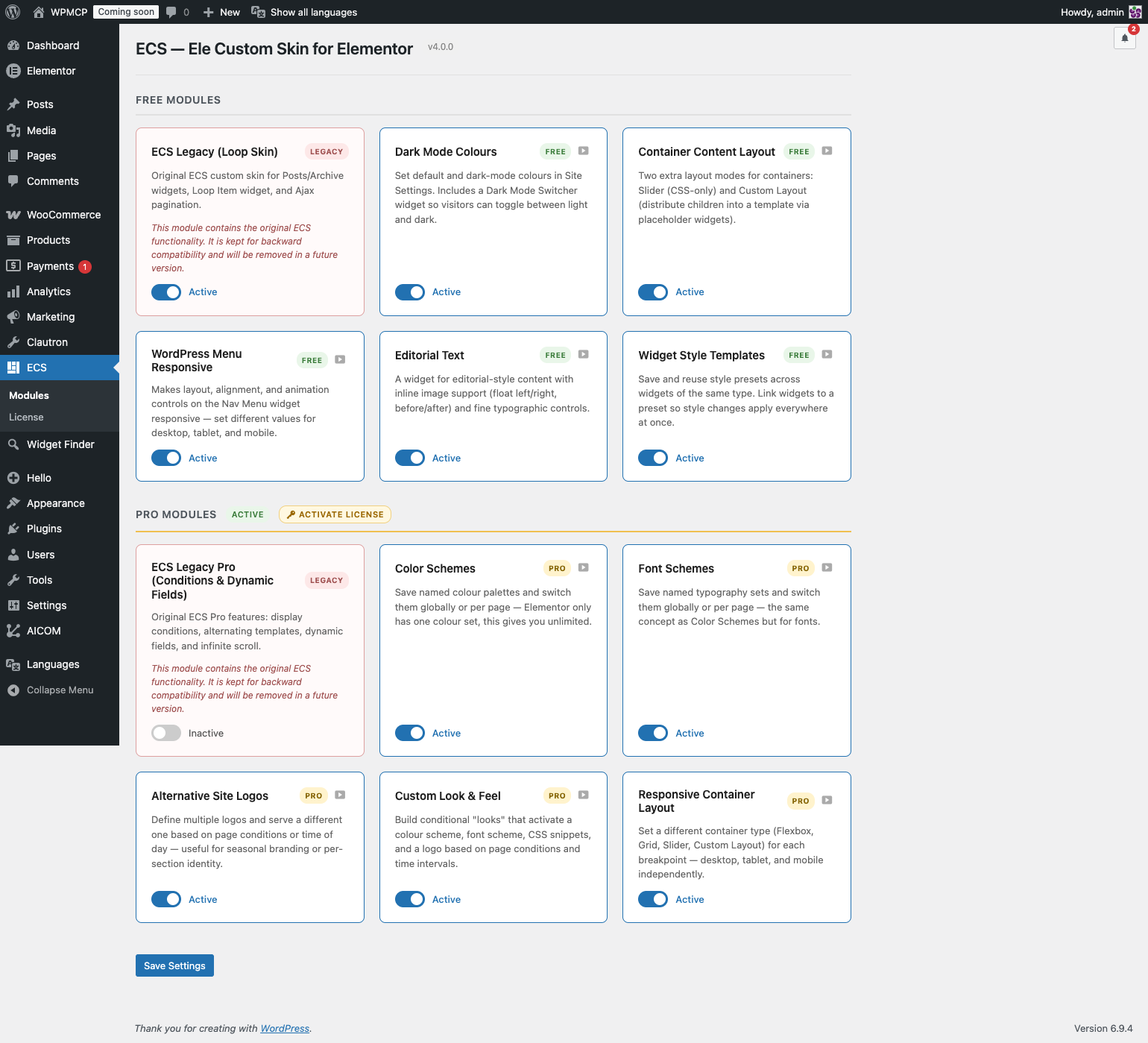
Every feature is a standalone module. Enable only what you need from ECS → Modules in the WordPress admin. Unused modules load zero CSS, zero JS, and register no hooks.
🎨 Dark Mode Colours
A Default Colours tab appears inside Elementor’s Site Settings, right next to Global Colors.
📐 Container Layout
Two additional layout modes for Elementor Flex Containers:
Slider Mode — Turn any container into a CSS-only slider. No JS library, no dependencies.
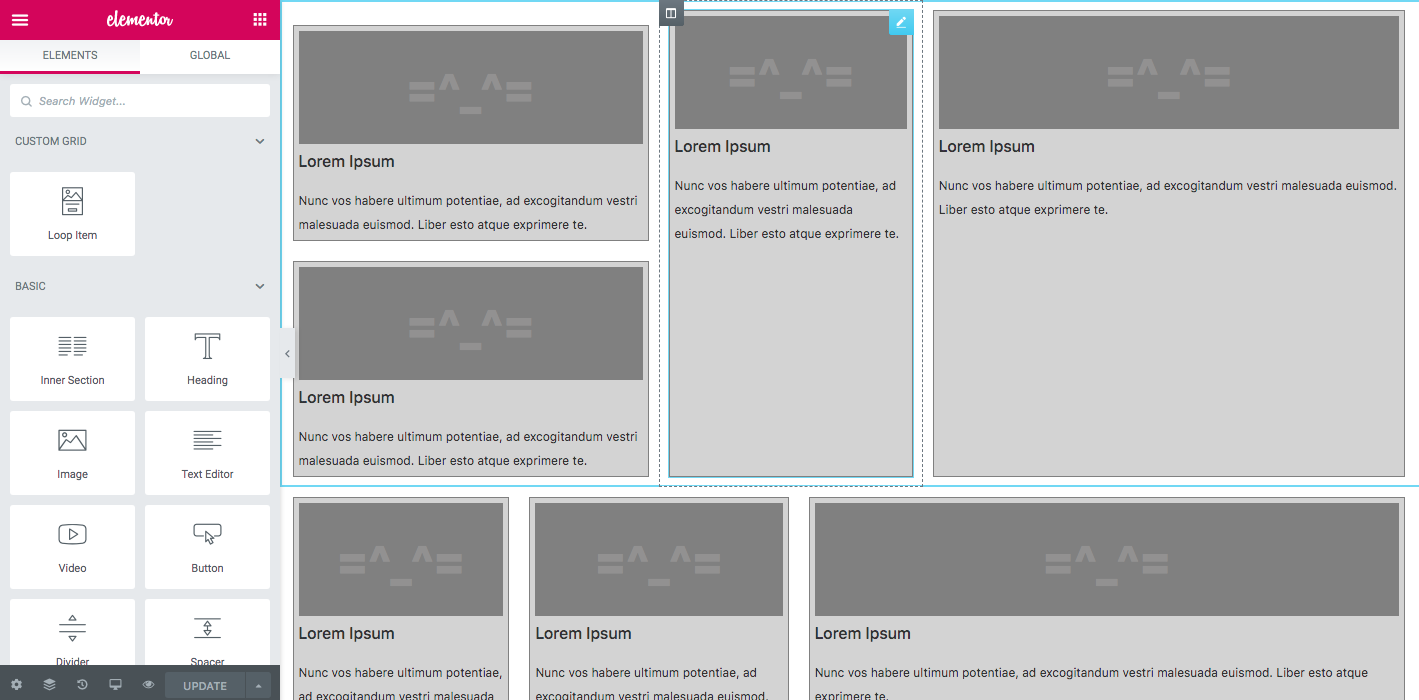
Custom Layout — Pick a Theme Builder template as the layout frame. Place ECS Placeholder widgets inside the template; ECS distributes the container’s children into those slots automatically. Supports cycling and graceful fallback. Works live in the Elementor editor.
🔁 Loop Custom Layout
Arrange Loop Grid items inside a Custom Layout template using ECS Placeholder widgets — powered by Elementor’s native Loop Grid query. Full editorial control over the item grid without leaving Elementor.
📱 Menu Responsive
The opening of the plugin's own description. The full text, installation notes and changelog are on its WordPress.org page.
No. ECS detects existing loop templates and activates the Legacy module automatically on update. Everything works exactly as before.
Yes. Go to ECS → Modules and toggle anything off. Disabled modules load zero CSS, zero JS, and register no hooks on the front end.
No JavaScript is needed for the colour switch itself. The CSS variables are written server-side under [data-ecs-scheme="alt"]. The Dark Mode Switcher widget adds a small script only to set that attribute on <html> when the visitor toggles — a cookie prevents any flash on page load.
Yes. Layout injection is disabled in the editor so you can edit children normally. A live preview is generated via AJAX when you click away from a child.
No. It uses CSS scroll-snap — no jQuery plugin, no swipe library.
Go to Templates → Theme Builder in Elementor. You’ll see a new document type called Custom Layout. Build your frame there and place the ECS Placeholder widget wherever you want a child to appear.

#387 by installs
Make entire columns, sections and containers clickable in Elementor, with real SEO-friendly links, keyboard access and click tracking.

Elementor addons with 18+ free widgets, Header & Footer Builder, WooCommerce widgets & templates. Trusted by 2+ million websites.
Elementor addon: 120+ widgets & templates — Elementor Gallery, Mega Menu, Slider, Form, Post Grid, Accordion, Header Footer Builder & WooCommerce.
Elementor templates, Header footer builder, Elementor Post Grid, Woocommerce Grid builder, Slider, Forms, Gallery, Nav menu addons, Elementor widgets.

#150 by installs
Use this plugin to import Template Kits to WordPress
HappyAddons packs Header Footer Builder, Megamenu, Single Post, Archive Page, & 500+ Ready Templates into one powerful Elementor Addons plugin.
Read from the WordPress.org plugin API on , when WordPress 7.1.4 was the current release. WordPress.org rounds active installs into buckets. These are the directory's figures, not my verdict, and I haven't tested this plugin. The author takes donations at their donate page.


