
Insert PHP, JavaScript, CSS, HTML, ads & tracking code into WordPress headers, footers, pages & content with conditional logic — no theme editing.
- Installs
- 50,000+
- Rating
- 4.5 (221)
- Updated
- 8 days ago

Add PHP code to your pages and posts easily using shortcodes.
| Last updated | June 22, 2026Updated in the last year |
|---|---|
| Tested up to | WordPress 7.0.8Older than WordPress 7.1.4, the current release |
| Needs WordPress | Not stated |
| Needs PHP | Not stated |
| First published | September 16, 2013 |
| Support, last two months | 0 of 1 threads resolved (0%) |
4.9 / 5 from 707 reviews
| 5 stars | 678 |
|---|---|
| 4 stars | 10 |
| 3 stars | 1 |
| 2 stars | 2 |
| 1 star | 16 |
A quicklook into Insert PHP Code Snippet
★ Convert PHP snippets to shortcodes ★ Insert PHP code easily using shortcode ★ Support for PHP snippet shortcodes in widgets ★ Dropdown menu in TinyMCE editor to pick snippet shortcodes easily
Features in Detail
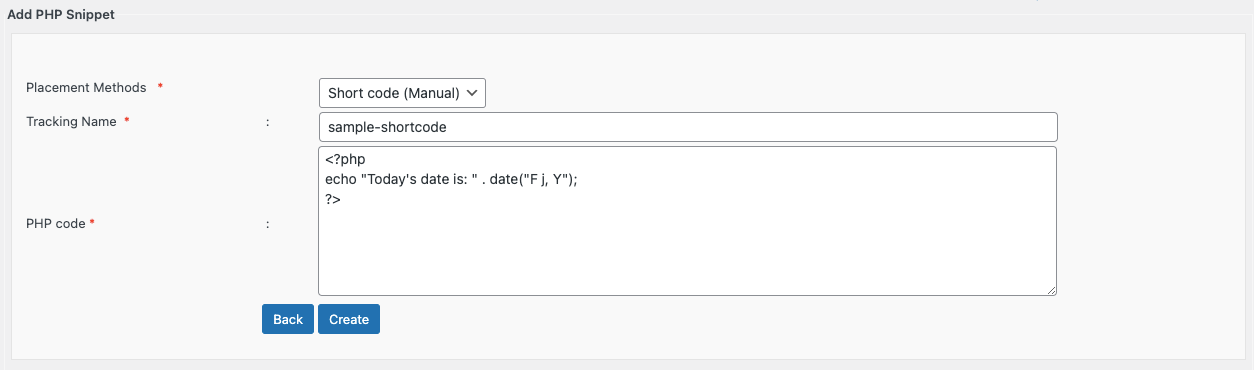
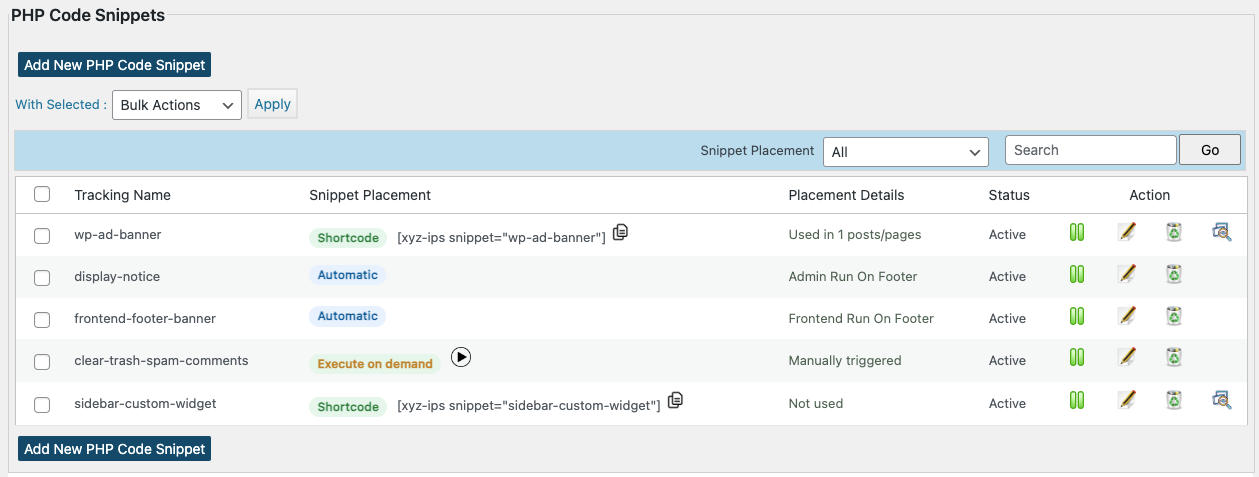
Insert PHP Code Snippet allows you to create shortcodes corresponding to PHP code snippets. You can create a shortcode corresponding to any random PHP code such as ad codes, login validation etc. and use the same in your posts, pages or widgets.
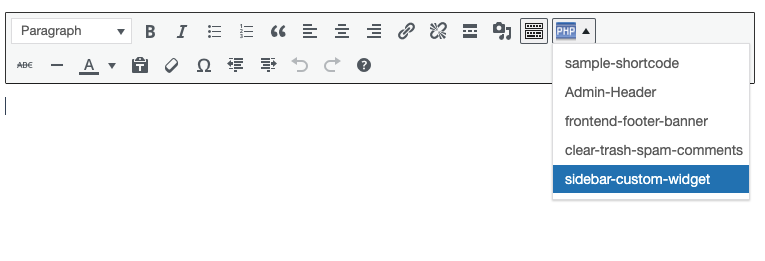
The shortcodes generated using the plugin are easily available as a dropdown in the standard wordpress content editor as well as in widget settings, thereby giving you ease of integrating your PHP snippets with your posts and pages.
About
Insert PHP Code Snippet is developed and maintained by XYZScripts. For any support, you may contact us.
★ Insert PHP Code Snippet User Guide
★ Insert PHP Code Snippet FAQ
More Information
★ Insert PHP Code Snippet User Guide
★ Insert PHP Code Snippet FAQ
Troubleshooting
Please read the FAQ first if you are having problems.
Requirements
WordPress 5.0+ PHP 7+
Feedback
We would like to receive your feedback and suggestions. You may submit them at our support desk.
The opening of the plugin's own description. The full text, installation notes and changelog are on its WordPress.org page.
Please check the wordpress version you are using. Make sure it meets the minimum version recommended by us. Make sure all files of the insert php code snippet plugin uploaded to the folder wp-content/plugins/
Please use a whitespace to separate 2 shortcodes.
More questions ? Drop a mail and we shall get back to you with the answers.
Insert PHP, JavaScript, CSS, HTML, ads & tracking code into WordPress headers, footers, pages & content with conditional logic — no theme editing.
Read from the WordPress.org plugin API on , when WordPress 7.1.4 was the current release. WordPress.org rounds active installs into buckets. These are the directory's figures, not my verdict, and I haven't tested this plugin. The author takes donations at their donate page.