Type to search.

#744 by installs

Simple Calendar – Google Calendar Plugin

by SimpleCalendarVersion 4.3.1

Add Google Calendar events to your WordPress site in minutes. Beautiful calendar displays. Mobile responsive.

Active installs
50,000+
#744 of 1,000
Downloads, all time
3.9M
3,883,133
Downloads, 30 days
39.3K
4.4K in the last 7
Rating
3.8 / 5
397 reviews
Last updated
24 days ago
Oct 7, 2026
Version
4.3.1
164 releases

Upkeep and compatibility

Last updatedOctober 7, 2026Updated in the last 3 months
Tested up toWordPress 7.0.8Older than WordPress 7.1.4, the current release
Needs WordPress4.2 or newer
Needs PHP8.1 or newer
First publishedJuly 5, 2010
Support, last two months1 of 5 threads resolved (20%)

Reviews

3.8 / 5 from 397 reviews

Reviews by star rating
5 stars252
4 stars27
3 stars14
2 stars14
1 star90

Downloads, last 30 days

Low 287 a dayHigh 16.3K a day

What the author says it does

Simple Calendar is the easiest way to add Google Calendar events to your WordPress site. Quick to setup. Fine tune to your needs. Mobile responsive. Beautifully designed.

Simple Calendar Features

  • Display events from any public Google Calendar.
  • Keep managing events in Google Calendar. No need to create events in WordPress.
  • Out-of-the-box designs that match your theme’s look and feel.
  • Fully responsive and mobile-friendly monthly grid and list views.
  • Customize event content display using simple tags. No coding required.
  • Combine multiple calendars into single displays explicitly or using categories.
  • Intuitive, simple display configuration changes for fine tuning.
  • Advanced settings to adjust time zones, date/time formats and start of the week.
  • Integration with Event Calendar Newsletter for quickly turning your events into a newsletter-friendly format.
  • Additional functionality offered with add-ons.
  • Translations available with more being added on a regular basis. Translations welcome!
  • Open source with code hosted on GitHub. Contributions welcome!

Love using Simple Calendar? Consider purchasing a Premium Add-on

FullCalendar Add-on Features

  • Week and day views added alongside the month view.
  • Display event titles and start times directly on your calendar.
  • Faster load times when navigating through months, weeks or days.

The opening of the plugin's own description. The full text, installation notes and changelog are on its WordPress.org page.

Questions the author answers

Where’s your plugin documentation?

Find our docs at docs.simplecalendar.io

Can I get notified by email of new releases?

Subscribe here to be notified by email of major features or updates.

How do I contribute to Simple Calendar?

We’d love your help! Here’s a few things you can do:

  • Rate our plugin and help spread the word!
  • Help answer questions in our community support forum.
  • Report bugs (with steps to reproduce) or submit pull requests on GitHub.
  • Help add or update a plugin translation.

Latest changelog entry

4.3.1

  • Fix: Return Google Calendar event label colors with calendar events so labeled event colors display correctly.
  • Fix: Calendar tooltips now use consistent viewport handling, regardless of calendar width, for more predictable positioning.

Screenshots

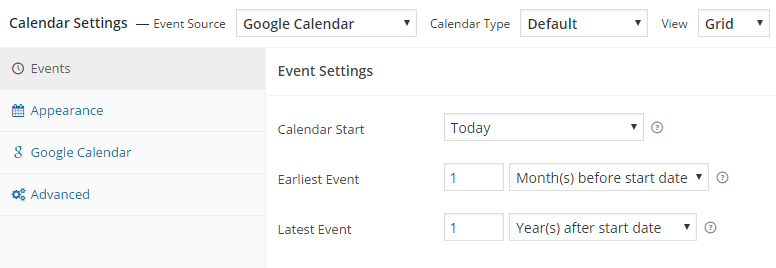
First 4 of 8, from WordPress.org.

Tagged

Plugins that share its tags

#95 by installs

The Events Calendar

by Nexcess

The Events Calendar: #1 calendar plugin for WordPress. Create/manage events (virtual too!) on your site with the free plugin.

Installs
600,000+
Rating
4.2 (2.5K)
Updated
2 days ago

Where this page's numbers come from

Read from the WordPress.org plugin API on , when WordPress 7.1.4 was the current release. WordPress.org rounds active installs into buckets. These are the directory's figures, not my verdict, and I haven't tested this plugin.