Type to search.

#342 by installs

Weight Based Shipping Table Rate for WooCommerce – Flexible Shipping

by Octolize Shipping PluginsVersion 6.13.7

Weight based shipping methods for WooCommerce. Flexible shipping with table rate rules by cart weight and order value. Accurate rates at checkout.

Active installs
100,000+
#342 of 1,000
Downloads, all time
10M
9,970,632
Downloads, 30 days
293.7K
71.7K in the last 7
Rating
4.9 / 5
706 reviews
Last updated
1 day ago
Oct 30, 2026
Version
6.13.7
294 releases

Upkeep and compatibility

Last updatedOctober 30, 2026Updated in the last 3 months
Tested up toWordPress 7.1.4Covers WordPress 7.1.4, the current release
Needs WordPress6.4 or newer
Needs PHP7.4 or newer
First publishedJune 14, 2016
Support, last two months2 of 3 threads resolved (67%)

Reviews

4.9 / 5 from 706 reviews

Reviews by star rating
5 stars686
4 stars6
3 stars0
2 stars5
1 star9

Downloads, last 30 days

Low 752 a dayHigh 34.5K a day

What the author says it does

The best free plugin to configure shipping rates in your WooCommerce store

Flexible Shipping is the most advanced shipping plugin for WooCommerce stores, allowing you to calculate the shipping costs based on weight and/or cart total. Combine it with the PRO version, and it will become the only shipping plugin for WooCommerce you will ever need.

Upgrade to Flexible Shipping PRO

Upgrade to Flexible Shipping PRO now to get the priority e-mail support and gain an access to all the PRO features!

Possible Shipping Scenarios

  • Shipping costs based on cart weight
  • Shipping costs based on cart total
  • Adding a handling fee or an insurance cost after reaching a certain order value
  • Creating a COD (Cash On Delivery) shipping method with additional costs
  • Different shipping costs for different shipping classes, products, or product categories (PRO)
  • Disabling/hiding the shipping method for certain rules (PRO)
  • Additional cost added to the whole order and/or to each product in the cart (PRO)
  • Enabling/disabling the shipping method based on the Time of the Day and the Day of the week (PRO)
  • Hiding the shipping method for certain products

These are only a few examples of the Flexible Shipping usage. However, the sky is the limit. We have described the most popular use cases in the comprehensive and detailed plugin documentation and Ready to use scenarios →.

Features

The opening of the plugin's own description. The full text, installation notes and changelog are on its WordPress.org page.

Questions the author answers

How does Flexible Shipping differ from the default WooCommerce Shipping options?

WooCommerce’s built-in tools give you flat rate, free shipping, and some basic options, but the logic stops there. Flexible Shipping extends these capabilities significantly.

It allows you to calculate shipping costs based on Weight and Cart Total, enabling you to create unlimited rules tailored to your business. It also includes features that standard WooCommerce lacks:

Can I set shipping costs based on weight and price in the Free version?

Yes! The Free version allows you to configure shipping rules based on Cart Total and Total Weight. You can create cost tiers (ranges) for both. For example, you can set free shipping for orders over $100 or set the shipping cost for heavy orders above 100 lbs.

How do I set up Free Shipping over a certain amount?

It is simple. The plugin includes a built-in “Free Shipping Override” feature, allowing you to trigger free shipping based on a global minimum order amount, visible clearly in the method settings.

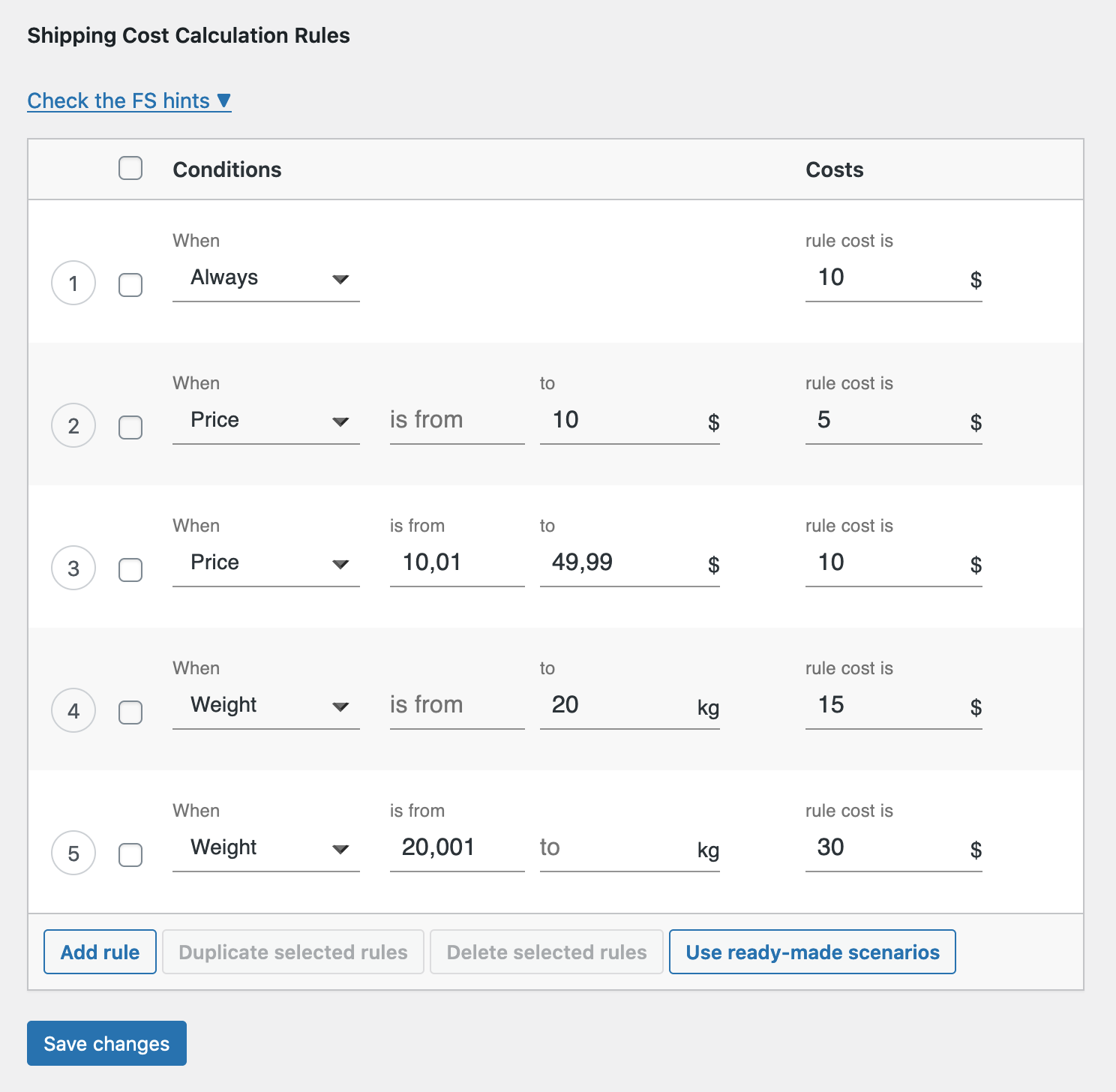
Or you may utilize table rules, for example:

  • Condition: Price
  • Min: 100 (or your threshold)
  • Cost: 0
Is Flexible Shipping compatible with currency switchers?

Yes, Flexible Shipping works seamlessly with the most popular currency switchers in the WooCommerce ecosystem. We are compatible with:

  • WooCommerce Multilingual (part of the WPML package)
  • Aelia Currency Switcher
  • FOX – Currency Switcher Professional for WooCommerce (WOOCS)
  • Currency Switcher for WooCommerce by WP Wham
  • CURCY – Multi Currency for WooCommerce by VillaTheme
Can I add handling fees or insurance costs?

In the Free version, you can include handling fees by simply adding them to the base cost of the rule. If you need to add a percentage-based fee (e.g., 2% of the cart value for insurance) or a fixed fee per additional item, please upgrade to Flexible Shipping PRO, which supports “Additional Cost” and “Cost per Item” calculations.

Does this plugin support Shipping Classes?

Yes, the Free version recognizes WooCommerce Shipping Classes created in your store settings. However, you cannot build shipping cost rules based on them in the Free version.

To use Shipping Classes as a condition in your rules table, you need Flexible Shipping PRO. This allows you to differentiate shipping costs for specific groups of products within a single method.

Examples of what you can do with PRO:

Latest changelog entry

6.13.7 – 2026-10-29

  • Added information about Black Friday special offer.

Screenshots

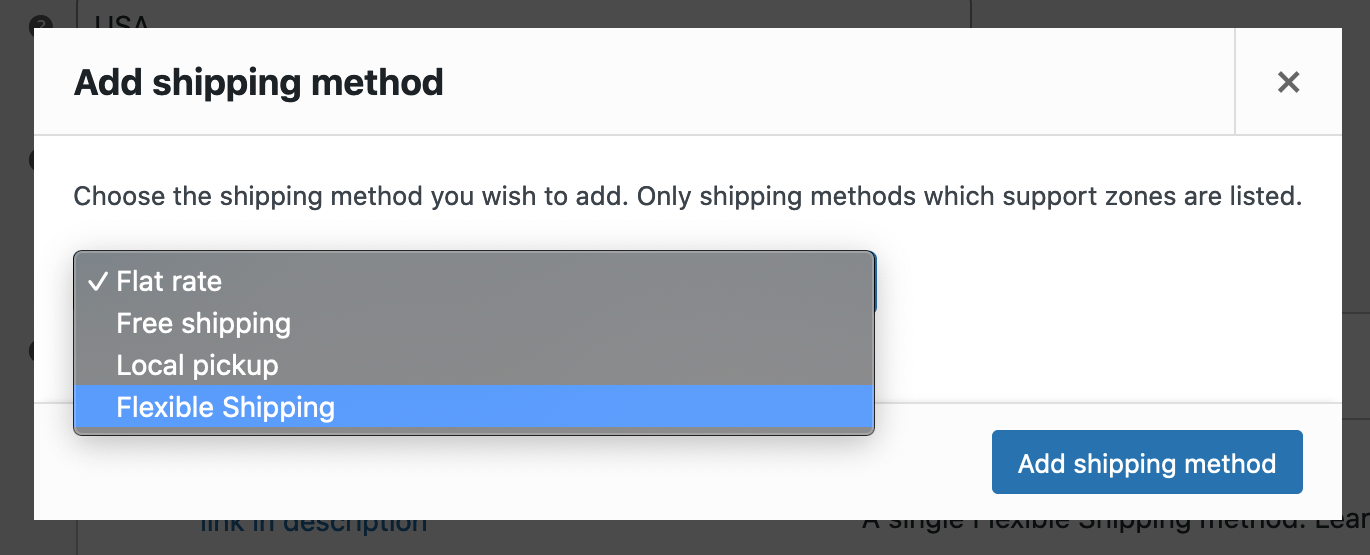
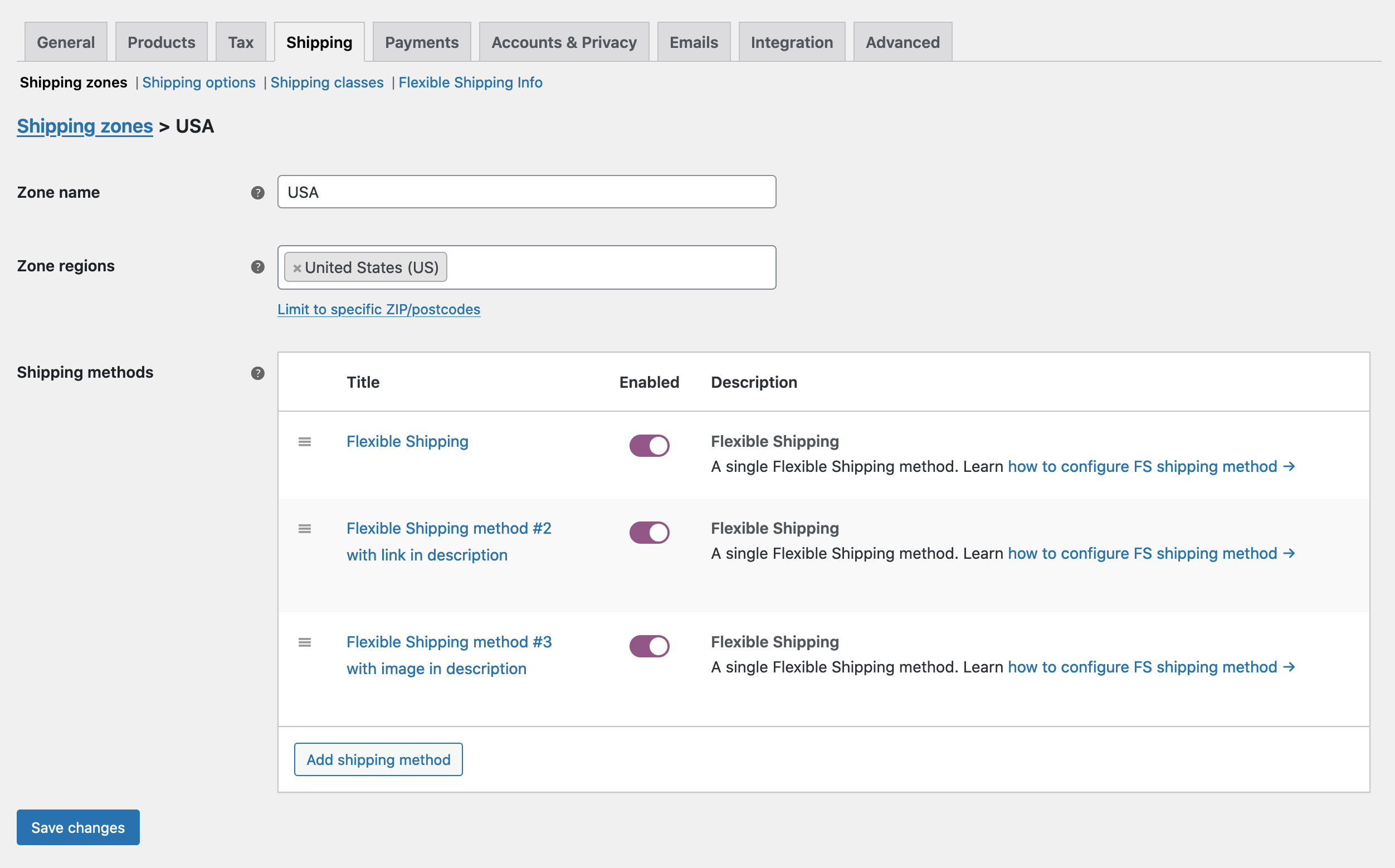
First 4 of 5, from WordPress.org.

Tagged

Plugins that share its tags

#697 by installs

Weight Based Shipping for WooCommerce

by Dan (weight based shipping)

Table rate shipping by weight for WooCommerce: weight brackets, shipping per lb or kg, free shipping over an amount, rates by country or order total.

Installs
50,000+
Rating
4.6 (83)
Updated
15 days ago

#847 by installs

Advanced Free Shipping for WooCommerce

by Jeroen Sormani

Advanced Free Shipping for WooCommerce is an plugin which allows you to set up advanced free shipping conditions.

Installs
40,000+
Rating
4.8 (122)
Updated
13 months ago

Where this page's numbers come from

Read from the WordPress.org plugin API on , when WordPress 7.1.4 was the current release. WordPress.org rounds active installs into buckets. These are the directory's figures, not my verdict, and I haven't tested this plugin. The author takes donations at their donate page.