
#394 by installs
Disable Comments
Disable Comments - easy tool to disable comments for your blog posts, and pages. Admin can disable comments in just a few clicks.
- Installs
- 100,000+
- Rating
- 3.8 (25)
- Updated
- 36 days ago

Disable comments site-wide or by post type, delete existing comments in bulk, and block comment spam via REST API and XML-RPC. Multisite ready.
| Last updated | October 25, 2026Updated in the last 3 months |
|---|---|
| Tested up to | WordPress 7.1.4Covers WordPress 7.1.4, the current release |
| Needs WordPress | 5.0 or newer |
| Needs PHP | 7.0 or newer |
| First published | May 27, 2011 |
| Support, last two months | No threads opened |
4.7 / 5 from 281 reviews
| 5 stars | 253 |
|---|---|
| 4 stars | 7 |
| 3 stars | 3 |
| 2 stars | 1 |
| 1 star | 17 |
Disable Comments – Remove Comments & Stop Spam [Multi-Site Support]
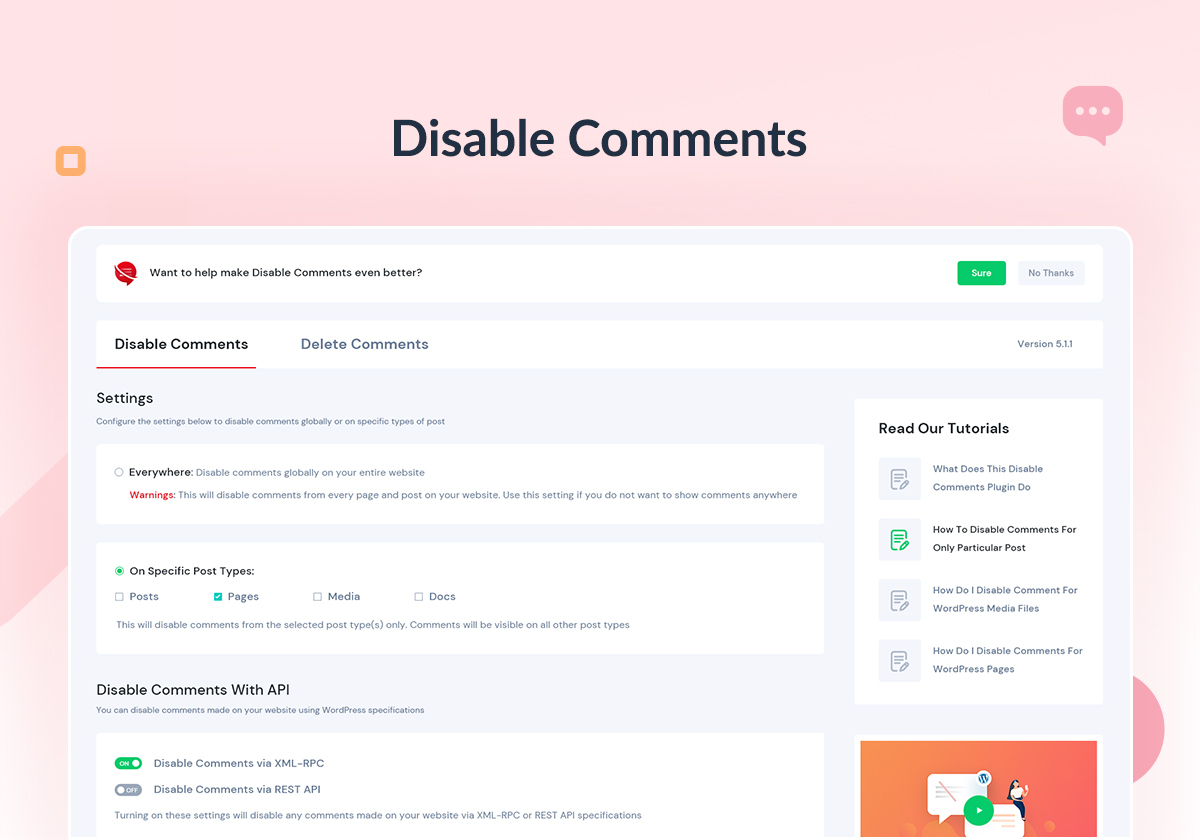
Enable/Disable comments on any WordPress content (Pages, Posts, or Media) to stop spammers. WP-CLI, XML-RPC & REST-API support to stop spam comments.
More About Plugin ◼️ Documentation ◼️ Support Forum
Take Global Control Over Your WordPress Site
Override all comments-related settings throughout your website & manage your comments just the way you want.
Disable Comments On Posts, Pages & Media
Choose which posts, pages or media should allow comments from site visitors & configure Disable Comments accordingly
Disallow Comments On Multi-Site Network
Have multiple websites? Get rid of irrelevant comments on the entire network using Disable Comments Plugin
KEY FEATURES OF DISABLE COMMENTS
The opening of the plugin's own description. The full text, installation notes and changelog are on its WordPress.org page.
This is because your theme is not checking the comment status of posts in the correct way.
You may like to point your theme’s author to this explanation of what they are doing wrong, and how to fix it.
The plugin tries its very best to hide this (and any other comment-related) messages.
If you still see the message, then it means your theme is overriding this behaviour, and you will have to edit its files manually to remove it.
Go to the edit page for the post you want to disable comments on. Scroll down to the “Discussion” box, where you will find the comment options for that post. If you don’t see a “Discussion” box, then click on “Screen Options” at the top of your screen, and make sure the “Discussion” checkbox is checked.
You can also bulk-edit the comment status of multiple posts from the posts screen.
Go to the tools page for the Disable Comments plugin and use the Delete Comments tool to delete all comments or according to the specified post types from your database.
This cannot be undone. Back up your database before running it.
Network-activate the plugin. The settings then live under your Network Admin, where you can either apply one configuration to every site at once or configure individual subsites from the network screen. If you activate the plugin on a single site instead, it only ever affects that site.
WooCommerce product reviews are stored as comments on the product post type, so disabling comments on product turns reviews off too. To remove reviews that already exist, use the Delete Comments tool and select the product post type.


#394 by installs
Disable Comments - easy tool to disable comments for your blog posts, and pages. Admin can disable comments in just a few clicks.

#8 by installs
The best anti-spam protection to block spam comments and spam in a contact form. The most trusted antispam solution for WordPress and WooCommerce.

#84 by installs
Sophisticated antispam plugin for effective daily comment and trackback spam-fighting. Built with data protection and privacy in mind.

#239 by installs
Advanced antispam for comments, registrations & contact forms. No CAPTCHA, plus email validation and honeypot. We catch spam others miss!

#288 by installs
The official Gravatar plugin, featuring privacy-focused settings, easy profile updates, and customizable Gravatar Profile blocks.

#930 by installs
Disqus is the web's most popular comment system. Use Disqus to increase engagement, retain readers, and grow your audience.
Read from the WordPress.org plugin API on , when WordPress 7.1.4 was the current release. WordPress.org rounds active installs into buckets. These are the directory's figures, not my verdict, and I haven't tested this plugin. The author takes donations at their donate page.