Type to search.

#200 by installs

Cyr-To-Lat

by Sergey BiryukovVersion 7.1.0

Convert Non-Latin characters in post, page and term slugs to Latin characters.

Active installs
300,000+
#200 of 1,000
Downloads, all time
3.6M
3,580,120
Downloads, 30 days
22.3K
5.5K in the last 7
Rating
4.7 / 5
98 reviews
Last updated
3 months ago
Aug 8, 2026
Version
7.1.0
83 releases

Upkeep and compatibility

Last updatedAugust 8, 2026Updated in the last 3 months
Tested up toWordPress 7.1.4Covers WordPress 7.1.4, the current release
Needs WordPress6.0 or newer
Needs PHP7.4 or newer
First publishedFebruary 2, 2008
Support, last two months0 of 1 threads resolved (0%)

Reviews

4.7 / 5 from 98 reviews

Reviews by star rating
5 stars85
4 stars4
3 stars3
2 stars1
1 star5

Downloads, last 30 days

Low 386 a dayHigh 1.3K a day

What the author says it does

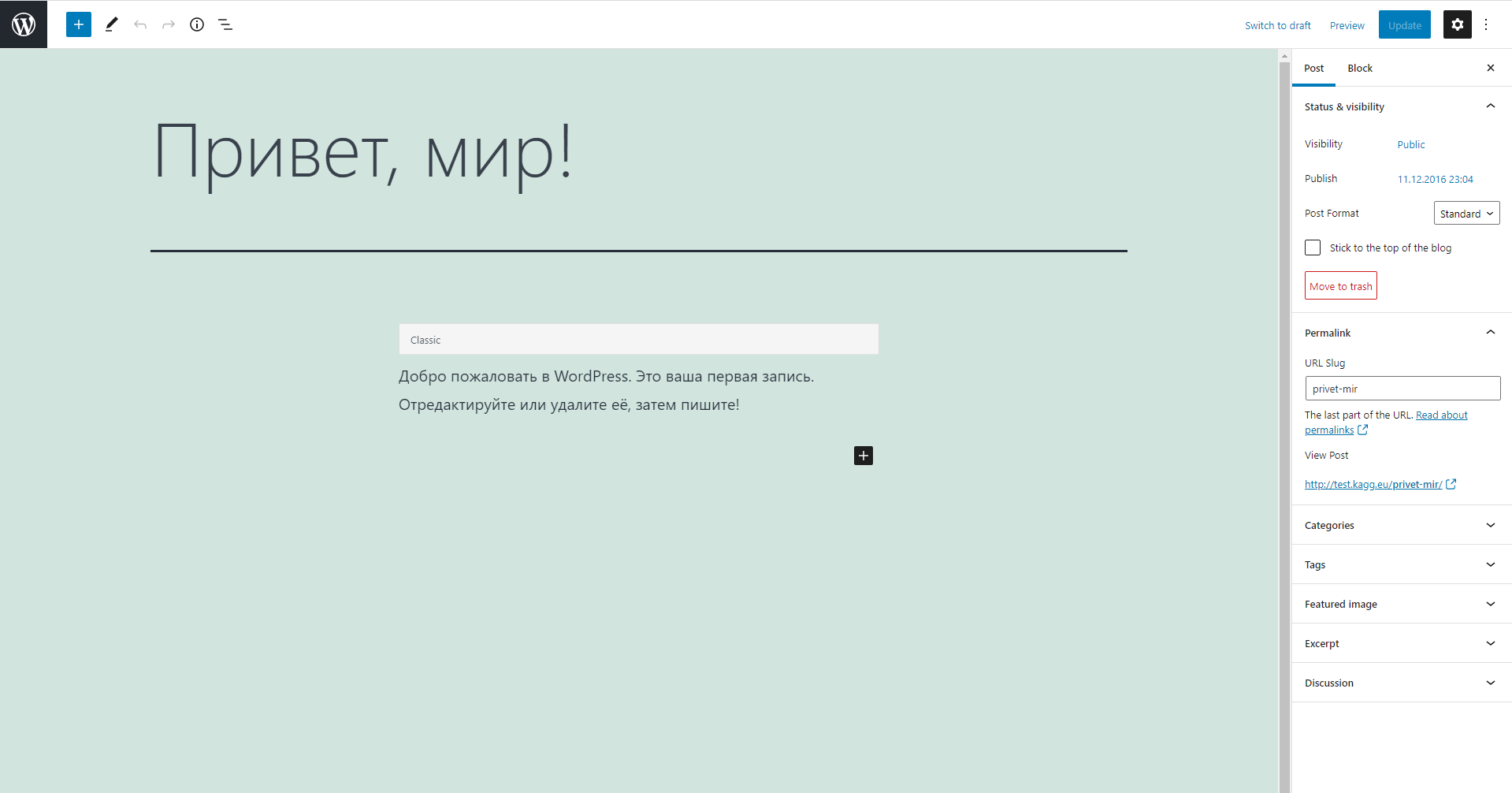
Converts Cyrillic characters in post, page, and term slugs to Latin characters. Useful for creating human-readable URLs.

Features

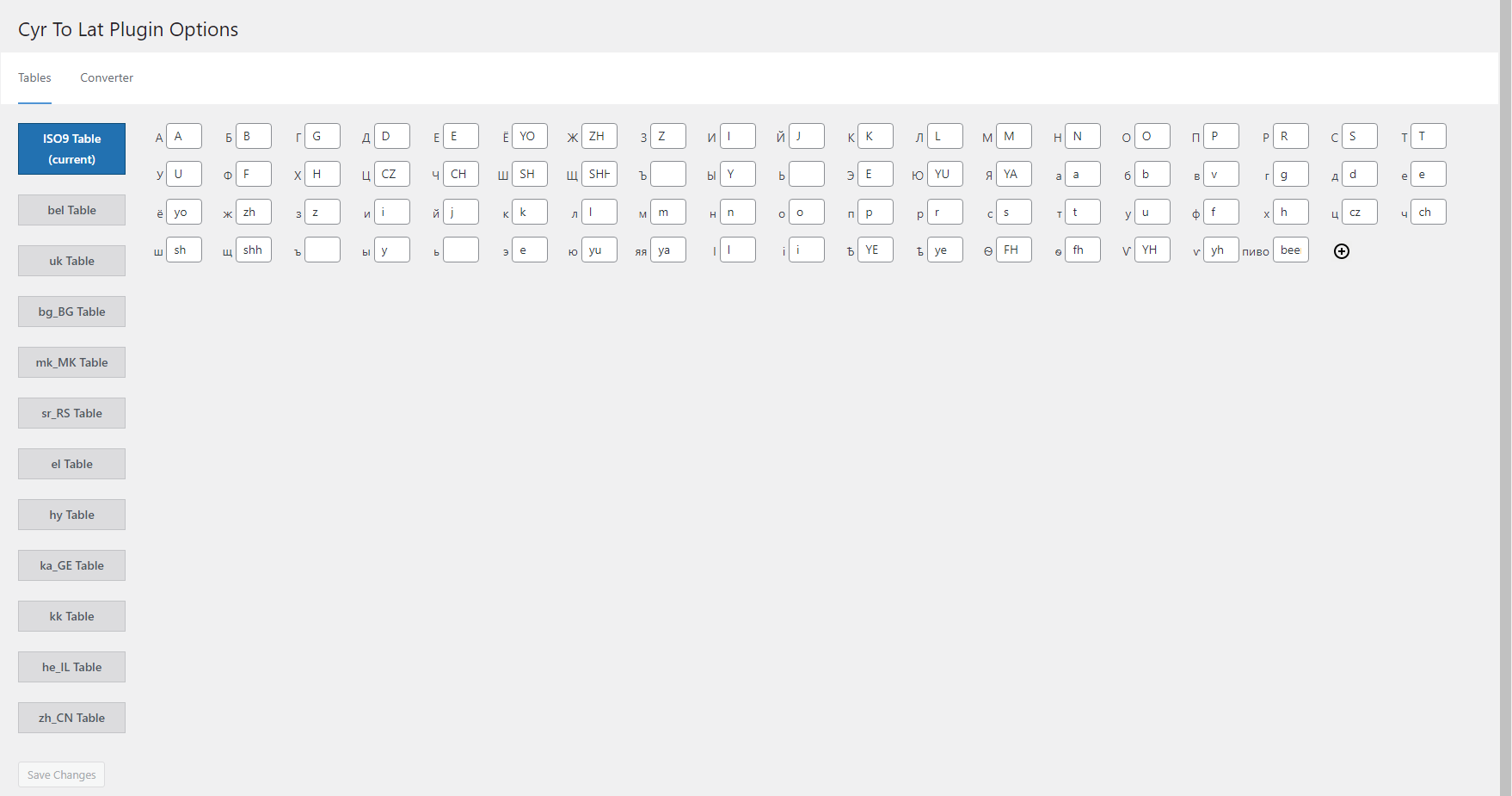
  • The only plugin with a fully editable transliteration table. Allows adding/removing and editing pairs like ‘Я’ => ‘Ya’, or even ‘Пиво’ => ‘Beer’
  • Converts post, page, custom post type, and term slugs through explicit WordPress save and REST/Gutenberg paths
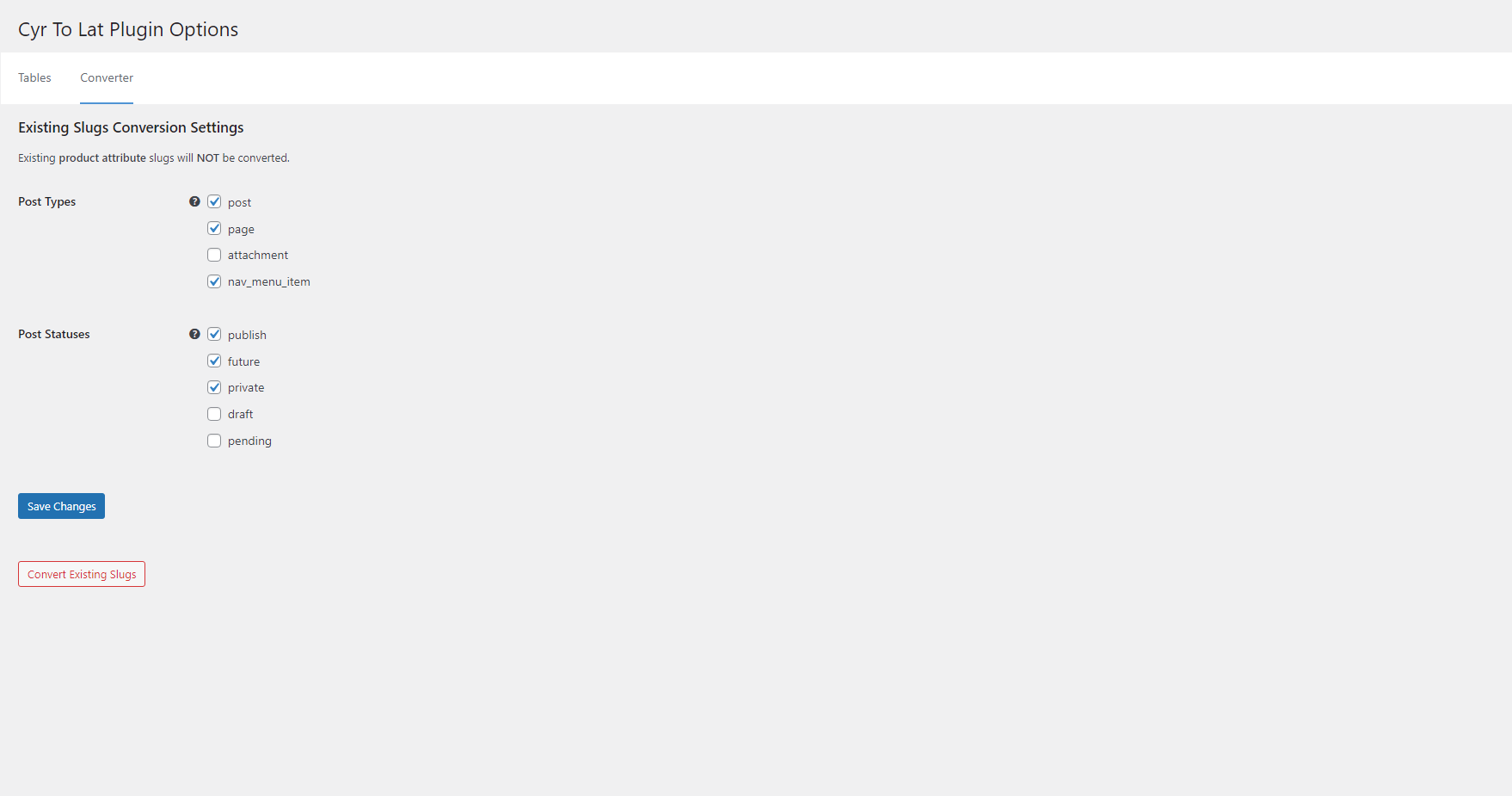
  • Converts any number of existing post, page, and term slugs in background processes or with WP-CLI
  • Saves existing post and page permalinks integrity
  • Performs transliteration of attachment file names
  • Supports WooCommerce product, product taxonomy, global attribute, local attribute, variation, and frontend cart slug flows without automatic migration of existing attributes
  • The plugin supports Russian, Belorussian, Ukrainian, Bulgarian, Macedonian, Serbian, Greek, Armenian, Georgian, Kazakh, Hebrew, and Chinese characters
  • Has many advantages over similar plugins
  • Officially compatible with WPML

Based on the original Rus-To-Lat plugin by Anton Skorobogatov.

Sponsored by Blackfire.

Plugin Support

  • Support Forum
  • Telegram Group

The opening of the plugin's own description. The full text, installation notes and changelog are on its WordPress.org page.

Questions the author answers

How can I define my own substitutions?

Add this code to your theme’s functions.php file:

/** * Modify conversion table. * * @param array $table Conversion table. * * @return array */ function my_ctl_table( $table ) { $table['Ъ'] = 'U'; $table['ъ'] = 'u';

return $table; } add_filter( 'ctl_table', 'my_ctl_table' );

How can I redefine non-standard locale?

For instance, if your non-standard locale is uk_UA, you can redefine it to uk by adding the following code to your theme’s function.php file:

/** * Use non-standard locale. * * @param string $locale Current locale. * * @return string */ function my_ctl_locale( $locale ) { if ( 'uk_UA' === $locale ) { return 'uk'; }

return $locale; } add_filter( 'ctl_locale', 'my_ctl_locale' );

How can I define my own transliteration of titles?

Add similar code to your theme’s functions.php file:

/** * Filter title before sanitizing. * * @param string|false $result Sanitized title. * @param string $title Title. * * @return string|false */ function my_ctl_pre_sanitize_title( $result, $title ) { if ( 'пиво' === $title ) { return 'beer'; }

return $result; } add_filter( 'ctl_pre_sanitize_title', 10, 2 );

How can I control the legacy sanitize_title bridge?

Version 7.0 uses explicit slug handlers for posts, terms, WooCommerce attributes, and other known save paths. A legacy sanitize_title bridge remains as a compatibility fallback for broad calls that older integrations may still rely on.

You can disable the broad fallback with this code:

add_filter( 'ctl_enable_legacy_sanitize_title_bridge', '__return_false' );

How can I define my own transliteration of filenames?

Add similar code to your theme’s functions.php file:

/** * Filter filename before sanitizing. * * @param string|false $result Sanitized filename. * @param string $filename Title. * * @return string|false */ function my_ctl_pre_sanitize_filename( $result, $filename ) { if ( 'пиво' === $filename ) { return 'beer'; }

return $result; } add_filter( 'ctl_pre_sanitize_filename', 10, 2 );

How can I allow the plugin to work on the frontend?

Add the following code to your plugin’s (or mu-plugin’s) main file. This code won’t work being added to a theme’s functions.php file.

/** * Filter status allowed Cyr To Lat plugin to work. * * @param bool $allowed * * @return bool */ function my_ctl_allow( bool $allowed ): bool { $uri = isset( $_SERVER['REQUEST_URI'] ) ? sanitize_url( wp_unslash( $_SERVER['REQUEST_URI'] ) ) : '';

Latest changelog entry

7.1.0 (08.08.2026)

  • Hardened filename transliteration and multisite settings.
  • Hardened data validation in admin.
  • Fixed slug generation for new drafts created by Yoast Duplicate Post when copying the original slug is disabled.
  • Prevented a fatal error when WooCommerce fires the product-read hook without a product object.

Screenshots

From WordPress.org.

Tagged

Plugins that share its tags

Convert Cyrillic and Georgian URLs and file names to Latin. Works for all post types, pages, and terms. Custom characters, URL redirects & more.

Installs
40,000+
Rating
4.6 (62)
Updated
31 days ago

#537 by installs

Cyr to Lat Enhanced

by Ivijan-Stefan Stipic

Converts Cyrillic, European and Georgian characters in post, term slugs and media file names into Latin characters.

Installs
80,000+
Rating
4.6 (51)
Updated
2 months ago

#37 by installs

Loco Translate

by Tim W

Translate WordPress plugins and themes directly in your browser. Versatile PO file editor with integrated AI translation providers.

Installs
1+ million
Rating
4.8 (453)
Updated
31 days ago

#71 by installs

Translate WordPress with GTranslate

by edo888

Translate WordPress with Google Translate multilanguage plugin using AI translation. Complete multilingual SEO solution, WooCommerce compatible.

Installs
900,000+
Rating
4.9 (5K)
Updated
8 days ago

#72 by installs

Polylang

by Chouby

Go multilingual in a simple and efficient way. Keep writing posts and taxonomy terms as usual while defining their languages all at once.

Installs
900,000+
Rating
4.7 (3K)
Updated
10 days ago

Where this page's numbers come from

Read from the WordPress.org plugin API on , when WordPress 7.1.4 was the current release. WordPress.org rounds active installs into buckets. These are the directory's figures, not my verdict, and I haven't tested this plugin.