
#74 by installs
Google for WooCommerce
Native integration with Google that allows merchants to easily display their products across Google’s network.
- Installs
- 800,000+
- Rating
- 2.7 (268)
- Updated
- 11 days ago

Customer Reviews for WooCommerce plugin helps you get more sales with social proof. Set up automated review reminders and increase conversion rate.
| Last updated | October 25, 2026Updated in the last 3 months |
|---|---|
| Tested up to | WordPress 7.1.4Covers WordPress 7.1.4, the current release |
| Needs WordPress | 4.5 or newer |
| Needs PHP | 7.4 or newer |
| First published | April 5, 2017 |
| Support, last two months | 14 of 22 threads resolved (64%) |
4.8 / 5 from 1,539 reviews
| 5 stars | 1,438 |
|---|---|
| 4 stars | 43 |
| 3 stars | 12 |
| 2 stars | 5 |
| 1 star | 41 |
Happy customers are your best marketers. So why not ask them to leave a review?
Send an automated, personalized email reminder to each customer after a transaction – make reviewing easier than ever before!
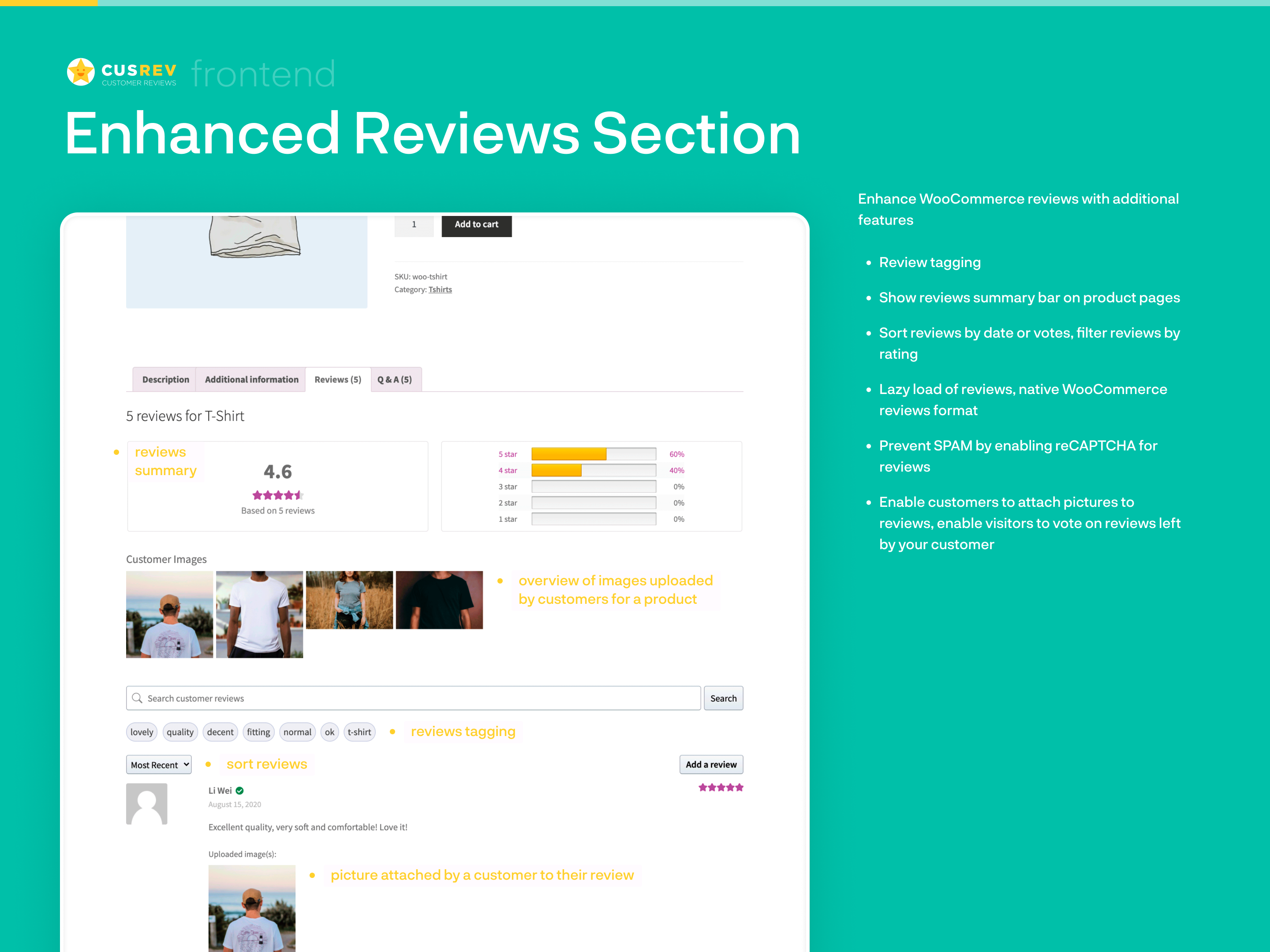
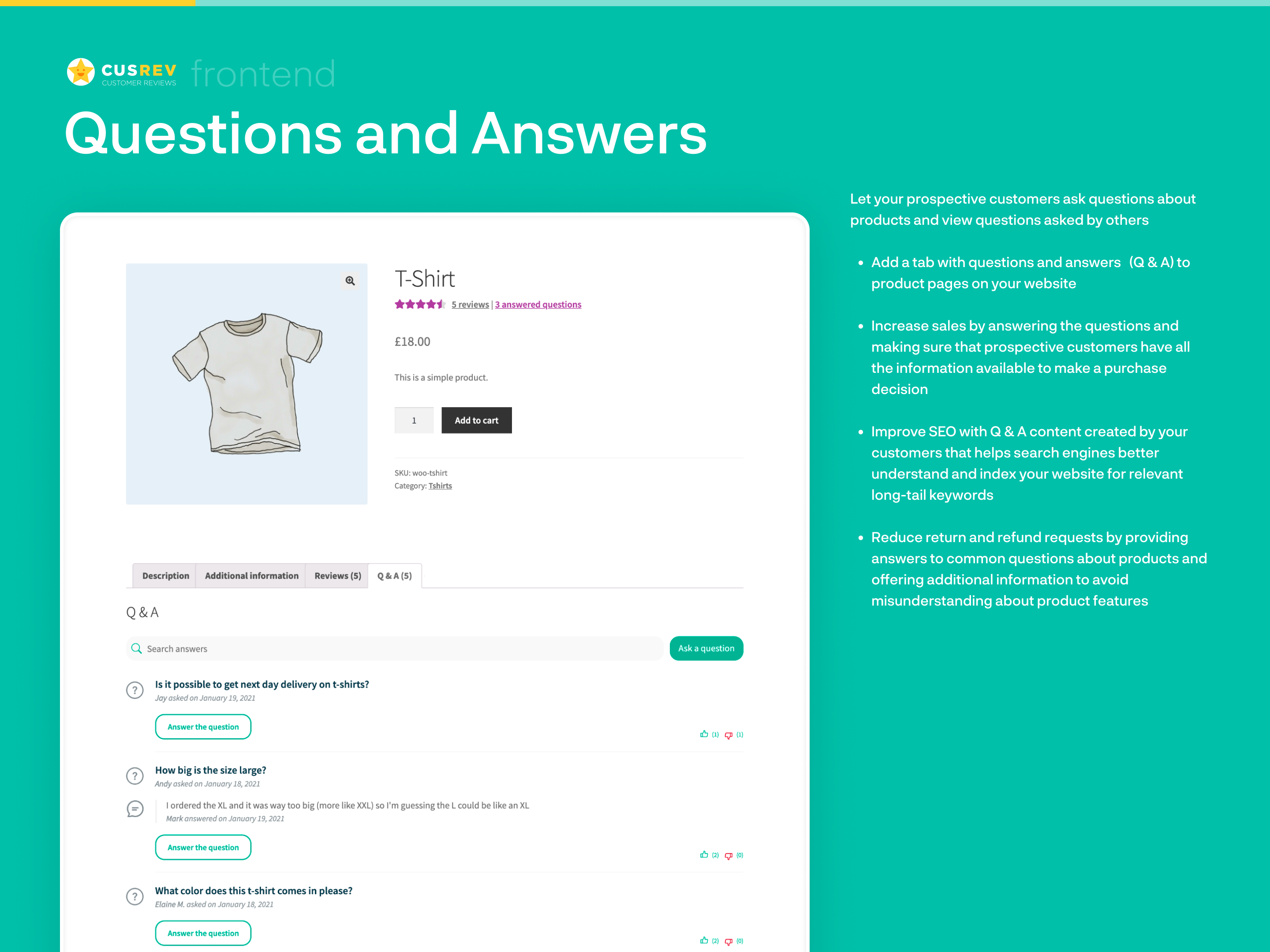
Enhance the standard WooCommerce reviews with extra features, and reassure customers by having their questions answered with a Q&A section on product pages.
The Customer Reviews for WooCommerce plugin helps you increase engagement, build loyalty, improve SEO, and get more sales with social proof.
Localized to 38 languages and installed on over 80,000 stores!
The plugin includes an optional integration with an external service to verify customer reviews. CusRev collects reviews from customers and verifies their authenticity.
You can find information about CusRev‘s terms and privacy policy on our website.
🔥 Main Features
✉️ Review Reminders – Make Reviewing Easy
Customer Reviews for WooCommerce makes reviewing simple.
The opening of the plugin's own description. The full text, installation notes and changelog are on its WordPress.org page.
Please create a new topic at the support forum and provide detailed information with a screenshot.
Please visit a website of the CAPTCHA service that you selected and sign up for an account. Then, you will be able to get API key pair (Site Key and Secret Key) for your website. Copy these keys and paste into the settings of the plugin.
The standard WooCommerce functionality already includes structured data mark up to display your product reviews effectively within organic search results. This plugin extends the standard functionality and adds some extra mark up to help search engines properly crawl your shop.
The plugin uses the standard reviews template provided by WooCommerce and enhances it with the reviews summary bar. If your theme requires a customized reviews template or you would like to use a customized reviews template for some other reason, it is possible to do so. Here is how to do it:
1) Create a folder ‘customer-reviews-woocommerce’ in your current theme’s folder.
If you would like to change how reviews are sorted on product pages, it is possible to do so using the standard WordPress functionality. Go to Settings -> Discussion menu and find options “Break comments into pages with X top level comments per page and the last/first page displayed by default” and “Comments should be displayed with the older/newer comments at the top of each page”.
With self-hosted review forms enabled, open the review invitation menu in the Actions column of WooCommerce orders and select “QR code”.
QR codes are generated locally without an external QR service. Each code opens a personalized aggregated review form for that order, so share it only with the customer for that order. The usual review form eligibility and expiration settings apply.
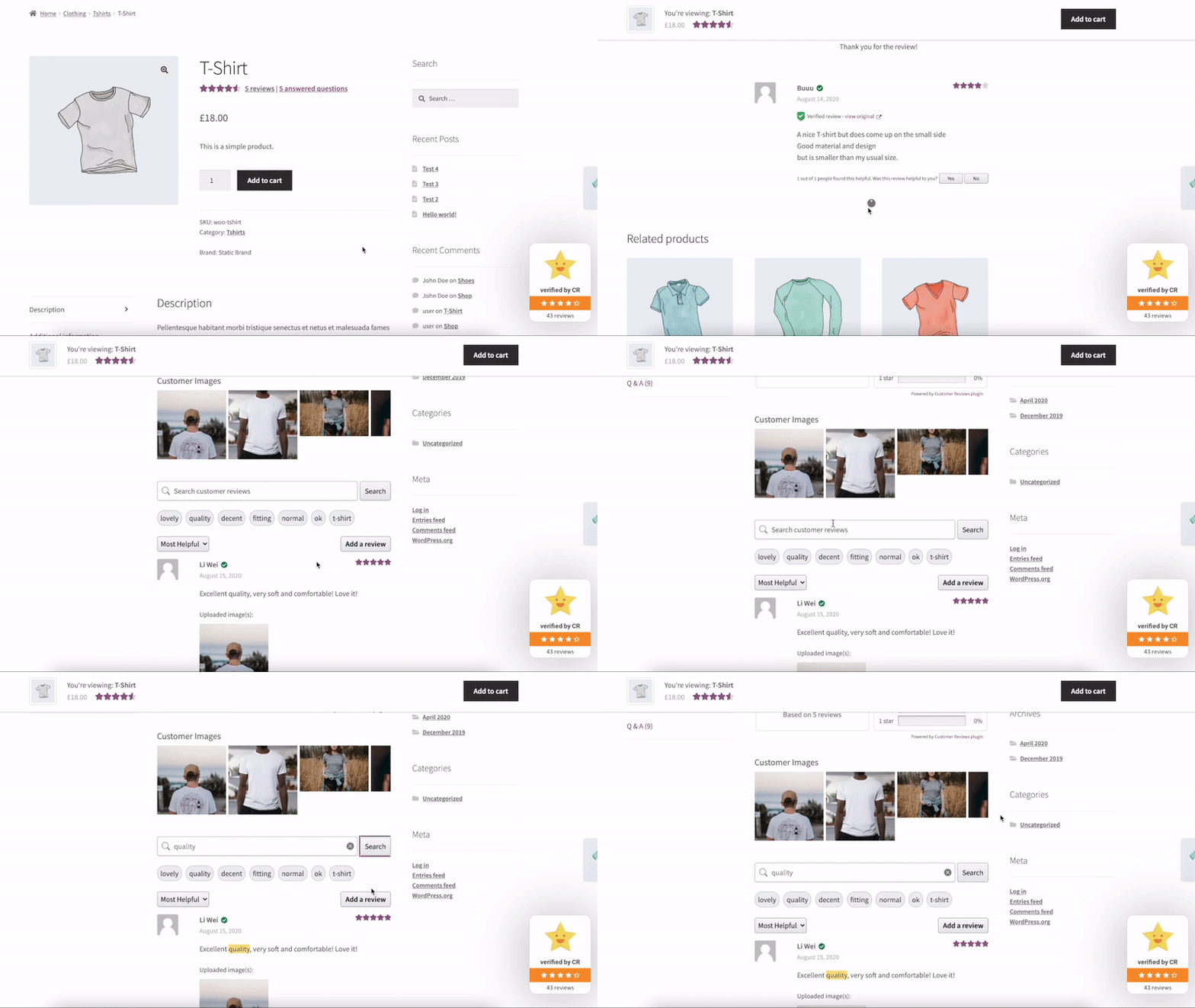
![[cusrev_reviews_grid] shortcode to display a grid of product reviews on any page or post of a website (also available as a Gutenberg block)](https://ps.w.org/customer-reviews-woocommerce/assets/screenshot-2.gif?rev=2532349)
#74 by installs
Native integration with Google that allows merchants to easily display their products across Google’s network.

#82 by installs
PayPal's latest payment processing solution. Accept PayPal, Pay Later, credit/debit cards, alternative digital wallets and bank accounts.

#85 by installs
Accept debit and credit cards in 135+ currencies, many local methods like Alipay, ACH, and SEPA, and express checkout with Apple Pay and Google Pay.

#115 by installs
We’re here to help with tax rates: collect accurate sales tax, automatically.

#154 by installs
The WooCommerce Legacy REST API, which is now part of WooCommerce itself but will be removed in WooCommerce 9.0.

#165 by installs
Create, print & automatically email PDF or XML Invoices & PDF Packing Slips for WooCommerce orders.
Read from the WordPress.org plugin API on , when WordPress 7.1.4 was the current release. WordPress.org rounds active installs into buckets. These are the directory's figures, not my verdict, and I haven't tested this plugin.