
#583 by installs
Tidio – Live Chat & AI Chatbots
Add Tidio Live Chat to your WordPress for free to answer customers’ questions, engage website visitors, generate leads, and increase sales.
- Installs
- 70,000+
- Rating
- 4.8 (395)
- Updated
- 2 months ago

Powerful platform with Live Chat, AI Chatbots, and Real-Time Visitor Monitoring! Also, create Call, Email, SMS, & Contact buttons to increase conv …
| Last updated | September 21, 2026Updated in the last 3 months |
|---|---|
| Tested up to | WordPress 7.1.4Covers WordPress 7.1.4, the current release |
| Needs WordPress | 4.7 or newer |
| Needs PHP | 7.0 or newer |
| First published | June 27, 2020 |
| Support, last two months | No threads opened |
5.0 / 5 from 23 reviews
| 5 stars | 22 |
|---|---|
| 4 stars | 1 |
| 3 stars | 0 |
| 2 stars | 0 |
| 1 star | 0 |
Buttonizer is a powerful platform with Live Chat, AI Chatbots, and Real-Time Visitor Monitoring! In addition to chat features, you can create Call, Email, SMS, & Contact buttons to increase conversions. Supports WhatsApp, Messenger, Live Chat, and 40+ other actions.
Watch the video below to see how easy it is to add the power of Live Chat and AI Chatbots to your website:
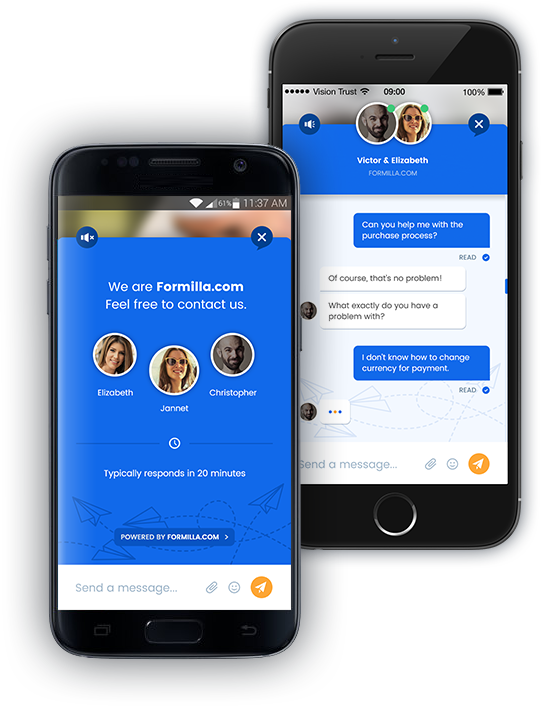
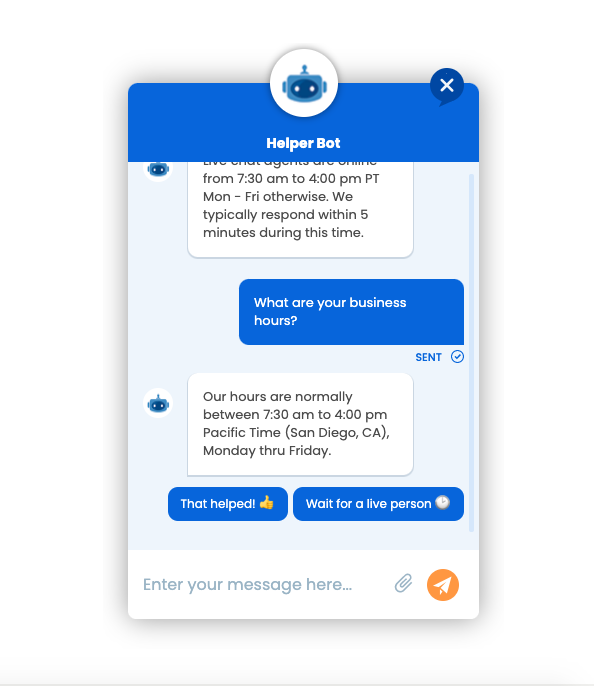
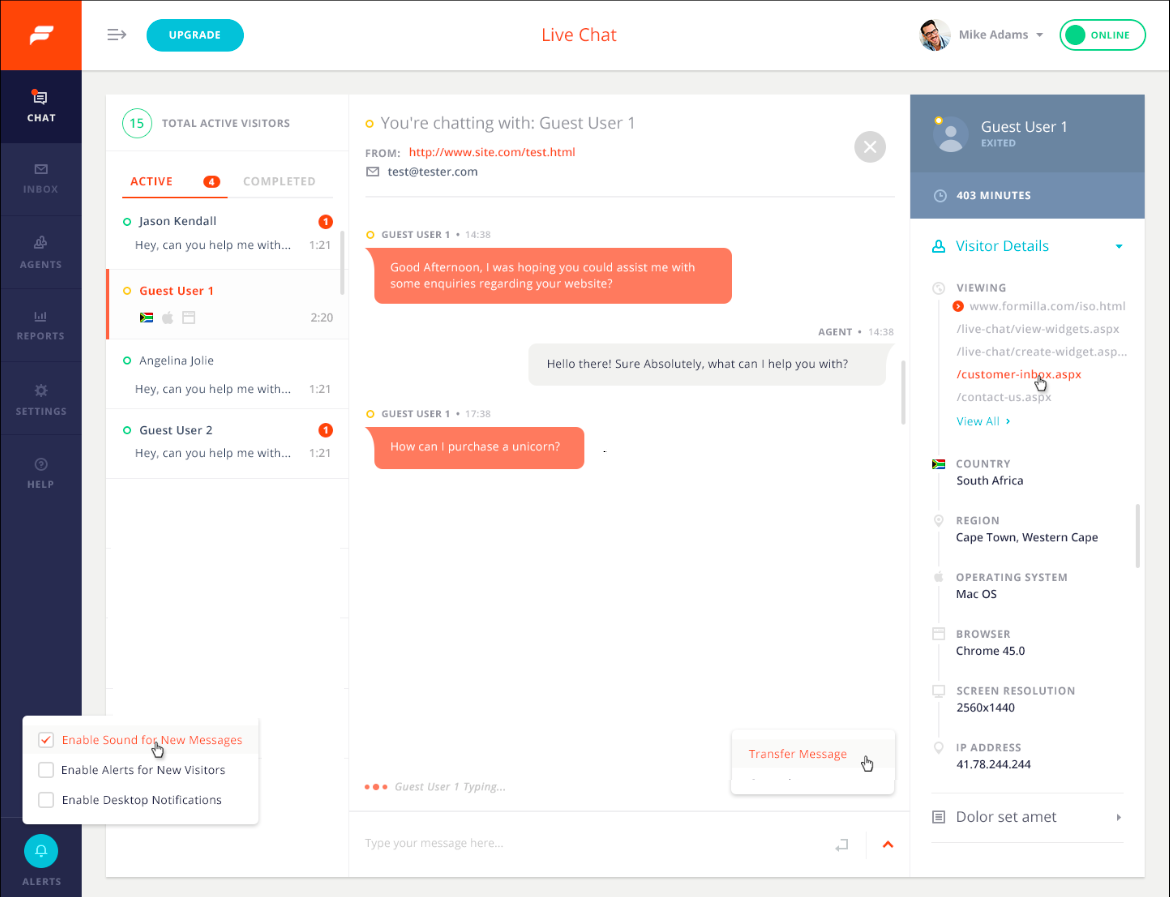
Live Chat, Chatbots, and Popups via Formilla
Buttonizer accounts get Formilla accounts integrated automatically. Both products are managed by the same team, so that means you get access to awesome features such as:
• Unlimited Live Chats (free): Chat with your visitors while they’re on your website with our embedded widget; no need to send users to another browser tab!
• Mobile Apps for iPhone, iPad, and Android Devices (free): Chat via your mobile device or tablet by using our iPhone/iPad or Android apps!
• Desktop Apps for Windows & Mac machines (free): Chat via our dedicated desktop apps instead of our web dashboard to get online even faster.
The opening of the plugin's own description. The full text, installation notes and changelog are on its WordPress.org page.
Please see our video tutorial to learn how.
Live Chat, AI Chatbots, WhatsApp chat, Facebook Messenger, Instagram, Email, SMS, Snapchat, X (Twitter), LinkedIn, Microsoft Teams, Vkontakte, Phone (click to call), Telegram, Line, WeChat, Viber, Waze, Zalo, Google Maps, Poptin, Custom URL, Page Select.
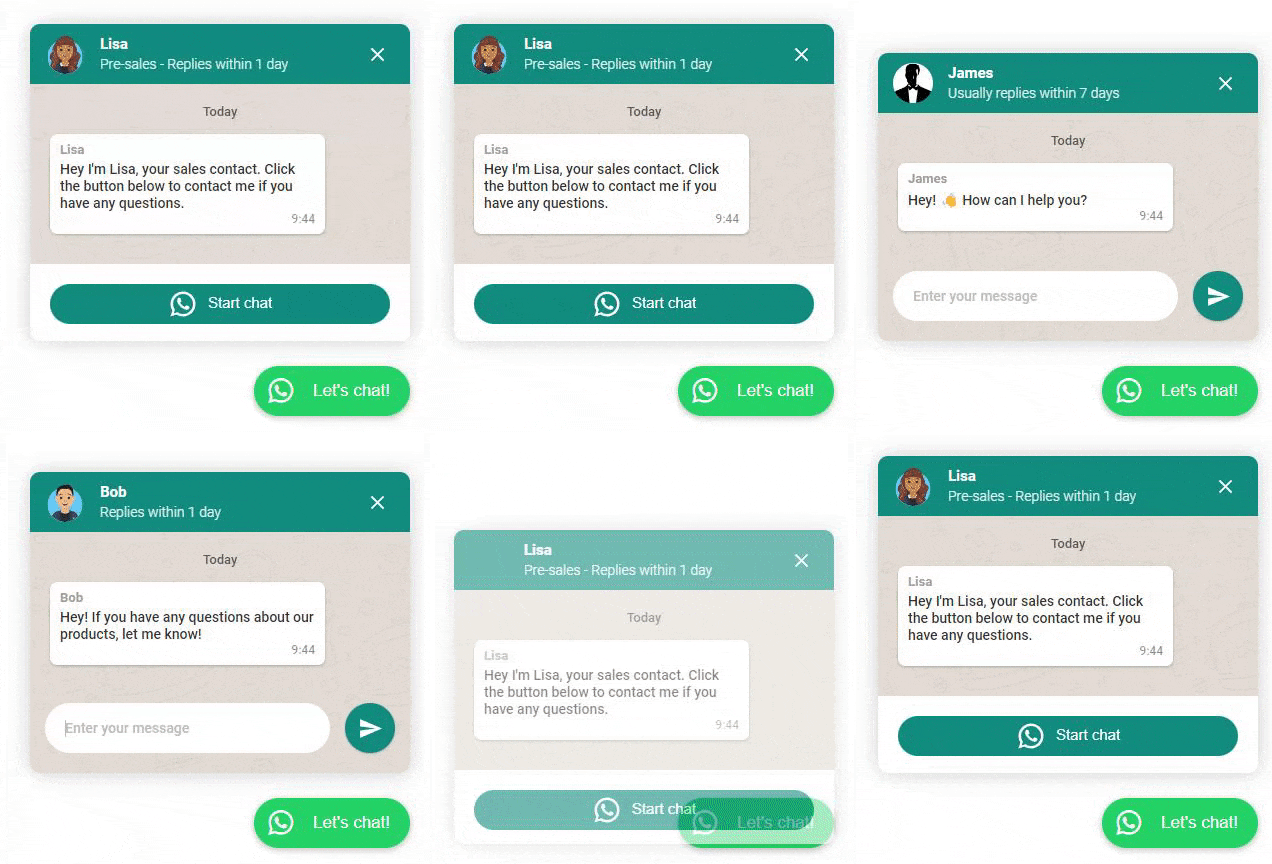
We have the following widgets natively integrated:
– Live Chat widget
– WhatsApp widget
– Facebook Messenger widget
– Telegram widget
– Contact form
– Iframe widget (PRO)
Customize the position and visibility wherever you need. With the iframe widget, you are able to show YouTube videos, integrate Calendly or any other page or website.
Please make sure you’ve chosen at least one button and clicked on the green “Publish” button. If you still don’t see any changes on the live site, you can clear the cache of your website if you have a caching plugin.
Yes. Start by logging in to your Formilla account, then mouse over Settings and select Widgets from the submenu that appears. On the next page, click the edit/pencil icon under Actions for your chat widget. You can modify the hours of operation from the Widget Details tab and click Save Changes.
Yes, the Email Notifications option is enabled by default for every Formilla Live Chat widget you create. Removing the email address(es) on the Widget Details tab of the live chat widget configuration page disables the feature. Alternatively, you may add additional email recipients by simply comma-separating each email address.
#583 by installs
Add Tidio Live Chat to your WordPress for free to answer customers’ questions, engage website visitors, generate leads, and increase sales.

#89 by installs
The most installed WordPress plugin for WhatsApp: a customizable floating button that turns your visitors into chats, leads and sales.

WhatsApp chat, Facebook Messenger, Telegram, TikTok, Instagram, Email, Line, WeChat Phone call, SMS, 20+ live chat icons & WhatsApp chat pop up 💬

#238 by installs
The click-to-call button for WordPress since 2013. Add a call button in under a minute. No code, mobile and desktop, with click tracking.

#910 by installs
WhatsApp Chat Button - Display the beautiful WhatsApp Sticky Button on the WordPress frontend.

#49 by installs
Manage your WordPress site with AI - create content, install plugins, and perform site management tasks effortlessly.
Read from the WordPress.org plugin API on , when WordPress 7.1.4 was the current release. WordPress.org rounds active installs into buckets. These are the directory's figures, not my verdict, and I haven't tested this plugin.