Type to search.

#801 by installs

Booking Calendar

by wpdevelopVersion 11.9.1

WP Booking Calendar plugin for full-day bookings, time-slot appointments, rentals & events. Accept bookings and inquiries with flexible contact forms

Active installs
40,000+
#801 of 1,000
Downloads, all time
5.4M
5,447,992
Downloads, 30 days
63.4K
5.7K in the last 7
Rating
4.8 / 5
657 reviews
Last updated
20 days ago
Oct 11, 2026
Version
11.9.1
206 releases

Upkeep and compatibility

Last updatedOctober 11, 2026Updated in the last 3 months
Tested up toWordPress 7.1.4Covers WordPress 7.1.4, the current release
Needs WordPress5.3 or newer
Needs PHP5.6 or newer
First publishedAugust 15, 2009
Support, last two months1 of 1 threads resolved (100%)

Reviews

4.8 / 5 from 657 reviews

Reviews by star rating
5 stars597
4 stars18
3 stars8
2 stars6
1 star28

Downloads, last 30 days

Low 438 a dayHigh 18.2K a day

What the author says it does

Booking Calendar – Booking Plugin for Appointments, Reservations, Rentals, Events

WP Booking Calendar is a flexible WordPress booking plugin for appointments, reservations, rentals, and events. Add a responsive availability calendar and booking form to your website, accept online bookings, and manage them from a modern admin panel.

Use Booking Calendar for full-day bookings, time-slot appointments, service scheduling, event registration, inquiry forms, request forms, or even as a simple multi-step contact form with built-in request listing and email notifications.

Features | See Demos | FAQ | Get Support

Best for appointments, service scheduling, property rentals, equipment rentals, consultations, classes, events, and availability management.

Key Features

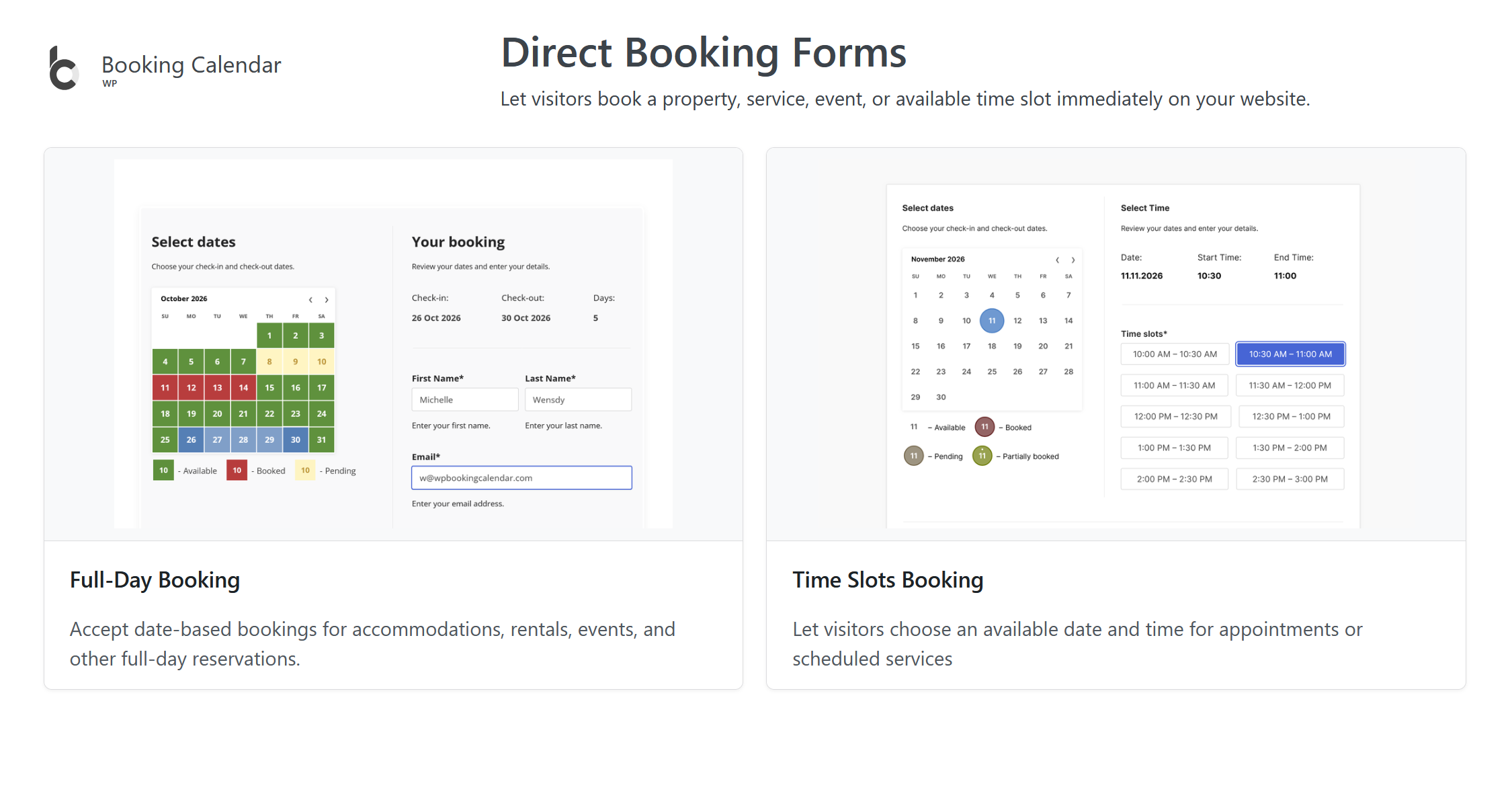
  • Accept full-day, appointment, and time-slot bookings.
  • Display availability and prevent double bookings.
  • Create customizable booking and inquiry forms.
  • Manage, approve, decline, and edit bookings in WordPress.
  • Send email notifications to administrators and customers.
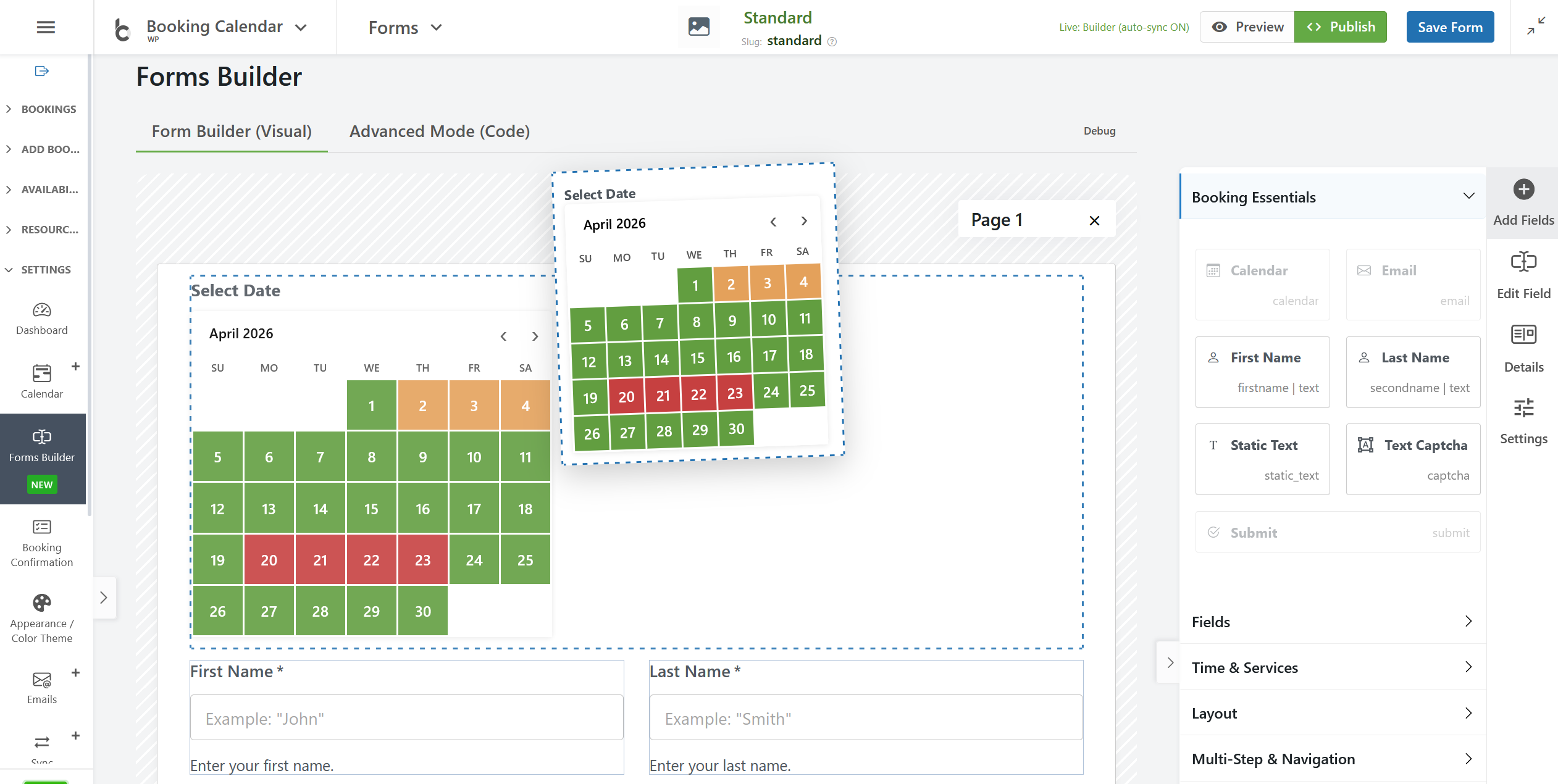
  • Build multi-step forms with the Drag & Drop Form Builder.
  • Block unavailable dates and time intervals.
  • Synchronize bookings using .ics feeds.
  • Import Google Calendar events.
  • Use responsive booking forms on desktop and mobile.

Booking Calendar for Different Businesses

The opening of the plugin's own description. The full text, installation notes and changelog are on its WordPress.org page.

Questions the author answers

Premium Features in paid versions

Booking Calendar Personal (or higher versions)

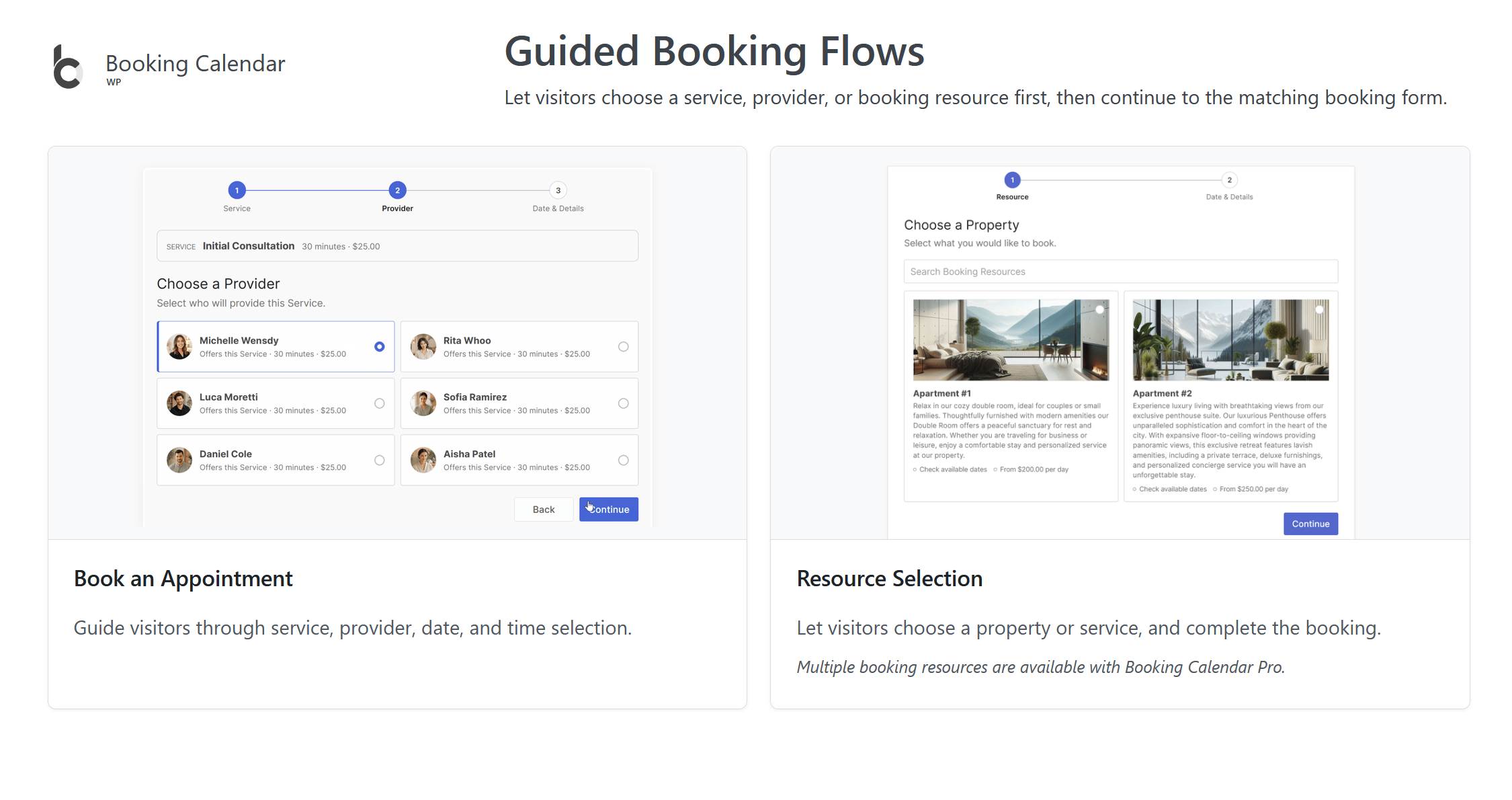
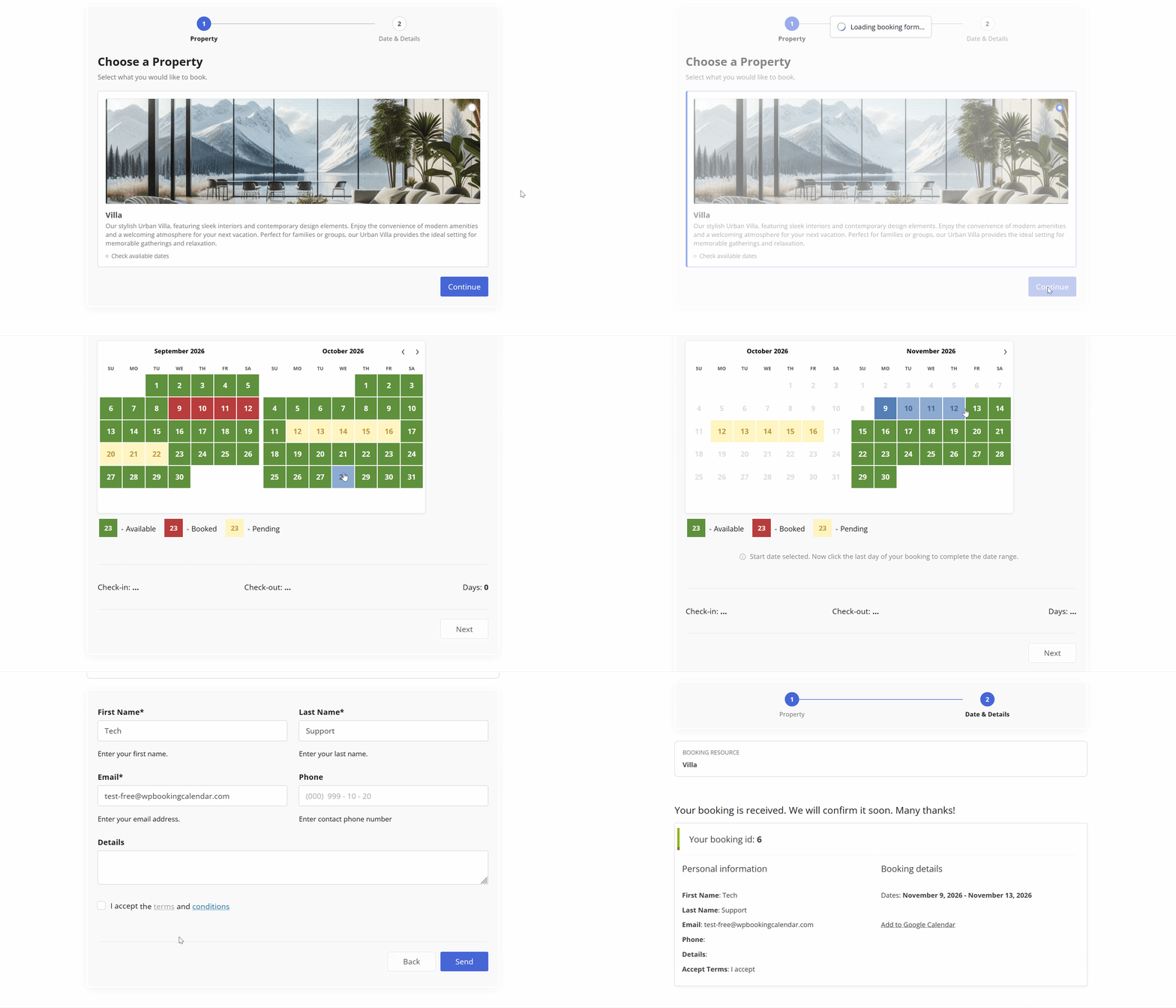
– Multiple booking resources (calendars) – create an unlimited number of booking resources (calendars), which can be your services, properties, or any other items that can be booked by visitors in separate unique calendars.

– Advanced configuration of booking form and emails – fully customize the appearance of your booking form and email templates.

Booking Calendar Free Features:

Time Slots Availability & Fast Admin Booking

Manage unavailable time intervals visually from Booking Calendar > Availability or directly from the bookings workflow using the new Time Slots Availability popup.

Administrators can choose a date range and block or unblock exact time intervals in an interactive timeline.

Booking Calendar is great for

Whether you’re renting a property or you’re a sole business owner looking to automate your service bookings, Booking Calendar can help you.

– Resource scheduling (bed & breakfast, houses, apartments, etc.)

– Client scheduling (photographers, lawyers, beauty salons, spas, etc.)

– Meeting scheduling (coaching, phone advice)

– Patient scheduling (doctor, dentists, clinic, medical)

How the Booking Process Works

Step 1: Select your desired date(s)

Customers can select the date(s) they would like to book. The Booking Calendar plugin provides an easy-to-use calendar system that displays the availability of your property or service for those dates.

Step 2: Select a time-slot (optional)

Simple steps to get started

1. Add booking form or availability calendar to your page

Easily insert the booking form on any page of your website using WordPress blocks or Booking Calendar widgets for sidebars or configure shortcode block in page builders like Elementor. Read more here.

2. Set initial unavailable days with just few clicks

Changeover Multi-Day Bookings – Setup Wizard (Pro)

Configure multi-day bookings with specific check-in and check-out days, clearly marked with diagonal or vertical lines. Perfect for bookings that require split days. Available in paid editions.

Latest changelog entry

11.9.1

  • Changes in all versions:
  • Fix: Simplified Setup Wizard publishing to use the default [booking] and [booking_appointment] shortcodes without the redundant Standard form parameter.
  • Security: Restricted the Block Times administration timeline to authorized, nonce-verified users and prevented its booking and availability metadata from being read through logged-out AJAX requests.
  • Changes in Business Small / Business Medium / Business Large / MultiUser versions:

Screenshots

First 4 of 11, from WordPress.org.

Tagged

Plugins that share its tags

#719 by installs

Simply Schedule Appointments

by NSquared

Unlimited appointments, booking calendars, and notifications. Powerful appointment booking plugin and booking system. Start scheduling for free today!

Installs
50,000+
Rating
5.0 (155)
Updated
17 days ago

Where this page's numbers come from

Read from the WordPress.org plugin API on , when WordPress 7.1.4 was the current release. WordPress.org rounds active installs into buckets. These are the directory's figures, not my verdict, and I haven't tested this plugin. The author takes donations at their donate page.