Type to search.

#40 by installs

Better Search Replace

by WP EngineVersion 1.4.11

A simple plugin to update URLs or other text in a database.

Active installs
1+ million
#40 of 1,000
Downloads, all time
19M
18,964,828
Downloads, 30 days
185.7K
47.5K in the last 7
Rating
4.3 / 5
546 reviews
Last updated
2 months ago
Aug 25, 2026
Version
1.4.11
12 releases

What Better Search Replace's own page says

Read from bettersearchreplace.comon

  • Money-back period mentioned: 30 days

Who it is for

Better Search Replace (BSR) Pro is a time-saving migration plugin that makes moving WordPress easy.

Use cases the vendor names

  • Correct broken links
  • Migrate from one shortcode to another
  • Backup, import, and migrate your database between WordPress installs

Features it lists

  • View exactly what changed during a search/replace
  • Save unlimited search/replace profiles for later use
  • Download a database backup with optional URL replacements
  • Import your database while running a search/replace
  • Imports first run on temporary tables to improve reliability
  • Unlimited development domains (such as localhost)
  • Priority email support and updates for 1 year
  • Extensive documentation on the entire plugin
  • Backed by a 30 day money-back guarantee

A script read this page, and kept only what the page's text backs up. These are the vendor's list prices and its own words, not a deal and not my review. Prices change and can differ by country, so confirm on the vendor's page before you buy.

Upkeep and compatibility

Last updatedAugust 25, 2026Updated in the last 3 months
Tested up toWordPress 7.1.4Covers WordPress 7.1.4, the current release
Needs WordPress6.2 or newer
Needs PHP8.1 or newer
First publishedJanuary 6, 2015
Support, last two months0 of 3 threads resolved (0%)

Reviews

4.3 / 5 from 546 reviews

Reviews by star rating
5 stars432
4 stars15
3 stars11
2 stars17
1 star71

Downloads, last 30 days

Low 2.7K a dayHigh 14.7K a day

What the author says it does

When moving your WordPress site to a new domain or server, you will likely run into a need to run a search/replace on the database for everything to work correctly. Fortunately, there are several plugins available for this task, however, all have a different approach to a few key features. This plugin consolidates the best features from these plugins, incorporating the following features in one simple plugin:

  • Serialization support for all tables
  • The ability to select specific tables
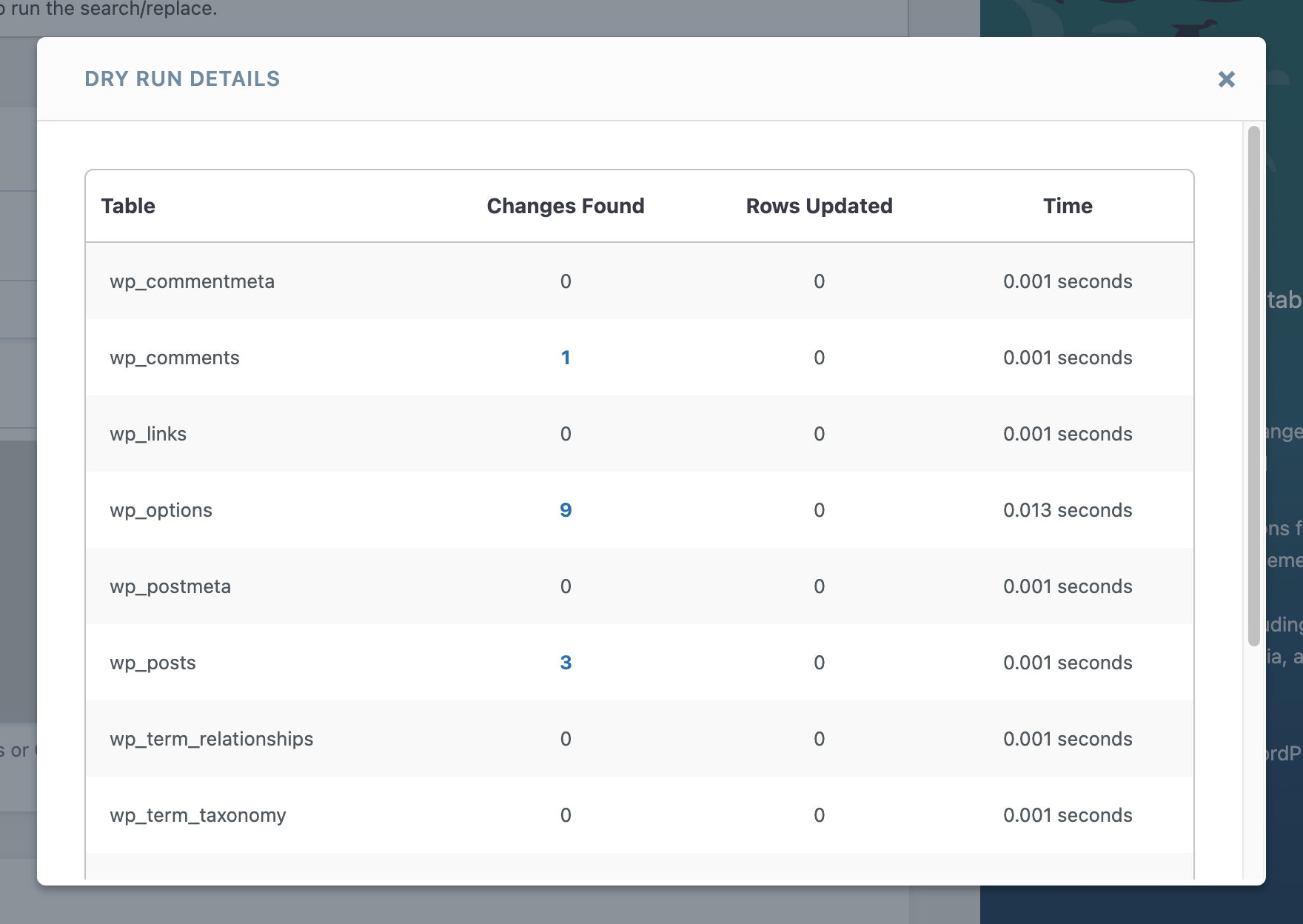
  • The ability to run a “dry run” to see how many fields will be updated
  • No server requirements aside from a running installation of WordPress
  • WordPress Multisite support

Time-saving features available in the Pro version:

  • View exactly what changed during a search/replace
  • Backup and import the database while running a search/replace
  • Priority email support from the developer of the plugin
  • Save or load custom profiles for quickly repeating a search/replace in the future
  • Support and updates for 1 year

Learn more about Better Search Replace Pro

The search and replace functionality is heavily based on interconnect/it’s great and open-source Search Replace DB script, modified to use WordPress native database functions to ensure compatibility.

Want to contribute?

Feel free to open an issue or submit a pull request on GitHub.

The opening of the plugin's own description. The full text, installation notes and changelog are on its WordPress.org page.

Questions the author answers

Using Better Search Replace

Once activated, Better Search Replace will add a page under the “Tools” menu page in your WordPress admin.

Is my host supported?

Yes! This plugin should be compatible with any host.

Can I damage my site with this plugin?

Yes! Entering a wrong search or replace string could damage your database. Because of this, it is always advisable to have a backup of your database before using this plugin.

How does this work on WordPress Multisite?

When this plugin is installed on a WordPress multisite network:

  • Subsite administrators can only search and replace within tables that belong to that subsite by visiting Dashboard > Tools > Better Search Replace from WP Admin of the subsite.
How can I use this plugin when changing URLs?

If you’re moving your site from one server to another and changing the URL of your WordPress installation, the approach below allows you to do so easily without affecting the old site:

  • Backup the database on your current site
  • Install the database on your new host
  • On the new host, define the new site URL in the wp-config.php file, as shown here

Latest changelog entry

1.4.11 – June 29, 2026

  • New: Requires WordPress 6.2+
  • New: Requires PHP 8.1+
  • Fix: Core tables altered to have compound primary keys are now properly handled during search and replace
  • Fix: SQL injection vulnerability on multibyte charsets (GBK, Big5) has been resolved by replacing charset-unaware string escaping with $wpdb->prepare() (props to jonghan via Intigriti)
  • Fix: Improved security and stability

Screenshots

From WordPress.org.

Tagged

Plugins that share its tags

Search and replace text, images, URLs, footer credits, code blocks or jQuery-Ajax content in real time or in Database, easy user-interface

Installs
40,000+
Rating
4.6 (171)
Updated
5 days ago

#477 by installs

Go Live Update Urls

by Mat Lipe

Change the domain on your site with one click.

Installs
90,000+
Rating
4.5 (59)
Updated
4 days ago

#587 by installs

Real-Time Find and Replace

by Marios Alexandrou

Set up find and replace rules that are executed AFTER a page is generated by WordPress, but BEFORE it is sent to a user's browser.

Installs
70,000+
Rating
4.5 (82)
Updated
2 months ago

Where this page's numbers come from

Read from the WordPress.org plugin API on , when WordPress 7.1.4 was the current release. WordPress.org rounds active installs into buckets. These are the directory's figures, not my verdict, and I haven't tested this plugin.