Type to search.

#483 by installscommercial

Booking for Appointments and Events Calendar – Amelia

by Melograno Venture StudioVersion 2.4.14

Amelia is a powerful booking plugin for appointments and events. Manage scheduling, calendars, and availability with an all-in-one booking system.

Active installs
90,000+
#483 of 1,000
Downloads, all time
1.7M
1,682,267
Downloads, 30 days
59.5K
21K in the last 7
Rating
4.6 / 5
793 reviews
Last updated
4 days ago
Oct 27, 2026
Version
2.4.14
64 releases

Upkeep and compatibility

Last updatedOctober 27, 2026Updated in the last 3 months
Tested up toWordPress 7.1.4Covers WordPress 7.1.4, the current release
Needs WordPress6.5 or newer
Needs PHP7.4 or newer
First publishedDecember 11, 2018
Support, last two months6 of 7 threads resolved (86%)

Reviews

4.6 / 5 from 793 reviews

Reviews by star rating
5 stars678
4 stars30
3 stars12
2 stars15
1 star58

Downloads, last 30 days

Low 323 a dayHigh 9.4K a day

What the author says it does

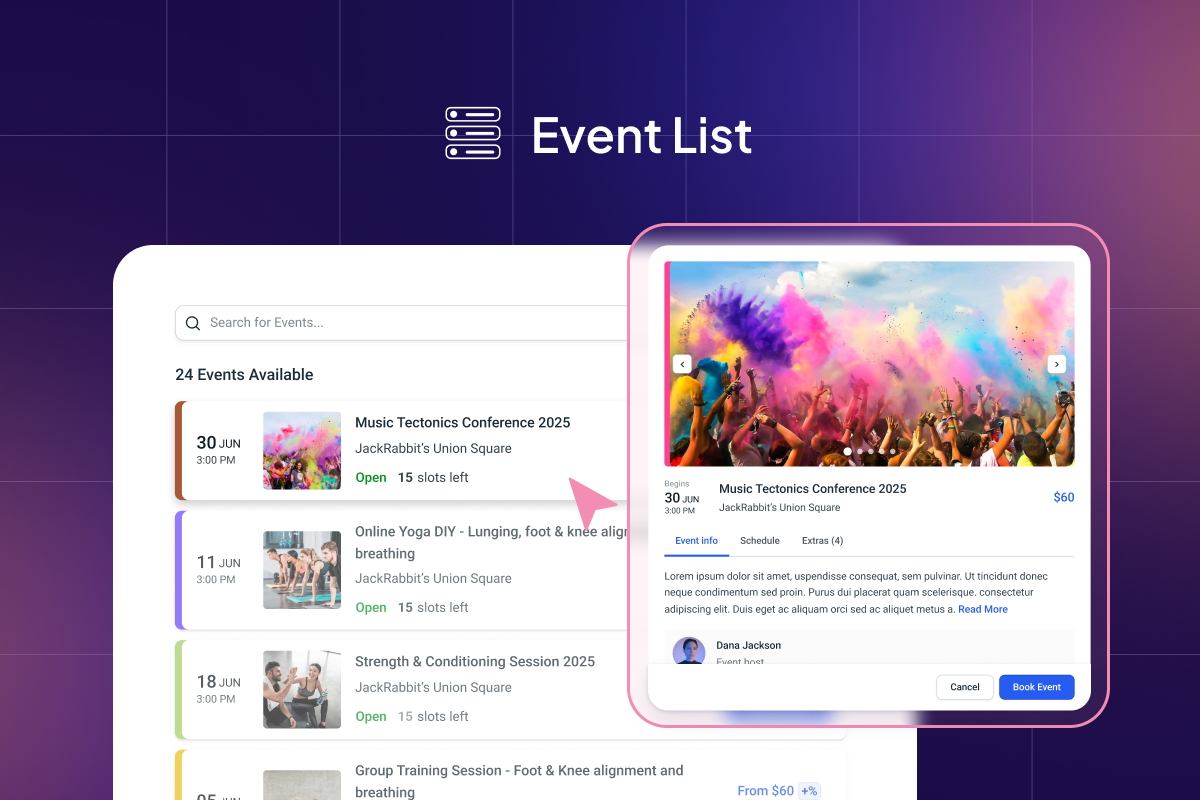
Experience the most powerful booking system for appointments and event booking on WordPress! Amelia (wpamelia) is a reliable booking calendar that automates online appointment scheduling and event booking processes.

Our easy-to-use scheduling and event booking WordPress plugin has an intuitive design and provides you and your clients with an unparalleled booking experience.

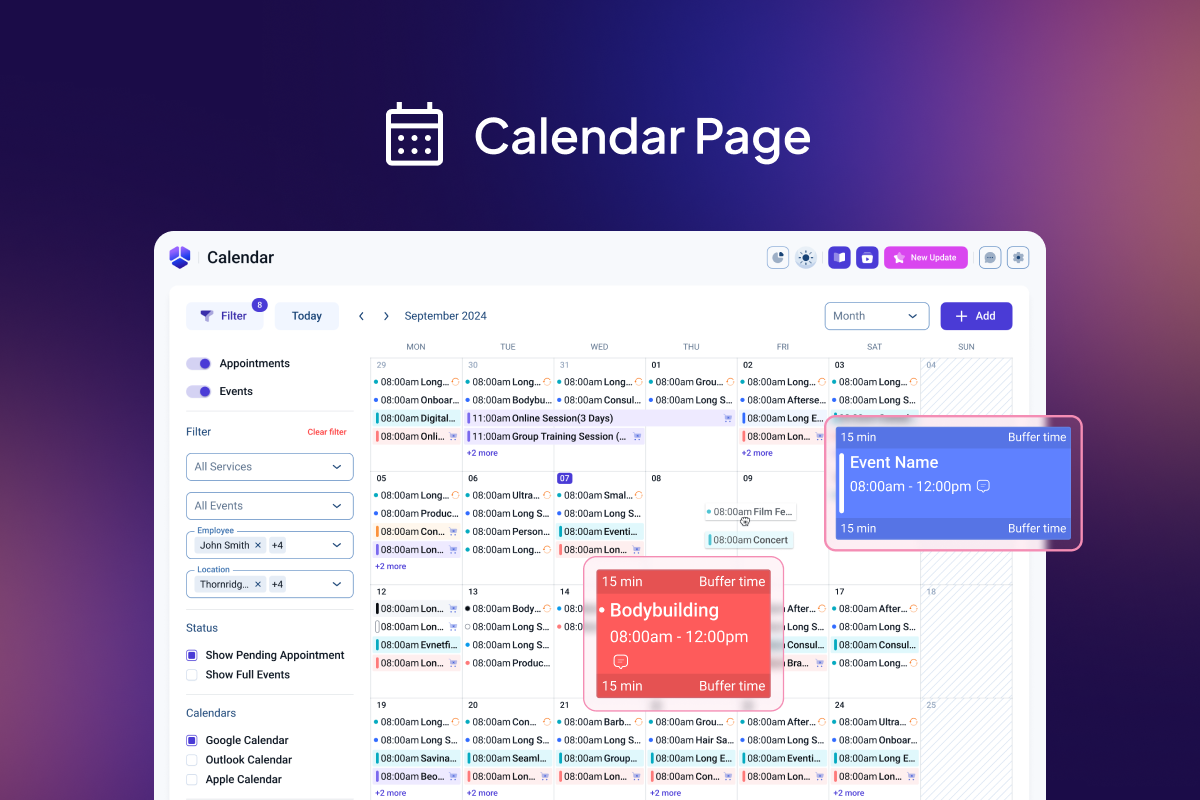
Amelia’s booking calendar presents services and events in a perfectly organized and easy-to-navigate manner, enabling your clients to find the most convenient time slots for their appointments or to reserve their spots for upcoming events.

Amelia Lite WordPress Booking Plugin is an excellent solution for appointment-based businesses, individuals, and event management agencies. Our booking system guarantees a comfortable and user-friendly experience.

In addition, the whole booking calendar is designed with a mobile-first approach, and both the admin and customers will experience a booking system that works perfectly across various devices.

A free appointment and event scheduling app gives your business the freedom to grow 📈

  • No more no-shows with email and SMS reminders and follow-ups.
  • Reach global customers with automatically detected time/zones and online meetings and events.

The opening of the plugin's own description. The full text, installation notes and changelog are on its WordPress.org page.

Questions the author answers

Do you have a list of all Amelia Booking System shortcodes?

Yes, here is the list of available shortcodes to show your booking system:

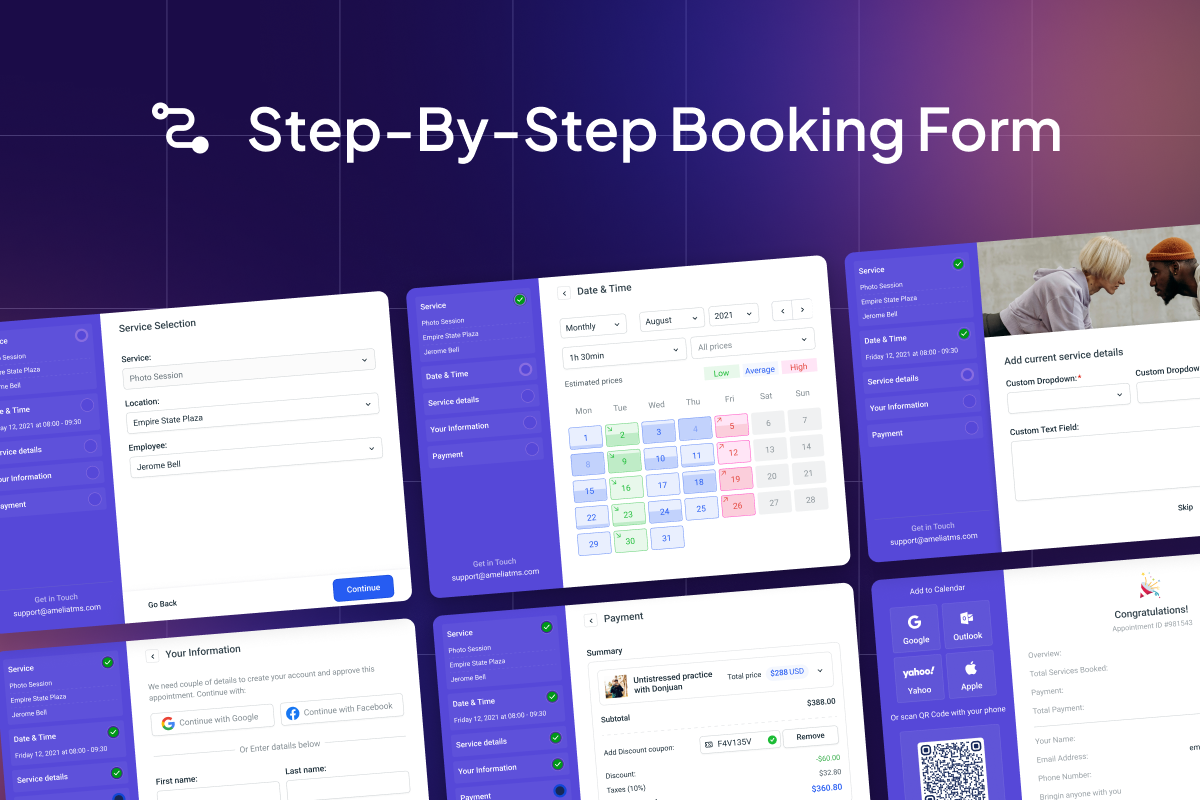
  • [ameliastepbooking layout=1] – If you offer services and appointments booking and want to show them in a step-by-step booking process.
  • [ameliacatalogbooking] – If you offer a huge number of services and you want to show them in a Catalog booking view.
Where can I set a schedule?

To set your working hours and assign services to each working period, go to the Settings page, open Company settings and you will see the Working hours tab where you can create different working periods for each day and choose which services will be available for booking in each period.

I have configured my working hours and services but all dates are unavailable on the booking calendar, what should I do?

The reason for this can be if your services have a duration longer than your working periods are, if a service cannot fit in the working period that date will be shown as unavailable on the calendar.

Do you have integrations with page builders?

Yes, of course, besides the Classic Editor and Gutenberg blocks, you can also use Divi and Elementor page builders to set up your booking form.

Can I use the Amelia booking system in other languages?

At the moment, Amelia Booking System has German, Spanish, French, Italian, Portuguese, Brazilian Portuguese, Dutch, Danish, Belgian, Swedish, Norwegian, Catalonian, Ukrainian, Romanian, Hungarian, Greek, Arabic, Slovak, Finnish, Japanese, Polish, Czech, Hebrew, Russian and Chinese translations.

Why doesn’t the color, configured in “Customize” apply to the front-end?

When you apply a new style (change colors and font styles for the booking form) in the “Customize” section, you will need to delete the stored cache in your browser, for the changes to be visible on the front end.

Latest changelog entry

v2.4.14

This update includes important security fixes. We strongly recommend updating to this version immediately:

*BugFix: Security vulnerability patches and improvements.

*Additional minor bug fixes and stability improvements.

*Note: If you use a page caching plugin, please clear the cache after updating so booking forms display correctly.

v2.4.13

This update includes important security fixes. We strongly recommend updating to this version immediately:

*BugFix: Security vulnerability patches and improvements.

*Additional minor bug fixes and stability improvements.

v2.4.12

Screenshots

From WordPress.org.

Tagged

Plugins that share its tags

#719 by installs

Simply Schedule Appointments

by NSquared

Unlimited appointments, booking calendars, and notifications. Powerful appointment booking plugin and booking system. Start scheduling for free today!

Installs
50,000+
Rating
5.0 (155)
Updated
17 days ago

Where this page's numbers come from

Read from the WordPress.org plugin API on , when WordPress 7.1.4 was the current release. WordPress.org rounds active installs into buckets. These are the directory's figures, not my verdict, and I haven't tested this plugin. The author takes donations at their donate page.