
Sequential Order Number for WooCommerce
Sequential order number for WooCommerce is the best plugin to generate sequential or custom order numbers for existing and new WooCommerce orders.
- Active installs
- 50,000+
- #759 of 1,000
- Downloads, all time
- 936.4K
- 936,374
- Downloads, 30 days
- 25K
- 5.9K in the last 7
- Rating
- 4.9 / 5
- 146 reviews
- Last updated
- 11 days ago
- Oct 20, 2026
- Version
- 1.8.2
- 83 releases
Upkeep and compatibility
| Last updated | October 20, 2026Updated in the last 3 months |
|---|---|
| Tested up to | WordPress 7.1.4Covers WordPress 7.1.4, the current release |
| Needs WordPress | 6.0 or newer |
| Needs PHP | 7.0 or newer |
| First published | April 20, 2018 |
| Support, last two months | 1 of 1 threads resolved (100%) |
Reviews
4.9 / 5 from 146 reviews
| 5 stars | 139 |
|---|---|
| 4 stars | 1 |
| 3 stars | 2 |
| 2 stars | 0 |
| 1 star | 4 |
Downloads, last 30 days
What the author says it does
The Sequential Order Number for WooCommerce plugin helps organize order numbers in custom formats using prefixes, suffixes, starting numbers and increments. This allows you to format or rearrange both existing and new WooCommerce order numbers into a clear consecutive sequence, making order tracking simple and consistent.
Why are WooCommerce order numbers not in sequential order?
The reason is quite simple! WordPress uses a single ID system for posts, pages, and media files. WooCommerce uses the same ID system to generate order numbers. This means that when a new WooCommerce order is created, it may not always receive the next number in sequence because that ID may have already been used by another post or page. As a result, WooCommerce order numbers can appear to skip or break sequence.
However, using this custom order number plugin, you will always get sequential numbers for your WooCommerce orders.
When you activate the sequential order number plugin, you can easily organize WooCommerce order numbers in a custom sequence. If your store has no existing orders, numbering will begin at 1 or at any custom starting number you set. If you already have existing orders, the plugin will continue the sequence from the latest order number.
To get a complete walkthrough of the WooCommerce sequential order plugin settings, check out this video
The opening of the plugin's own description. The full text, installation notes and changelog are on its WordPress.org page.
Questions the author answers
Can I do custom formatting for the WooCommerce order numbers?
Yes, you can set a custom prefix and start number.
Does it work with subscription orders?
Yes, The plugin supports WooCommerce subscriptions.
Can I reset WooCommerce order numbers on yearly basis?
Yes. You can set WooCommerce order numbers to reset automatically on a daily, monthly, or yearly basis. This feature is available in the premium version.
Can I set an order number prefix/suffix?
You can set a custom prefix for WooCommerce order numbers using the plugin.
Can I add custom order number width?
Yes, you can set a custom order number width.
How to make my payment gateway plugin compatible with the sequential order plugin?
Using the below tweak you can make your payment/invoice/shipping plugin compatible with the Sequential orders. Instead of referencing $order->id or $order->get_id() when fetching order data, use $order->get_order_number()
Latest changelog entry
- [Compatibility] – Tested OK with WooCommerce 11.2.1
See changelog for all versions
Screenshots
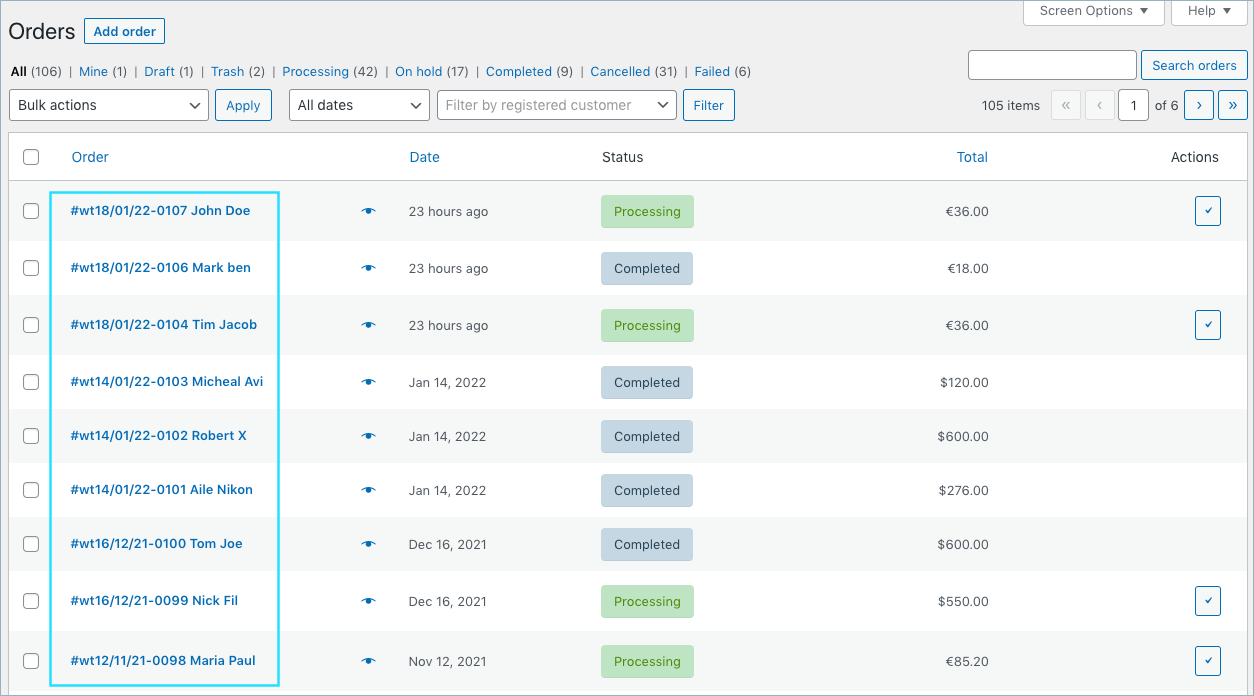
Sequential order numbers in WooCommerce shop order page 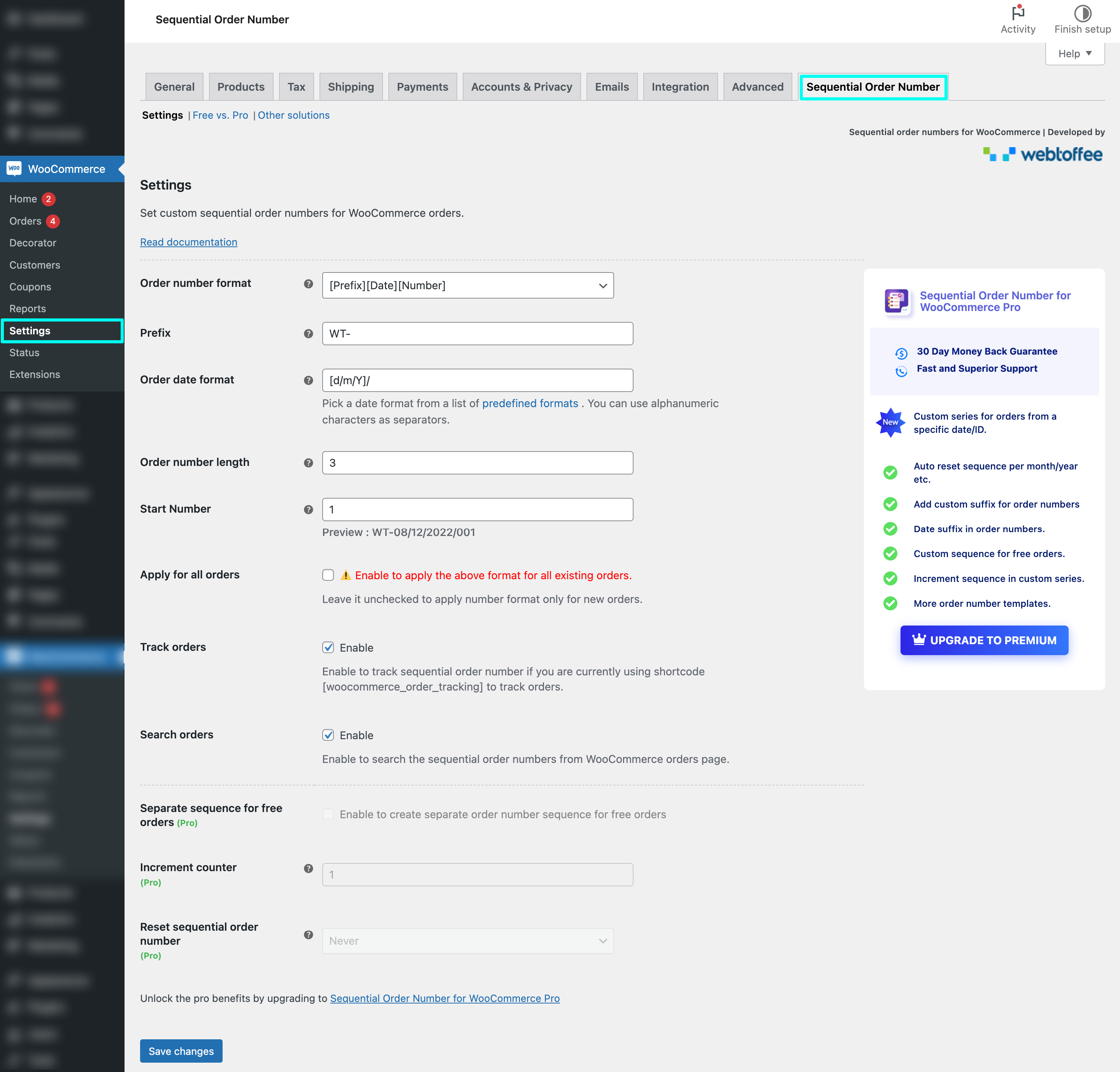
WooCommerce sequential order number settings
Tagged
Where this page's numbers come from
Read from the WordPress.org plugin API on , when WordPress 7.1.4 was the current release. WordPress.org rounds active installs into buckets. These are the directory's figures, not my verdict, and I haven't tested this plugin. The author takes donations at their donate page.