
WP Last Modified Info
Ultimate Last Modified Plugin for WordPress with Gutenberg support. Use shortcodes to show last modified info on WP 4.7+ sites.
- Active installs
- 40,000+
- #893 of 1,000
- Downloads, all time
- 712.5K
- 712,495
- Downloads, 30 days
- 5.5K
- 1.5K in the last 7
- Rating
- 4.9 / 5
- 854 reviews
- Last updated
- 9 months ago
- Jan 30, 2026
- Version
- 1.9.6
- 92 releases
Upkeep and compatibility
| Last updated | January 30, 2026Updated in the last year |
|---|---|
| Tested up to | WordPress 6.9.11Older than WordPress 7.1.4, the current release |
| Needs WordPress | 4.7 or newer |
| Needs PHP | 7.0 or newer |
| First published | April 26, 2018 |
| Support, last two months | 0 of 1 threads resolved (0%) |
Reviews
4.9 / 5 from 854 reviews
| 5 stars | 830 |
|---|---|
| 4 stars | 14 |
| 3 stars | 4 |
| 2 stars | 0 |
| 1 star | 6 |
Downloads, last 30 days
What the author says it does
WP Last Modified Info: the Ultimate Last Modified plugin
Most WordPress themes usually show the date when a post was last published. This is fine for most blogs and static websites. However, WordPress is also used by websites where old articles are regularly updated. This last updated date and time is important information for those publications. The most common example is news websites. They often update old stories to show new developments, add corrections, or media files. If they only added the published date, then their users would miss those updates.
Many popular blogs and websites don’t show any date on their articles. This is a bad practice and you should never remove dates from your blog posts.
So now it is possible to add last modified/updated info on your WordPress posts and pages. Just install and activate this and configuration is very easy.
Like WP Last Modified Info plugin? Consider leaving a 5-star review.
What does this plugin do?
This plugin automatically inserts last modified or updated info on your WordPress posts (including custom post types) and pages. It is possible to use shortcode [lmt-post-modified-info] for a manual insert. This plugin also adds ‘dateModified’ schema markup in WordPress posts automatically and it is used to tell the last modified date & time of a post or a page to various search engines like Google, Bing etc.
The opening of the plugin's own description. The full text, installation notes and changelog are on its WordPress.org page.
Questions the author answers
Is there any admin interface for this plugin?
Yes. You can access this from ‘Settings > WP Last Modified Info’.
How to use this plugin?
Go to ‘Settings > WP Last Modified Info’, enable/disable options as per your need and save your changes.
How to check this plugin is working?
After enabling options in ‘Settings > WP Last Modified Info’, open any page or post and you can see the change.
How this plugin works?
This plugin hooks into the WordPress content area and displays the last modified information on posts and pages.
Will it requires editing code to show Last Modified date?
Not at all. You can show the revised info by just installing this plugin. Use the Plugin Settings to customize the date/time format according to your need.
Is this plugin compatible with any themes?
Yes, this plugin is compatible with any theme. Also, compatible with Genesis, Divi themes.
Latest changelog entry
Release Date: January 30, 2026
- Fixed: Missing permission check on bulk edit.
- Tested with WordPress v6.9.
Screenshots

Show last modified info on the front end. 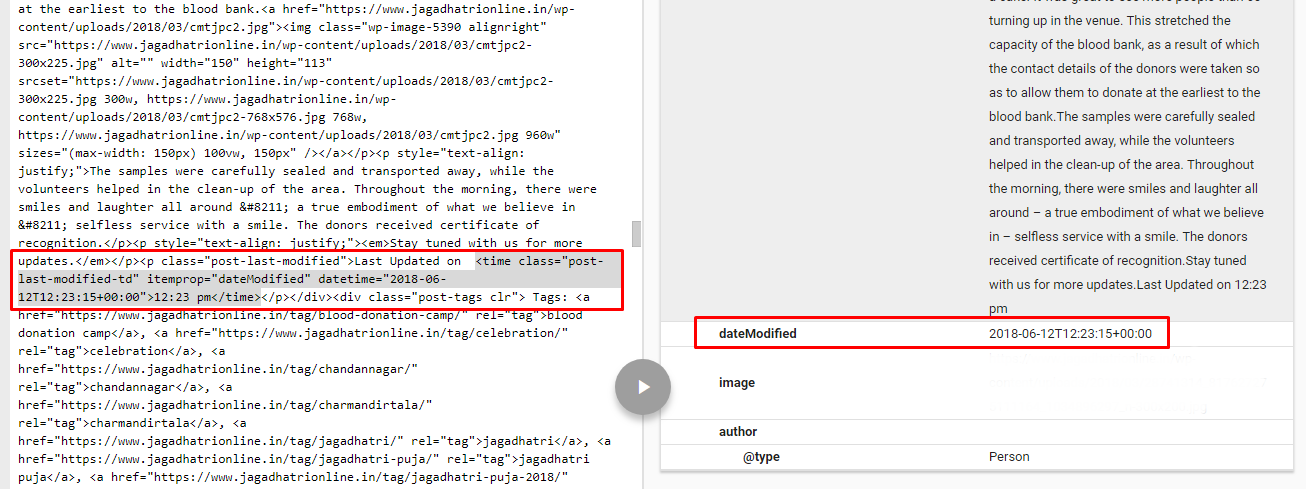
Google Structured data result. 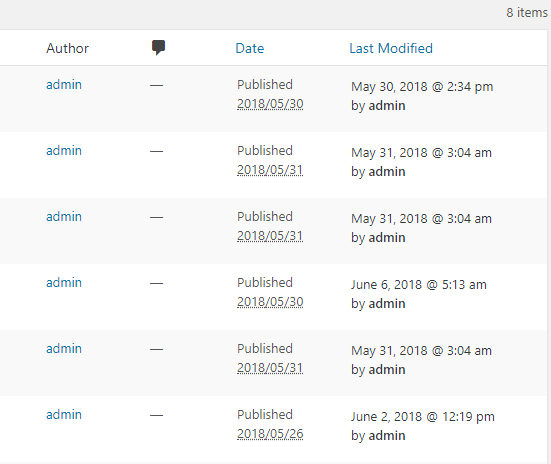
Post / Page / Custom post types admin column: Last Modified column with author name. 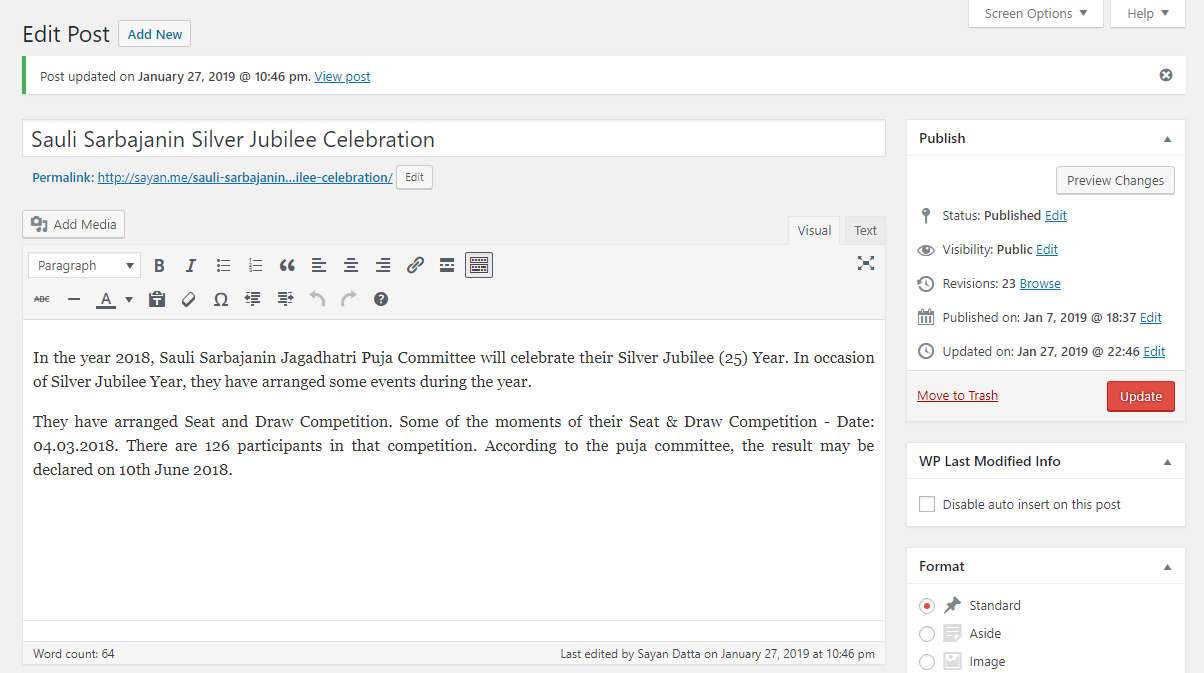
Added last modified/updated info on post/page publish box and in post updated message.
Tagged
Where this page's numbers come from
Read from the WordPress.org plugin API on , when WordPress 7.1.4 was the current release. WordPress.org rounds active installs into buckets. These are the directory's figures, not my verdict, and I haven't tested this plugin. The author takes donations at their donate page.