
External Links – nofollow, noopener & new window
Internal links & external links manager: open in new window or tab, control nofollow, ugc, sponsored & noopener. SEO friendly.
- Active installs
- 90,000+
- #499 of 1,000
- Downloads, all time
- 1.8M
- 1,827,112
- Downloads, 30 days
- 9K
- 2K in the last 7
- Rating
- 4.3 / 5
- 247 reviews
- Last updated
- 3 months ago
- Aug 16, 2026
- Version
- 2.66
- 69 releases
Upkeep and compatibility
| Last updated | August 16, 2026Updated in the last 3 months |
|---|---|
| Tested up to | WordPress 7.1.4Covers WordPress 7.1.4, the current release |
| Needs WordPress | 4.2 or newer |
| Needs PHP | 7.2 or newer |
| First published | February 27, 2011 |
| Support, last two months | 1 of 1 threads resolved (100%) |
Reviews
4.3 / 5 from 247 reviews
| 5 stars | 194 |
|---|---|
| 4 stars | 7 |
| 3 stars | 8 |
| 2 stars | 6 |
| 1 star | 32 |
Downloads, last 30 days
What the author says it does
Manage all external & internal links on your site. Control icons, nofollow, noopener, ugc (User Generated Content), sponsored and if links open in new window or new tab.
WP Links plugin was completely rebuilt in v2 and has lots of new features, like noopener, ugc and sponsored values for rel; font icons, internal links options and full WPMU support.
Link Scanner – PRO feature
Check every single link on your site! See if it’s broken or not, if it’s redirected, what’s the target and rel attribute and what page exactly it’s linking to. This feature is a part of the WP Links PRO plugin.
Having problems with spam, bots, or AI scrapers? Have a look at our free Captcha plugin used on over 200,000 sites.
Features
- Manage external and internal links
- Open links in new window or tab
- Add follow or nofollow (for SEO)
- Add noopener and noreferrer (for security)
- Add ugc (User Generated Content) and sponsored values to rel (Google announcement)
- Add link icons (FontAwesome and Dashicons)
- Set other attributes like title and CSS classes
- Scan complete page (or just posts, comments, widgets)
- SEO friendly
- Link Scanner – check all links on your site – PRO feature
- Exit Confirmation – protect visitors and traffic when external links are clicked – PRO feature
- Link Rules – create advanced link rules for chosen link groups – PRO feature
And more…
The opening of the plugin's own description. The full text, installation notes and changelog are on its WordPress.org page.
Questions the author answers
I want certain posts or pages to be ignored by the plugin. How?
Just use the option “Skip pages or posts” under the tab “Exceptions”.
For a more custom approach use the action wpel_apply_settings:
add_action( ‘wpel_apply_settings’, function () {
global $post;
$ignored_post_ids = array( 1, 2, 4 );
if ( in_array( $post->ID, $ignored_post_ids ) ) { return false; }
return true; }, 10 );
Using this filter you can ignore any request, like certain category, archive etcetera.
I want specific links to be ignored by the plugin. How?
There’s an option for ignoring links containing a certain class (under tab “Exceptions”).
For a more flexible check on ignoring links you could use the filter wpel_before_apply_link:
add_action( ‘wpel_before_apply_link’, function ( $link ) {
// ignore links with class “some-cls”
if ( $link->has_attr_value( ‘class’, ‘some-cls’ ) ) {
$link->set_ignore();
}
}, 10 );
How to create a redirect for external links? (f.e. affiliate links)
Create redirect by using the wpel_link action. Add some code to functions.php of your theme, like:
add_action( 'wpel_link', function ( $link ) { // check if link is an external links if ( $link->is_external() ) { // get current url $url = $link->get_attr( 'href' );
// set redirect url $redirect_url = '//somedom.com?url='. urlencode( $url ); $link->set_attr( 'href', $redirect_url ); } }, 10, 1 );
How to open external links in a new popup window?
By adding this JavaScript code to your site:
jQuery(function ($) { $('a[data-wpel-link="external"]').click(function (e) { // open link in popup window window.open($(this).attr('href'), '_blank', 'width=800, height=600');
// stop default and other behaviour e.preventDefault(); e.stopImmediatePropagation(); }); });
See more information on the window.open() method.
How to add an confirm (or alert) when opening external links?
Add this JavaScript code to your site:
jQuery(function ($) { $('a[data-wpel-link="external"]').click(function (e) { if (!confirm('Are you sure you want to open this link?')) { // cancelled e.preventDefault(); e.stopImmediatePropagation(); } }); });
How to open PDF files in a new window?
Use some JavaScript code for opening PDF files in a new window:
jQuery(function ($) { $('a[href$=".pdf"]').prop('target', '_blank'); });
Latest changelog entry
- 2026-07-24
- minor fixes
Screenshots
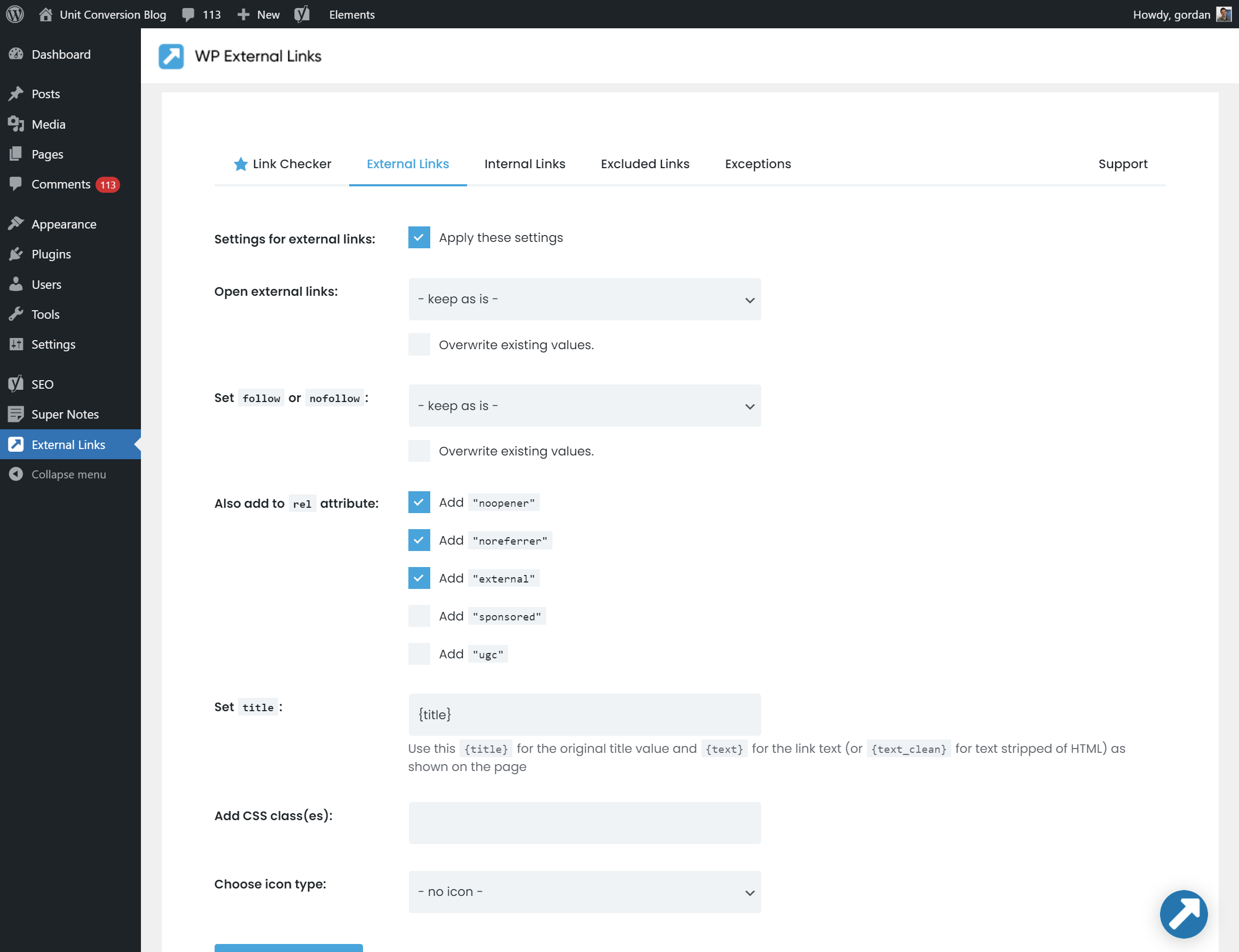
Admin Settings Page 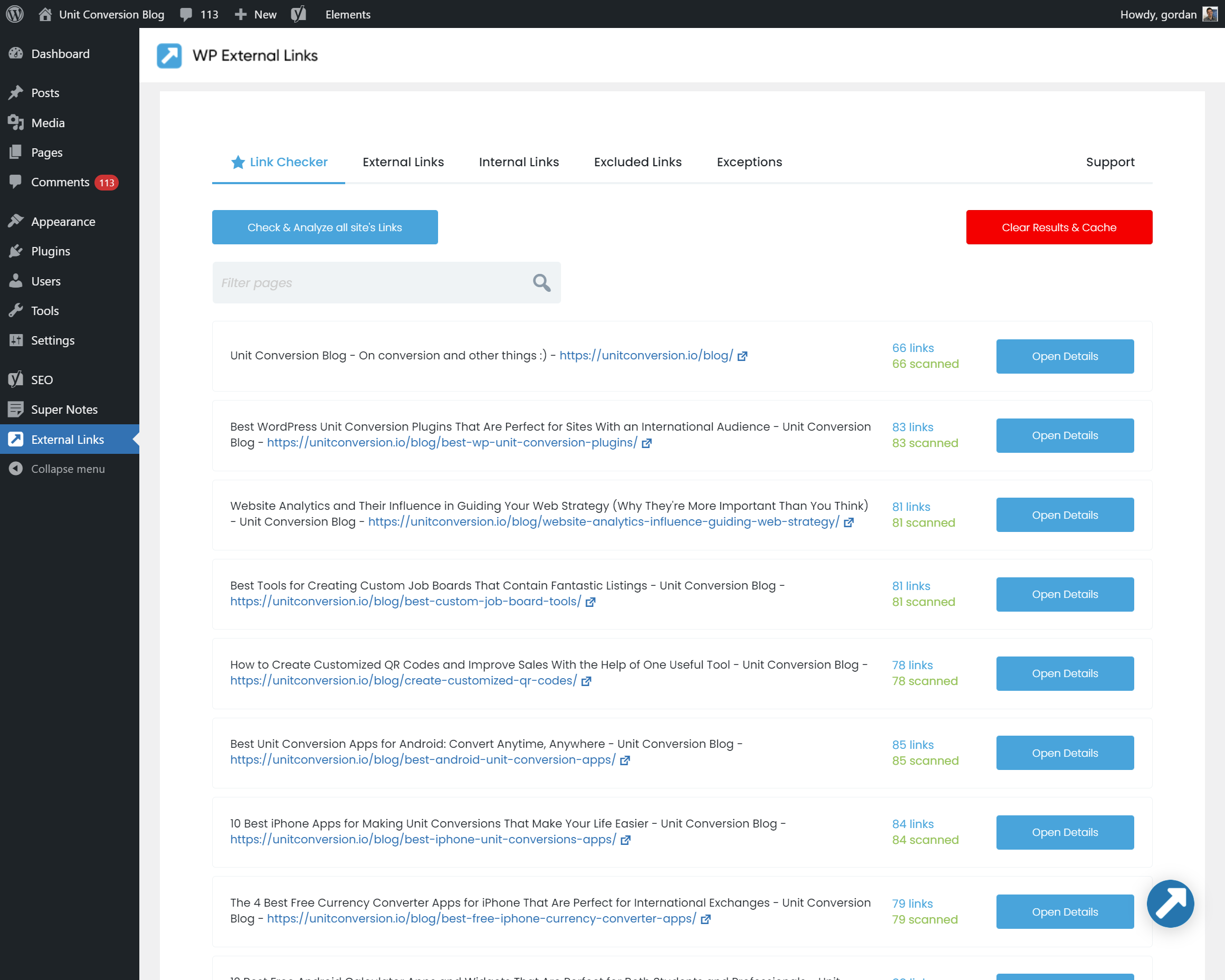
Link Checker / Link Tester 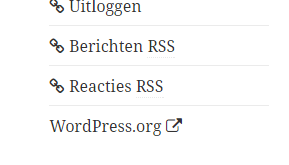
Link Icons
Tagged
Where this page's numbers come from
Read from the WordPress.org plugin API on , when WordPress 7.1.4 was the current release. WordPress.org rounds active installs into buckets. These are the directory's figures, not my verdict, and I haven't tested this plugin.