#67 by installs
Widgets for Google Reviews
Google Reviews Widget for WordPress. Display Google reviews in 1 minute with 45 professional layouts. Build trust, boost SEO, and increase sales.
- Installs
- 1+ million
- Rating
- 4.9 (2.7K)
- Updated
- 2 days ago

Google Reviews plugin for WordPress. Set up in a minute. No API keys or sign-in. Free, GDPR, review updates, multiple places, widgets and shortcodes.
| Last updated | October 20, 2026Updated in the last 3 months |
|---|---|
| Tested up to | WordPress 7.1.4Covers WordPress 7.1.4, the current release |
| Needs WordPress | 6.0 or newer |
| Needs PHP | 7.2 or newer |
| First published | October 8, 2016 |
| Support, last two months | 7 of 7 threads resolved (100%) |
4.9 / 5 from 1,623 reviews
| 5 stars | 1,551 |
|---|---|
| 4 stars | 37 |
| 3 stars | 7 |
| 2 stars | 7 |
| 1 star | 21 |
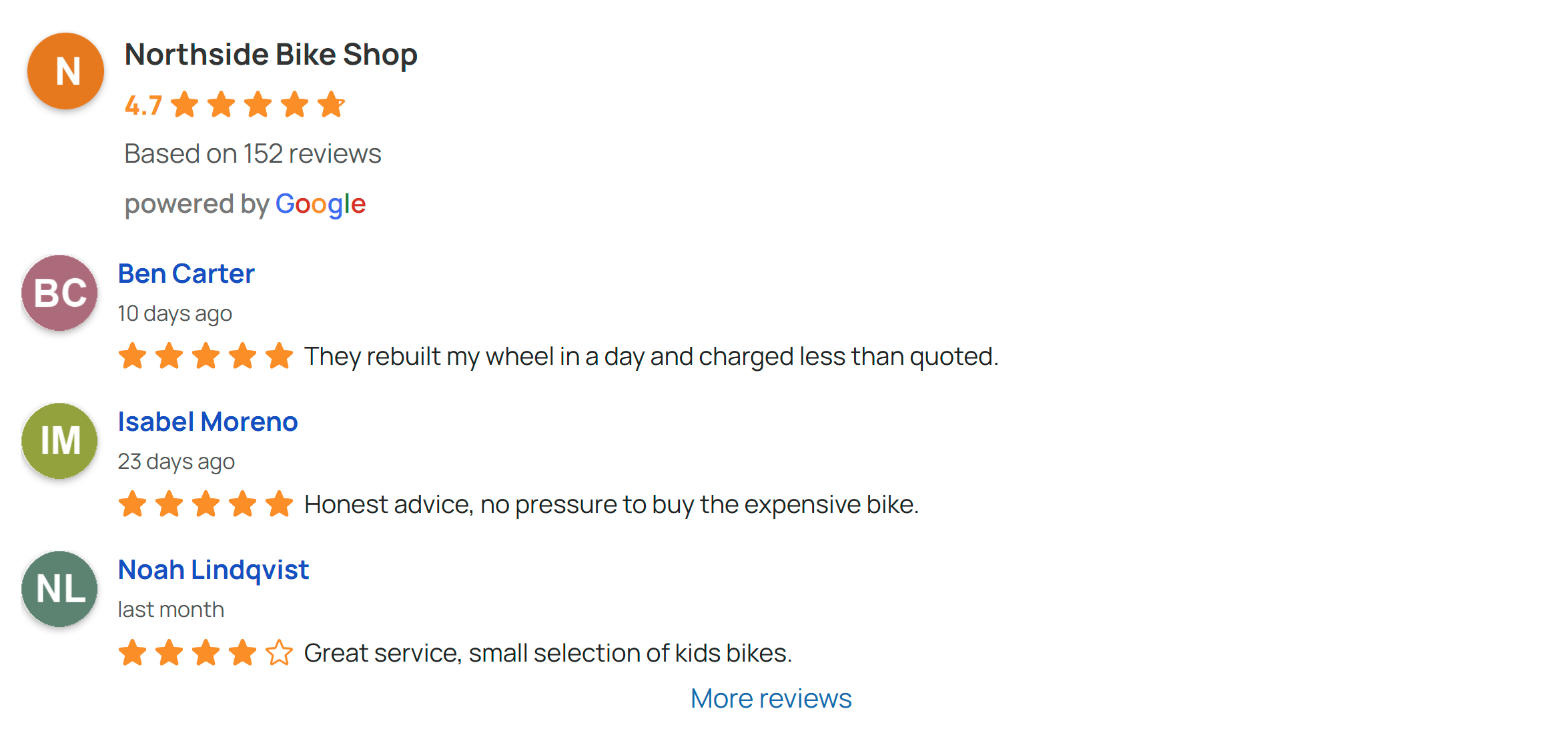
Build instant trust with visitors by showing your real Google reviews and star rating right on your WordPress site. Setup takes less than a minute — no coding, no API key required for the first 10 reviews.
There are no limits on how many Google business locations you can connect, and you can create as many widgets or shortcodes as needed to place reviews across your site. The plugin is easy to use and helps build trust with your visitors by displaying real Google reviews and your overall rating.
Active on 100,000+ WordPress sites.
Want to see how it works? Watch the short demo below to see how quickly you can get started – or simply try it in the Live Preview.
Google reviews slider, grid, list and rating
Embed Google reviews with Elementor, Gutenberg, WPBakery or a shortcode
The opening of the plugin's own description. The full text, installation notes and changelog are on its WordPress.org page.
No, you can connect and display up to 10 Google reviews without any API key – just paste your Google Maps URL or Place ID and you’re done. An API key is only needed if you want reviews to update automatically. We provide a step-by-step guide in the plugin’s Support section showing how to create a free Google API key.
Yes. All review data, business photos, and reviewer avatars are stored locally on your WordPress site after the initial connection. No external requests are made when visitors load your pages, so no personal data is shared with Google or any third party on page view. There’s also an option to display only the first name and initial of the reviewer’s last name.
Yes, there are no limits on the number of Google Business places you can connect. Reviews from multiple locations can be combined in a single widget and sorted by date, or you can create separate widgets for each location.
Yes, when you add your own free Google API key, the plugin will refresh reviews on a daily schedule. Without an API key, the initial 10 reviews are loaded once; you can fetch the latest reviews at any time from the Places page.
Yes. The plugin provides a native Gutenberg block, a shortcode that works in any page builder (Elementor, WPBakery, Beaver Builder, Divi, SiteOrigin), and a classic sidebar widget. You can mix all three on the same site.
Open Google Reviews in the admin menu, find your business in the connection wizard and save the widget. Paste its shortcode into any page, add the Google Reviews block in the editor, or place the classic widget in a sidebar.



#67 by installs
Google Reviews Widget for WordPress. Display Google reviews in 1 minute with 45 professional layouts. Build trust, boost SEO, and increase sales.

No API key required. Display Yelp and Google reviews for any business in a clean, customizable feed on your site.

#634 by installs
Site Reviews is the best free reviews plugin. It integrates with WooCommerce & SureCart and works just like reviews on Amazon, Tripadvisor, and Yelp.
Add Facebook feeds, Instagram feeds, TikTok feeds, Facebook reviews, WhatsApp Chat, Messenger chat, Testimonial, and others using a single dashboard.
Read from the WordPress.org plugin API on , when WordPress 7.1.4 was the current release. WordPress.org rounds active installs into buckets. These are the directory's figures, not my verdict, and I haven't tested this plugin.