
Export and Import Users and Customers
Import and export WordPress users and WooCommerce customers using CSV. Migrate to your new site without any data loss.
- Active installs
- 50,000+
- #694 of 1,000
- Downloads, all time
- 3.2M
- 3,197,445
- Downloads, 30 days
- 59.9K
- 27.9K in the last 7
- Rating
- 4.8 / 5
- 442 reviews
- Last updated
- 5 days ago
- Oct 26, 2026
- Version
- 2.7.7
- 124 releases
Upkeep and compatibility
| Last updated | October 26, 2026Updated in the last 3 months |
|---|---|
| Tested up to | WordPress 7.1.4Covers WordPress 7.1.4, the current release |
| Needs WordPress | 3.0.1 or newer |
| Needs PHP | 7.4 or newer |
| First published | October 22, 2016 |
| Support, last two months | 2 of 2 threads resolved (100%) |
Reviews
4.8 / 5 from 442 reviews
| 5 stars | 412 |
|---|---|
| 4 stars | 9 |
| 3 stars | 2 |
| 2 stars | 3 |
| 1 star | 16 |
Downloads, last 30 days
What the author says it does
Import and export WordPress users and WooCommerce customers using CSV. Migrate to your new site without any data loss.
Top-Rated WordPress User Import Export Plugin
The most-rated WordPress User Import Export plugin ever! Easily import and export WordPress users and WooCommerce customers with this powerful plugin. Whether you’re moving users between websites or backing up customer data, it ensures a smooth, hassle-free migration without any data loss. Ideal for quick and reliable site transfers.
You can import or export user/customer data using CSV files. This helps effortlessly migrate or update user data on your website. No more manually adding each user or customer one by one. Just migrate or update everything in one go!
Key Features of WordPress User Import Export Plugin
🔸 Filter by User Roles, Email, and Date Range – Import or export user/customer data based on user roles, user email, and date range of when the users were added to the system.
🔸 Batch Export/Import – Process large amounts of user data efficiently in batches.
🔸 Retain User Passwords – Preserve existing user passwords when migrating to a new website.
🔸 Field Mapping & Transformation – Map and transform fields while you import WooCommerce customers or user data.
🔸 Bulk Data Modification – Modify user data in bulk using Evaluation Fields during user import.
The opening of the plugin's own description. The full text, installation notes and changelog are on its WordPress.org page.
Questions the author answers
Does this plugin export users to excel?
This plugin exports user data to CSV which can be opened with Excel and saved as an Excel file.
Does this plugin support multiple roles?
Yes. You can export import users along with multiple user roles.
Does this plugin export WooCommerce customer data?
Yes, you can export WooCommerce customer data.
Does this export users with passwords?
Yes. This plugin will export users with passwords.
Does this import users with their passwords?
Yes. This plugin will import users with the password, so users can use the same old password in the imported site as well.
Does this plugin support WooCommerce customer order CSV export?
No. You may want to use Order Export & Order Import for WooCommerce for this purpose.
Latest changelog entry
- [Improvement] – Security: hardened CSV URL import to block requests to private/internal network addresses.
See changelog for all versions
Screenshots
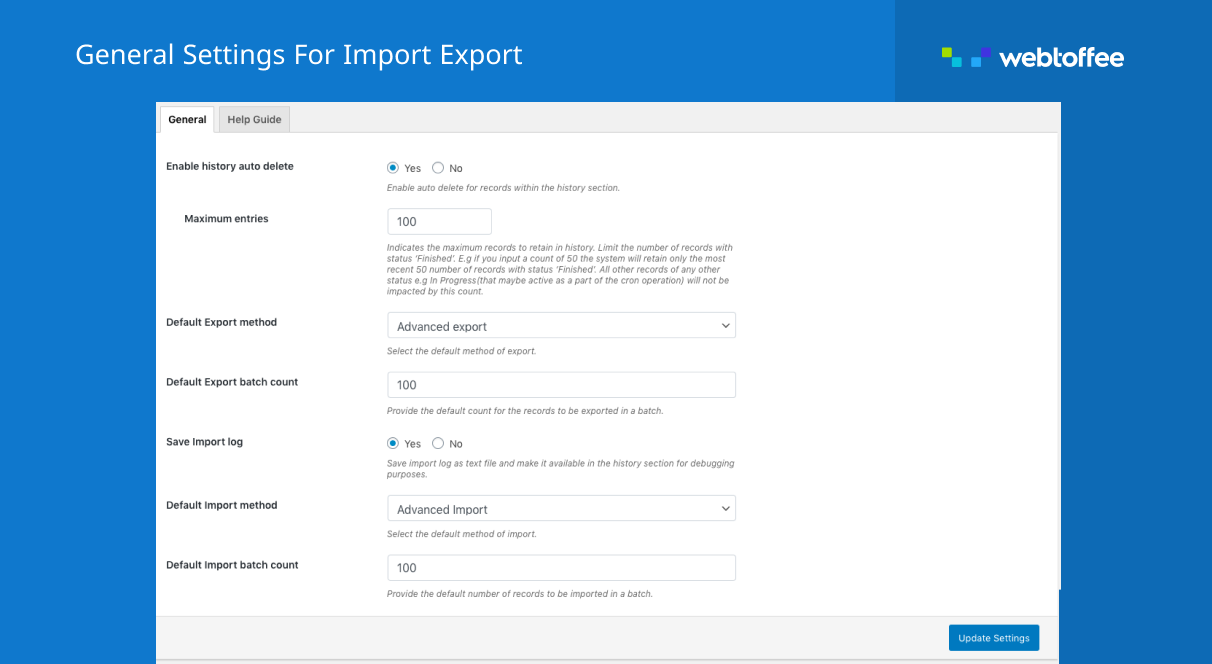
WordPress user export import plugin general settings 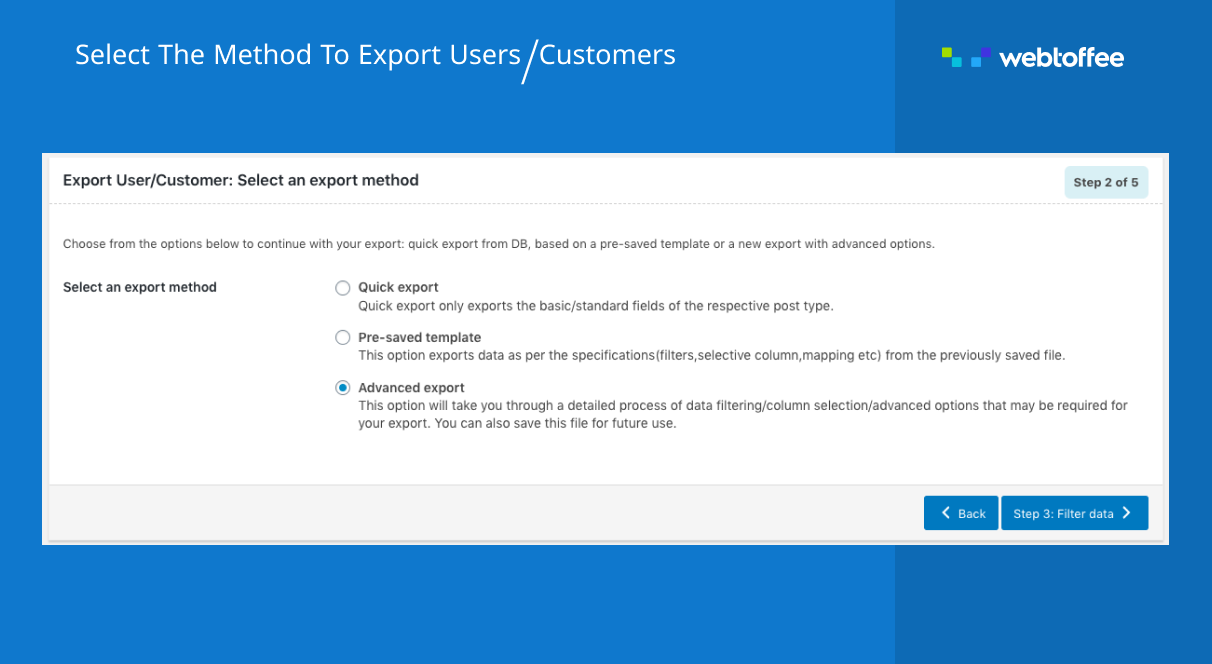
WordPress user exporter screen 
WordPress user export filters 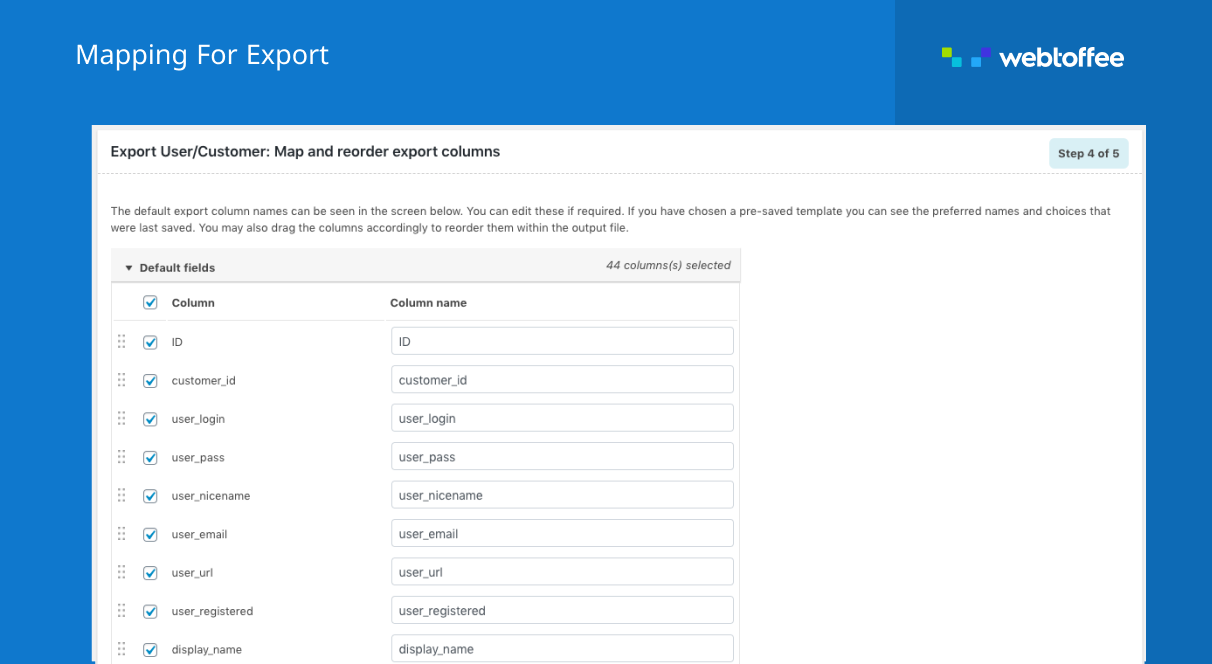
Map or re-order columns on WordPress user export
Tagged
Where this page's numbers come from
Read from the WordPress.org plugin API on , when WordPress 7.1.4 was the current release. WordPress.org rounds active installs into buckets. These are the directory's figures, not my verdict, and I haven't tested this plugin.