
#67 by installs
Widgets for Google Reviews
Google Reviews Widget for WordPress. Display Google reviews in 1 minute with 45 professional layouts. Build trust, boost SEO, and increase sales.
- Installs
- 1+ million
- Rating
- 4.9 (2.7K)
- Updated
- 2 days ago

A Customizable Testimonial plugin to Automate Collecting, Filtering, and Publishing Customer Reviews. Testimonial Slider, Grid & More to Grow Sales
| Last updated | October 30, 2026Updated in the last 3 months |
|---|---|
| Tested up to | WordPress 7.1.4Covers WordPress 7.1.4, the current release |
| Needs WordPress | 6.3 or newer |
| Needs PHP | 7.4 or newer |
| First published | June 21, 2016 |
| Support, last two months | 1 of 2 threads resolved (50%) |
4.7 / 5 from 226 reviews
| 5 stars | 198 |
|---|---|
| 4 stars | 9 |
| 3 stars | 4 |
| 2 stars | 2 |
| 1 star | 13 |
Responsive WordPress Testimonial Plugin
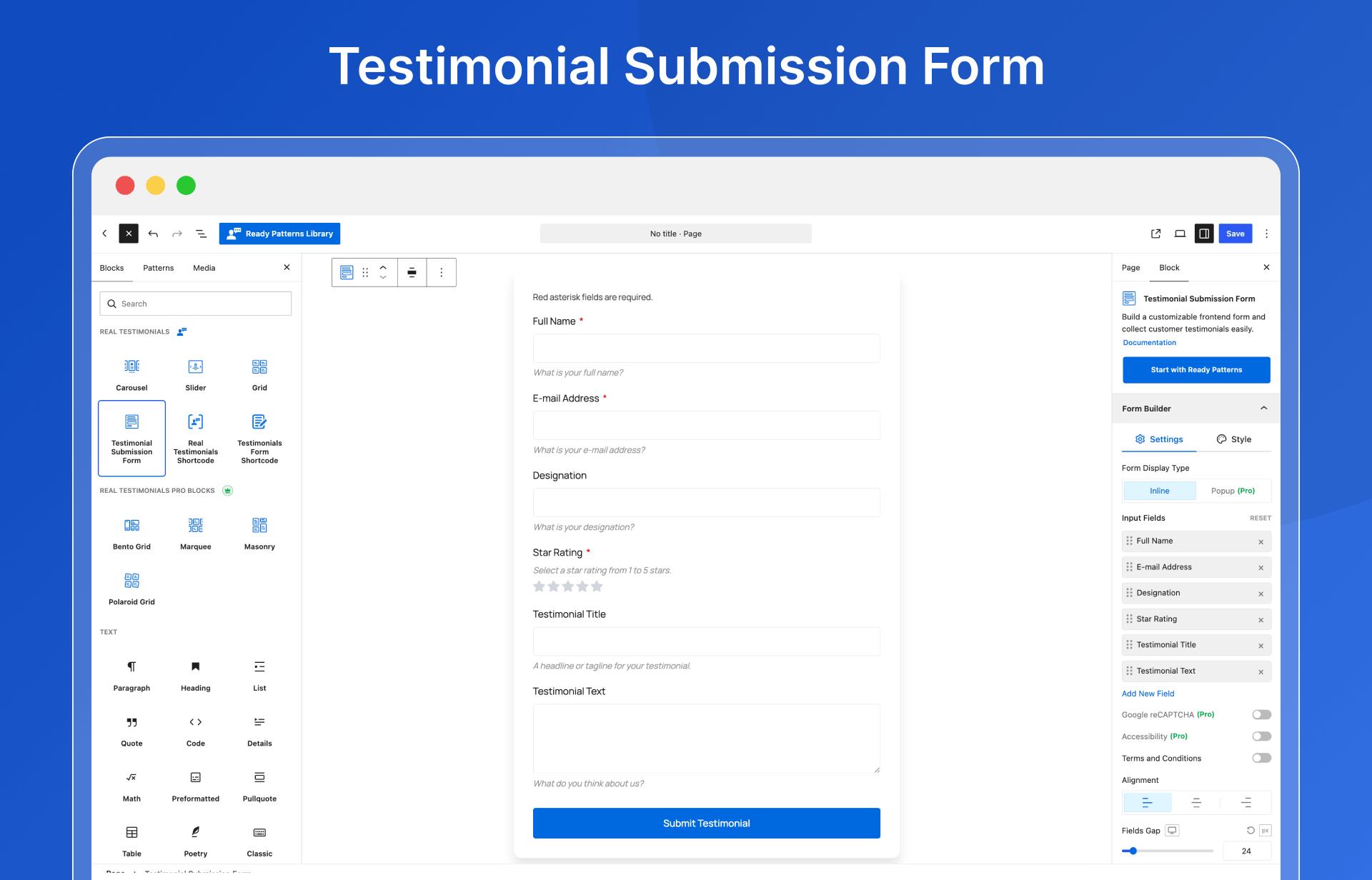
Real Testimonials is a responsive testimonial plugin for creating customer review forms, testimonial showcases, and publishing customer reviews on your WordPress site in minutes.
Customer reviews serve as social proof and can be an effective sales tool. This plugin helps you create review sliders and grids that can help increase sales and build brand loyalty.
Why You Need Testimonials on Your Website
Testimonials significantly help your business and organization grow in several ways:
✅ Grow Trust with Social Proof — Customer reviews are often more trustworthy than other content on your site.
✅ Influence Customer Decisions — Many customers read reviews before making a purchase.
✅ Improve Sales & Conversion — Positive feedback from customers can help increase sales.
✅ Gain Valuable Insights — Users’ reviews provide feedback about your products or services.
✅ Enhance Brand Reputation — Over time, reviews help build a strong brand reputation.
Live Demo | Documentation | Support
WATCH HOW TO USE
Key Features List
The opening of the plugin's own description. The full text, installation notes and changelog are on its WordPress.org page.
After activating the plugin, you will see “Real Testimonials” in the WordPress Admin Dashboard.
Firstly, go to “Add New” and add your testimonials as many as you want.
Secondly, go to Manage Views > Add New.
You can customize the setting fields as you like and publish, and you will see a generated shortcode in the top area.
Finally, you need to insert it into any page or post through the TinyMCE button easily.
Yes, the Real Testimonials is fully responsive & column-structured. You can control the number of testimonial columns on different devices (Desktop, Tablet, Mobile, etc.).
Yes. If you already have testimonials in the free version on your theme or site, you will automatically get the testimonials to use in the Pro version.
Real Testimonials Pro includes additional features that extend the functionality of the free version. If you’re interested in these advanced features, you can learn more at the Upgrade to Pro! page and view the Live Demo.
Real Testimonials works nicely with any theme if themes are developed according to the WordPress standard.
Yes, Real Testimonials is fully translation-ready, supporting .pot language files! You can translate into your language with the following popular plugins, such as WPML, Polylang, qTranslate-x, GTranslate, Google Language Translator, WPGlobus, etc.



#67 by installs
Google Reviews Widget for WordPress. Display Google reviews in 1 minute with 45 professional layouts. Build trust, boost SEO, and increase sales.

No API key required. Display Yelp and Google reviews for any business in a clean, customizable feed on your site.

#634 by installs
Site Reviews is the best free reviews plugin. It integrates with WooCommerce & SureCart and works just like reviews on Amazon, Tripadvisor, and Yelp.

Want to boost business trust & conversions? 97% of visitors hesitate to buy because of credibility. Instantly succeed with WooCommerce Sales Alert!
Read from the WordPress.org plugin API on , when WordPress 7.1.4 was the current release. WordPress.org rounds active installs into buckets. These are the directory's figures, not my verdict, and I haven't tested this plugin.