
#917 by installs
Temporary Login
Create a secure, temporary URL for easy access to your WP admin.
- Installs
- 30,000+
- Rating
- 4.2 (5)
- Updated
- 23 months ago

Give developers or support staff temporary admin access to your WordPress site — no username, no password, and it expires automatically.
| Last updated | October 1, 2026Updated in the last 3 months |
|---|---|
| Tested up to | WordPress 7.1.4Covers WordPress 7.1.4, the current release |
| Needs WordPress | 3.0.1 or newer |
| Needs PHP | 5.3 or newer |
| First published | August 3, 2016 |
| Support, last two months | 1 of 2 threads resolved (50%) |
5.0 / 5 from 1,549 reviews
| 5 stars | 1,534 |
|---|---|
| 4 stars | 9 |
| 3 stars | 2 |
| 2 stars | 1 |
| 1 star | 3 |
Temporary Login Without Password lets you create a self-expiring login link and share it with a developer, support agent, or guest editor — instead of handing over your username and password.
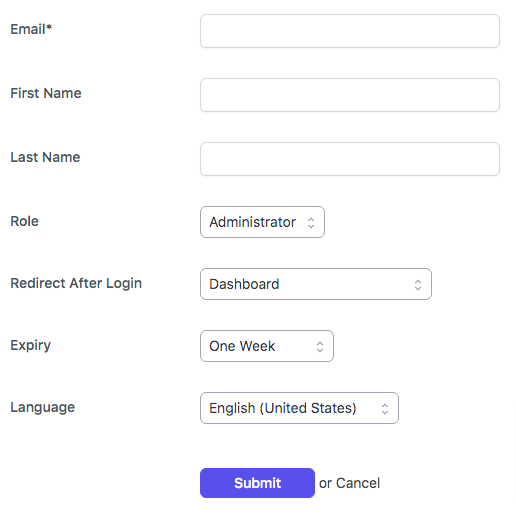
The person just clicks the link and they’re logged in. No account setup, no shared credentials, no password to remember or revoke later. You choose the role and the expiry, and access shuts off automatically when the time is up.
How it helps
Every time you share your real admin login with an outside developer, you’re trusting them with permanent access — and you have to remember to change the password after. TLWP removes that risk entirely. Generate a link, set it to expire in an hour, a day, or a custom date, and you’re done.
Benefits
Who this is for
The opening of the plugin's own description. The full text, installation notes and changelog are on its WordPress.org page.
No. TLWP generates a unique login link. The person you share it with clicks the link and is logged in automatically — there’s no username or password involved at any point, so there’s nothing for them to forget or for you to reset later.
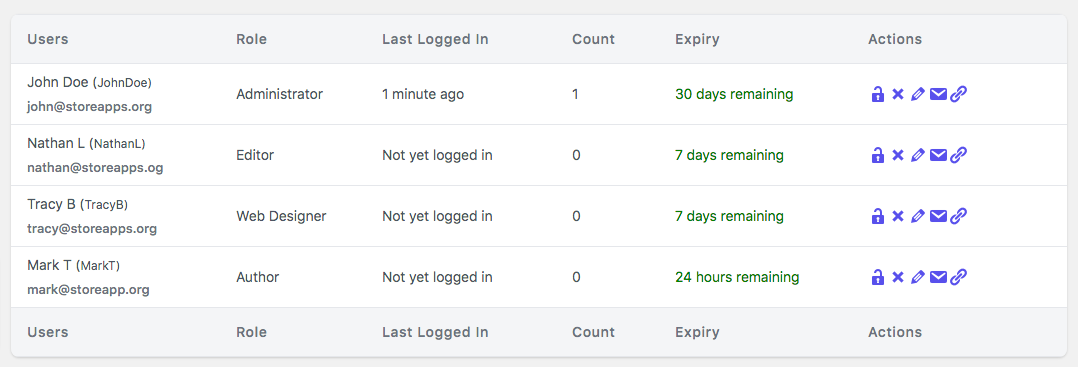
Yes. Go to Temporary Login in your dashboard and click Deactivate next to the user. This revokes access immediately, but keeps their activity log so you can review what they did. You can reactivate the same account later if needed.
Yes. Deleting a temporary user removes their login access and account. If you want a record of what they accessed before removing them, review the activity log first, since deleting the user also removes their history.
No. Temporary accounts can only be accessed through the generated link. This is intentional — it’s what keeps the access self-expiring and prevents the credentials from being reused or shared outside the link.
Not directly within the plugin at this time. If you need someone to have permanent access, create a regular WordPress user account for them separately and deactivate the temporary one.
Yes. When creating the temporary login, you can set a preferred language for that account. This is useful when a support person or developer doesn’t speak your site’s default language — they’ll see the admin dashboard in their own language.
1.9.10 [2026-10-01]
1.9.9 [2026-09-09]
#917 by installs
Create a secure, temporary URL for easy access to your WP admin.
Read from the WordPress.org plugin API on , when WordPress 7.1.4 was the current release. WordPress.org rounds active installs into buckets. These are the directory's figures, not my verdict, and I haven't tested this plugin.