
#593 by installs
kk Star Ratings – Rate Post & Collect User Feedbacks
kk Star Ratings allows blog visitors to involve and interact more effectively with your website by rating posts.
- Installs
- 70,000+
- Rating
- 3.9 (171)
- Updated
- 2 months ago

An easy-to-use testimonial plugin to collect and show customer feedback in WordPress
| Last updated | October 27, 2026Updated in the last 3 months |
|---|---|
| Tested up to | WordPress 7.1.4Covers WordPress 7.1.4, the current release |
| Needs WordPress | 5.2 or newer |
| Needs PHP | 5.6 or newer |
| First published | May 21, 2014 |
| Support, last two months | 2 of 2 threads resolved (100%) |
4.8 / 5 from 614 reviews
| 5 stars | 559 |
|---|---|
| 4 stars | 25 |
| 3 stars | 6 |
| 2 stars | 8 |
| 1 star | 16 |
An easy-to-use testimonial plugin to collect and show customer feedback in WordPress
Easily collect and publish testimonials in just a few steps. Packed with flexible features refined over the years, perfect for beginners and pros alike!
SEE HOW EASY IT IS TO GET STARTED WITH STRONG TESTIMONIALS
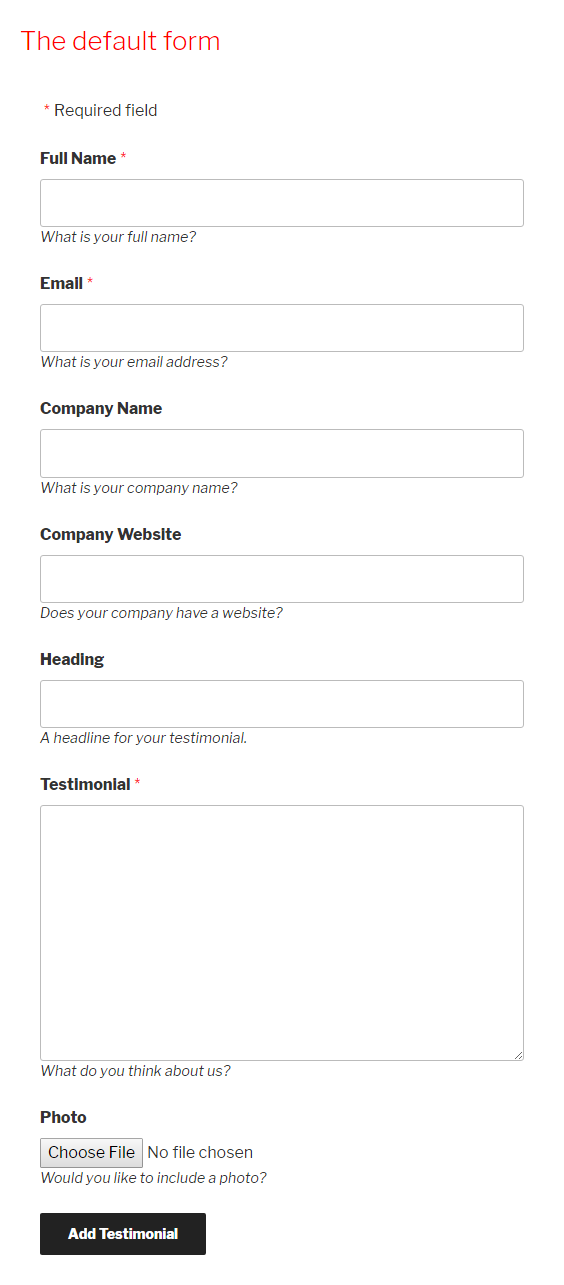
Creating your first testimonials collection form
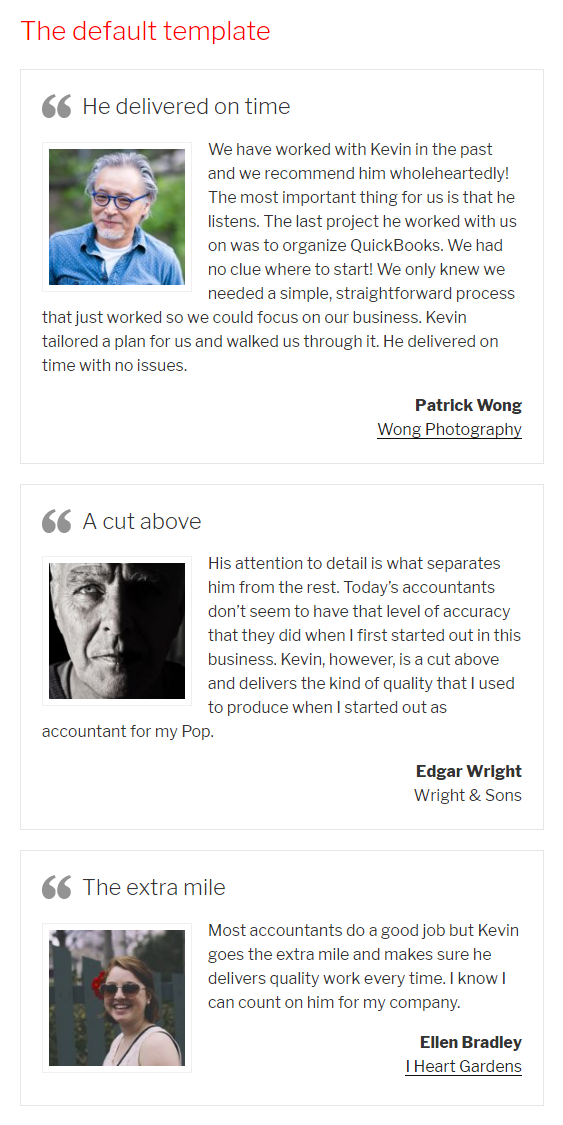
Displaying your testimonials
Premium features only available in Strong Testimonials – Paid version:
Google, Facebook, Booking, Airbnb, Yelp, Trustpilot, Capterra, and G2.
The perfect example is with a car review website. Using the Custom Fields extension, you can gather detailed testimonials that include information such as car manufacturer, model, and horsepower.
The opening of the plugin's own description. The full text, installation notes and changelog are on its WordPress.org page.
• Check the custom fields. The default set of fields are designed to suit most situations. Add or remove fields as you see fit.
• Create a view. Select Form mode.
• Add the view to a page or sidebar using its unique shortcode or the Strong Testimonials widget.
• Enter your testimonials if necessary. The plugin will not read existing testimonials from another plugin or theme. It will not import testimonials.
• Create a view. Select Display mode.
• Add the view to a page or sidebar using its unique shortcode or the Strong Testimonials widget.
• Enter your testimonials if necessary. The plugin will not read existing testimonials from another plugin or theme. It will not import testimonials.
• Create a view. Select Slideshow mode.
• Add the view to a page or sidebar using its unique shortcode or the Strong Testimonials widget.
Strong Testimonials is compatible with WPML, Polylang and WP Globus.
In WPML and Polylang, domains are added to the String Translation pages. Those domains encompass the form fields, the form messages, the notification email, and the “Read more” link text in your views. They are updated automatically when any of those settings change.
[testimonial_view] – To display your testimonials as a list or a slideshow, or to display the form. The first step is to create a view which manages all the options in an easy-to-use (some call it fun!) editor.
[testimonial_view id=1]
[testimonial_count] – To display the number of testimonials you have. For example:
Read some of our [testimonial_count] testimonials!
Yes. you can show 1, 2 or 3 at a time and you can scroll 1, 2 or 3 at a time.


#593 by installs
kk Star Ratings allows blog visitors to involve and interact more effectively with your website by rating posts.
Read from the WordPress.org plugin API on , when WordPress 7.1.4 was the current release. WordPress.org rounds active installs into buckets. These are the directory's figures, not my verdict, and I haven't tested this plugin.