
Easy Updates Manager
Manage all your WordPress updates, including individual updates, automatic updates, logs, and loads more. This also works very well with WordPress Mul …
- Active installs
- 300,000+
- #194 of 1,000
- Downloads, all time
- 8.3M
- 8,250,264
- Downloads, 30 days
- 36.7K
- 8.5K in the last 7
- Rating
- 4.8 / 5
- 726 reviews
- Last updated
- 2 months ago
- Aug 31, 2026
- Version
- 9.0.22
- 100 releases
Upkeep and compatibility
| Last updated | August 31, 2026Updated in the last 3 months |
|---|---|
| Tested up to | WordPress 7.1.4Covers WordPress 7.1.4, the current release |
| Needs WordPress | 5.1 or newer |
| Needs PHP | 5.6 or newer |
| First published | October 3, 2013 |
| Support, last two months | 2 of 2 threads resolved (100%) |
Reviews
4.8 / 5 from 726 reviews
| 5 stars | 673 |
|---|---|
| 4 stars | 16 |
| 3 stars | 5 |
| 2 stars | 6 |
| 1 star | 26 |
Downloads, last 30 days
What the author says it does
Easy Updates Manager is a light yet powerful plugin that allows you to manage all kinds of update- both on your single site install, or in WordPress Multisite. With a huge number of settings for endless configuration, Easy Updates Manager is an obvious choice for anyone wanting to take control of their website updates.
Free Features Include
- Disable all updates with one click
- Enable automatic updates with one click
- Deeply customize your automatic update settings
- Use logs to determine what and when something is updated
- Hide plugin and theme updates (if custom developed)
- Select which plugins and themes can be automatically updated
- Disable core, plugin, theme, and translation updates
- Force Updates to check that automatic updates are working
- Integrate with UpdraftPlus
- Configure email notification settings
- And much more…
Go Premium
Visit easyupdatesmanager.com to upgrade to our premium features.
Premium features include:
- Safe mode: ensures updates are compatible with your WordPress version and your server’s PHP version
- Schedule for automatic updates: runs the updates when you want them to avoid any downtime
- External logging – Get alerts when new updates have been logged
- Anonymization – Control what is sent to the WordPress API
- Delayed updates – Delay automatic updates in the case of hotfixes and frequent releases
The opening of the plugin's own description. The full text, installation notes and changelog are on its WordPress.org page.
Questions the author answers
Do you support older WordPress versions?
Version 6.x.x should support WP versions 4.0 and up. Version 4.7.0 should support WP versions 2.3 – 4.0.
Since WordPress is constantly changing, this plugin will always strive to support the latest version of WordPress. As there are many security vulnerabilities reported, please always keep WordPress as up-to-date as possible.
How do I change the WordPress update notification e-mail?
Go to the General tab in our settings. You can enter a single email address, or multiple if you comma-separate them.
Automatic Updates
Check out our video on how the automatic updating works in WordPress.
https://vimeo.com/291084023
How Do I Enable Logging?
Check out our video on how logs work.
Does Easy Updates Manager work with third-party plugins and themes?
Since third-party providers use custom update mechanisms, we cannot always guarantee that they will work with Easy Updates Manager. Most will, but there are a number of common mistakes that plugin authors can make.
Additional Information and FAQ
For additional information and FAQs for Easy Updates Manager check out our website.
Latest changelog entry
- FIX: Delayed plugin updates now stay in the list when the WordPress updates cron runs outside the user’s scheduled automatic-update time, ensuring updates remain scheduled based on their initial first-time occurrence.
- TWEAK: Updated some affected code fragments to satisfy the WordPress.Security.NonceVerification.Recommended PHPCS rule.
Screenshots
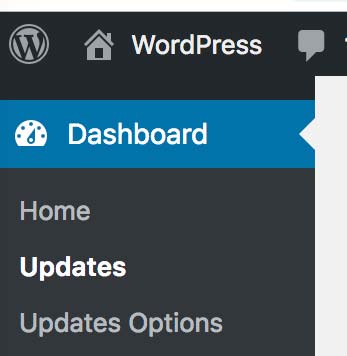
Single site install settings page location 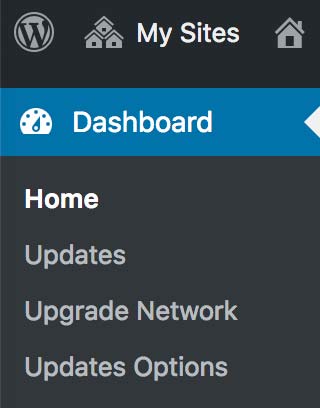
Multisite install settings page location 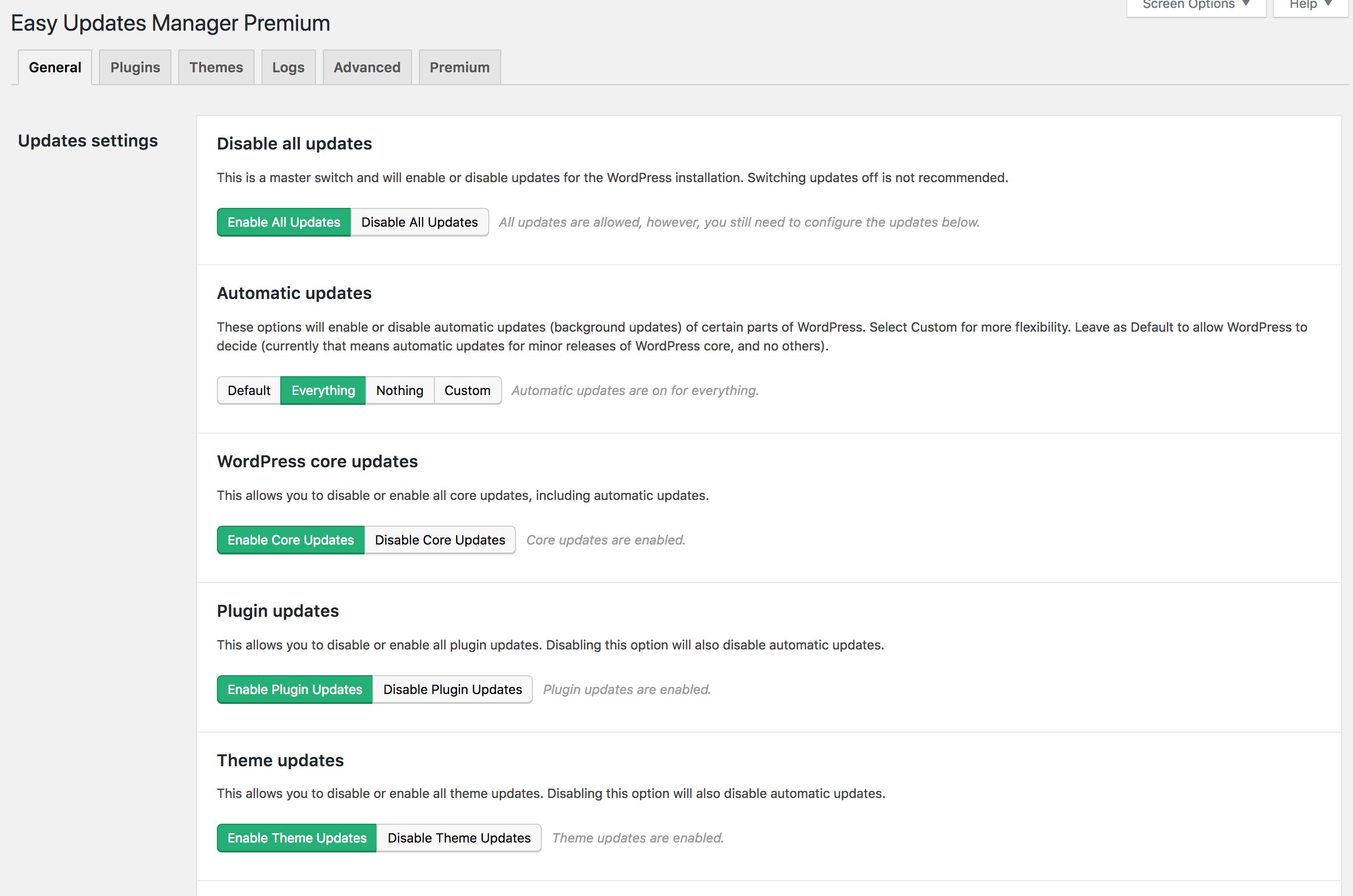
General Tab with main options 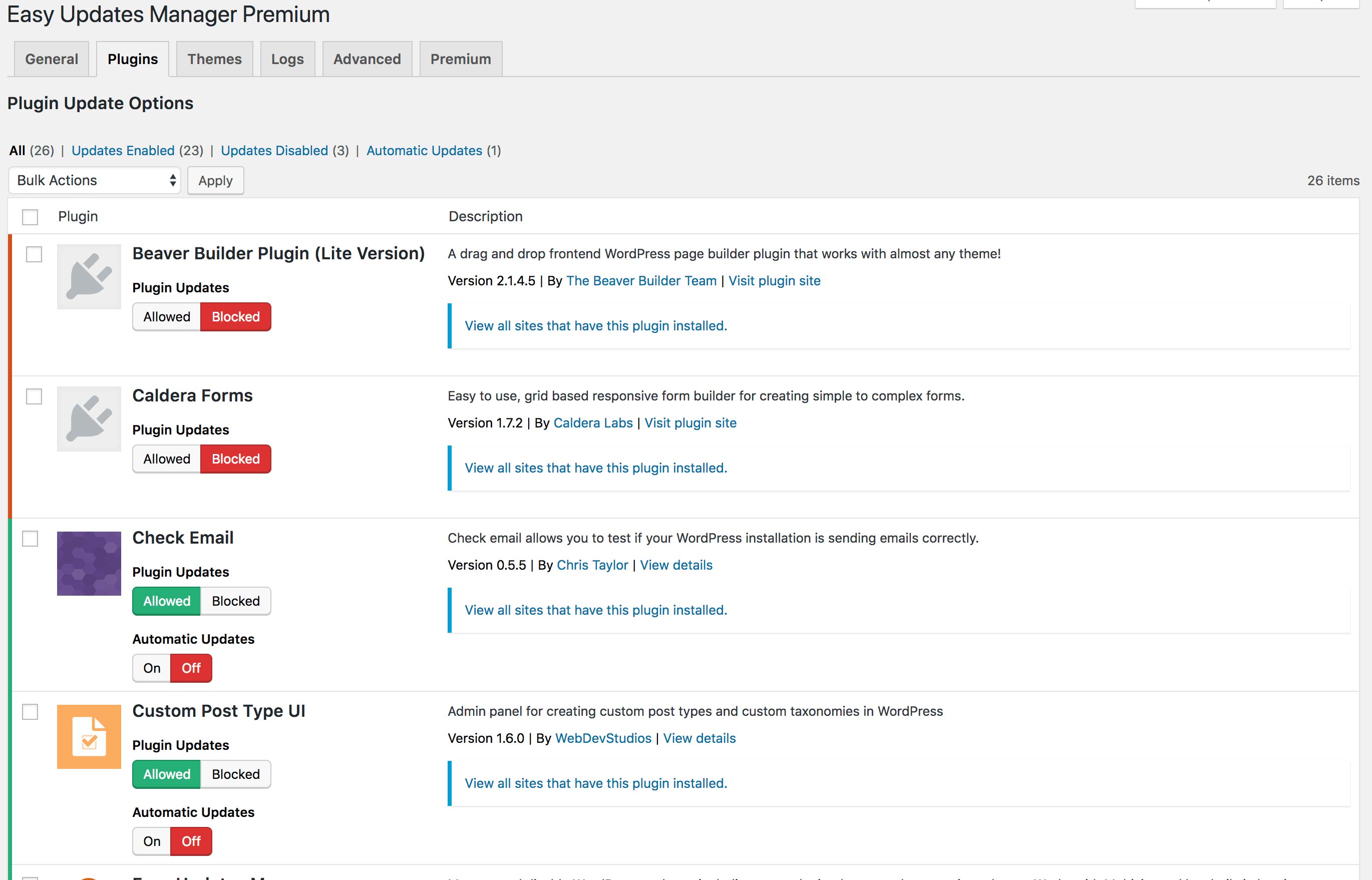
Plugins tab with individual options allowed
Tagged
Where this page's numbers come from
Read from the WordPress.org plugin API on , when WordPress 7.1.4 was the current release. WordPress.org rounds active installs into buckets. These are the directory's figures, not my verdict, and I haven't tested this plugin. The author takes donations at their donate page.