
#144 by installs
CookieAdmin – Cookie Consent Banner
CookieAdmin provides easy to configure cookie consent banner with GDPR, CCPA and India's DPDP Act 2023 support.
- Installs
- 400,000+
- Rating
- 5.0 (4)
- Updated
- 19 days ago

Display a simple banner/bar at the top or bottom of your website. Now with multi-banner support.
| Last updated | October 15, 2026Updated in the last 3 months |
|---|---|
| Tested up to | WordPress 7.1.4Covers WordPress 7.1.4, the current release |
| Needs WordPress | 3.0.1 or newer |
| Needs PHP | Not stated |
| First published | July 14, 2015 |
| Support, last two months | 1 of 1 threads resolved (100%) |
4.8 / 5 from 45 reviews
| 5 stars | 43 |
|---|---|
| 4 stars | 0 |
| 3 stars | 0 |
| 2 stars | 0 |
| 1 star | 2 |
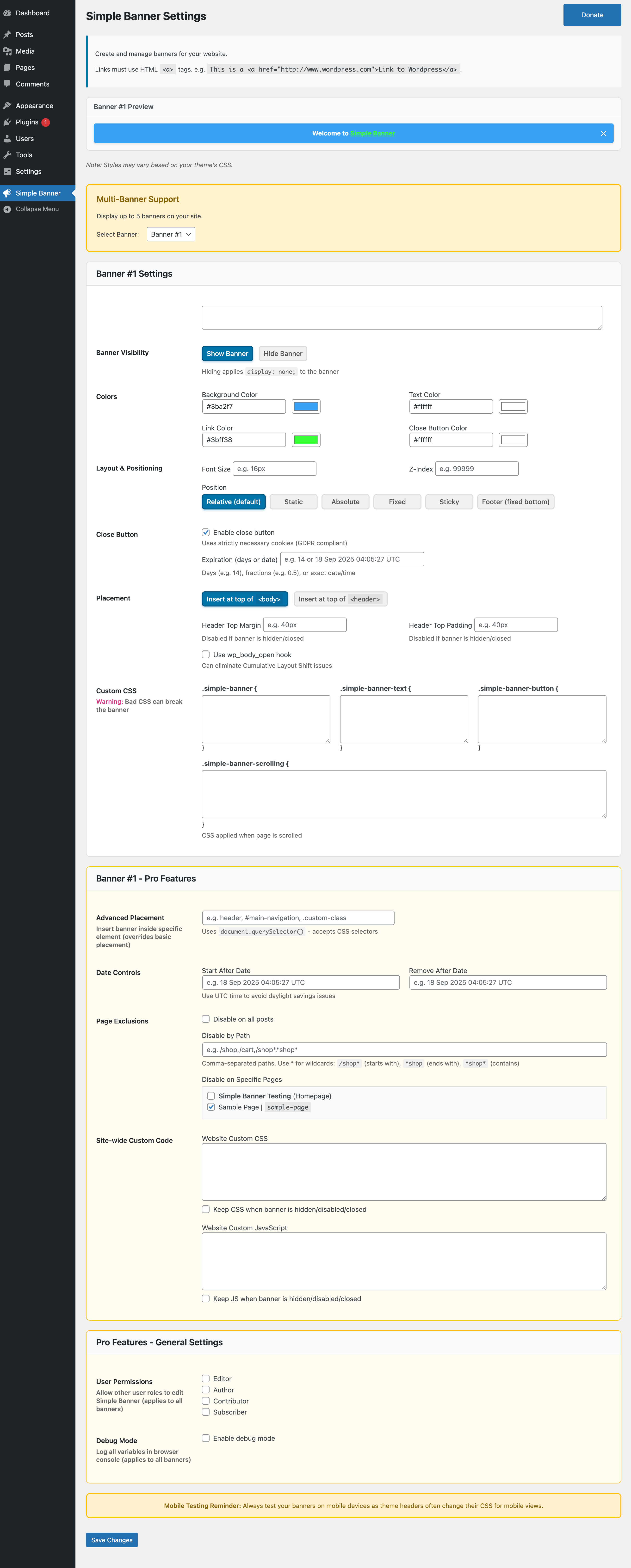
This plugin makes it easy to display a simple announcement banner or bar at the top of your website. You can easily customize the color of the links, text, and background of the bar from within the settings. You can also customize to your heart’s desire by adding your own custom CSS. There’s also a fancy preview section within the settings so you can see your changes before you save them.
Now with multi-banner support
With Pro features you can display up to 5 separate banners on your site. Banners can be shown simultaneously or plan weeks of banners by showing them consecutively.
The opening of the plugin's own description. The full text, installation notes and changelog are on its WordPress.org page.
This is how the banner will look in your HTML:
<div id="simple-banner" class="simple-banner"> <div class="simple-banner-text"> <span> YOUR SIMPLE BANNER TEXT HERE </span> </div> </div>
Your browser frequently caches scripts associated with a website in order to improve speed and performance. There are also some
wordpress plugins that cache scripts to improve performance. If you aren’t seeing your banner or the changes you made to the banner,
first clear your browser cache and if that doesn’t work, look for any plugin that bundles or caches scripts and clear that as well.
Your theme probably uses absolute positioning for its header in this case. Try changing the positioning of your banner or change “Prepend element” to <header> and see if that helps. If none of this works, you may need a custom solution for your banner. You can either try to find another plugin that suits your needs or you can purchase the pro version and open a support ticket to fix your situation.
Yes, but you should look through the support topics before you decide if you need the pro version.
Yes, they are used only if you enable the close button. These cookies fall under the category of “strictly necessary cookies” and do not need consent from the user, more information here.
If cookies are disabled on the user’s browser, the banners close button expiration setting will not work and the banner will show on each refresh.
You can clear your browser’s cookies or in the browser’s console you can execute:
document.cookie = "simplebannerclosed=; expires=Thu, 01 Jan 1970 00:00:00 UTC; path=/";
You can also set your Close button expiration to blank, 0, or a date in the past. This method may require a refresh or two of the browser on your website page.



#144 by installs
CookieAdmin provides easy to configure cookie consent banner with GDPR, CCPA and India's DPDP Act 2023 support.

#399 by installs
A simple image widget that uses the native WordPress media manager to add image widgets to your site.

#414 by installs
Enable and disable email notifications that WordPress sends to the admin and user. Works perfectly with many other plugins!

#802 by installs
Easily lets you create a bar on top or bottom to display a notification.
Read from the WordPress.org plugin API on , when WordPress 7.1.4 was the current release. WordPress.org rounds active installs into buckets. These are the directory's figures, not my verdict, and I haven't tested this plugin. The author takes donations at their donate page.