
#21 by installs
Redirection
Manage 301 redirects, track 404 errors, and improve your site. No knowledge of Apache or Nginx required.
- Installs
- 2+ million
- Rating
- 4.4 (703)
- Updated
- 42 days ago

| Last updated | October 12, 2026Updated in the last 3 months |
|---|---|
| Tested up to | WordPress 7.1.4Covers WordPress 7.1.4, the current release |
| Needs WordPress | 4.6 or newer |
| Needs PHP | 5.6 or newer |
| First published | June 29, 2021 |
| Support, last two months | 2 of 2 threads resolved (100%) |
5.0 / 5 from 419 reviews
| 5 stars | 413 |
|---|---|
| 4 stars | 3 |
| 3 stars | 0 |
| 2 stars | 0 |
| 1 star | 3 |
Try it out on your free dummy site: Click here => https://tastewp.com/plugins/redirect-redirection.
(this trick works for all plugins in the WP repo – just replace “wordpress” with “tastewp” in the URL)
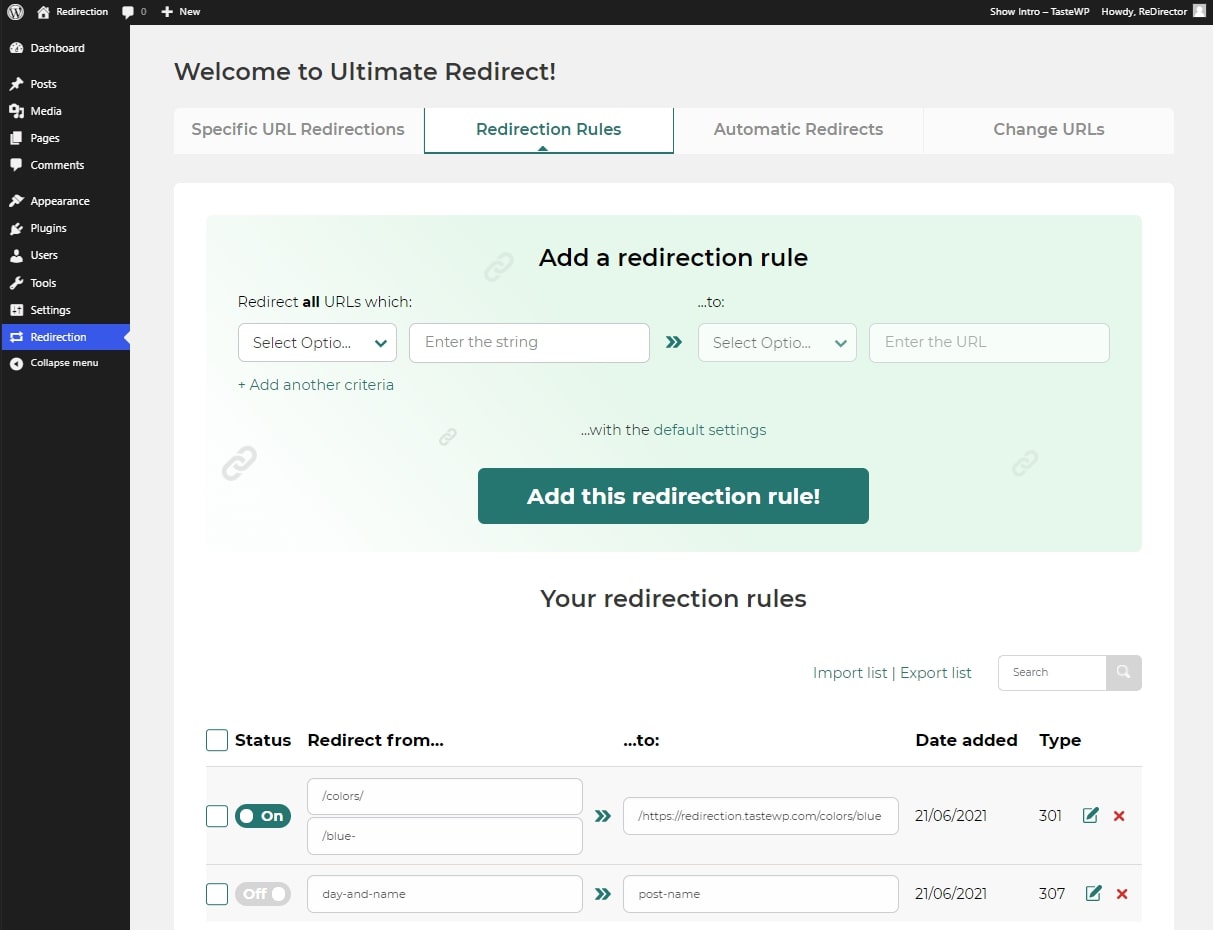
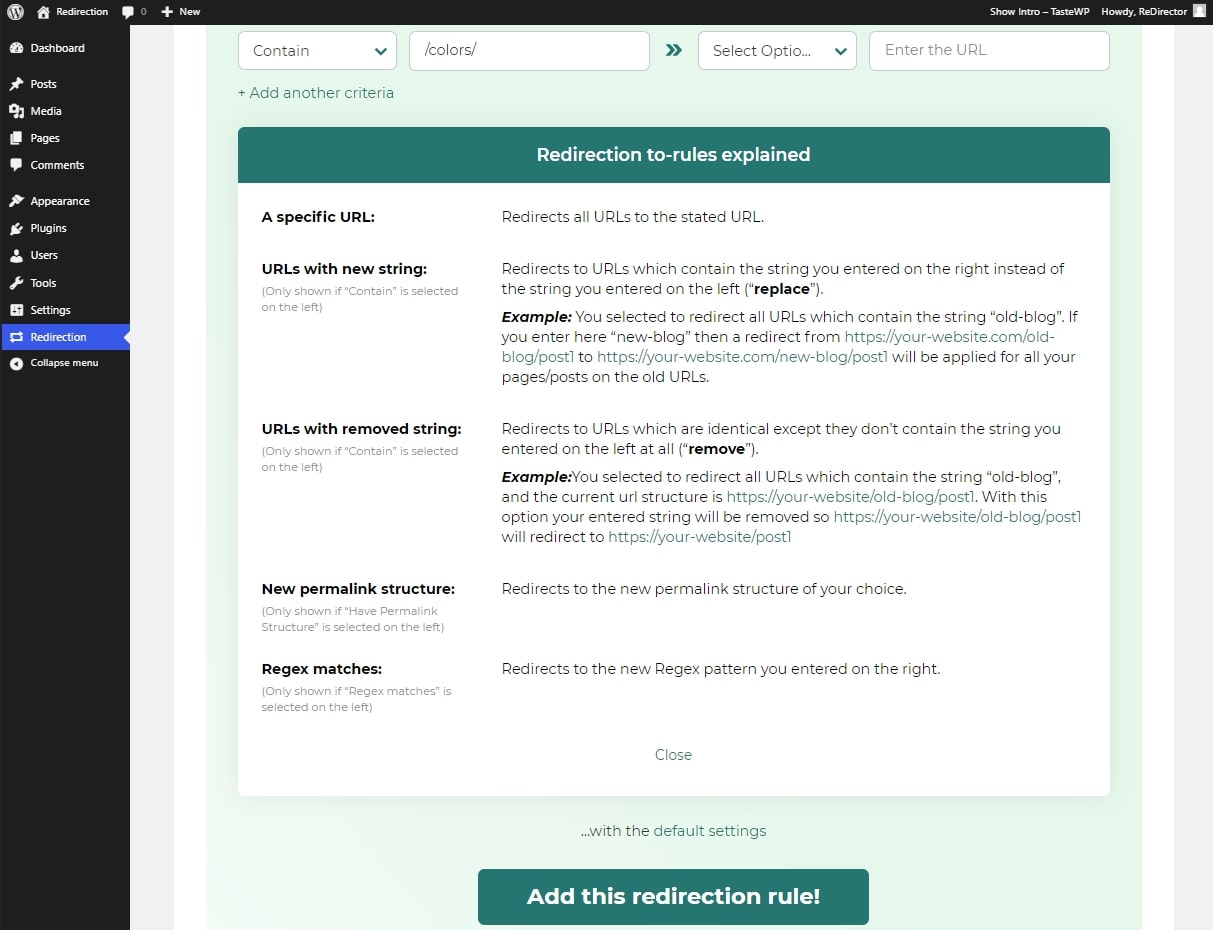
Create specific URL redirections and redirection rules super-easily on a beautiful, user-friendly interface of the Redirection plugin.
Creating even conditional redirections has never been easier and quicker than with the Redirection plugin.
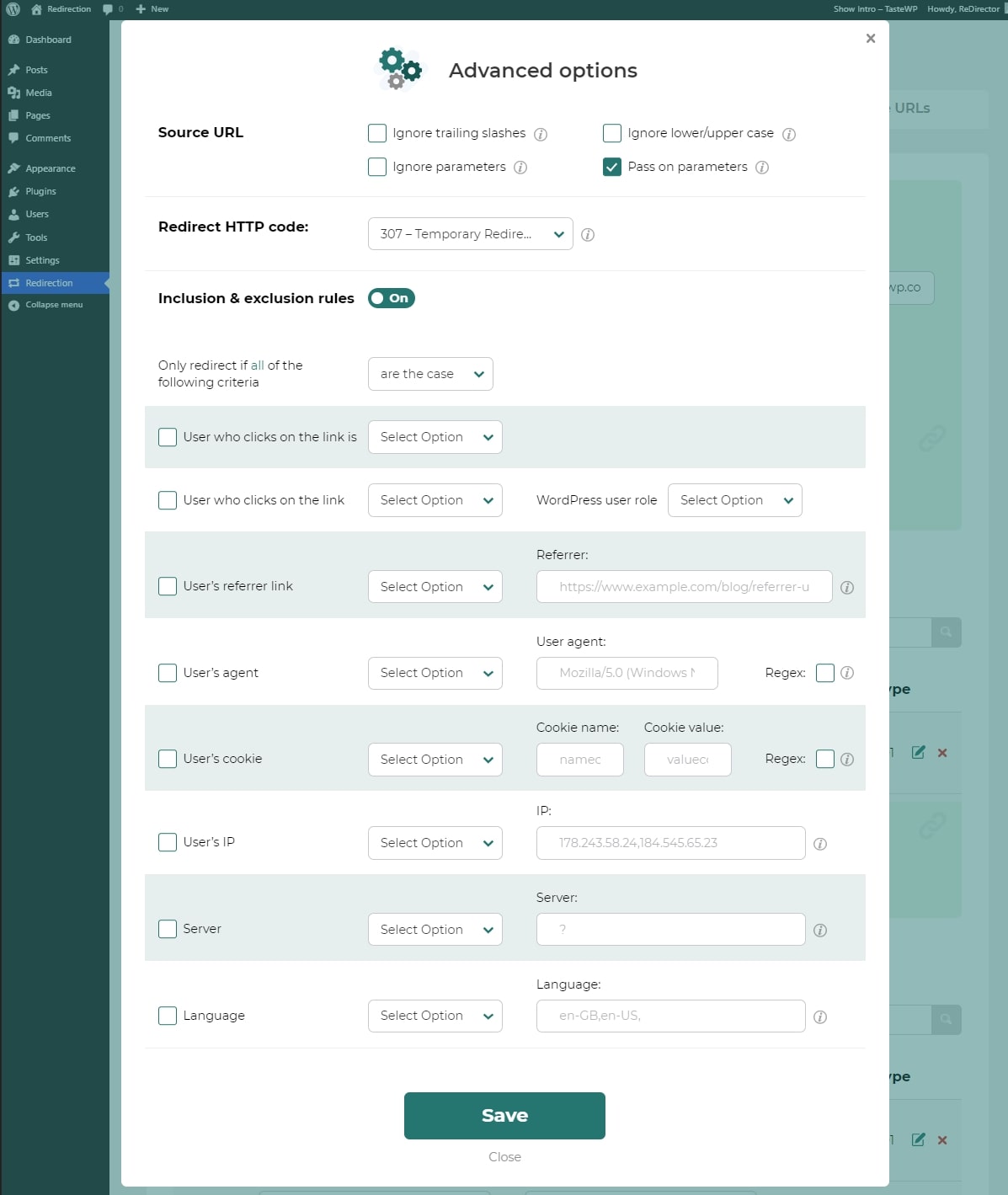
Creating redirection has never been simpler, but for fine-tuning, you can use a wide choice of advanced options:
The opening of the plugin's own description. The full text, installation notes and changelog are on its WordPress.org page.
By default, only Administrators can access the plugin and create and edit redirections.
Yes, you can easily disable single or bulk redirection rules or specific redirections.
All redirection rules and specific redirects will be disabled when the Redirection plugin is disabled/uninstalled. But, you can disable redirects without disabling the plugin.
Yes! You can also create redirection 404s to any other page if you like. And there is a brand new feature of redirection 404 to a Random Similar Post.
With the brand new feature “Redirection and 404 Logs” you can easily spot if there are any invalid links that your visitors are trying to reach, and best of all, you can fix them with one click on the button. Also, if you set up a Redirection Rule “Redirect all URLs which: are 404s to Random Similar Post” – you will basically fix all 404s on your site with one rule.
Redirection plugin is designed to be newbie-friendly, with a professionally designed interface, and simplified functions available to help users that are not familiar with, e.g. RegEx. Upcoming features will also be handy for not-too-technical users and users who changed their links (and permalinks).

#21 by installs
Manage 301 redirects, track 404 errors, and improve your site. No knowledge of Apache or Nginx required.

#158 by installs
Manage 301 & 302 redirects. Simple redirection & redirects validation. Includes redirect stats & 404 error log.

#965 by installs
Automatically Redirect any 404 page to a Similar Post based on the Title Post Type & Taxonomy using 301 or 302 Redirects!

#13 by installs
Grow your organic traffic and AI visibility with powerful SEO tools, XML sitemaps, Schema automation, and built-in AI SEO, all in one place.

AIOSEO is the WordPress SEO plugin. Boost SEO rankings with AI SEO tools, schema, meta descriptions, XML sitemaps & rank tracking.
Broken link checker that finds and fixes broken links, broken images, and dead video links to protect your site's SEO.
Read from the WordPress.org plugin API on , when WordPress 7.1.4 was the current release. WordPress.org rounds active installs into buckets. These are the directory's figures, not my verdict, and I haven't tested this plugin.
