
Product Import Export for WooCommerce – CSV Product Importer & Exporter
Import and export WooCommerce products via CSV. Bulk upload products, update stock and prices, and import or export product images.
- Active installs
- 80,000+
- #529 of 1,000
- Downloads, all time
- 4.5M
- 4,487,679
- Downloads, 30 days
- 40.3K
- 28.8K in the last 7
- Rating
- 4.6 / 5
- 413 reviews
- Last updated
- 5 days ago
- Oct 26, 2026
- Version
- 2.6.8
- 159 releases
Upkeep and compatibility
| Last updated | October 26, 2026Updated in the last 3 months |
|---|---|
| Tested up to | WordPress 7.1.4Covers WordPress 7.1.4, the current release |
| Needs WordPress | 3.0 or newer |
| Needs PHP | 5.6 or newer |
| First published | April 14, 2016 |
| Support, last two months | 1 of 1 threads resolved (100%) |
Reviews
4.6 / 5 from 413 reviews
| 5 stars | 357 |
|---|---|
| 4 stars | 16 |
| 3 stars | 5 |
| 2 stars | 11 |
| 1 star | 24 |
Downloads, last 30 days
What the author says it does
Import and export WooCommerce products via CSV. Bulk upload products, update stock and prices, and import or export product images.
WooCommerce Product Import Export Plugin – Import, Export & Bulk Upload Products Using CSV
Export, import, bulk upload and update your WooCommerce products (simple, grouped, external/affiliate) in a super simple way using CSV files.
Use this WooCommerce product import plugin to import products to WooCommerce, export products to CSV, migrate products between WooCommerce stores, update stock and prices in bulk, and move product data such as images, gallery images, reviews, categories, tags, attributes, prices, and stock details.
With automatic column mapping, export filters, and bulk update options, you can manage product data without manually editing individual products.
New: the plugin can use ChatGPT to generate product descriptions for imported products that have none.
Need to import and export variable products. Upgrade to the premium version of WooCommerce Product Import Export.
PRODUCT IMPORT EXPORT FOR WOOCOMMERCE – FREE IMPORT EXPORT PLUGIN
The free version of the Product Import Export for WooCommerce plugin imports and exports the following WooCommerce product types:
- Simple
- Grouped
- External/Affiliate products
The opening of the plugin's own description. The full text, installation notes and changelog are on its WordPress.org page.
Questions the author answers
How do I import products into WooCommerce from a CSV file?
Go to the plugin’s Import screen, choose Product, upload your CSV, map the columns to product fields, and start the import. Export a few products first if you want a CSV with the correct format. See how to import and export WooCommerce products.
How do I export WooCommerce products to CSV?
Open the Export screen, choose Product, set any filters, map the columns you want, and export. The CSV downloads when the export finishes.
How do I bulk upload products to WooCommerce?
You can bulk upload products using the WooCommerce CSV importer. Prepare a CSV file containing your product information, upload it through the plugin, map the required fields, and run the import. The plugin supports bulk uploading simple, grouped, and external/affiliate products in the free version.
How do I import WooCommerce products with images?
Add the image URLs to the image columns of your CSV and import it. The plugin imports featured and gallery images with each product. Steps are in this guide(https://www.webtoffee.com/how-to-import-woocommerce-products-with-images-from-a-csv-file/).
How do I bulk update WooCommerce product prices and stock?
Export your existing WooCommerce products to CSV, update the price or stock values in a spreadsheet, and import the modified file using the plugin. Configure the import to update existing products rather than creating duplicates.
Import of attributes not working using the WooCommerce export CSV?
The product import export plugin lets you import the CSV exported using WooCommerce default export tools by mapping all default fields automatically. However, due to the data format difference in the CSV, attribute fields aren’t supported at the moment. To successfully import the attributes, you can alter the attribute columns.
Latest changelog entry
- [Compatibility] – Tested OK with WordPress 7.1.3
- [Compatibility] – Tested OK with WooCommerce 11.2.1
- [Fix] – Hardened URL-based imports and remote image imports against server-side request forgery (SSRF) via HTTP redirects. Reported by Sarvar.
- [Feature] – Added product gallery video import/export support for WooCommerce 11.1.
See changelog for all versions
Screenshots

General settings for WooCommerce product import export plugin 
Export method for WooCommerce product export plugin 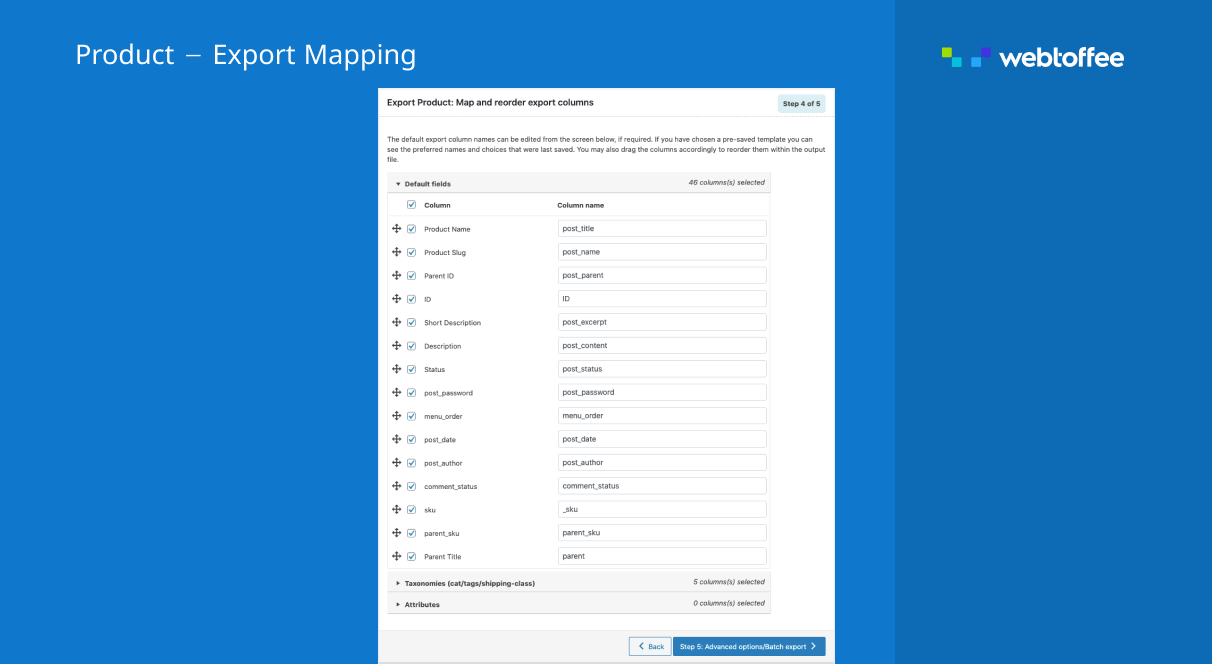
Export mapping for WooCommerce product export plugin 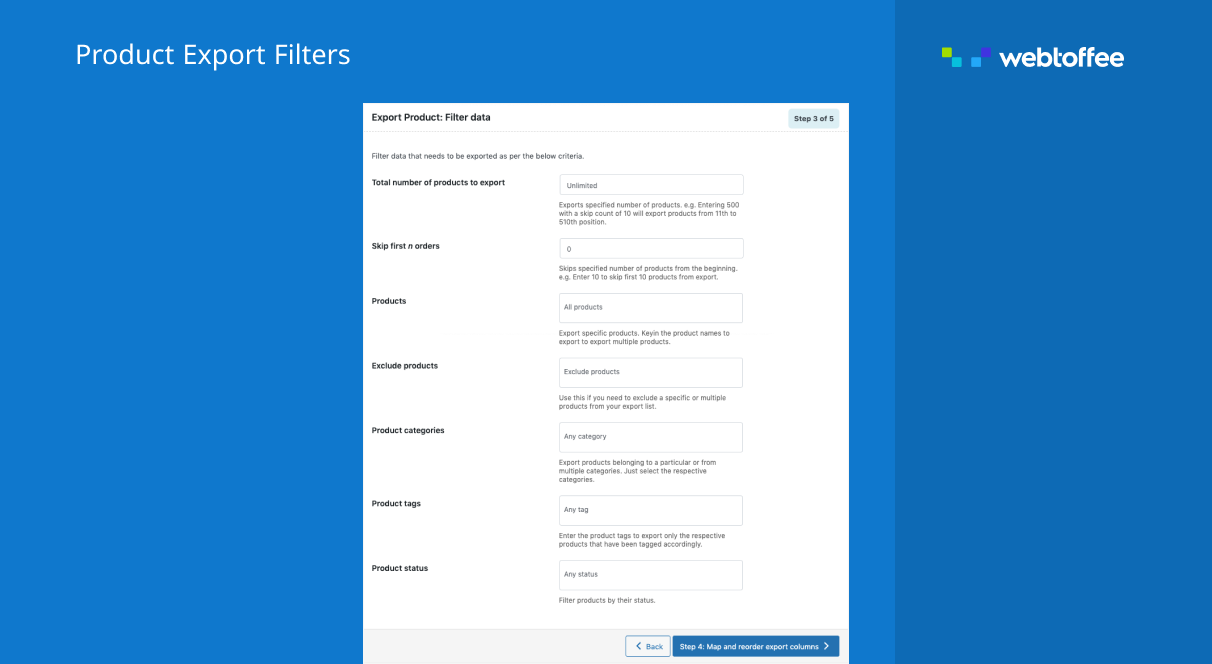
Filter products for WooCommerce product export plugin
Tagged
Where this page's numbers come from
Read from the WordPress.org plugin API on , when WordPress 7.1.4 was the current release. WordPress.org rounds active installs into buckets. These are the directory's figures, not my verdict, and I haven't tested this plugin.