
Power Coupons for WooCommerce
WordPress coupon plugin for WooCommerce that auto-applies discounts with flexible rules and dynamic cart incentives—no codes required.
- Active installs
- 30,000+
- #934 of 1,000
- Downloads, all time
- 244.2K
- 244,162
- Downloads, 30 days
- 30.2K
- 6.8K in the last 7
- Rating
- 5.0 / 5
- 3 reviews
- Last updated
- 22 days ago
- Oct 9, 2026
- Version
- 1.0.8
- 10 releases
Upkeep and compatibility
| Last updated | October 9, 2026Updated in the last 3 months |
|---|---|
| Tested up to | WordPress 7.1.4Covers WordPress 7.1.4, the current release |
| Needs WordPress | 6.0 or newer |
| Needs PHP | 7.4 or newer |
| Needs plugins | woocommerce |
| First published | February 2, 2026 |
| Support, last two months | 1 of 1 threads resolved (100%) |
Reviews
5.0 / 5 from 3 reviews
| 5 stars | 3 |
|---|---|
| 4 stars | 0 |
| 3 stars | 0 |
| 2 stars | 0 |
| 1 star | 0 |
Downloads, last 30 days
What the author says it does
Power Coupons is a WordPress coupon plugin built for WooCommerce stores that want discount rules, dynamic discounts, and auto-apply coupons—without turning the checkout into a “find the coupon field” scavenger hunt.
If you’ve ever run a promotion and still watched shoppers drop off at cart or checkout, it’s often not because the deal wasn’t good. It’s because the coupon experience was clunky:
- The offer was buried in a banner.
- The code was forgotten, mistyped, or never entered.
- The cart didn’t clearly explain what qualifies.
- Another discount tool conflicted, and nobody could tell why.
Power Coupons is designed to reduce that friction. Instead of relying on shoppers to enter codes, you can show eligible offers in-cart and apply discounts automatically when conditions are met. The result is a cleaner buying experience and promotions that are easier to manage (and easier to troubleshoot) over time.
Who is this for?
- Store owners who want a WordPress coupon plugin that’s easy to set up and easy to audit later.
- DTC and growing brands focused on increasing AOV with dynamic discounts and cart incentives.
- Retail teams running frequent promotions who need rule-based discounts that don’t require codes.
- Agencies managing multiple WooCommerce sites that want consistent discount logic and a clean admin experience.
What you can build with Power Coupons
The opening of the plugin's own description. The full text, installation notes and changelog are on its WordPress.org page.
Questions the author answers
Can I create discount rules for WooCommerce coupon codes?
Yes. Power Coupons lets you create rule-based discounts that apply automatically when conditions are met.
How do I set up dynamic discounts for WooCommerce?
Create a rule using cart conditions like cart total, products, categories, quantities, or combinations. When the cart conditions match, the discount applies automatically.
Why is my WooCommerce discount not applying?
Common causes include: the cart does not meet the rule conditions, excluded products/categories, usage restrictions, or another coupon/discount already applied. Check the rule conditions and test with only one active rule to isolate the issue. If you have any questions or need assistance, please contact our support team.
Can I create bulk discounts or quantity breaks?
Yes. Use quantity-based rules to offer tiered discounts based on the number of items.
Does Power Coupons work with WooCommerce Cart and Checkout Blocks?
Power Coupons is built for WooCommerce cart and checkout flows. If your store uses Blocks and you notice coupon UI differences, update WooCommerce and Power Coupons to the latest versions and contact support with details.
Will caching affect auto-apply discounts?
Some caching setups can interfere with cart sessions. If discounts do not update correctly, exclude cart and checkout pages from caching and re-test.
Latest changelog entry
- Improvement: Improved the UI/UX and accessibility of the Settings, BOGO Offers and Loyalty Rewards admin screens.
- Improvement: The campaign and BOGO offer modals now explain why a start date later than the end date is not allowed.
- Improvement: The BOGO offer box now updates to “Offer Applied” right after the offer is applied, without a page reload.
Screenshots
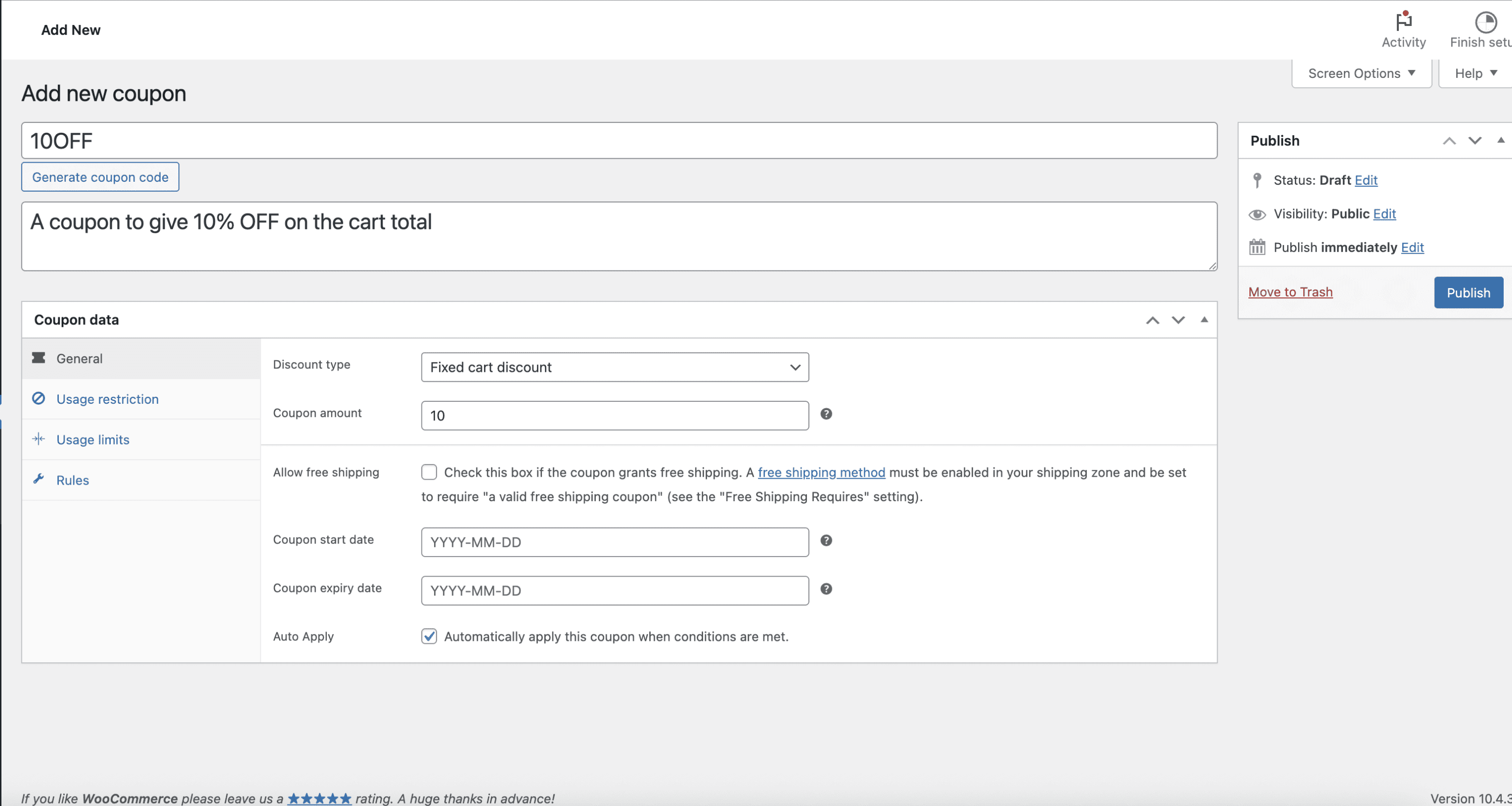
Create an auto-apply WooCommerce coupon rule with cart conditions. 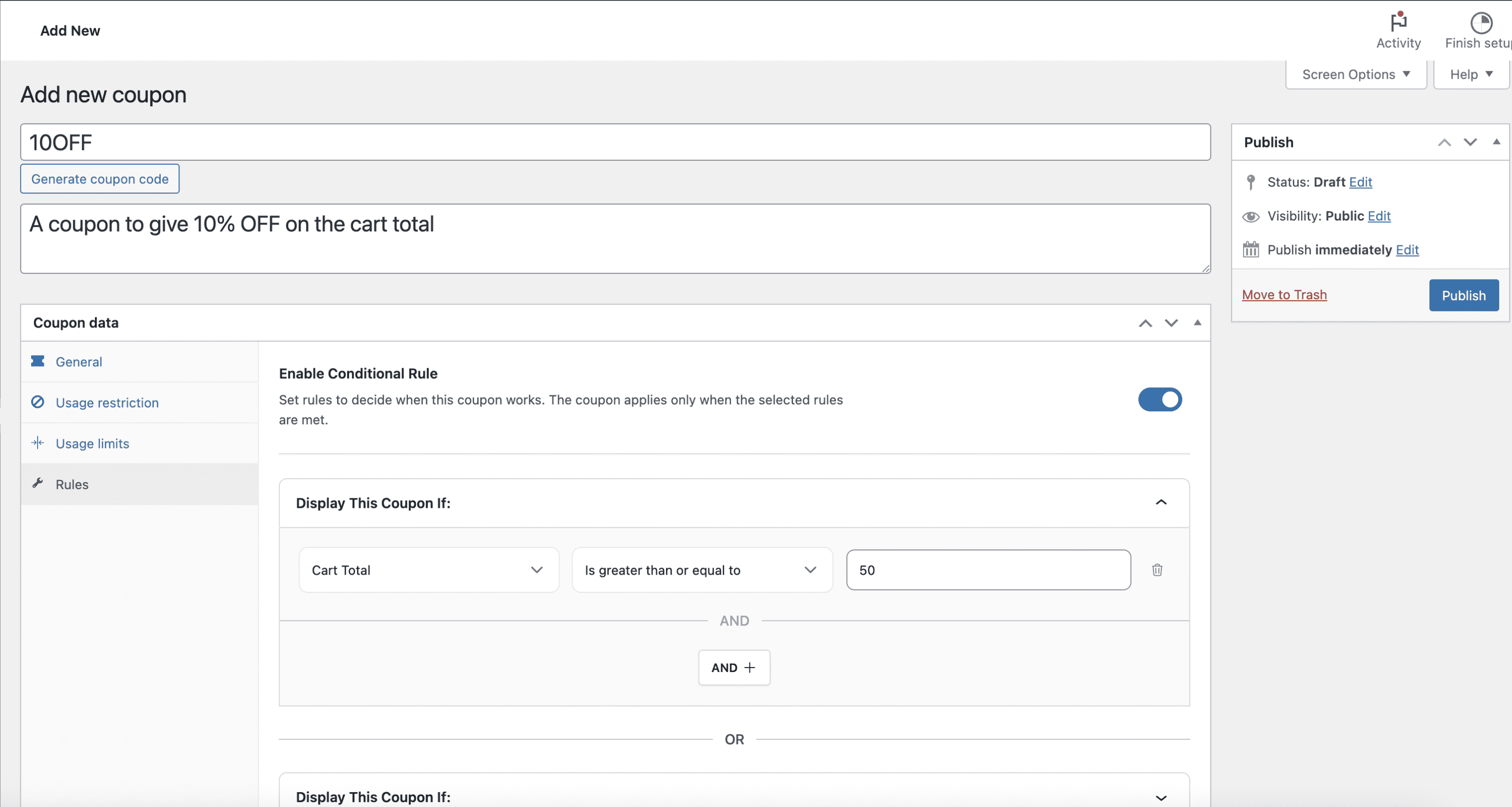
Discount rules by subtotal threshold (spend more to unlock a discount). 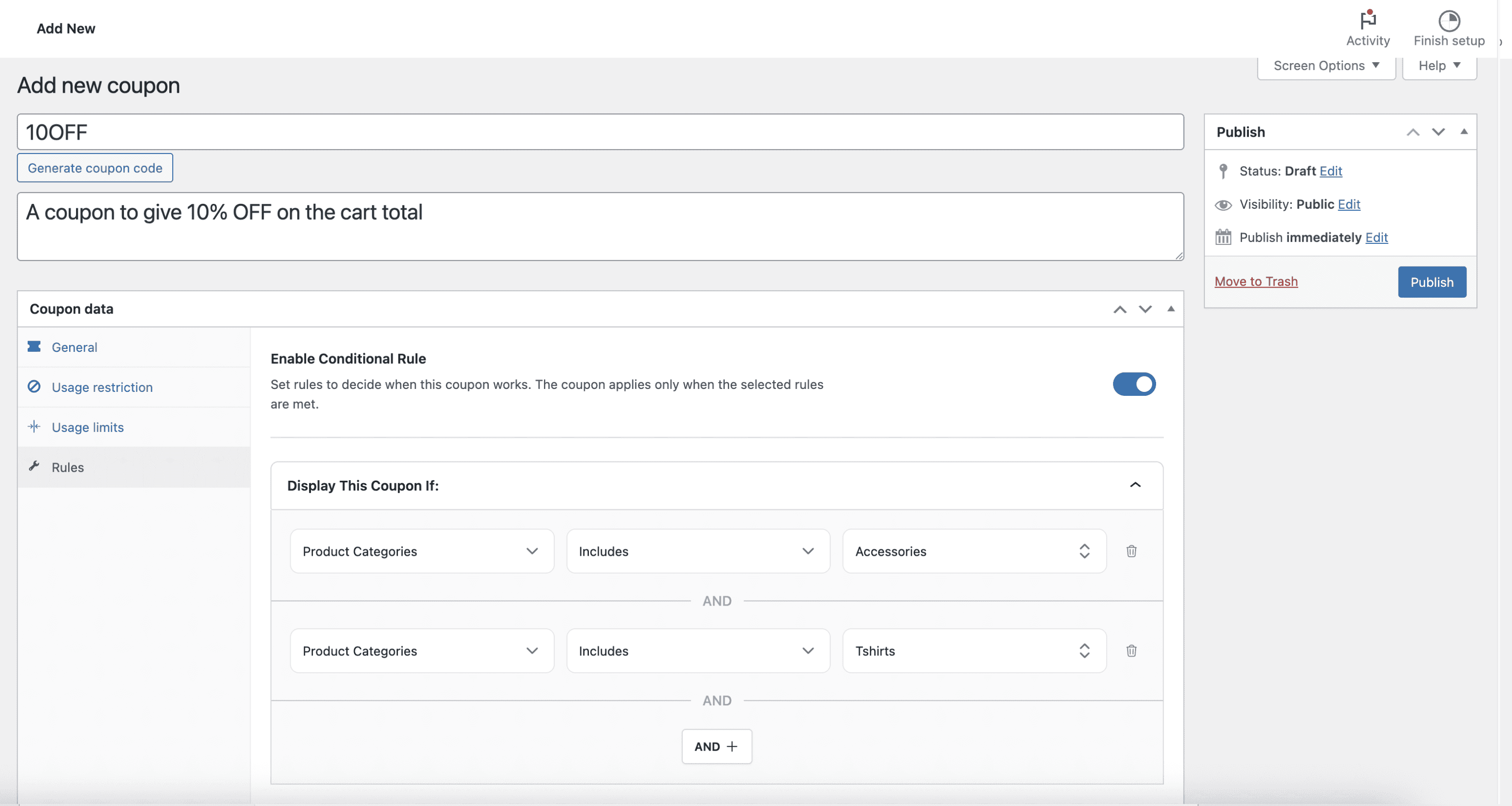
Category and product targeting (include/exclude logic). 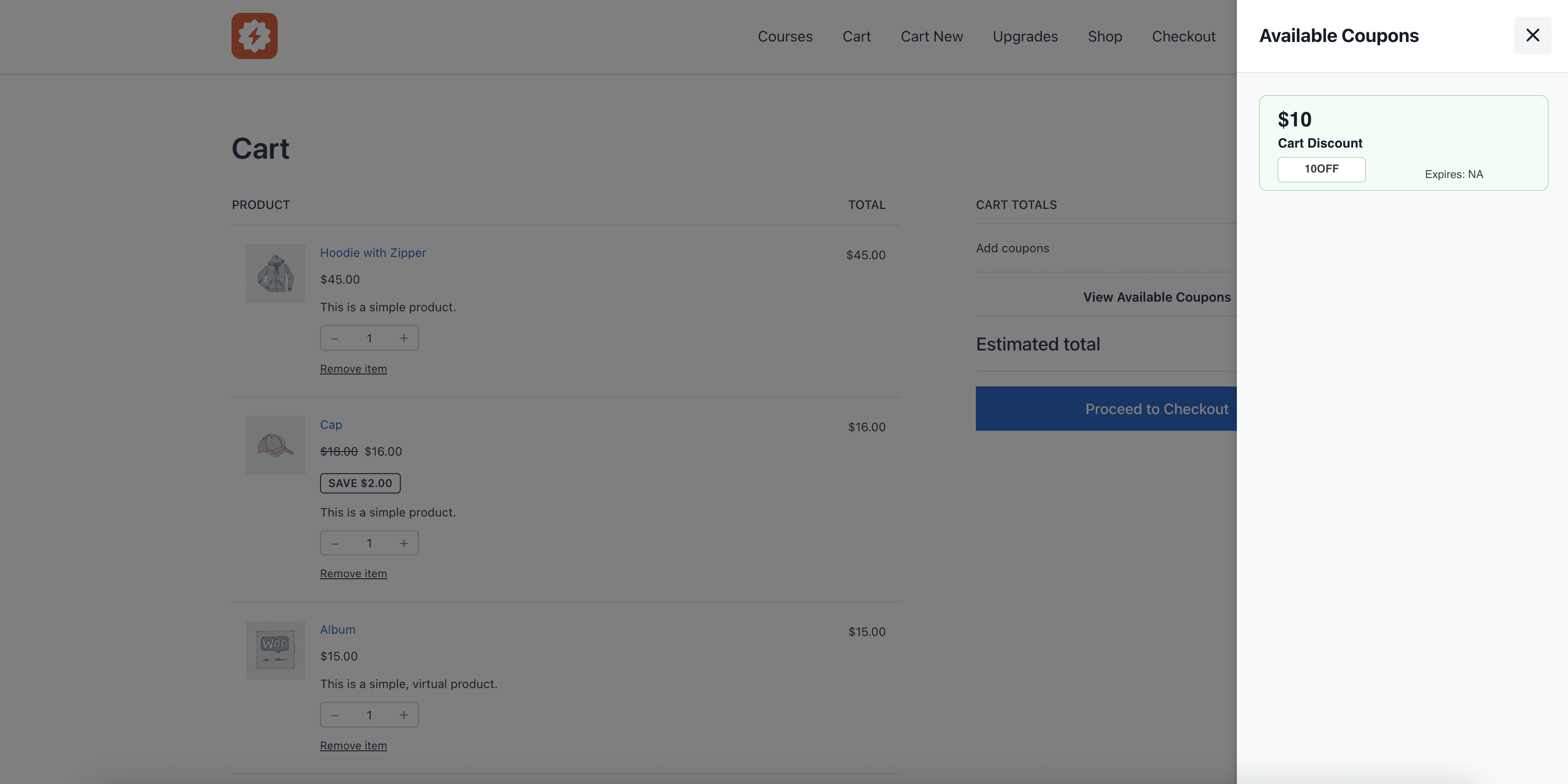
In-cart offers shown clearly (no coupon code hunting).
Tagged
Where this page's numbers come from
Read from the WordPress.org plugin API on , when WordPress 7.1.4 was the current release. WordPress.org rounds active installs into buckets. These are the directory's figures, not my verdict, and I haven't tested this plugin.