
Order Export & Order Import for WooCommerce
The best order export import plugin for WooCommerce. Easily import and export WooCommerce orders and WooCommerce coupons using CSV.
- Active installs
- 50,000+
- #699 of 1,000
- Downloads, all time
- 2.5M
- 2,509,337
- Downloads, 30 days
- 57K
- 16K in the last 7
- Rating
- 4.7 / 5
- 337 reviews
- Last updated
- 8 days ago
- Oct 23, 2026
- Version
- 2.8.0
- 159 releases
Upkeep and compatibility
| Last updated | October 23, 2026Updated in the last 3 months |
|---|---|
| Tested up to | WordPress 7.1.4Covers WordPress 7.1.4, the current release |
| Needs WordPress | 3.0 or newer |
| Needs PHP | 5.6 or newer |
| First published | June 22, 2016 |
| Support, last two months | 1 of 1 threads resolved (100%) |
Reviews
4.7 / 5 from 337 reviews
| 5 stars | 304 |
|---|---|
| 4 stars | 7 |
| 3 stars | 4 |
| 2 stars | 6 |
| 1 star | 16 |
Downloads, last 30 days
What the author says it does
Introduction – Order/Coupon Export Import Plugin
The Order Export Import Plugin for WooCommerce makes it easy to move order data between stores or from another platform to WooCommerce. Instead of manually transferring orders, you can quickly export and import orders in bulk, saving time and avoiding errors. The plugin safely handles thousands of orders including subscription orders (in the premium version), so you can keep your order history and customer details intact during migrations or store updates.
The plugin also works as a coupon export and import tool, making it easy to move all your coupons from another store or marketing campaign. If you manage a large number of coupons, this feature helps you bulk import coupon CSV files or export coupon data. It’s a simple way to keep your discount codes organized and consistent across different platforms.
Key Features of Order Import Export Plugin
The following are functionalities offered by the basic version of the WooCommerce order import and order export plugin.
🔸 Export Orders: WooCommerce export orders to CSV.
🔸 Import Orders: Import orders from CSV to WooCommerce.
🔸 Export Coupons: Export coupons to CSV.
🔸 Import Coupon CSV: Import coupons from CSV to WooCommerce.
🔸 Selective Column Import: Supports importing selected columns from the order import CSV file.
The opening of the plugin's own description. The full text, installation notes and changelog are on its WordPress.org page.
Questions the author answers
Does this plugin export order line item details?
Yes. You can import order line items or export order line items details.
Can I update existing orders using this plugin?
Yes, you can update the existing order details while importing.
Can I create mass orders using this plugin?
Yes, you can create mass orders while importing using a CSV file. Create a CSV for this purpose with order details without specifying the order ID. This will create new orders in the store the file is imported to.
Error caused because of the same order IDs on the target website
If you are migrating the orders from one site to another site and if the order ID is already used on the target site for other posts, then the orders will be imported with a new order number. You can resolve this issue by deleting the entries in the order ID column of the CSV.
If you need to retain the order numbers, you can overcome this issue with the help of our Sequential order number plugin.
Does this plugin import/export custom fields?
No, this feature is only supported by the premium version of the WooCommerce order export import plugin.
Are the order IDs retained in an import/export?
Yes, the order IDs will be retained unless there is another post type or order of the same ID already present in the website the CSV is imported to.
Latest changelog entry
- [Compatibility] – Tested OK with WordPress 7.1.3
- [Compatibility] – Tested OK with WooCommerce 11.2.1
See changelog for all versions
Screenshots
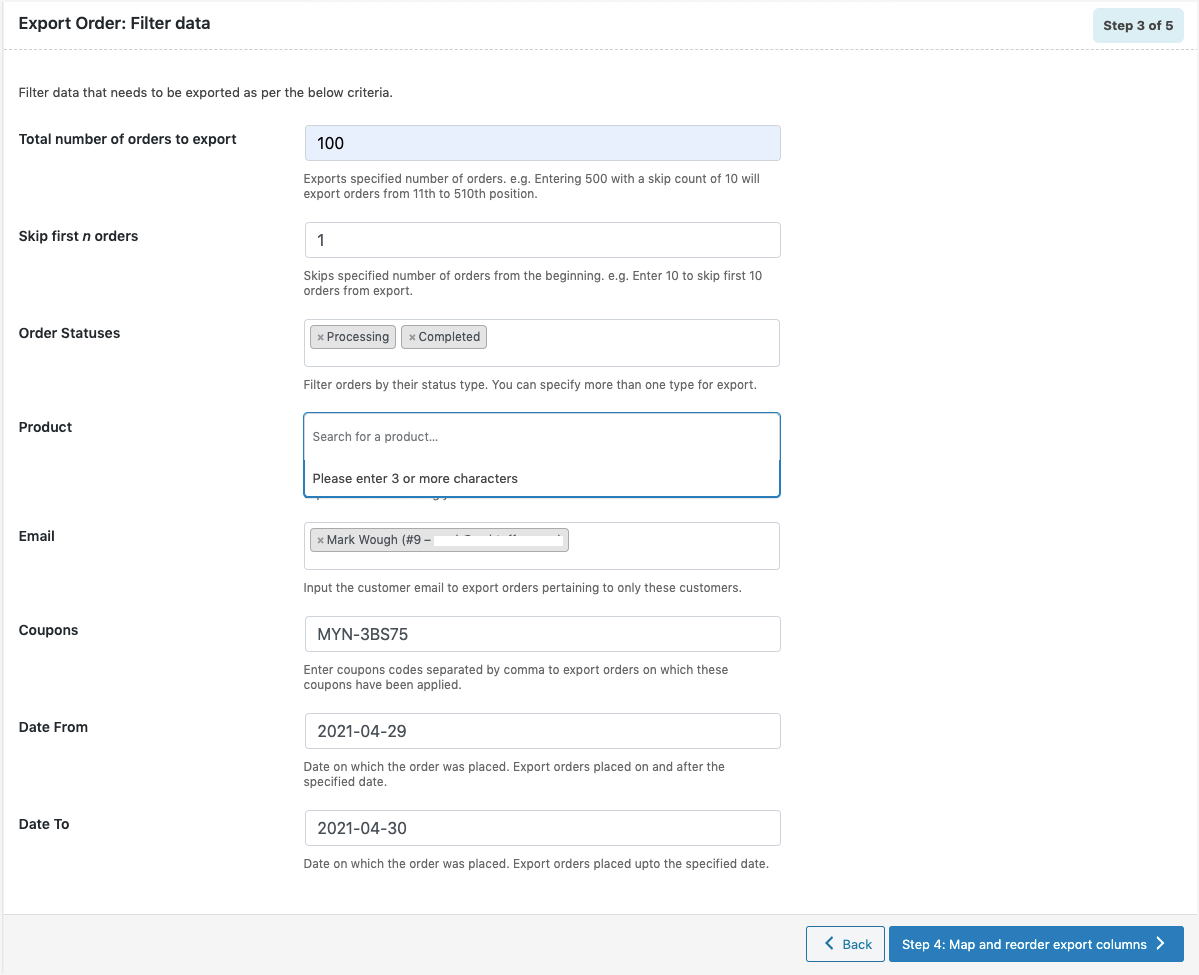
Order export filter options 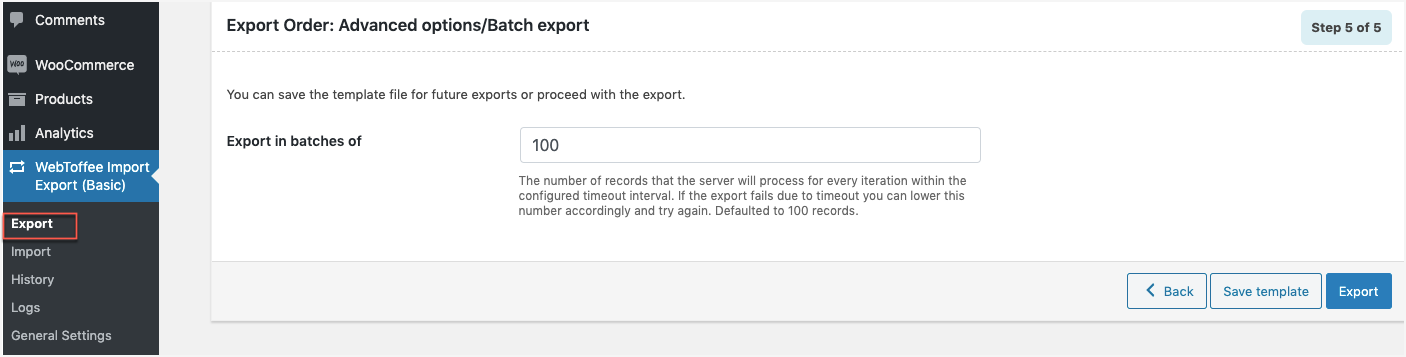
Order export advanced options 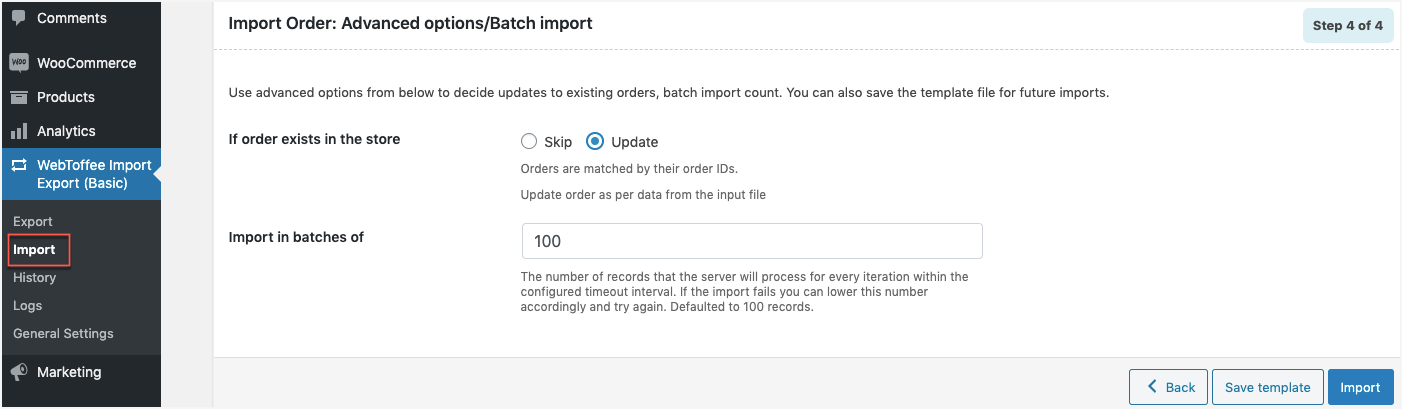
Order import advanced options 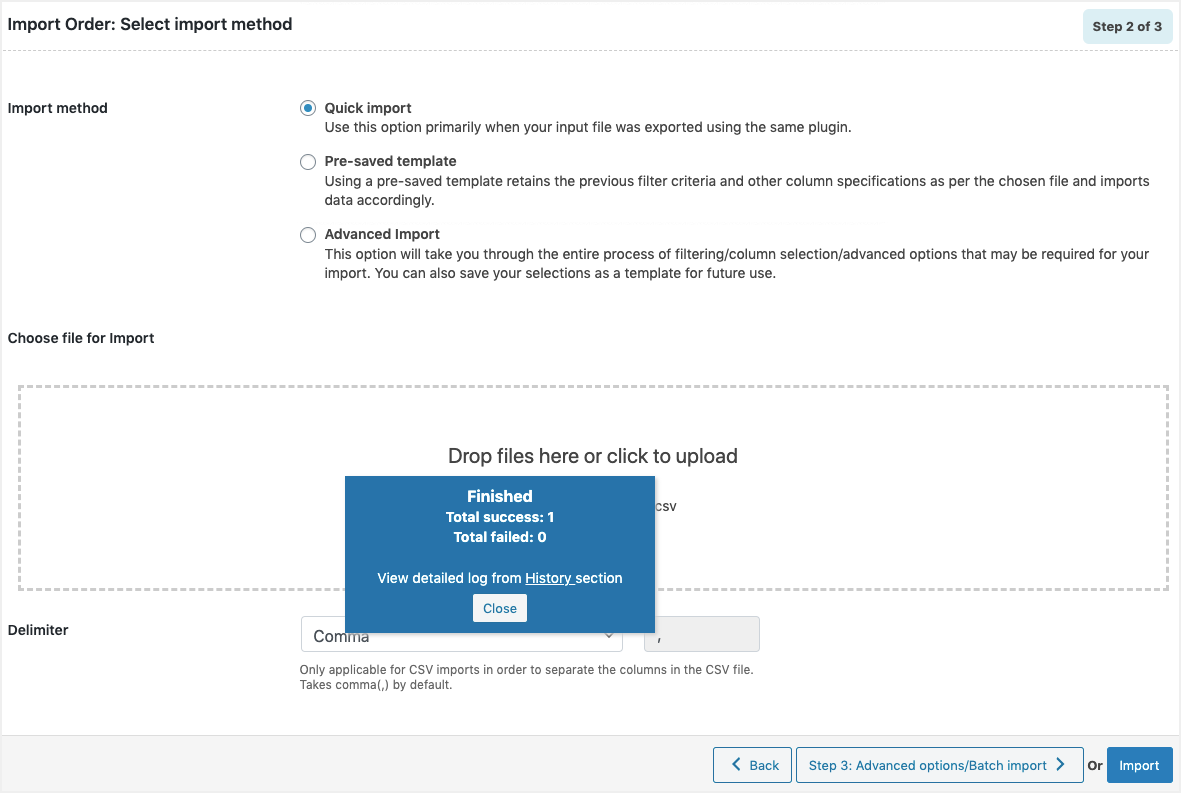
Order quick import completed
Tagged
Where this page's numbers come from
Read from the WordPress.org plugin API on , when WordPress 7.1.4 was the current release. WordPress.org rounds active installs into buckets. These are the directory's figures, not my verdict, and I haven't tested this plugin.