
Type to search.

#597 by installs

Meta Tag Manager

by Marcus (aka @msykes)Version 3.3

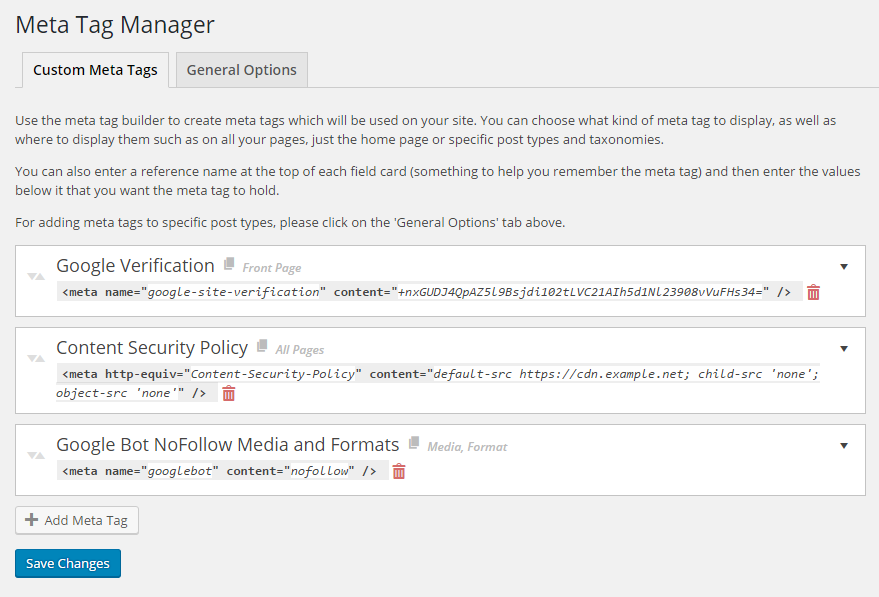
Easily add and manage custom meta tags to various parts of your site or on individual posts, such as Yahoo and Google verification tags.

Active installs
70,000+
#597 of 1,000
Downloads, all time
1.2M
1,153,547
Downloads, 30 days
4.3K
1.1K in the last 7
Rating
4.8 / 5
84 reviews
Last updated
37 days ago
Sep 24, 2026
Version
3.3
22 releases

Upkeep and compatibility

Last updatedSeptember 24, 2026Updated in the last 3 months
Tested up toWordPress 7.1.4Covers WordPress 7.1.4, the current release
Needs WordPress3.6 or newer
Needs PHPNot stated
First publishedApril 1, 2009
Support, last two months0 of 1 threads resolved (0%)

Reviews

4.8 / 5 from 84 reviews

Reviews by star rating
5 stars77
4 stars2
3 stars1
2 stars1
1 star3

Downloads, last 30 days

Low 77 a dayHigh 294 a day

What the author says it does

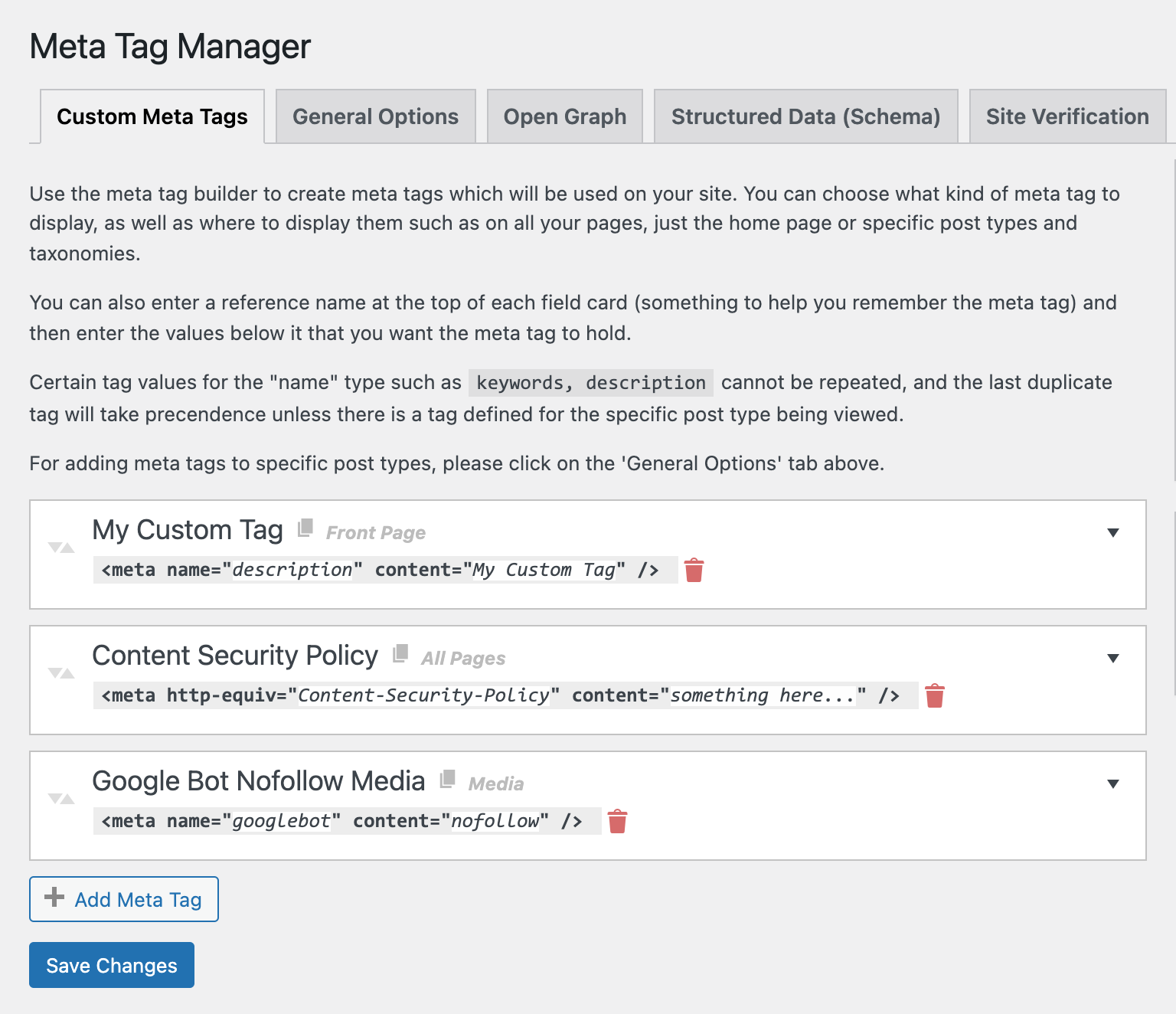
Meta Tags Manager is a powerful yet simple, lightweight plugin which allows you to add custom meta tags to your site. Features include:

  • Supports meta tags including the name, property, http-equiv, charset and itemprop attributes.
  • Choose from predefined types, such as ‘name=”keyword”‘ or create your own by typing it in.
  • Add meta tags to specific posts, choose what Custom Post Types to support from our settings page.
  • Add global meta tags that will display on specific CPTs, Taxonomies, your front page or your whole site.
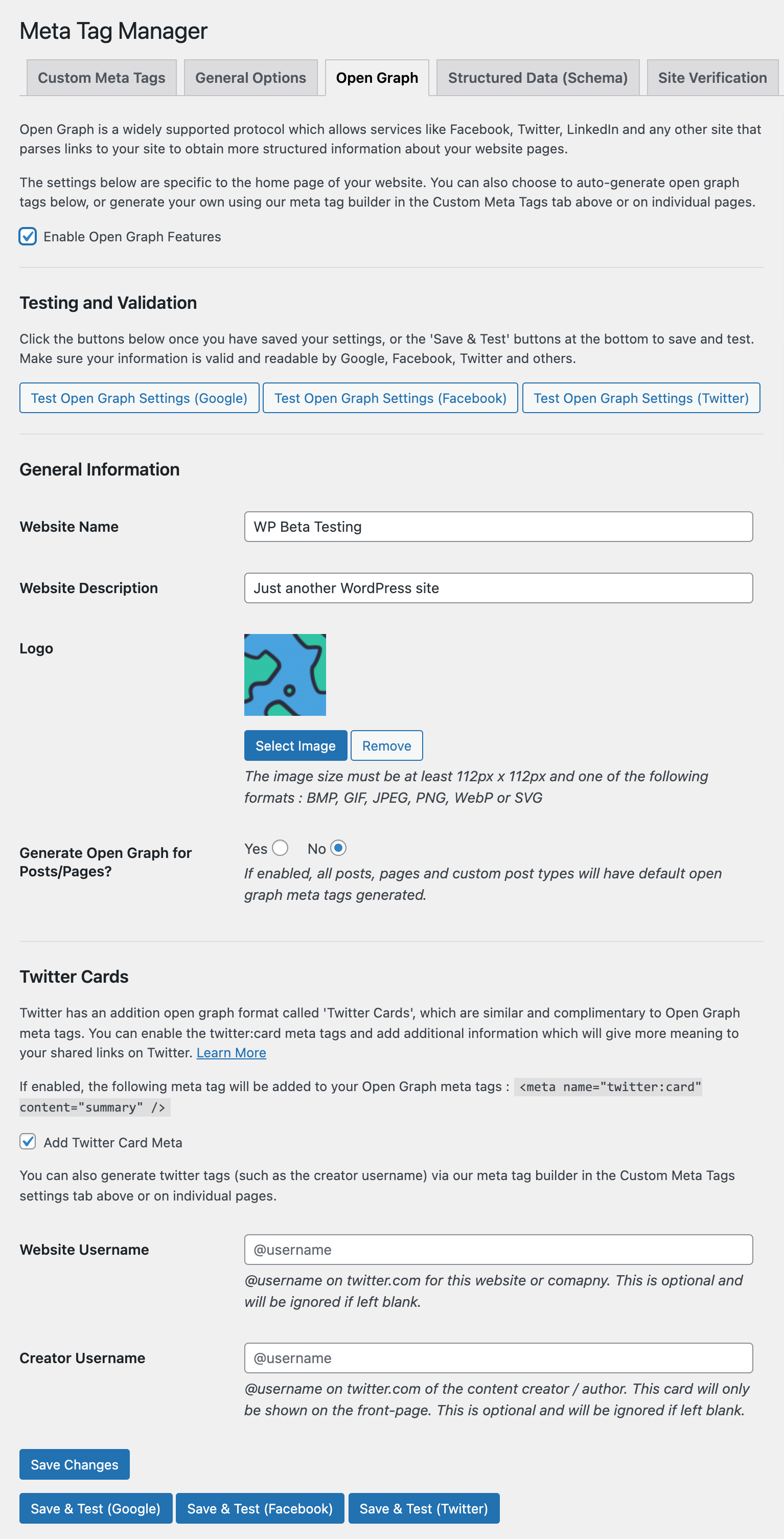
  • Automatically add Open Graph details to your home page.
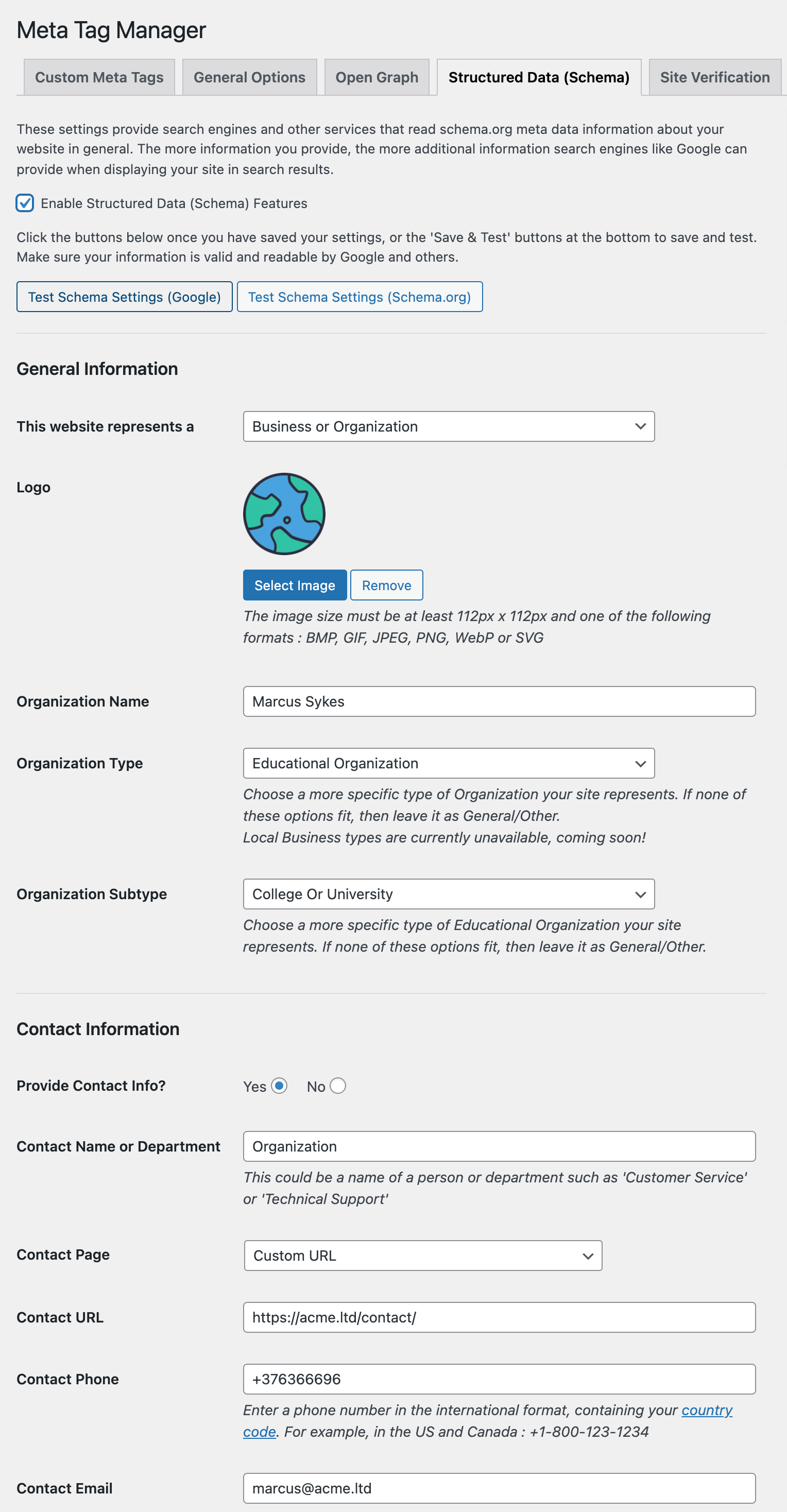
  • Automatically add Schema and Structured Data to your home page.
  • Add Google Sitelinks and Sitelinks Search markup.
  • Easily add verification codes for services like Facebook, Google Webmaster Tools, Bing Webmaster Tools, Yandex and more (or… create your own custom meta tags!).

Use cases include:

  • Adding Google and Yahoo site verification tags
  • Adding additional open graph, twitter card or other social media meta info not supported by other SEO/Meta plugins

Go Pro for many newly added features, including:

  • Dynamic placeholders to include data about the page being displayed, such as page title, comment count, thumbnail URLs and more!
  • Additional contexts to add global meta tags, as well as exclusion rules for finer-grained controls.

The opening of the plugin's own description. The full text, installation notes and changelog are on its WordPress.org page.

Questions the author answers

OK, I’ve installed the plugin, how and where do I start adding meta tags?

You can manage your meta tags in two areas of your WordPress dashboard.

  • Within Settings > Meta Tag Manager.

The general settings page is where you can add tags that appear on various areas of your site, such as your front page, archive pages, category/taxonomy pages, etc. Each tag you create can be assigned to a specific are of the site.

  • On specific post type pages.
I don’t see the Meta Tag Manager meta box when editing a page on my site

This may be because your editing a CPT and it’s not selected within our settings page for Meta Tag Management. See next question for more information.

How do I enable/disable Meta Tag Manager for specific Custom Post Types (CPTs)?

By default (since 2.1) all custom post types are enabled, previous versions only had posts/pages enabled. If you install a plugin that introduces a new CPT, that also needs to be added, as it is not added automatically.

I’m stuck, or have a suggestion.

Please visit our support forums if you have any questions.

Latest changelog entry

3.3

  • scoped selectize CSS to avoid conflicts with other plugins using selectize
  • fixed low-severuty vulnerability allowing unauthorized redirects to other sites in posts created by editors or lower

Screenshots

First 4 of 7, from WordPress.org.

Tagged

Plugins that share its tags

The fastest feature-complete SEO plugin for professional WordPress websites. Secure, fast, unbranded, and automated SEO. Do less; get better results.

Installs
200,000+
Rating
4.9 (380)
Updated
17 days ago

#305 by installs

SEO SIMPLE PACK

by LOOS

This is a very simple SEO plugin. You can easily set and customize meta tags and OGP tags for each page.

Installs
100,000+
Rating
4.6 (14)
Updated
5 months ago

#5 by installs

LiteSpeed Cache

by LiteSpeed Technologies

All-in-one unbeatable acceleration & PageSpeed improvement: caching, image/CSS/JS optimization...

Installs
7+ million
Rating
4.8 (2.8K)
Updated
11 days ago

Grow your organic traffic and AI visibility with powerful SEO tools, XML sitemaps, Schema automation, and built-in AI SEO, all in one place.

Installs
4+ million
Rating
4.8 (7.5K)
Updated
25 days ago

Where this page's numbers come from

Read from the WordPress.org plugin API on , when WordPress 7.1.4 was the current release. WordPress.org rounds active installs into buckets. These are the directory's figures, not my verdict, and I haven't tested this plugin.



