
MaxButtons – Create buttons
Maxbuttons is the best and easiest button plugin for WordPress. Within minutes you can create beautiful buttons, share buttons and social icons.
- Active installs
- 70,000+
- #599 of 1,000
- Downloads, all time
- 5.2M
- 5,230,542
- Downloads, 30 days
- 6.5K
- 1.6K in the last 7
- Rating
- 4.9 / 5
- 1,093 reviews
- Last updated
- 31 days ago
- Sep 30, 2026
- Version
- 9.8.6
- 100 releases
Upkeep and compatibility
| Last updated | September 30, 2026Updated in the last 3 months |
|---|---|
| Tested up to | WordPress 7.1.4Covers WordPress 7.1.4, the current release |
| Needs WordPress | 5.0 or newer |
| Needs PHP | 7.0 or newer |
| First published | August 16, 2011 |
| Support, last two months | 1 of 1 threads resolved (100%) |
Reviews
4.9 / 5 from 1,093 reviews
| 5 stars | 1,017 |
|---|---|
| 4 stars | 47 |
| 3 stars | 9 |
| 2 stars | 5 |
| 1 star | 15 |
Downloads, last 30 days
What the author says it does
MaxButtons is a powerful WordPress button, share button and social icon plugin. Create great looking CSS3 WordPress buttons in a minute. Easy to understand. Our button editor with live preview makes it a snap to generate awesome responsive buttons in very little time. The social share buttons and social icon features allow you to add social options to your website in minutes.
MaxButtons WordPress button plugin has been going strong for over 15 years and was the first button plugin for WordPress. MaxButtons has earned over 1000 5-star reviews and over 3.5 million downloads. Here are couple of our favorites:
“The best plugin of its kind”
“This plugin makes creating buttons sooooo easy.”
Why aren’t all plugins like this?!?
MaxButtons easily solved my problem with lots of options when creating the button and a live view of what it was going to look like. It would have done the job for me there and then but being able to adjust the text AND link with shortcodes on my page made modifications a breeze. – by discgosforth
“Easy, clear, and robust. I’m a programmer and can write CSS till the cows come home, but why? Just get it, install it and use it. Then, when you’re impressed, buy the pro version”
Max Foundry also makes the WordPress Gallery plugin MaxGalleria and WordPress Media Folders plugin for real WordPress Media Library folders.
Requirements
- WordPress installed
The opening of the plugin's own description. The full text, installation notes and changelog are on its WordPress.org page.
Questions the author answers
Do I have to copy a button if I want to have a different text or link?
No. The shortcode enables you to change various items on the button including the text and link. It’s better to create a single button and reuse it.
To change text and link :
[maxbutton id=”1″ text=”yourtext” url=”http://yoururl”]
If you only want to change one of the two, just leave the not needed option out.
Most often used options:
How do I use the shortcode in a sidebar/widget?
Simply add the button shortcode to your widget (ex: [maxbutton id=”17″] or [maxbutton name=”MaxButtons Button Name”]). If the styling is missing on the widget, try to check the ‘use important’ checkbox under ‘advanced’ settings.
How can I add the shortcode to my post/page template?
You can use the WordPress do_shortcode function for this. Use the button name instead of ID for clearer code and easier replacement.
Can’t see styling on the frontpage
Sometimes the button styling doesn’t load on the frontpage. There are usually two major reasons:
- Theme doesn’t have proper footer, check if wp_footer() is called in the theme
- Using MaxButtons with sliders, dynamic page loaders (such a parallax and one-page themes ) or caching mechanisms.
TablePress and MaxButtons
TablePress uses a caching mechanism which prevents the MaxButtons style design from functioning. To solve this problem, simply add the caching option to the shortcode like this: [table id=123 cache_table_output=false] . See this support topic on TablePress.
A solution which will keep the cache enabled is to use this in your shortcode: [maxbutton id=1 style=”inline”] . Flush the TablePress cache after adding this.
Part of my button is cutoff, how do I fix that?
Try enabling the container and setting its margin options. You could also fix this manually by surrounding your button shortcode with a div element with margins. For example:
<div style="margin: 10px 10px 10px 10px;"> <?php echo do_shortcode('[maxbutton id="17"]'); ?> <?php echo do_shortcode('[maxbutton name="MaxButtons Button Name"]'); ?> </div>
Latest changelog entry
- Maintenance release
- Fix – Missing escape on view parameter in maxbutton list
- Compatible and tested with latest WordPress (7.0) and PHP (8.3)
Screenshots
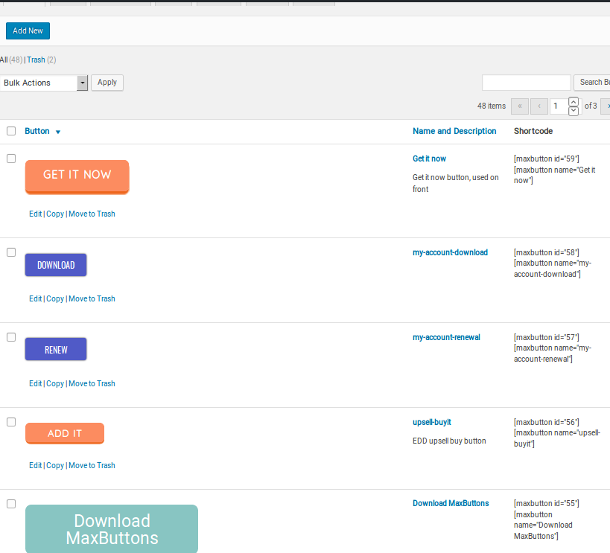
Button overview - Everything in one view 
Button editor - Your own look and feel 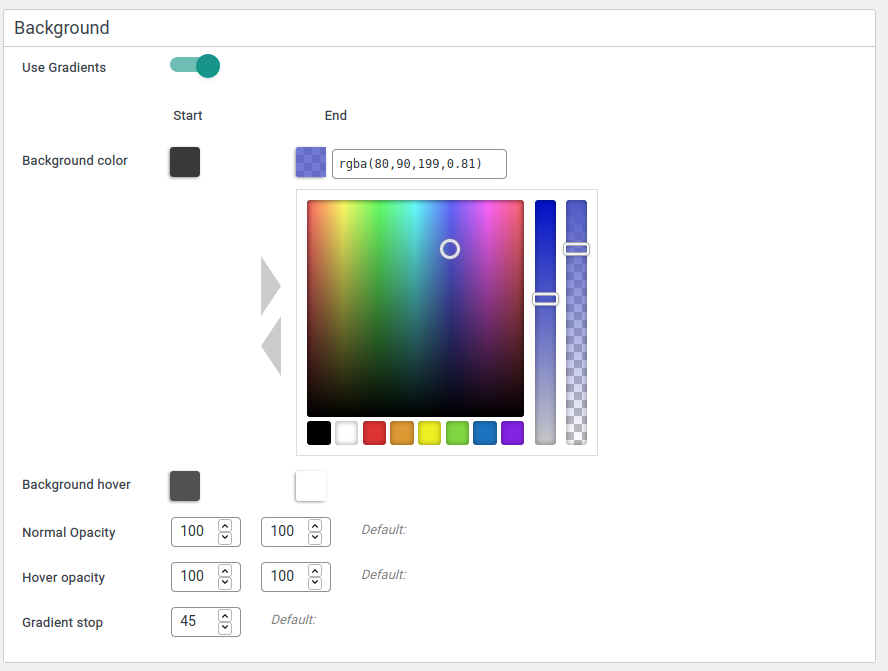
Color picker including styles, transparency and more 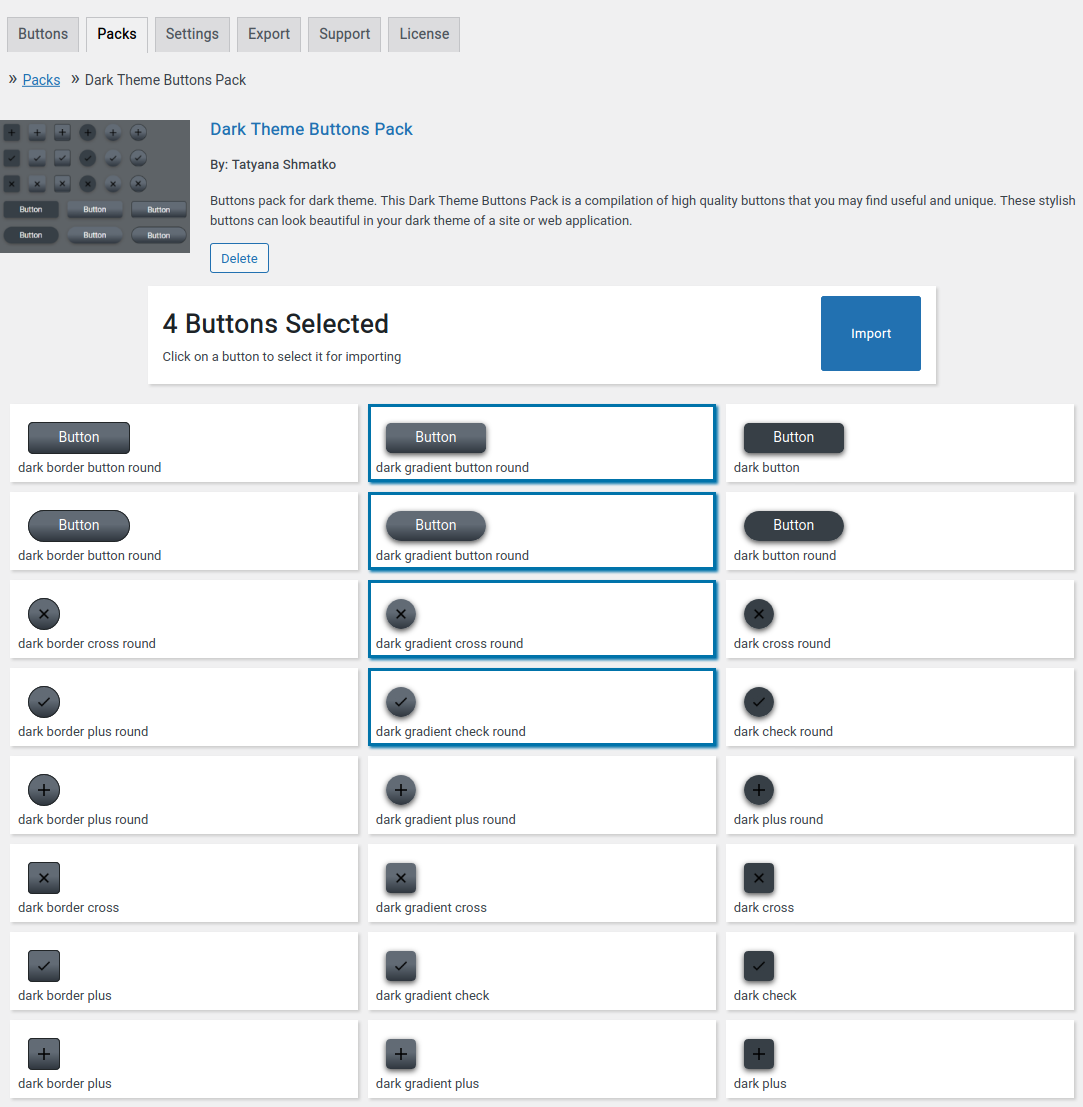
Button packs, easily add premade buttons
Tagged
Where this page's numbers come from
Read from the WordPress.org plugin API on , when WordPress 7.1.4 was the current release. WordPress.org rounds active installs into buckets. These are the directory's figures, not my verdict, and I haven't tested this plugin.